Whale is AI-Powered SOP Software that gets your team aligned and trained. Record any process in minutes, assign trainings automatically, and find the right answer inside any tool your team is using.
Someone wrote the SOP. They live somewhere, a shared drive, a Notion page from two years ago, a folder full of PDFs nobody understands. Sure, the colleague who wrote them knows where they are. But everyone else keeps asking in the team chat.
When a new hire asks “how do I do X?” someone stops what they’re doing to answer. Then it happens again the next day, and the day after. Six months in, you realize your documentation isn’t working.
The problem isn’t your team. It’s that SOPs only get followed when they’re easy to find at the exact moment they’re needed. When they live in a folder, checking them is optional. When they show up at the right moment, in the toold your team is currently using, they get used. That’s what Whale is for.
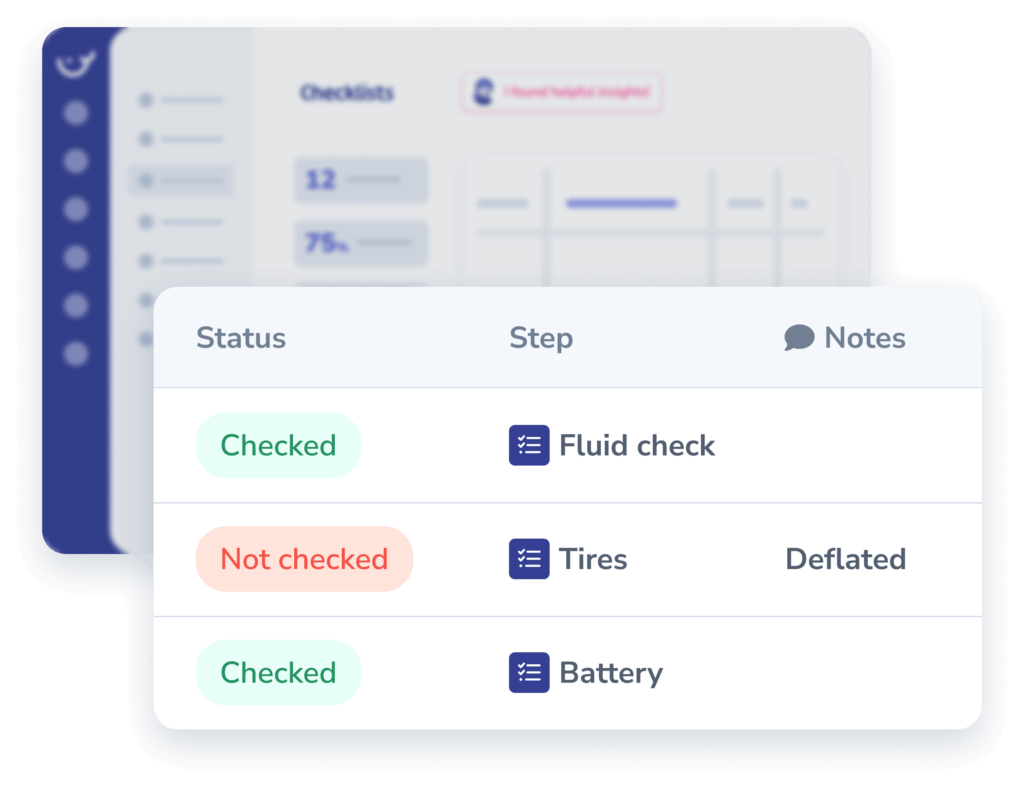
Create SOPs in minutes, share them with your team, and keep track of who’s actually completed their trainings.
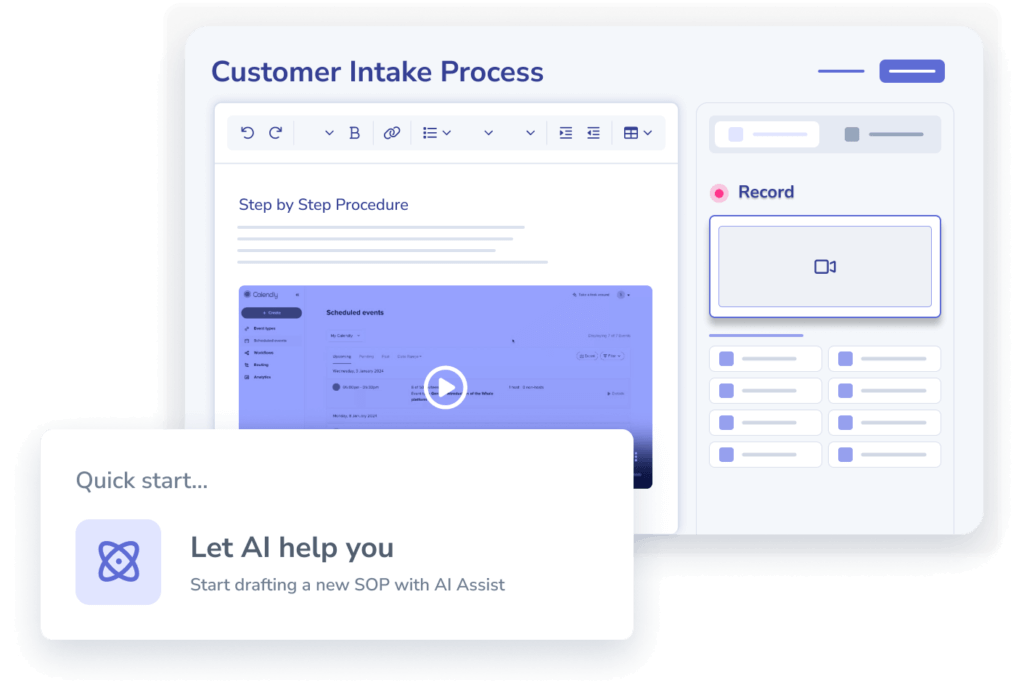
Record any on-screen process with the Whale web app. Each click becomes a numbered step with an annotated screenshot. Once you’re done, Whale’s Step Recorder does the heavy lifting and hands you a formatted, editable guide ready to share and assign to your team.
What used to take two hours of copy-pasting screenshots into a document now takes less than ten minutes.
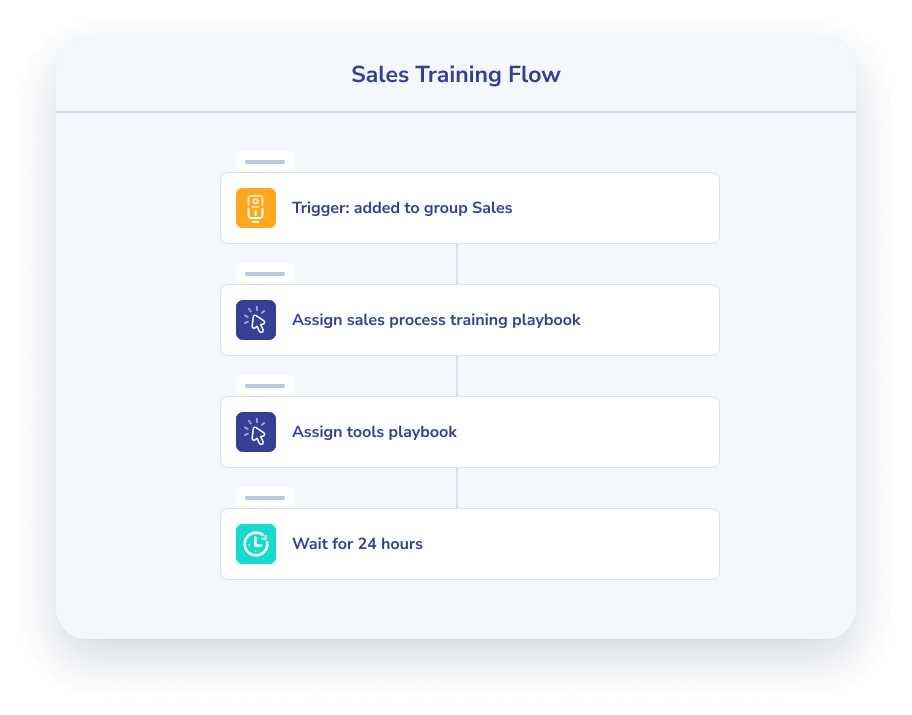
Skimming through a document and knowing how to apply it are different things. With Whale, you can build training paths that guide your team throught the right content, when they need it g. Implement quizzes to make sure it sticks , and track who’s finished, who’s behind, and what’s being skipped without chasing anyone down.
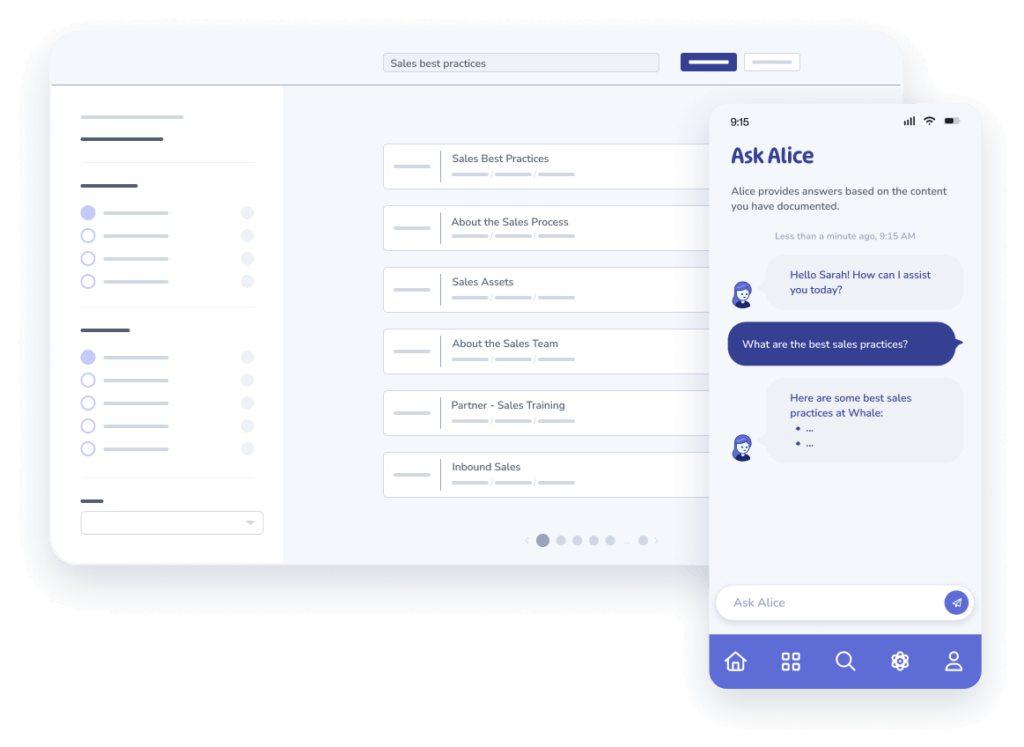
Your team doesn’t have the time to search through an SOP library each time they have a question. With Alice, Whale’s AI assistant, anyone on your team can ask ‘what’s our refund policy?’ or ‘how do I add a new vendor?’ and get a straight answer in seconds, pulled directly from your knowledge base.
With Whale’s browser extension, your team gets the right guide before they even know they need it. Whale watches what page your team is on and gives you the right guide. Inside your CRM, your helpdesk, your project tools, your own web apps. The guide appears in the sidebar, so your team doesn’t leave the tool they’re already in.
Record any on-screen process with the Whale web app. Each click becomes a numbered step with an annotated screenshot. Once you’re done, Whale’s Step Recorder does the heavy lifting and hands you a formatted, editable guide ready to share and assign to your team.
What used to take two hours of copy-pasting screenshots into a document now takes less than ten minutes.
Skimming through a document and knowing how to apply it are different things. With Whale, you can build training paths that guide your team throught the right content, when they need it g. Implement quizzes to make sure it sticks , and track who’s finished, who’s behind, and what’s being skipped without chasing anyone down.
Your team doesn’t have the time to search through an SOP library each time they have a question. With Alice, Whale’s AI assistant, anyone on your team can ask ‘what’s our refund policy?’ or ‘how do I add a new vendor?’ and get a straight answer in seconds, pulled directly from your knowledge base.
With Whale’s browser extension, your team gets the right guide before they even know they need it. Whale watches what page your team is on and gives you the right guide. Inside your CRM, your helpdesk, your project tools, your own web apps. The guide appears in the sidebar, so your team doesn’t leave the tool they’re already in.
Create SOPs in minutes, share them with your team, and keep track of who’s actually completed their trainings.
Record any on-screen process with the Whale web app. Each click becomes a numbered step with an annotated screenshot. Once you’re done, Whale’s Step Recorder does the heavy lifting and hands you a formatted, editable guide ready to share and assign to your team.
What used to take two hours of copy-pasting screenshots into a document now takes less than ten minutes.
Skimming through a document and knowing how to apply it are different things. With Whale, you can build training paths that guide your team throught the right content, when they need it g. Implement quizzes to make sure it sticks , and track who’s finished, who’s behind, and what’s being skipped without chasing anyone down.
Your team doesn’t have the time to search through an SOP library each time they have a question. With Alice, Whale’s AI assistant, anyone on your team can ask ‘what’s our refund policy?’ or ‘how do I add a new vendor?’ and get a straight answer in seconds, pulled directly from your knowledge base.
With Whale’s browser extension, your team gets the right guide before they even know they need it. Whale watches what page your team is on and gives you the right guide. Inside your CRM, your helpdesk, your project tools, your own web apps. The guide appears in the sidebar, so your team doesn’t leave the tool they’re already in.
$0
$99
$299
$699
No. Whale imports Word docs, PDFs, and PowerPoint files directly, so existing content comes in without rewriting. Most teams start with one department or use case and move the rest over time. The migration happens in parallel with using Whale, not before.
For most teams, yes. Whale’s Step Recorder does what capture-only tools do: record a process and turn it into a formatted, annotated guide. It also handles training flows, knowledge organization, AI-powered Q&A, and in-app guide delivery. Most teams that switch from a capture-only tool find they can cancel the other subscription within the first month.
If your training platform doesn’t also create SOPs from screen recordings, answer questions conversationally from your knowledge base, or surface guides inside other tools your team uses, then you’re running two tools where one would do. Whale covers creation, training, and retrieval in a single platform.
That’s the right question. Teams that adopt Whale do so because the SOPs find them, not the other way around. Whale’s browser extension surfaces relevant guides inside tools your team already works in. Alice, Whale’s AI assistant, answers questions without making anyone search. Step Recorder means guides get created in minutes, so your library actually gets built and stays current. 45% of Whale’s 186 G2 reviewers say they have nothing to dislike. That’s a real signal on adoption.
Most teams have their first SOP live within an hour of signing up. The free plan gives you enough to run a real test with your team before committing to anything.
Set a review date on any card or playbook and Whale automatically creates a review assignment for the right person when it’s due. Version history tracks every edit. Content stays current without anyone having to remember to check it.
No. Whale imports Word docs, PDFs, and PowerPoint files directly, so existing content comes in without rewriting. Most teams start with one department or use case and move the rest over time. The migration happens in parallel with using Whale, not before.
For most teams, yes. Whale’s Step Recorder does what capture-only tools do: record a process and turn it into a formatted, annotated guide. It also handles training flows, knowledge organization, AI-powered Q&A, and in-app guide delivery. Most teams that switch from a capture-only tool find they can cancel the other subscription within the first month.
If your training platform doesn’t also create SOPs from screen recordings, answer questions conversationally from your knowledge base, or surface guides inside other tools your team uses, then you’re running two tools where one would do. Whale covers creation, training, and retrieval in a single platform.
That’s the right question. Teams that adopt Whale do so because the SOPs find them, not the other way around. Whale’s browser extension surfaces relevant guides inside tools your team already works in. Alice, Whale’s AI assistant, answers questions without making anyone search. Step Recorder means guides get created in minutes, so your library actually gets built and stays current. 45% of Whale’s 186 G2 reviewers say they have nothing to dislike. That’s a real signal on adoption.
Most teams have their first SOP live within an hour of signing up. The free plan gives you enough to run a real test with your team before committing to anything.
Set a review date on any card or playbook and Whale automatically creates a review assignment for the right person when it’s due. Version history tracks every edit. Content stays current without anyone having to remember to check it.