Key Highlights
Here are the main points you’ll find in this guide:
- Combining an onboarding SOP with automated learning paths creates a consistent employee onboarding experience.
- The right onboarding software centralizes training materials and standard operating procedures.
- Key features to look for include SOP management, custom learning paths, and progress tracking.
- Automating the process reduces manual work for HR teams and helps new hires become productive faster.
- Effective employee training from day one improves engagement and long-term retention.
- Choosing a platform that fits your company’s needs is crucial for success.
Introduction
A new hire’s first few days can define their entire journey with your company. A confusing or disorganized employee onboarding process can lead to disengagement, while a structured and welcoming approach sets them up for success. By combining standard operating procedures (SOPs) with automated learning paths, you can transform your onboarding process. This guide explores the best software to help you create a seamless and effective onboarding experience that makes every new team member feel confident from day one.
Best Software That Combines Automated Learning Paths and Onboarding SOP for New Staff
Finding the right onboarding software is key to streamlining how you train new staff through effective online employee training. The best solutions bring together your onboarding SOP and personalized learning paths into a single, easy-to-use platform. This integration ensures every new employee receives consistent information and role-specific training.
Instead of juggling separate documents and training systems, this type of training software provides a unified experience. It helps you manage procedures and guide new team members through their initial weeks with clarity and purpose. Let’s look at some of the top options available.
1. Whale – Streamlined SOP Management With Automated Learning Paths
Whale serves as a knowledge management software for teams, designed to simplify SOP management and employee training. It allows you to create a centralized AI knowledge base where all your procedures and training content live. You can build automated learning paths that guide new hires through essential documents and tasks, ensuring they learn the right things at the right time.
The platform supports custom SOP uploads, making it easy to digitize your existing processes. As an AI SOP platform, it helps keep your information organized and accessible. This approach creates a more structured and less overwhelming onboarding experience, allowing new staff to build confidence quickly.
By tracking progress, managers can see how new hires are moving through their assigned learning paths, offering support where needed.
Feature | Description |
|---|---|
Centralized Knowledge Base | Stores all SOPs, user manuals, and training materials in one place. |
Automated Learning Paths | Creates structured onboarding journeys for different roles. |
Progress Tracking | Monitors employee completion of SOPs and training modules. |
3. Lessonly by Seismic – Personalized Learning Paths & SOP Documentation
Lessonly by Seismic focuses on creating personalized learning paths to improve the employee onboarding journey. The platform enables you to build engaging training modules that can be tailored to specific roles, ensuring new hires receive relevant information without feeling overwhelmed. It helps teams create, share, and track training content effectively.
Beyond training, Lessonly also supports SOP documentation. You can embed your standard operating procedures directly into the training modules, connecting what your team needs to know with how they are expected to perform their tasks. This integration makes procedures a natural part of the learning process.
This unified approach helps ensure consistency and clarity from the very beginning. New team members can access both their training and procedural documents in one place, making for a smoother transition into their new roles.
4. TalentLMS – Customizable Learning Paths with SOP Integration
TalentLMS is a versatile onboarding software that excels at creating customizable learning paths. You can design unique training programs for different departments or roles, mixing various content formats like videos, quizzes, and documents. This flexibility allows you to build an employee training experience that is both engaging and effective.
While primarily a learning management system, TalentLMS allows for SOP integration. You can upload your procedural documents and include them as steps within your training modules. This ensures that new hires not only learn the concepts but also understand the specific workflows and company policies they need to follow.
The platform also provides robust tracking and reporting features. You can easily monitor a new hire’s progress through their assigned learning paths, see which modules they have completed, and identify any areas where they might need additional support, whether they are using a mobile app or a PC. This data helps ensure everyone stays on track during their onboarding.
5. WorkRamp – Unified Training and SOP Experience for New Hires
WorkRamp is designed to provide a unified learning experience for employees, which is particularly useful for new hire onboarding. The platform allows you to build comprehensive learning paths that combine formal training sessions with self-paced content, ensuring a blended approach that caters to different learning styles.
You can integrate your onboarding SOP directly into these learning paths. For instance, a new hire might complete a training module on a specific software and then immediately review the related SOP on how to use it for a particular task. This contextual learning helps reinforce knowledge and ensures procedures are followed correctly from the start.
By automating the creation of these journeys, WorkRamp helps you deliver a consistent onboarding experience at scale. New hires receive a clear roadmap of what to expect, which reduces confusion and helps them feel more connected to their role and the company.
6. Docebo – AI-Driven Learning Paths and Policy Management
Docebo uses AI to enhance the employee onboarding process by creating personalized, AI-driven learning paths. The system can analyze a new hire’s role and suggest relevant training content, helping to automate the creation of a tailored onboarding program. This ensures employees receive the information that is most critical for their success.
In addition to its learning capabilities, Docebo offers features for policy management. You can upload company policies and SOPs into the platform and integrate them into the onboarding journey. The system can track whether an employee has reviewed and acknowledged key documents, which is important for compliance.
This combination of AI-powered learning and structured policy management helps create an onboarding process that is both intelligent and efficient. It reduces the administrative burden on HR teams while delivering a more relevant and engaging experience for new employees.
7. Rippling – Seamless HR, SOP, and Training Automation
Rippling is a comprehensive HR software that connects payroll, benefits, and IT with employee training and SOP management. Because it’s an all-in-one system, it excels at automation. When you hire a new employee, Rippling can automatically trigger a series of onboarding tasks, including assigning them to the correct training paths.
You can build your learning modules and upload SOPs directly into Rippling’s learning management system. Since it’s integrated with your HR data, you can assign training based on job title, department, or location automatically. This seamless integration saves time and reduces the chance of manual errors.
This approach ensures that from day one, a new hire has access to all the necessary systems, documents, and training. The platform handles the administrative side of onboarding, allowing managers and HR teams to focus on creating a welcoming and supportive experience.
8. Zavvy – Dynamic Onboarding Journeys With Embedded SOPs
Zavvy focuses on creating dynamic onboarding journeys that enhance the overall employee experience. The platform allows you to build rich, engaging workflows that guide new hires through their first weeks and months. These journeys can include welcome messages, team introductions, and scheduled check-ins.
A key feature of Zavvy is the ability to embed SOPs and other resources directly into the onboarding journey. Instead of sending a new hire to a separate folder of documents, you can present a specific procedure right when it’s needed. This makes the information more contextual and easier to absorb.
Updating SOPs is also straightforward. Because the platform acts as a central hub, changes made to a document are instantly reflected wherever it is linked in an onboarding journey. This ensures that new hires are always working with the most current information without requiring manual updates across multiple systems.
Key Features to Look For in Onboarding Software With SOP & Learning Path Integration
When choosing an onboarding software, it’s helpful to know what to look for. The goal is to find a tool that seamlessly combines your SOP integration with automated learning paths. This ensures your onboarding process is efficient, consistent, and easy to manage for both you and your new hires.
You’ll want a platform that not only stores your documents but also actively uses them in structured training modules. Below are some of the essential features that can make a significant difference in streamlining your onboarding and setting up new employees for success.
Automated SOP Upload and Management
An essential feature of a modern training software is its ability to handle your onboarding SOP documents efficiently. Look for a platform with strong document management capabilities, allowing you to easily upload, categorize, and update your standard operating procedures. This removes the need for scattered files and ensures everyone accesses the same, current version.
The best systems function as a process documentation software, where you can create a central repository for all procedural knowledge. This makes it simple to link specific SOPs to different stages of the onboarding workflow. For example, you can require a new sales team member to review the "Client Communication SOP" after completing their initial product training.
Key functionalities to look for include:
- Support for various file formats (PDFs, Word documents, videos).
- Version control to track changes and ensure content is up-to-date.
- Tagging or categorization for easy searching and organization.
- Integration with other HR tools for a seamless flow of information.
Personalized, Role-Based Learning Path Creation
A one-size-fits-all approach to employee onboarding rarely works. That’s why the ability to create personalized, role-based learning paths with mobile access is so valuable. The right software allows you to design unique training modules tailored to a new hire’s specific department, role, and even experience level.
This feature automates the creation of learning paths by letting you build templates. For instance, you can design an onboarding program for a software developer that includes technical training, security protocols, and team-specific SOPs. When a new developer joins, you can assign this pre-built path with just a few clicks.
Effective platforms should offer:
- The ability to create different learning paths for various roles.
- A mix of content types, such as interactive courses, videos, and SOP documents.
- Milestones or checkpoints to structure the learning journey over days or weeks.
Progress Tracking and Reporting for SOP Completion
How do you know if your new hires are actually completing their training and reviewing key documents? Progress tracking and reporting features are the answer. This functionality gives managers and HR professionals clear visibility into the onboarding experience, allowing them to monitor completion rates and identify potential roadblocks.
Good software will provide a dashboard where you can see at a glance how each new employee is progressing through their onboarding checklist. This is crucial for performance management and ensuring compliance. If someone is falling behind on their training sessions, you can step in to offer support before it becomes a problem.
Look for these tracking and reporting features:
- Dashboards showing overall completion rates.
- Individual progress reports for each new hire.
- Automated notifications for managers when tasks are completed or overdue.
- The ability to track acknowledgment of specific SOPs or policies.
Integration With Existing HR and Payroll Systems
To create a truly seamless onboarding workflow for small businesses, your onboarding software should connect with your other essential systems. Integration with existing HR software and payroll systems eliminates redundant data entry and automates many administrative onboarding tasks. This saves your HR team a significant amount of time and reduces manual effort.
When a new hire is added to your primary HR system, integration can automatically create their profile in the onboarding platform and assign the correct learning path. This level of automation streamlines task management from the moment an offer letter is signed, ensuring a smooth transition for everyone involved.
Key integrations to consider are:
- Human Resource Information Systems (HRIS) for employee data synchronization.
- Applicant Tracking Systems (ATS) to initiate onboarding right after hiring.
- Payroll systems to connect training completion with pay or role changes.
Compliance Monitoring and Audit Trails
Ensuring new employees complete mandatory compliance training and acknowledge company policies is a critical part of the onboarding process. Software with compliance monitoring features helps HR professionals manage this responsibility with confidence. It provides a structured way to deliver and track required employee training.
Audit trails are a key component of this. An audit trail is a digital record that shows who completed what training, reviewed which SOP, and when they did it. This documentation is invaluable for demonstrating compliance during internal or external audits and protects the company.
Look for platforms that provide:
- The ability to assign and track mandatory compliance training courses.
- Digital signatures or acknowledgments for policies and SOPs.
- Exportable reports that serve as audit trails for compliance purposes.
How Automated Onboarding Software Streamlines the New Hire Experience
Automated onboarding software transforms the new hire experience from a series of manual steps into a smooth, guided journey, resulting in a seamless onboarding experience. By automating administrative tasks and structuring the employee training process, these platforms allow a new hire to focus on what matters most: learning their role and integrating into the company culture.
This approach creates a consistent and professional first impression. Instead of waiting for someone to assign them tasks, new employees are greeted with a clear plan from day one. The following sections explore exactly how this automation makes the onboarding process more efficient and engaging.
Step-by-Step Learning Path Assignment
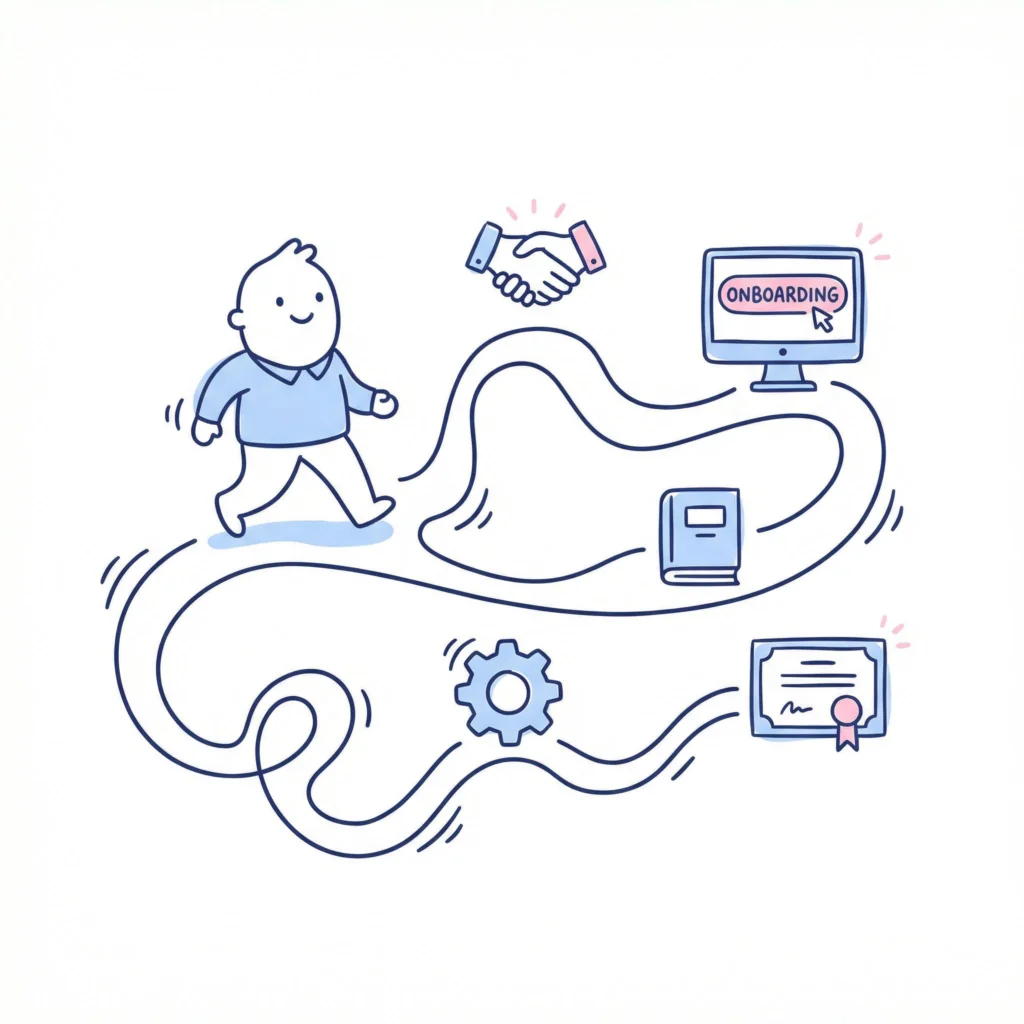
Automated software simplifies the onboarding journey by providing a clear, step-by-step learning path. Instead of giving new hires a mountain of information at once, the system breaks it down into manageable training modules and tasks, saving so much time. This structured approach helps prevent information overload and keeps employees engaged.
The onboarding workflow is automated based on pre-set rules. For example, you can create a template for a specific role that automatically assigns relevant courses, documents, and introductory meetings, ensuring everything is in place before the start date. This improves task management and ensures every new hire receives the same core information consistently.
This automation typically involves:
- Assigning a pre-built learning path based on the new hire’s role or department.
- Unlocking new training modules only after previous ones are completed.
- Integrating SOPs and policy reviews at relevant points in the journey.
Automated Task Reminders and Checklists
One of the biggest challenges in employee onboarding, especially for remote employees, is keeping track of all the small but important onboarding tasks. Automated software solves this by using checklists and reminders. Both new hires and their managers receive notifications about pending administrative tasks, ensuring nothing falls through the cracks.
This feature is incredibly helpful for managing paperwork, IT setup, and benefits enrollment. Instead of HR teams manually following up, the system sends automated reminders until the tasks are complete. This frees up HR to focus on the human side of onboarding, like fostering connections and answering questions.
Automated reminders and checklists can help with:
- Completing new hire paperwork before the first day.
- Scheduling introductory meetings with key team members.
- Ensuring IT equipment and system access are ready on time.
Centralized Access to SOPs and Training Materials
A major benefit of using onboarding software is having a single, centralized place for all training materials and SOPs. New hires no longer need to hunt through shared drives or email chains to find the information they need. Everything is organized and accessible within the platform, available whenever they need it.
This approach to SOP management and document management improves the entire onboarding process. During training sessions, instructors can refer to documents stored within the system, and new hires can revisit them later for reinforcement. This creates a reliable source of truth for all company procedures.
A centralized system provides:
- A single library for all training materials, policies, and SOPs.
- Easy access for new hires from their computer or mobile device.
- Assurance that everyone is viewing the most up-to-date information.
Reducing Manual HR Processes for Faster Onboarding
Automating the onboarding experience significantly reduces the manual effort required from HR teams. Tasks like sending welcome emails, collecting documents, and assigning initial training can all be handled by the software. This frees up valuable time and allows HR to focus on more strategic initiatives.
For the new hire, this automation leads to a much faster and smoother start. They can complete many onboarding tasks before their first day, allowing them to hit the ground running when they officially begin. This efficiency makes a great first impression and shows that the company is organized and values their time.
Automation helps reduce manual processes by:
- Automating the distribution and collection of new hire paperwork.
- Triggering IT and equipment requests automatically.
- Scheduling initial onboarding meetings and training sessions based on pre-set templates.
Benefits of Combining Automated Learning Paths With SOP Management
When you combine automated learning paths with strong SOP management, you create a powerful employee onboarding program. This integrated approach ensures that new hires not only learn about the company culture and their role but also understand the exact procedures they need to follow to be successful.
This synergy boosts consistency, compliance, and employee engagement from the very start. New employees feel more supported and confident, which leads to better performance and higher retention rates. Let’s explore some of the key benefits of this approach in more detail.
Improved Consistency in Employee Training
One of the greatest advantages of using onboarding software is the consistency it brings to employee training. Every new hire, regardless of their team or manager, goes through the same core onboarding experience. This ensures that everyone receives the same foundational knowledge about the company, its values, and its key processes.
A learning management system with a structured onboarding checklist guarantees that no steps are missed. From compliance training to introductions to company culture, the system guides each person through an identical sequence. This eliminates the variations that can occur when onboarding is managed manually by different people.
This consistency helps build a strong and unified workforce. It ensures that all employees start with a shared understanding of expectations and procedures, which contributes to a more cohesive and efficient organization over time.
Enhanced Compliance With Company Policies
Automated onboarding software is a powerful tool for enhancing compliance. By integrating your onboarding SOP and company policies directly into the training process, you can ensure every new hire reviews and acknowledges critical documents. This is far more reliable than simply emailing them a handbook and hoping they read it.
The software creates a formal record of compliance. When a new hire completes a compliance training module or digitally signs an onboarding policy, the system logs it. These audit trails provide concrete proof that the employee has received and understood the required information, which is crucial for mitigating risk.
This structured approach improves the employee experience by providing clarity on rules and expectations from the outset. It removes ambiguity and helps new hires understand their responsibilities, contributing to a safer and more compliant workplace for everyone.
Greater Engagement and Retention for New Staff
A well-structured onboarding program is directly linked to higher employee engagement and retention. When the new employee onboarding journey is smooth, clear, and supportive, new hires feel valued and confident. This positive first impression makes them more likely to become engaged team members who are committed to the company long-term.
Automated software contributes to this by removing the friction and confusion often associated with starting a new job. Instead of feeling overwhelmed or directionless, new hires have a clear path to follow. This allows them to focus on learning and building relationships rather than worrying about administrative details.
Ultimately, a thoughtful onboarding journey shows that you are invested in your employees’ success. This sense of support can significantly boost morale and loyalty, reducing early turnover and helping you retain top talent.
Scalability for Growing Teams
For growing teams, manually managing onboarding tasks for every new hire is simply not sustainable. As your company expands, the complexity of onboarding increases, and maintaining a consistent experience becomes a major challenge. Training software is essential for scaling onboarding effectively.
By automating repetitive tasks and creating standardized learning paths, you can onboard one new person or twenty with the same level of quality and attention to detail. The system handles the administrative load, allowing your HR team and managers to focus on welcoming and integrating new members into the culture.
This scalability ensures that your onboarding experience remains excellent, even during periods of rapid growth. It provides a solid foundation that can support your company as it evolves, ensuring every new employee gets the strong start they deserve.
Challenges of Automating Onboarding SOPs and Training for New Staff
While automating employee onboarding offers many benefits, it also comes with its own set of challenges. Implementing onboarding software and combining it with your onboarding SOP requires careful planning. Simply buying a tool is not enough; you need to ensure it’s used effectively to support your new staff.
From keeping training modules current to ensuring managers and new hires adopt the system, there are several potential hurdles. Acknowledging these challenges upfront can help you prepare for them and build a more resilient and successful automation strategy.
Keeping SOP Content Up-to-Date
One of the most significant challenges is ensuring that all onboarding SOP and training content remains current. Processes and policies change, and outdated information can lead to confusion, errors, and compliance risks. A strong content management strategy is essential.
You need a clear process for reviewing and updating your document management system regularly. This involves assigning ownership of different SOPs to subject matter experts and setting a schedule for periodic reviews. Without this discipline, your once-helpful onboarding process can quickly become a source of misinformation.
Modern platforms make this easier by offering features like version control and simple content editors. However, the technology can only do so much. The responsibility for content accuracy ultimately rests with your team, making ongoing maintenance a critical part of new employee onboarding.
Balancing Personalization With Standardization
While standardization is a key benefit of automation, it’s important not to lose the human touch. A major challenge is finding the right balance between a consistent, standardized onboarding experience and providing the personalization that makes a new hire feel seen and valued.
Overly rigid learning paths can feel impersonal and may not address the specific needs or questions of an individual. It’s important to build flexibility into your employee training. This could mean supplementing automated modules with one-on-one check-ins, mentorship opportunities, and team-specific activities that reflect your company culture.
The goal is to use automation to handle the repetitive, administrative aspects of onboarding. This frees up time for managers and team members to provide the personal guidance and connection that a software platform cannot.
Ensuring Adoption by Managers and New Hires
An onboarding software is only effective if people actually use it. A common challenge is ensuring adoption by both managers and new hires. If managers don’t engage with the platform to track progress or provide feedback, or if new hires see it as just another box to check, the system’s value diminishes.
To encourage adoption, the platform must be user-friendly and clearly beneficial. Managers need training on how to use the tool to support their new team members effectively. The onboarding journey should be designed to be engaging and helpful for new hires, not just a list of tedious tasks.
Communicating the "why" behind the system is crucial for boosting employee engagement. When everyone understands how the software contributes to a better onboarding experience and faster ramp-up time, they are more likely to embrace it as a valuable resource.
Data Privacy and System Integration Concerns
When you implement new onboarding software, especially one that connects with your core HR systems, data privacy becomes a major consideration. You are handling sensitive employee information, and you must ensure the platform has robust security measures in place to protect it.
System integration, while beneficial, can also present technical challenges. Making sure your new onboarding software communicates smoothly with your existing HRIS or payroll system may require technical expertise. A poorly executed integration can disrupt your onboarding workflow and create more problems than it solves.
Before choosing a platform, it is important to thoroughly vet its security protocols and understand its integration capabilities. Working closely with your IT department is essential to address these concerns and ensure a secure and seamless implementation.
Best Practices for Implementing Automated Onboarding and Learning Path Software
Successfully implementing onboarding software goes beyond just choosing the right tool. To build a truly effective onboarding program, it’s important to follow best practices for design and execution. This involves careful planning, collaboration, and a commitment to continuous improvement of your employee onboarding.
By focusing on how you build your learning paths and integrate your SOPs, you can ensure your new system delivers on its promise. The following practices will help you create an automated onboarding process that is efficient, engaging, and aligned with your company’s goals.
Involving Key Stakeholders in SOP Design
The best onboarding SOP documents are not created in a vacuum. To ensure your procedures are accurate, practical, and reflect your company culture, it is crucial to involve key stakeholders in the design process. This includes managers, experienced team members, and even recent hires who have fresh perspectives on the onboarding process.
Collaboration ensures that the SOPs are not just theoretical rules but practical guides that genuinely help new employees. When stakeholders contribute, they also become champions for the process, which helps with adoption down the line. This collaborative approach leads to a better employee experience.
To effectively involve stakeholders, you should:
- Form a small working group with representatives from different departments.
- Gather feedback from top performers on what makes someone successful in their role.
- Ask recent hires what information they wish they had received earlier.
Testing and Iterating Learning Paths
Your first version of a learning path is unlikely to be perfect. A critical best practice is to test and iterate your onboarding program continuously. Treat your training modules like a product that can always be improved based on user feedback and performance data. This ensures your employee onboarding process evolves and gets better over time.
Consider running a pilot program with a small group of new hires before rolling out a new learning path to the entire company. You can also use A/B testing to compare different versions of training modules to see which is more effective.
To test and iterate effectively, you should:
- Collect feedback from new hires after they complete their onboarding.
- Analyze data on completion rates and quiz scores to identify confusing or challenging modules.
- Make small, incremental improvements rather than waiting for a major overhaul.
Aligning Onboarding With Organizational Goals
A great onboarding process does more than just teach a new hire how to do their job; it connects them to the company’s bigger picture. Aligning your onboarding experience with your organizational goals helps new employees understand how their work contributes to the company’s mission and success.
This alignment starts with clearly communicating your company culture, values, and strategic priorities during onboarding. When a new hire understands the "why" behind their tasks, they are more likely to be motivated and engaged. This creates a stronger sense of purpose from day one.
To align onboarding with your goals, be sure to:
- Include a welcome message from leadership discussing the company’s vision.
- Explain how different roles and departments contribute to the overall strategy.
- Use success stories and case studies to illustrate company values in action.
Continuous Feedback and Improvement
Employee onboarding is not a "set it and forget it" process. The principle of continuous improvement is vital for maintaining a relevant and effective program. Regularly gathering feedback from new hires, managers, and other stakeholders provides the insights needed to refine and enhance the employee experience.
Onboarding software can facilitate this by including automated surveys at key milestones, such as at the end of the first week, 30 days, and 90 days. This feedback provides a direct line of sight into what’s working well and where there are opportunities for improvement.
To foster a culture of continuous improvement, you should:
- Schedule regular check-ins to ask for verbal feedback.
- Use surveys to gather quantitative and qualitative data on the onboarding experience.
- Create a simple process for anyone in the company to suggest improvements to the onboarding program.
Conclusion
In summary, choosing the right software that combines automated learning paths with onboarding SOPs can significantly enhance your new hire experience. These platforms not only streamline training processes but also ensure consistency and compliance across your organization. By investing in these tools, you empower your new staff with the resources they need to succeed while reducing the burden on HR teams. As you embark on this journey, remember to involve key stakeholders, continuously seek feedback, and adapt your strategies to meet organizational goals. If you’re ready to elevate your onboarding process, get a free trial to explore how these solutions can work for you.
Frequently Asked Questions
Which software is best for combining onboarding SOPs and automated learning paths?
The "best" onboarding software depends on your company’s specific needs. Platforms like Whale excel at integrated SOP management and knowledge sharing, while training software like TalentLMS offers robust features for building custom learning paths. Evaluate options based on your priorities for SOPs, training, and integration with your existing systems.
How easy is it to update SOPs in onboarding and training platforms?
Most modern employee training software is designed to make updating an onboarding SOP simple. They typically feature intuitive document management systems with version control, allowing authorized users to edit and publish changes instantly. This best practice ensures all employees are always accessing the most current information during the onboarding process.
Can onboarding software track staff progress through assigned learning paths?
Yes, tracking progress through learning paths is a core feature of onboarding software. These platforms provide dashboards and reports that show manager completion rates for training modules and SOP acknowledgments. This visibility is essential for ensuring accountability and improving the overall employee experience by identifying where support is needed.