
BUSINESS OPERATIONS SOFTWARE
Business Operations Software: Streamline and Scale Your Processes
Whale business operations software turns how your company runs into processes every team follows. Document a process in seconds with AI, train people on it and answer their questions where they work.
- 4.8/5 on G2
- SOC 2 certified
 Ask CoralAsk CoralAI
Here’s how to process a customer refund:







What is business operations software?
Business operations software is the set of tools a company uses to run its daily work the same way every time: documenting processes, training people, sharing knowledge, managing workflows and checking quality. Instead of answers living in inboxes and people’s heads, everyone works from the same current process.
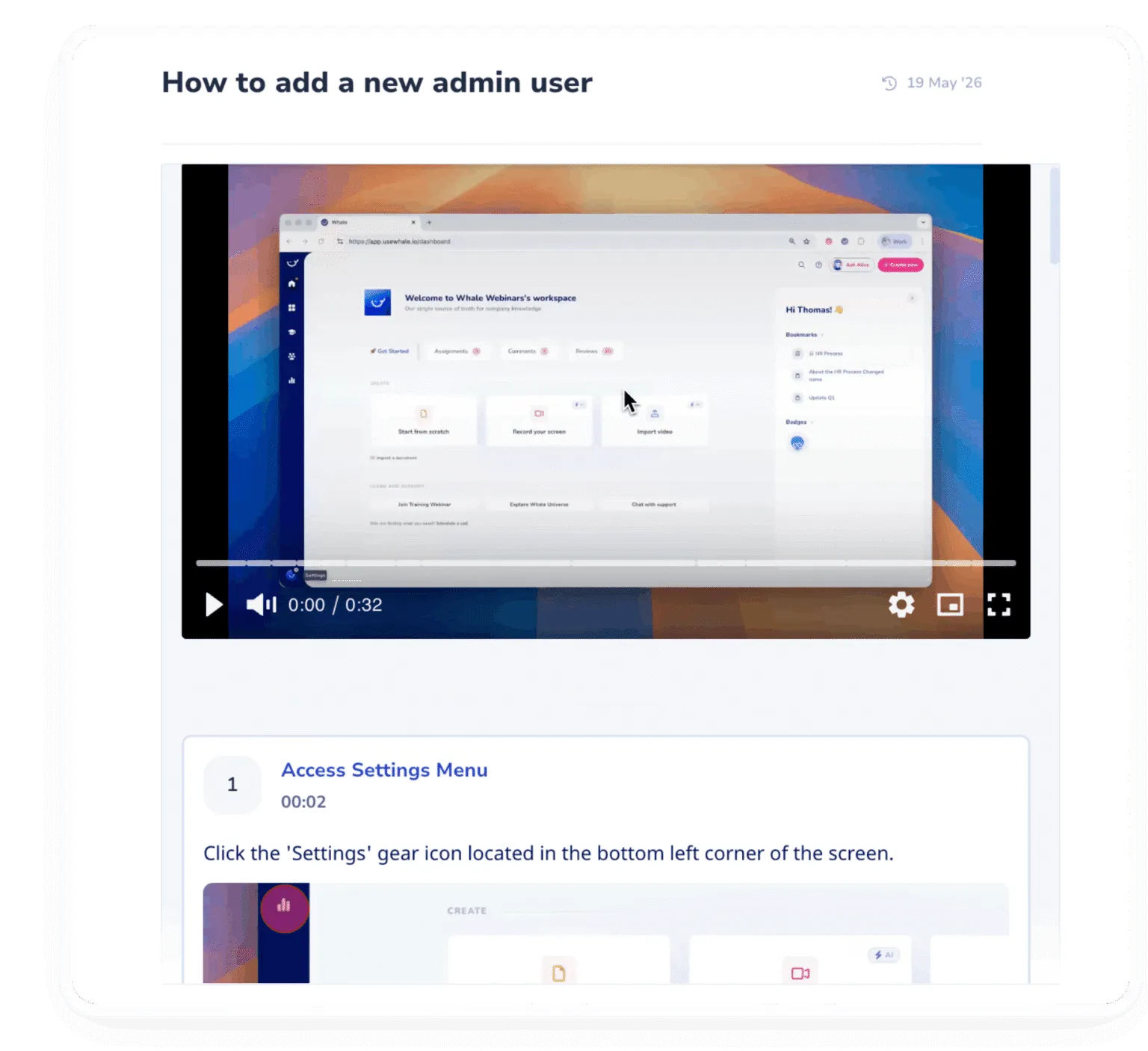
Document how your business runs.
Turn a screen recording, a video or an old Word file into a clear process in seconds, so the way your best people work is written down for everyone.

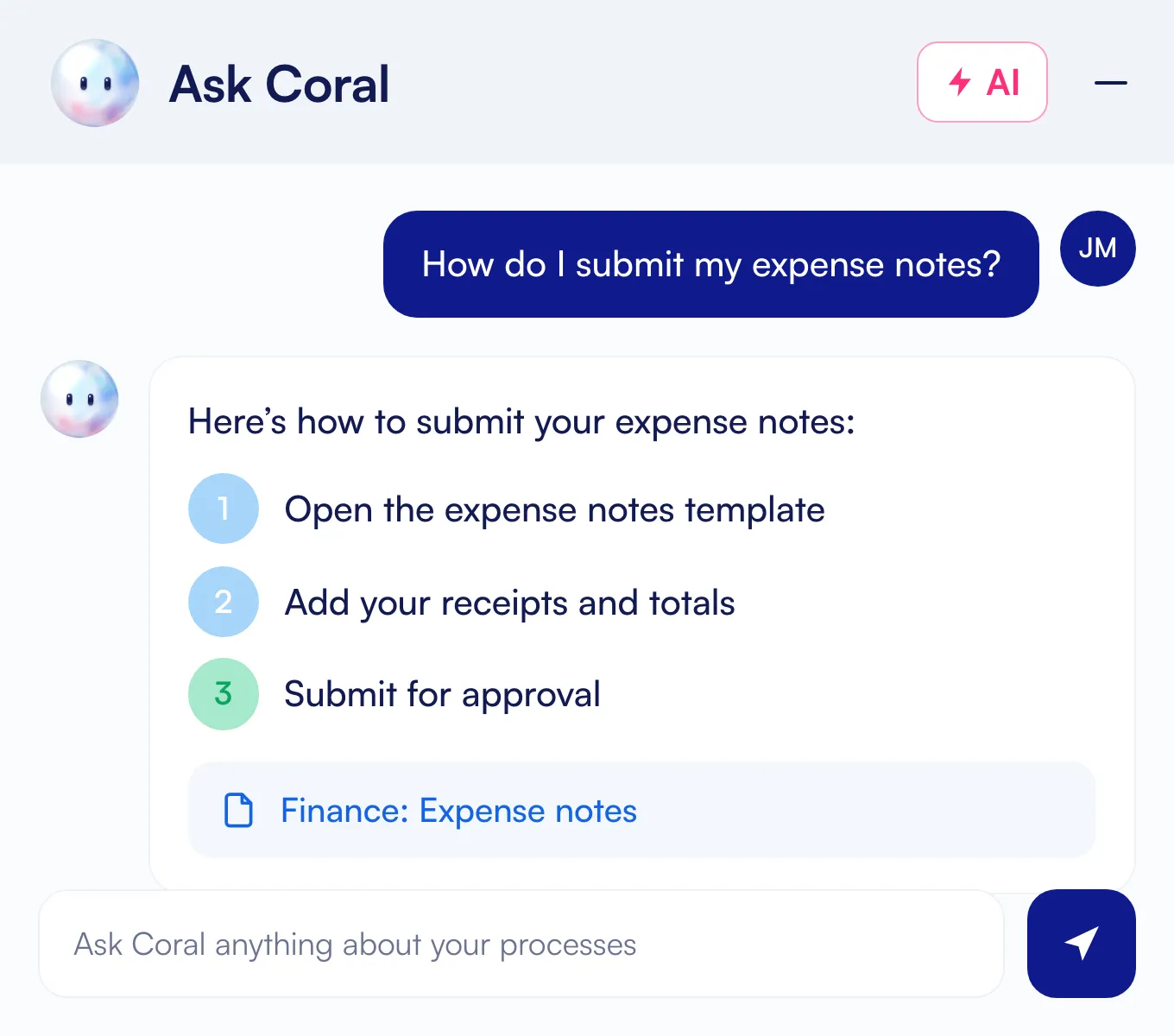
Answer questions across the company.
Your team asks Coral and gets the answer from your approved processes, with the source, in Whale, on their phone or in Slack.
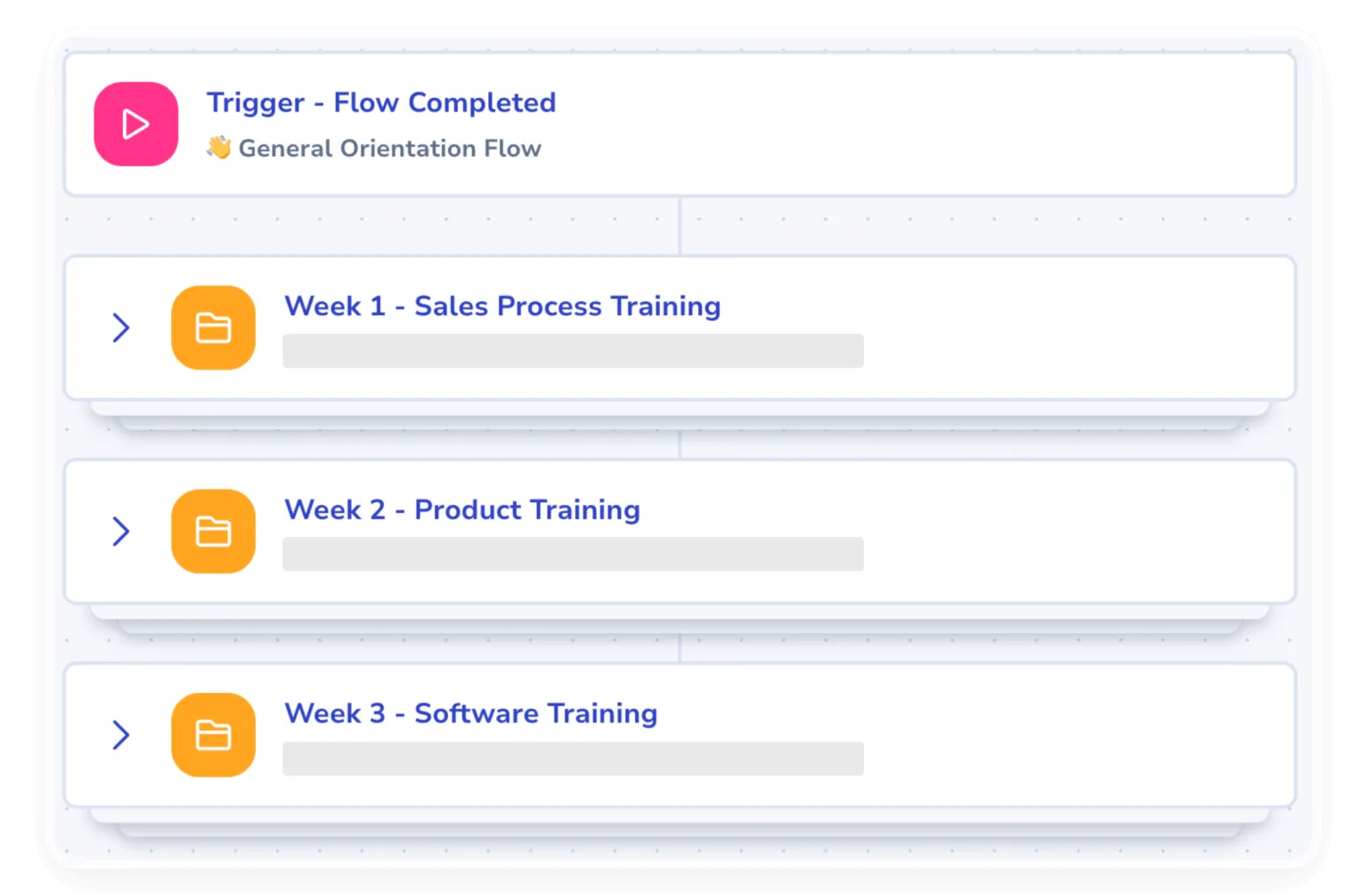
Onboard every hire the same way.
Build role-based training flows and quizzes from the processes you already have, so a new hire in one location learns what a new hire in another does.
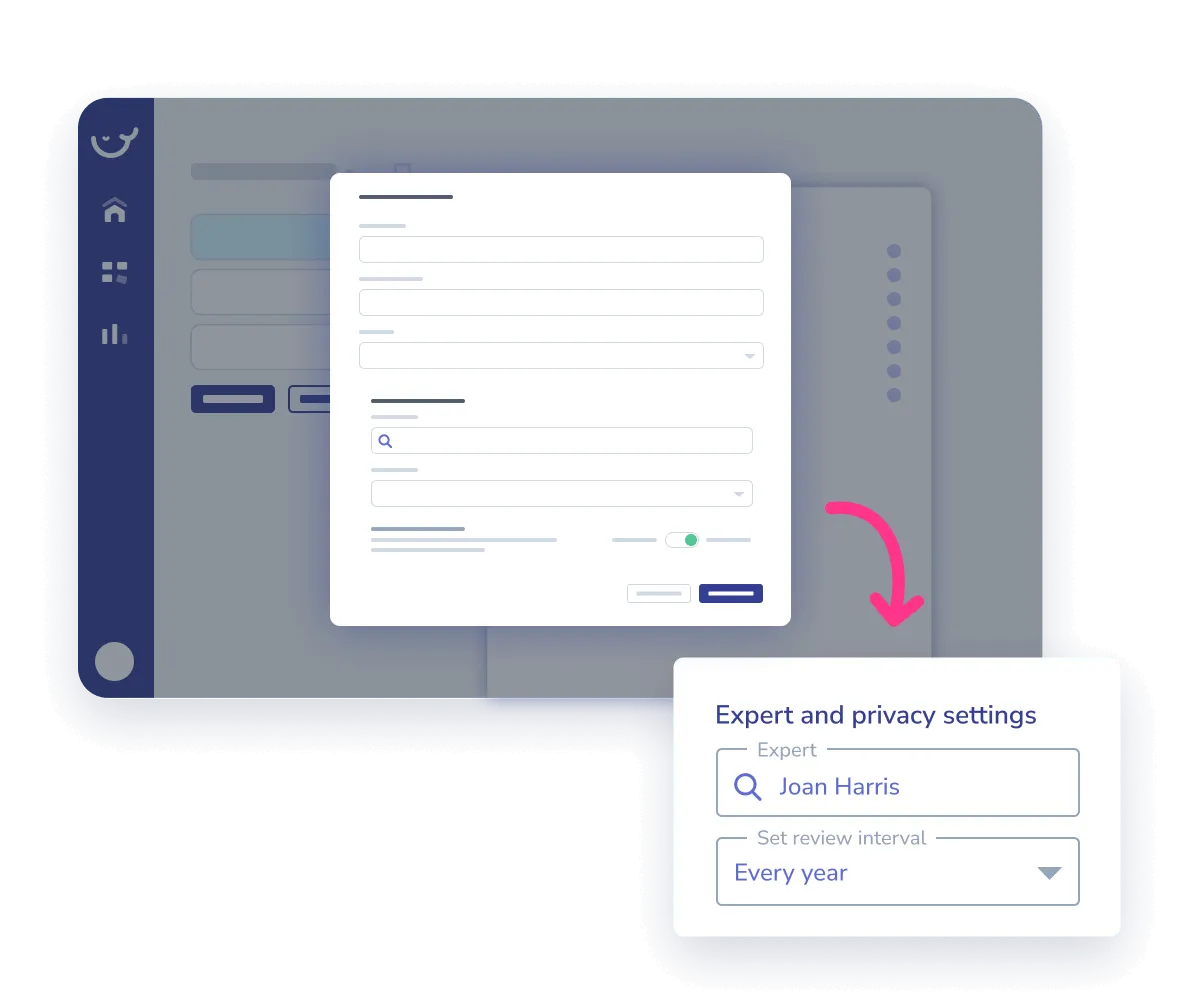
Keep every process current.
Every process gets an owner and a review date, and Whale reminds the right expert before anything goes out of date.
Types of business operations software
Most companies use several types. These six cover how the work gets done.
Process documentation
write down how each task is done, so anyone can repeat it.
Knowledge management
one searchable place for what your company knows.
Employee training
onboard and train people, then see who finished.
Workflow management
move tasks and approvals from one person to the next.
Business process management (BPM)
model, run and improve processes from start to finish.
Quality management (QMS)
control documents, audits and corrective actions.
Business operations software for every team
Operations
standard processes across shifts, sites and locations.
HR and L&D
onboarding, policies and training with read records.
IT
runbooks and software rollouts every technician follows.
Finance and accounting
month-end close and approvals done the same way every time.
Customer-facing teams
the same right answer from every rep, for every customer.
Run your business on processes your team follows.
Whale writes down how your company works and trains every team on it. Coral answers their questions, so they stop asking you.



These people love what we shipped.
“Whale Streamlined Our Processes and Boosted Team Onboarding”
Fábio B.
“Game changer”
Aaron M.
“Run don't walk!!”
Jessica B.
 Fábio B.
 Aaron M.
 Jessica B.
How to choose business operations software
Start with the work that breaks when someone is out or new. Then check each tool against these four questions:
Does it document processes fast?
If writing a process takes hours, nobody keeps it up. In Whale, Coral drafts a process from an outline, a document or a recording in seconds, and each one gets a named owner and a review cycle.
Does it reach people where they work?
A process only helps if people find it in the moment. Look for search, a mobile app, QR codes and a browser extension that shows the right process inside the tools your team already uses.
Does it train people and check they understood?
Opening a document is not the same as knowing it. Whale turns processes into training flows and quizzes, so you see who understood a process, not just who opened it.
Can you measure it?
Reports show which processes get used, which get skipped and where people need help.
Benefits of business operations software
Consistent processes save time for the people who run the business and the people who do the work.
Increase efficiency
Approvals, handovers and routine tasks follow one path, so fewer things fall through the cracks.
Enhance compliance
Policies live in one place, with review reminders and a record of who read each version.
Improve knowledge sharing
What your experts know is written down and searchable, for new hires and veterans alike.
Support employee growth
New hires ramp up with structured training, and everyone keeps learning from the same material.
Scale processes
New teams and locations copy what already works instead of reinventing it.
Business operations software in an AI-first world
AI is only as good as the processes it reads. Whale gives your people and your AI tools the same approved answers.
Coral, Whale’s AI assistant
Drafts a process in seconds, answers questions with the source and writes quizzes.
Whale MCP
Whale MCP connects Claude, ChatGPT or Gemini to your approved processes, so AI agents work from the same source as your team.
Whale agents
Agents check your knowledge base and flag processes that need a review, so content stays current.
Answers in Slack
Your team messages @Whale in Slack and gets the answer from your processes.
How Oxygen Service Company runs 10 departments on one set of processes
Oxygen Service Company distributes gas, welding and automation supplies, with more than 160 people across 9 Midwest locations. Processes managed by hand kept going out of date as the company grew. Today all 10 departments use Whale daily, with automated review reminders and procedures on the plant floor through video and QR codes.
Customer proof

“Processes no longer go out of date, and we can hold people accountable while ensuring clarity and consistency across teams.”
10 departments on Whale daily
FAQs about business operations software
01What is business operations software?
Business operations software is the set of tools a company uses to run its daily work the same way every time. It covers documenting processes, knowledge management, training, workflows and quality. Whale brings documentation, training and answers into one place, so your team follows the current process instead of asking around.
02What is a business operations platform?
A business operations platform puts several operations tools into one system instead of separate apps. Whale is a platform for how work gets done: your processes, the training that goes with them and an AI assistant that answers questions from them, in the browser, on mobile and in Slack.
03What software is used to manage business operations?
Most companies combine a few tools: an ERP or accounting system for the numbers, a CRM for customers, a project tool for tasks and a process platform like Whale for how the work is done. That last one is often missing, which is why the same questions keep coming back.
04What is the difference between business operations software and operations management software?
Operations management software usually means planning tools for production, inventory or scheduling. Business operations software is broader and covers how the whole company works, from onboarding to compliance. Whale sits on the process side: it documents how each job is done and trains people on it.
05Can AI help run business operations?
Yes, if it has approved processes to work from. In Whale, Coral drafts a process in seconds and answers questions from your published content, with the source. With Whale MCP, tools like Claude and ChatGPT read the same processes your team follows, so people and AI agents give the same answer.
06Is there free business operations software?
Yes. Whale’s free plan includes 1 creator, up to 10 members and Coral, so you can document your first processes and test them with a real team before you pay. Paid plans add more creators, unlimited documentation and training features.
Keep reading

10 Best Process Mapping Software Tools for 2027
Looking for process mapping software? Explore the top 10 tools for 2027, from Whale to the leading diagram tools, to find bottlenecks and fix workflows.

How to Manage Multi-Site Operations Consistently
How to manage multi-site operations consistently. What breaks with more than one location and how documented process keeps every site properly aligned.

Improve Operational Efficiency in Your Business
How to improve operational efficiency in your business: where it leaks, how to find it in your own numbers and the changes that give back the most time.