
Share
Whale Contextual Suggestions
Show the right SOP inside the tool your team is working in
Set a URL or keyword rule. CoPilot surfaces the matching SOP inside HubSpot, Salesforce, Zendesk, Gmail, QuickBooks, or any web tool your team opens.
- 4.8/5 on G2
- SOC 2 certified









The problem
Your team won't hunt through a knowledge base mid-task
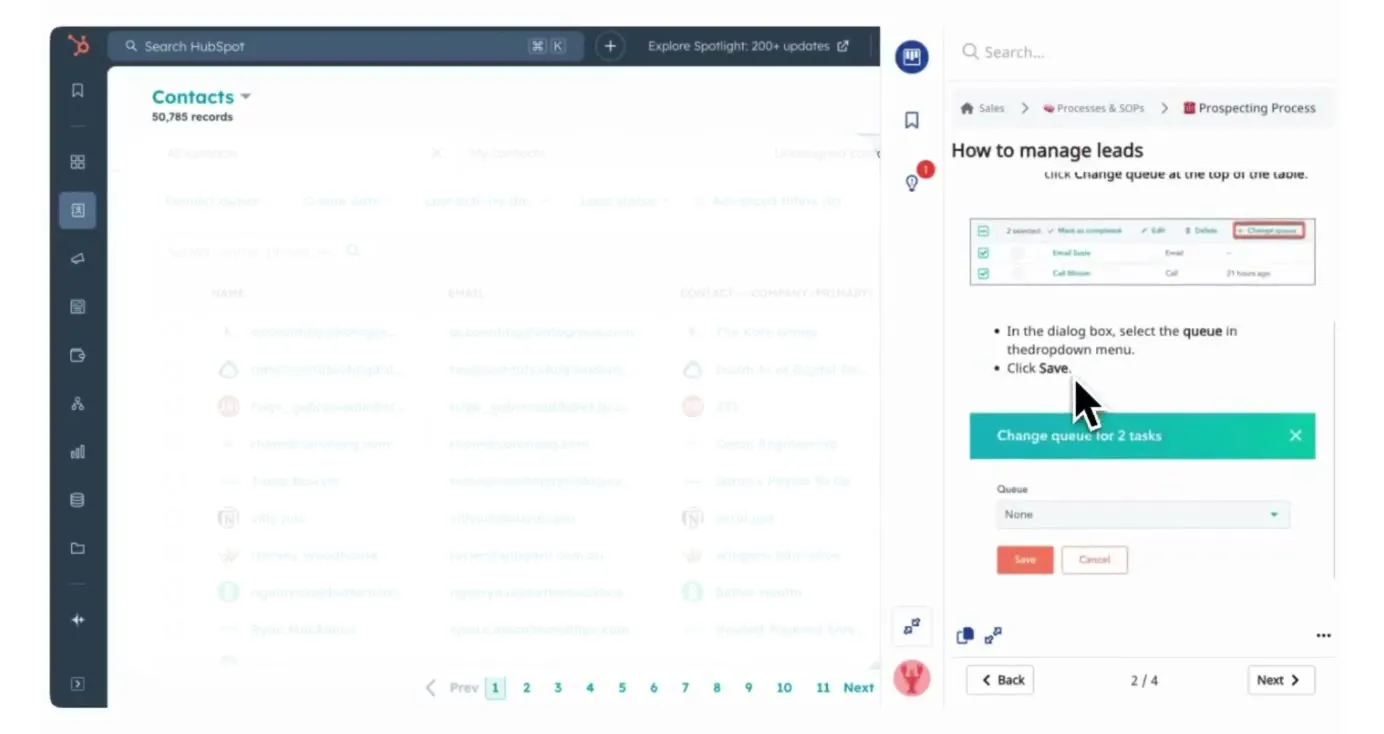
Your team already opens the same tools for the same tasks every day. CoPilot surfaces the exact SOP based on the page URL or keywords on screen, so the right answer appears before the question is asked.
How teams do it today: Team opens a tool and can't remember the process
With Whale's Contextual Suggestions: The right SOP opens automatically based on the page URL
How teams do it today: They ask the same question in Teams every week
With Whale's Contextual Suggestions: Answers appear in the tool, no tab switching, no Teams ping
How teams do it today: The SOP exists but nobody searches for it
With Whale's Contextual Suggestions: SOPs surface themselves the moment the task begins
How teams do it today: Processes drift, every rep handles it differently
With Whale's Contextual Suggestions: Every rep follows the same steps for the same workflow
Rules work on URL patterns, keywords, or both
An admin sets a rule in Whale.
- Match a URL pattern like app.hubspot.com/deals, a keyword on the page like refund, or combine both for precision.
- Rules are optional and stackable.
- One SOP can fire on multiple tools, and one tool can surface different SOPs for different pages.
The SOP appears inside the tool your team uses
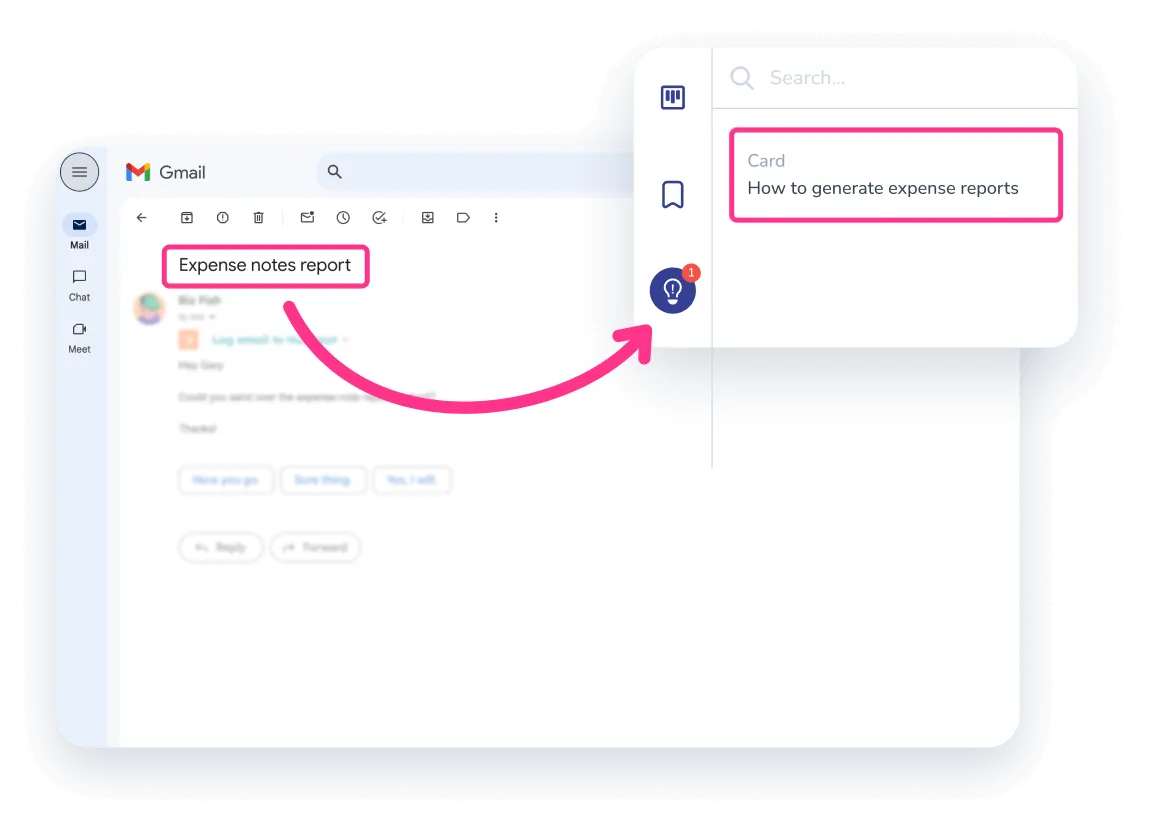
CoPilot sits as an overlay inside HubSpot, Salesforce, Zendesk, Asana, Gmail, QuickBooks, and any other web tool your team opens.
- When someone lands on a page that matches a rule, the SOP slides in next to their work.
- No tab switch.
- No search.
- The process is where the work happens.
Analytics show which SOPs your team actually uses
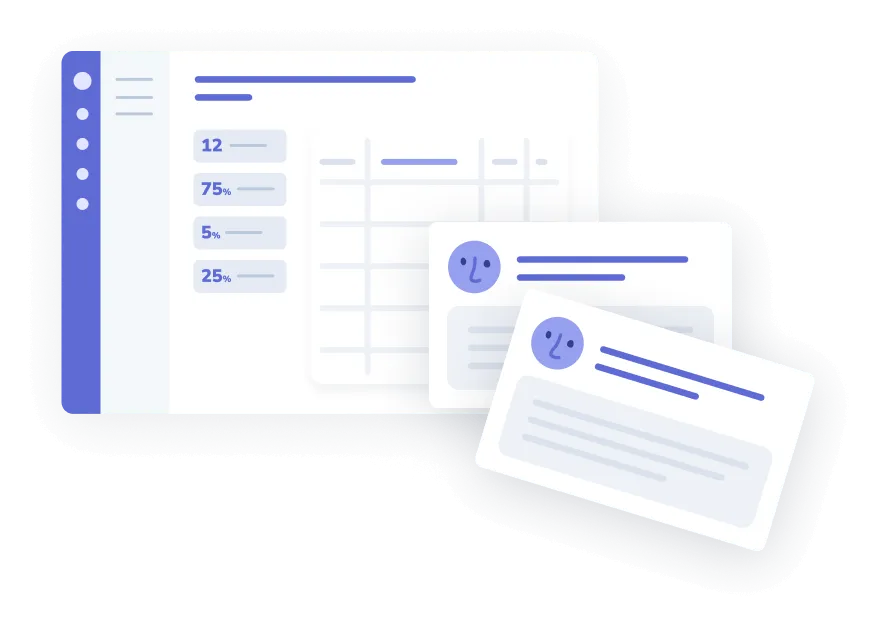
Every CoPilot suggestion is tracked.
- See which SOPs fire most and which sit unused.
- Spot the tools where a process is still undocumented, or where your team hits a gap mid-workflow.
- Alice, Whale’s AI assistant, flags which rules need a fresh SOP or a cleaner match.
How it works
- 01
Set a rule on any SOP
Inside any SOP, click Add CoPilot rule and paste the URL pattern or keyword that should fire it. Rules can combine a URL match with a keyword match, or work alone. Most teams start with their five most-asked-about tools and expand from there.
- 02
Your team sees suggestions inside the tool
When a team member opens a page that matches, CoPilot surfaces the matching SOP inside the tool. They read or scrub through the steps without leaving their workflow. No search bar, no tab juggling.
- 03
Measure adoption and close the gaps
Open the analytics view to see which suggestions are firing and which SOPs sit unused. Gaps in your library show up visibly instead of guessing at them. Tune the rules or rewrite a stale SOP, and team self-service replaces the repeat questions.
In their own words
Loved for its overall simplicity and support
“Exceptional Tool for Business Knowledge”
Whale is excellent to document and organize business knowledge. Their AI makes it even easier!
Lyndon S.Small-Business (0-50 emp.) “Whale Keeps Work Organized and Teams Confident”
Whale unifies documentation, training, and reviews in one ecosystem.
Verified User in AccountingMid-Market (51-1000 emp.) “Screen Recorder Transformed Our Productivity”
All features are excellent, but the Screen Recorder has boosted productivity for our company.
Andres A.Enterprise (> 1000 emp.) “User-Friendly Platform with Great Features”
Whale is very user-friendly. "Alice" has been a game changer, makes finding information effortless.
Martha Y.Mid-Market (51-1000 emp.) “Intuitive, fresh and easy!”
Whale's clean layout makes building and navigating SOPs a breeze.
Harley B.Small-Business (0-50 emp.) “Productivity Unleashed!”
Managing and write SOP versions, assign them, track progress through a dashboard, and automate revision tracking.
Verified User in FarmingMid-Market (51-1000 emp.) “My company utilizes Whale for our SOP’s and FAQ’s.”
Everything is very easy to locate and the search bar is my favorite feature. When I need a quick answer I turn to Whale to find what I am looking for.
Georgia R.Mid-Market (51-1000 emp.) “Whale Streamlined Our Processes and Boosted Team Onboarding”
Whale transformed how we manage internal processes. Documenting SOPs is fast and we can build and share training materials in minutes, making onboarding significantly more efficient.
Fábio B.Enterprise (> 1000 emp.) “Whale Keeps Department Training Organized with Boards, Libraries, and Playbooks”
Boards, Libraries, and Playbooks keep training organized by department, so you can generate videos, SOPs, quizzes, and more for each topic.
Ketan T.Mid-Market (51-1000 emp.) “Streamlines Documentation with Ease”
I use Whale for company handbooks, regulations, how-to's, and manuals, all on one platform. The step-by-step screen recorder auto-captures screenshots and saves me about an hour per guide.
Anouk V.Mid-Market (51-1000 emp.) “Effortlessly Streamlines Team Training with Solid Support”
Whale supports training my merchandising teams with AI and video features that break down training step by step. Creating training flows is easy, and quizzes ensure the material lands.
Shelley F.Mid-Market (51-1000 emp.) “Effortless SOP Management with Stellar AI Search”
Whale centralizes all our SOPs with standard formatting and makes them easy to find, especially with the fast AI search across thousands of documents.
Jitender T.Small-Business (50 or fewer emp.)
Frequently Asked Questions
Start for Free01How do I set up a contextual suggestion rule?
In Whale, open any SOP, click Add CoPilot rule, and define the match. You have two options. Paste a URL pattern like app.hubspot.com/contacts, or a wildcard for the whole domain, to fire the SOP whenever someone is on that page. Add a keyword match like invoice or onboarding to narrow it further, or use keywords alone without a URL. Rules can combine both signals for precision. Save, and the suggestion is live for every team member running CoPilot. There is no code and no API config. An ops manager can set up the first twenty rules in under an hour, starting with the tools where questions come up most often: HubSpot, Zendesk, Gmail, QuickBooks, and the one or two vertical tools your team lives in day to day.
02My team won't use it. How is this different from every other SOP tool?
Adoption is the reason most SOP tools fail, and it is the reason CoPilot exists. Without contextual surfacing, someone writes the SOP, files it somewhere, and the team never opens it. CoPilot puts the SOP inside the tool where the work is happening, at the exact moment it is needed. Your rep opens a Zendesk ticket and the refund policy slides in. Your new hire opens QuickBooks and the month-end close steps appear. Nobody needs to remember Whale exists or search a knowledge base. The analytics view tells you within two weeks which rules are firing and which SOPs are getting used. If adoption is still low on a specific rule, you know the SOP needs a rewrite or the rule needs a cleaner match. Most teams see CoPilot usage overtake search-based SOP access inside the first month.
03Which browsers does CoPilot work in?
CoPilot runs as a browser extension in Chrome, Firefox, and Edge. Safari is not supported. Mobile browsers are not supported. For a team on the Microsoft stack, Edge is the default, and CoPilot installs from the Edge Add-ons store. For teams on Chrome or Firefox, the extension installs from the respective stores. Rollout takes a few minutes per user. IT teams can push the install through Group Policy or an MDM tool like Intune or Jamf. Once installed, each user signs in with a Whale account and suggestions start firing based on the rules you have already set. If someone is on Safari for personal browsing but uses Chrome for work, CoPilot still works in the Chrome workflow. The SOPs themselves are accessible in Safari through the Whale web app, without the contextual overlay.
04Do I need every process documented before this works?
No. CoPilot only fires on SOPs that already exist in Whale, so coverage grows as your library grows. Most teams start with fifteen to twenty high-frequency SOPs for their most-used tools and expand from there. The analytics view actually helps with this. When CoPilot fires on a given page and the team still asks the same question in chat, it is a signal the SOP is missing or incomplete. You see gaps instead of guessing at them. If you need to build SOPs fast, Step Recorder captures any process on screen in one pass, and Alice, Whale’s AI assistant, drafts the structured text for you. Teams typically go from no contextual coverage to a working CoPilot rollout across their top ten tools inside two weeks.
05What does CoPilot see about the pages my team visits?
CoPilot reads two things: the URL of the current page, and, when a keyword rule is active on an SOP, whether that keyword appears on the visible page. It does not store page content, capture screenshots, log user activity, or send page data to Whale for analysis. Matching happens locally in the browser. The only data Whale records is which suggestions were shown, which were opened, and by which user, so the analytics view can report on adoption. If a page does not match any active rule, nothing is read and nothing is stored. Admins can scope rules to specific domains so CoPilot stays silent on personal or unrelated sites. Whale is GDPR compliant and SOC 2 Type II certified. Full detail lives in the Trust Center, and security teams can request the pen test and DPIA for review.
06How is this different from Guru's in-context card suggestions?
Guru surfaces knowledge cards inside a few supported tools based on keyword matching. CoPilot fires on any web tool your team opens, with rules that combine URL patterns and keywords for tighter precision. The deeper difference is what sits behind the suggestion. Guru is a knowledge card library. Whale is AI-Powered SOP Software that gets your team trained, so the SOP that pops up in CoPilot is the same SOP assigned in a training flow, tracked for completion, quizzed for comprehension, and drafted by Alice, Whale’s AI assistant. Teams moving from Guru usually cite two reasons: Guru’s pricing per viewer adds up as the team grows, and Guru lacks the training layer that turns a knowledge base into an actual onboarding system. CoPilot is included in every Whale plan.