
Document
Whale AI Writing Assistant
Draft a full SOP in seconds, not an afternoon
Give Alice, Whale’s AI assistant, a short prompt. Get back a structured SOP draft, ready to review, refine, and publish.
- 4.8/5 on G2
- SOC 2 certified









The problem
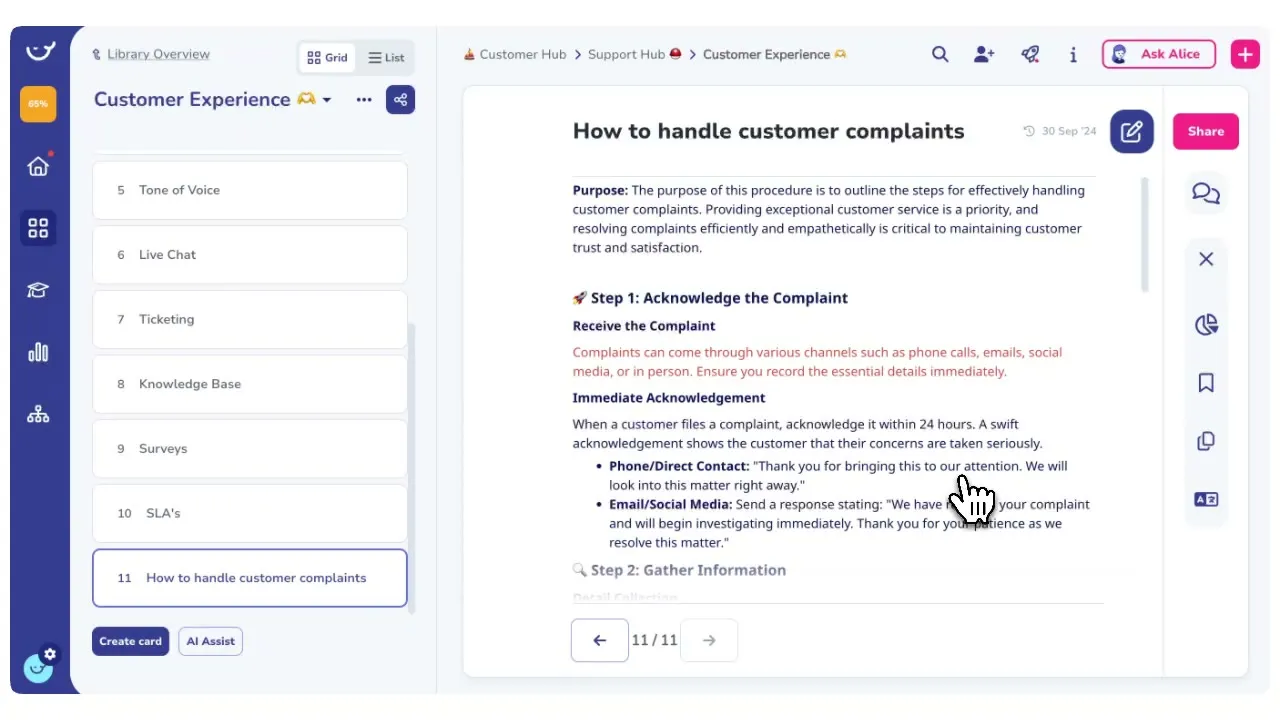
Writing SOPs is the reason they never get written
You already know the process in your head. Alice, Whale’s AI assistant, takes a one-line prompt and hands back a structured first draft you can edit.
How teams do it today: Four hours staring at a blank page per SOP
With Whale's AI Writing Assistant · The backlog goes away: A full structured draft in seconds from one prompt
How teams do it today: Rewriting the same intro for every process
With Whale's AI Writing Assistant · The backlog goes away: Consistent format across every SOP your team writes
How teams do it today: Half-finished drafts sitting in Google Docs
With Whale's AI Writing Assistant · The backlog goes away: Drafts that make it to publish instead of purgatory
How teams do it today: A documentation backlog that never shrinks
Write in the way your team actually talks
Alice, Whale’s AI assistant, follows the tone and structure already set in your workspace. Add your own terms and abbreviations directly in the draft, and Alice picks them up in the next one.
Start for Free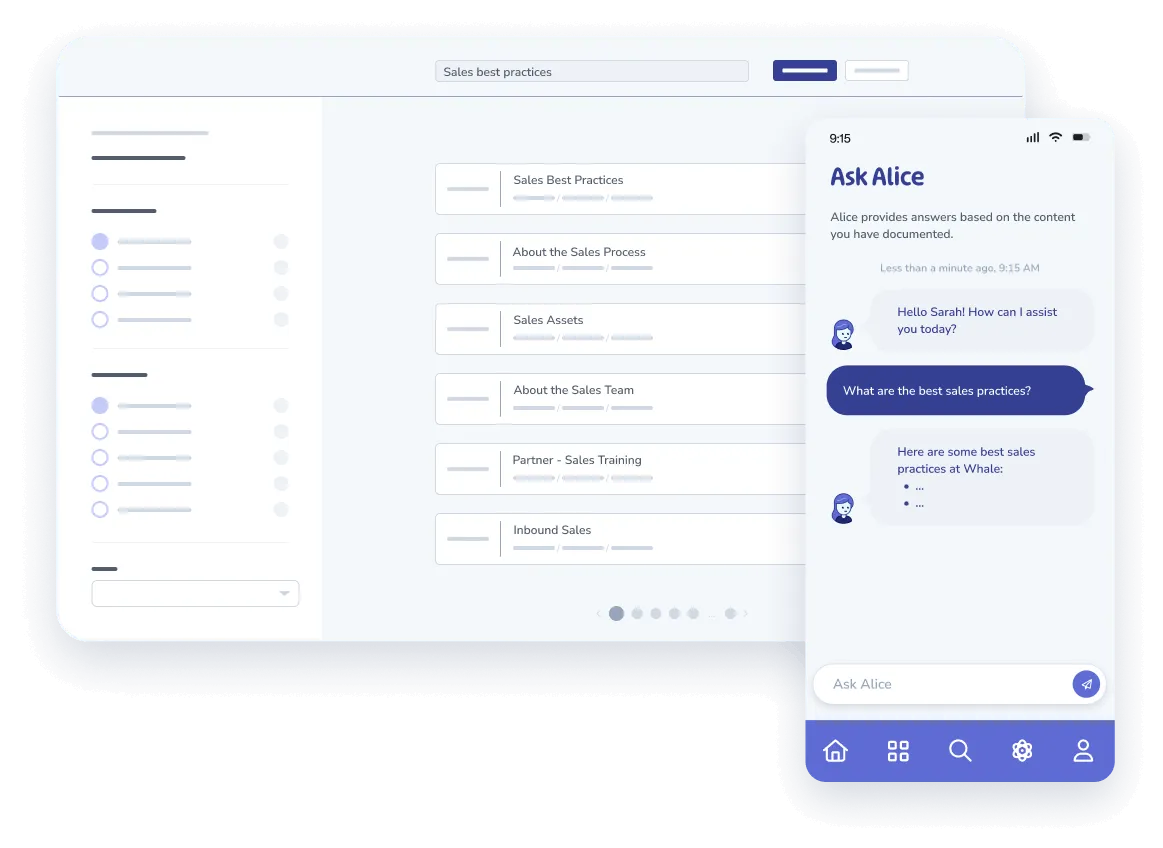
From one prompt to a publish-ready draft
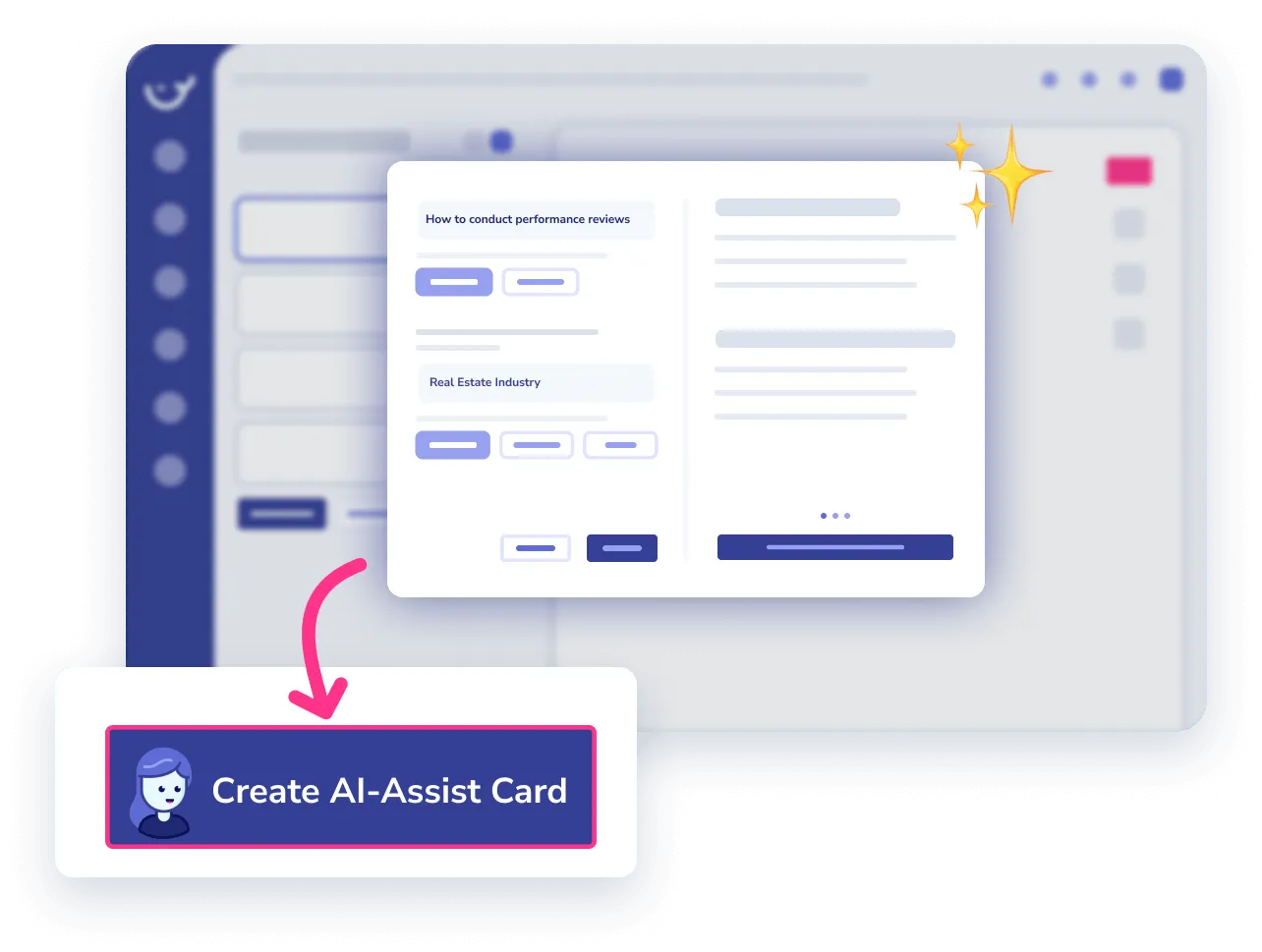
Type what the SOP should cover.
- Alice returns a full draft with a title, an intro, numbered steps, and checkpoints.
- Review the structure, tighten the wording, add screenshots, and publish.
The draft becomes a trained team, not another doc
The SOP Alice drafted drops straight into a Whale training flow, gets assigned to the right people, and feeds Alice’s answers for the rest of the team. CoPilot surfaces it inside the tool where the process runs.
Start for Free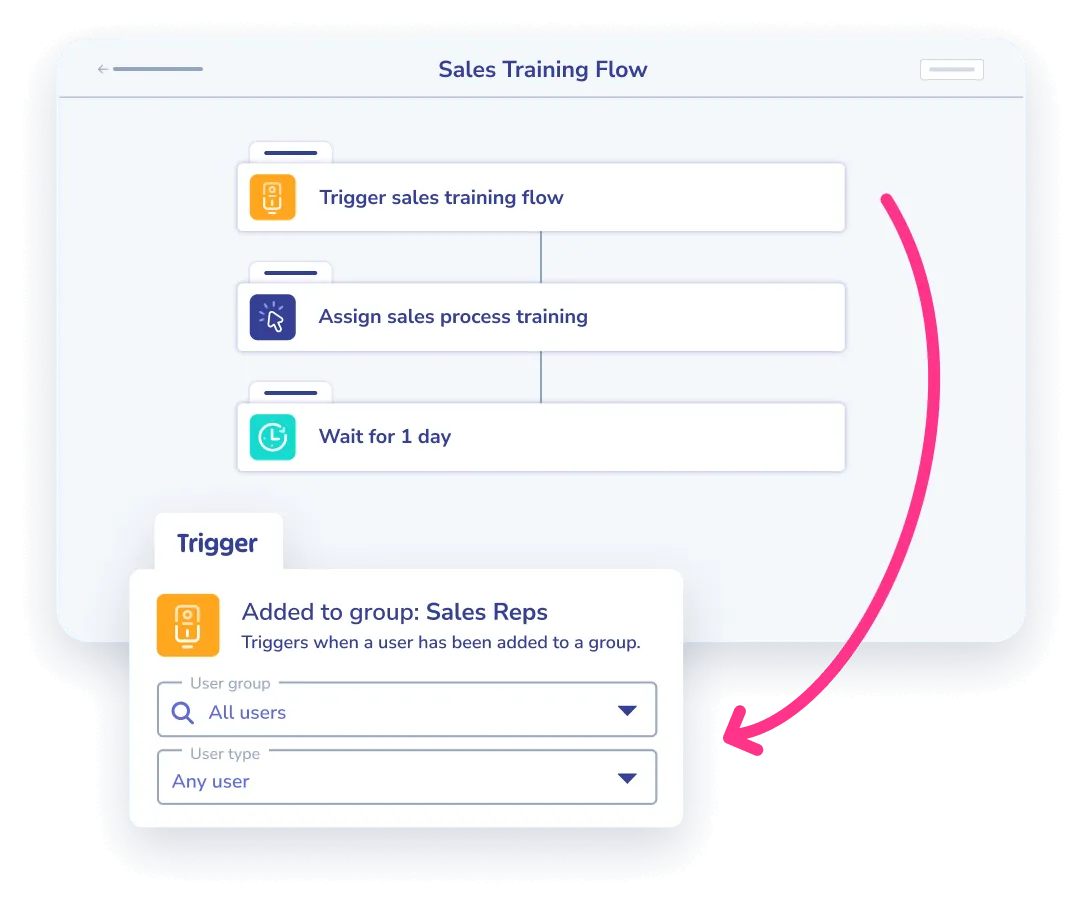
How it works
- 01
Describe the process in one line
Open a card in Whale and tell Alice, Whale’s AI assistant, what the SOP should cover. One sentence is enough. Add context like the audience, the tool involved, or the outcome if you want a sharper first draft.
- 02
Review and refine the draft
Alice returns a structured SOP with a title, intro, numbered steps, and checkpoints. Edit any section inline, ask Alice to rewrite a specific step, or drop in screenshots and recordings from Step Recorder.
- 03
Publish it where your team works
Publish the card to your knowledge base, assign it inside a training flow, and let CoPilot surface it inside the tools your team already uses. Alice answers questions from the new SOP on day one.
In their own words
Loved for its overall simplicity and support
“Exceptional Tool for Business Knowledge”
Whale is excellent to document and organize business knowledge. Their AI makes it even easier!
Lyndon S.Small-Business (0-50 emp.) “Whale Keeps Work Organized and Teams Confident”
Whale unifies documentation, training, and reviews in one ecosystem.
Verified User in AccountingMid-Market (51-1000 emp.) “Screen Recorder Transformed Our Productivity”
All features are excellent, but the Screen Recorder has boosted productivity for our company.
Andres A.Enterprise (> 1000 emp.) “User-Friendly Platform with Great Features”
Whale is very user-friendly. "Alice" has been a game changer, makes finding information effortless.
Martha Y.Mid-Market (51-1000 emp.) “Intuitive, fresh and easy!”
Whale's clean layout makes building and navigating SOPs a breeze.
Harley B.Small-Business (0-50 emp.) “Productivity Unleashed!”
Managing and write SOP versions, assign them, track progress through a dashboard, and automate revision tracking.
Verified User in FarmingMid-Market (51-1000 emp.) “My company utilizes Whale for our SOP’s and FAQ’s.”
Everything is very easy to locate and the search bar is my favorite feature. When I need a quick answer I turn to Whale to find what I am looking for.
Georgia R.Mid-Market (51-1000 emp.) “Whale Streamlined Our Processes and Boosted Team Onboarding”
Whale transformed how we manage internal processes. Documenting SOPs is fast and we can build and share training materials in minutes, making onboarding significantly more efficient.
Fábio B.Enterprise (> 1000 emp.) “Whale Keeps Department Training Organized with Boards, Libraries, and Playbooks”
Boards, Libraries, and Playbooks keep training organized by department, so you can generate videos, SOPs, quizzes, and more for each topic.
Ketan T.Mid-Market (51-1000 emp.) “Streamlines Documentation with Ease”
I use Whale for company handbooks, regulations, how-to's, and manuals, all on one platform. The step-by-step screen recorder auto-captures screenshots and saves me about an hour per guide.
Anouk V.Mid-Market (51-1000 emp.) “Effortlessly Streamlines Team Training with Solid Support”
Whale supports training my merchandising teams with AI and video features that break down training step by step. Creating training flows is easy, and quizzes ensure the material lands.
Shelley F.Mid-Market (51-1000 emp.) “Effortless SOP Management with Stellar AI Search”
Whale centralizes all our SOPs with standard formatting and makes them easy to find, especially with the fast AI search across thousands of documents.
Jitender T.Small-Business (50 or fewer emp.)
Frequently Asked Questions
Start for Free01How good is the first draft Alice produces?
Good enough to get you 95% of the way there on most internal processes. Alice, Whale’s AI assistant, returns a full SOP with a title, an intro, numbered steps, and checkpoints, in the structure your workspace already uses. The parts that need human review are the specifics only you know: the exact threshold a number has to hit, the name of the internal tool, the person who owns the handoff. Everything around that is drafted for you. Teams that use Alice to draft report publishing SOPs in the time it used to take them to write the outline. You are editing and sharpening, not starting from nothing, and that is where the time savings come from.
02What kind of processes is Alice best at drafting?
Anything repeatable a person on your team already knows how to do. Onboarding checklists, customer support procedures, finance month-end closes, sales handoffs, HR policies, vendor management, incident response, software setup guides. Alice, Whale’s AI assistant, is trained on a broad base of operational knowledge and returns a usable structure for almost any business process. It is weaker on highly specialized technical content where the steps are proprietary to your tooling, and on physical or factory procedures where the work happens off-screen. For those, start with a bullet list of steps and ask Alice to format and expand them into a full SOP.
03Does Alice learn from the SOPs we have already written?
Yes. Alice, Whale’s AI assistant, reads the content already in your workspace and uses it as context for new drafts. The more you publish, the more Alice matches your tone, your formatting conventions, and the language your team actually uses. A workspace with ten polished SOPs produces sharper drafts than an empty one. This is why the second SOP is usually faster to finalize than the first, and the tenth is faster than the second. Alice is not rewriting from a blank template every time. Alice is writing the next one in the style of the ones already there.
04Can I use Alice to update and rewrite existing SOPs?
Yes. Open any card in Whale and ask Alice, Whale’s AI assistant, to rewrite a section, shorten a step, expand a bullet into a full paragraph, or adapt the SOP to a different audience. Alice can also rewrite the whole document in a different tone or reading level. This is especially useful for SOPs that were written years ago and have drifted out of your current voice, or for documents you inherited from a previous tool and need to bring in line with the rest of your workspace. Editing in place is often faster than starting from scratch, and Alice handles both paths.
05What about our internal tools and custom terminology?
Alice, Whale’s AI assistant, does not know your proprietary tool names, internal abbreviations, or custom workflow labels out of the box. If your team runs on a tool called Stratus, or uses an internal term like “modeling standards” that means something specific in your company, Alice will not infer that from general knowledge. The workaround is straightforward. Add the terms directly in the first SOP you publish, or keep a short glossary card in your workspace that defines them. Once those terms are in the workspace, Alice uses them correctly in every new draft. Custom terminology support, as a native admin-managed glossary, is on the product roadmap. For now, the published workspace is the training ground.
06How is this different from just using ChatGPT to write SOPs?
ChatGPT gives you a generic draft in a chat window. You copy it out, paste it somewhere, format it, decide where to store it, and remember to keep it updated. Alice, Whale’s AI assistant, drafts inside Whale, where the SOP already has a home. The output lands as a structured card in your knowledge base. It can be assigned through a training flow, quizzed for comprehension, surfaced inside other tools through CoPilot, and kept current with review reminders. Alice also reads what is already in your workspace, so drafts match your existing tone and structure instead of reading like a generic template. ChatGPT writes text. Alice writes SOPs that your team actually uses.