
Train
Whale AI-Generated Quizzes
Turn any SOP into a quiz in one click
Coral, Whale’s AI assistant, reads your SOP and writes the quiz questions. Review, edit, attach to a training flow, and see who passed. No question-writing required.
- 4.8/5 on G2
- SOC 2 certified









The problem
Your team reads the SOP. Then forgets half of it.
You already wrote the SOP. Coral, Whale’s AI assistant, generates quiz questions from the exact content, so you confirm the training landed before it matters on the job.
How teams do it today: No way to tell if anyone read the SOP
With Whale's AI-Generated Quizzes: Quiz scores confirm who retained the process and who did not
How teams do it today: Writing quiz questions by hand for every process
With Whale's AI-Generated Quizzes: Coral drafts the questions from the SOP in seconds
How teams do it today: Same mistakes showing up weeks after training
With Whale's AI-Generated Quizzes: Gaps show up in the quiz, not in the work
How teams do it today: Managers repeating the same corrections on the floor
With Whale's AI-Generated Quizzes: Managers coach from scores, not from memory
Coral writes the questions from your SOP
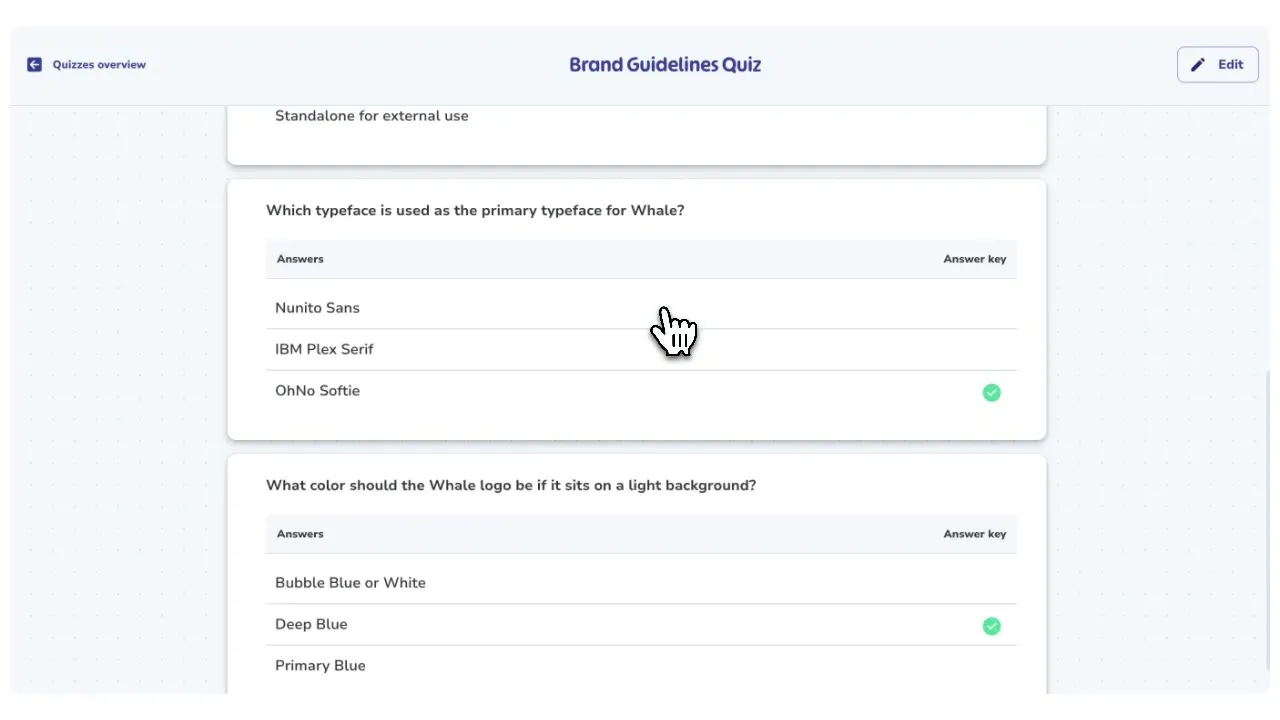
Open any card, playbook, or recorded process in Whale and click Generate Quiz.
- Coral, Whale’s AI assistant, reads the content and drafts multiple-choice questions pulled straight from the steps, policies, and details in the SOP.
- You get a full quiz in seconds, not an afternoon of writing.
Review every question before it goes live
Every AI-generated question lands in an editor.
- Rewrite the stem, swap answer options, mark the correct choice, delete questions that miss, or add your own.
- Nothing is published until you approve it, then attach the quiz to a training flow so the right people take it at the right moment.
Scores feed straight into your training analytics
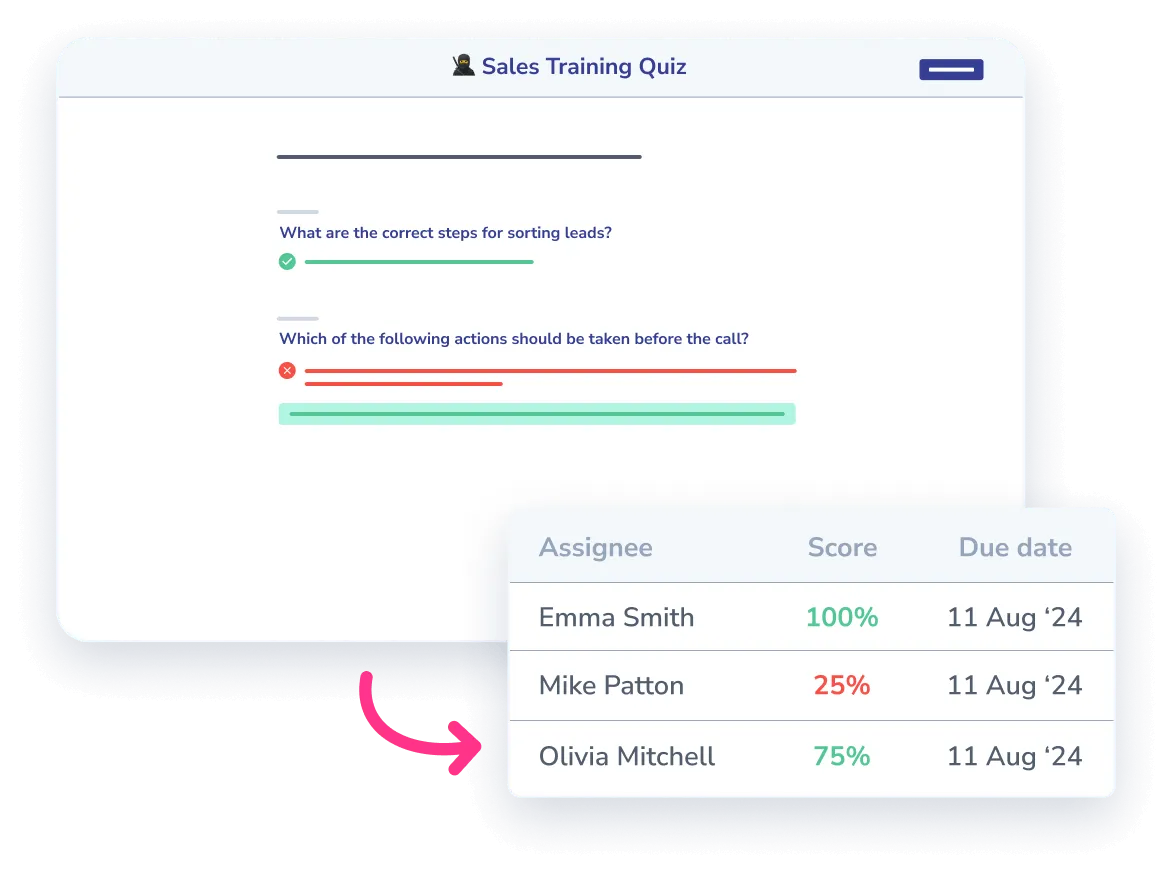
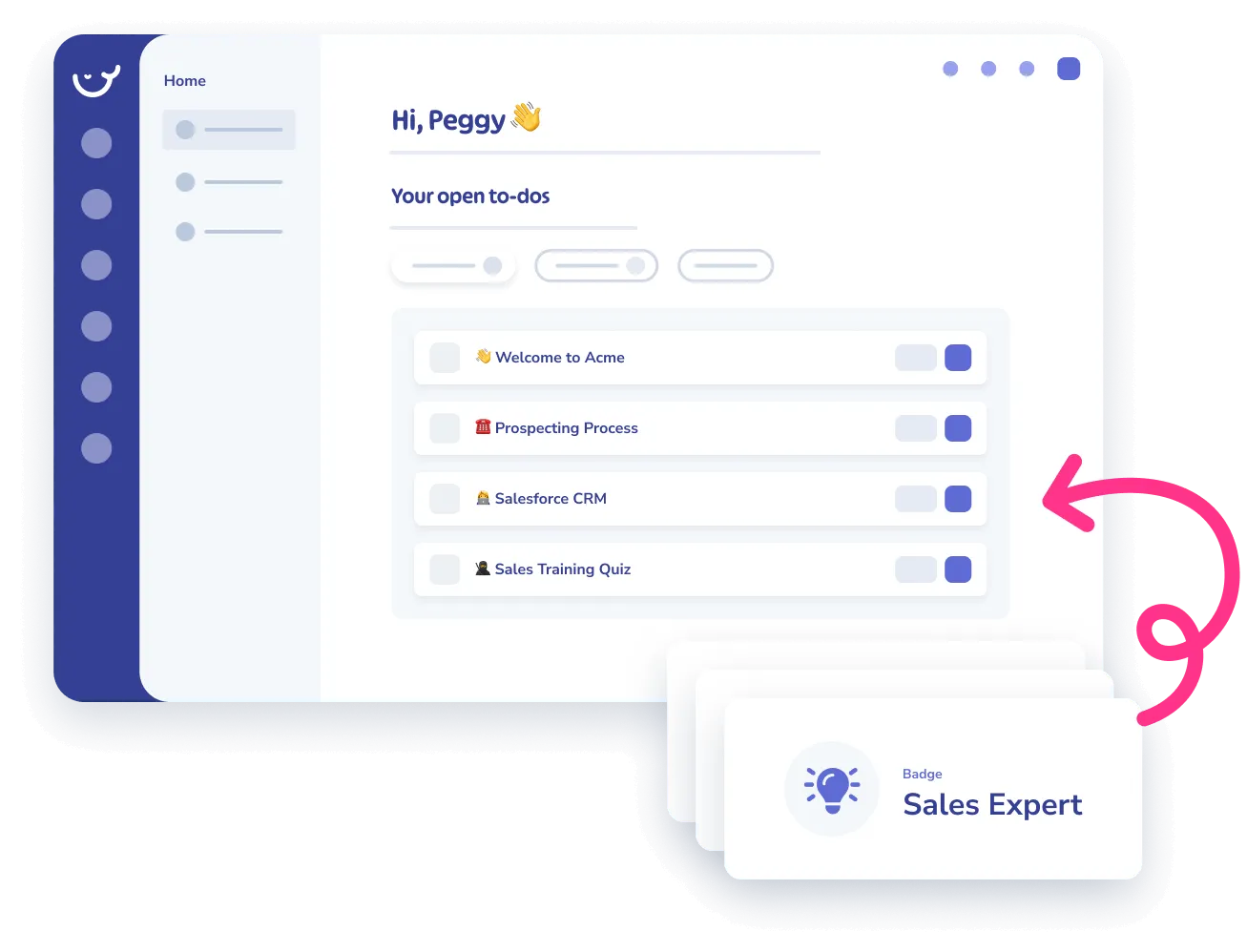
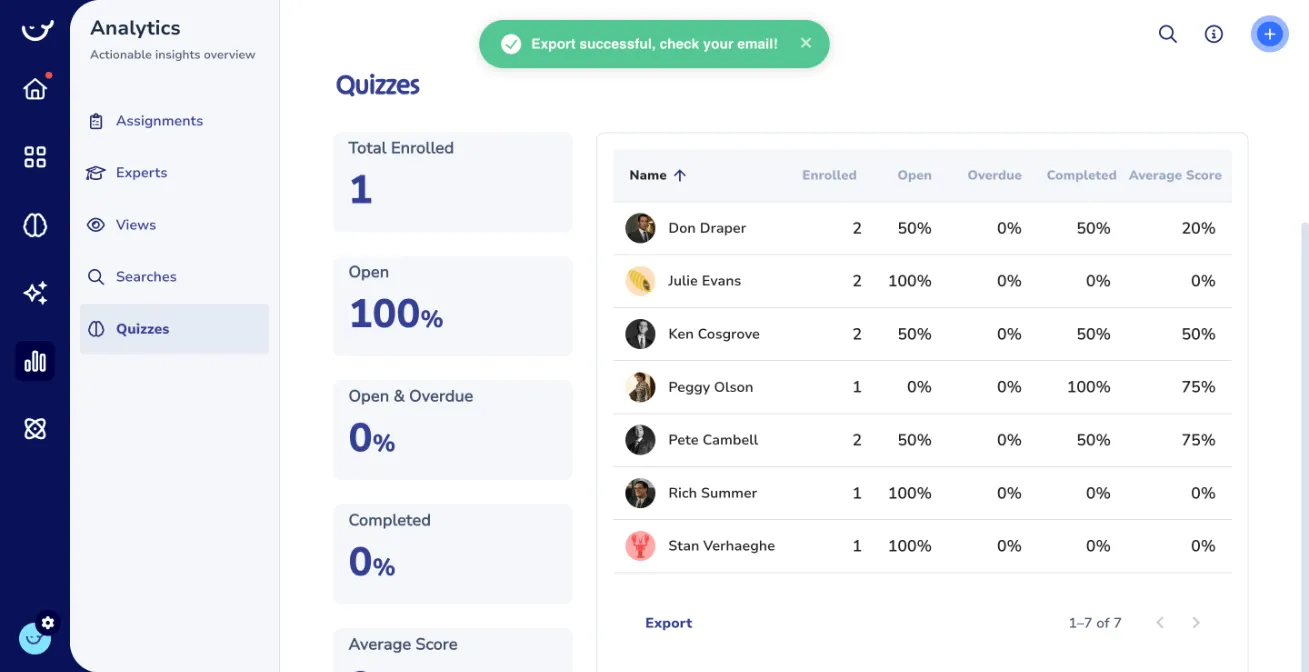
Quizzes can gate progress inside a training flow, so a new hire finishes the SOP and passes the quiz before moving to the next step. Scores, attempts, and pass rates feed your analytics dashboard, so you can spot which processes need better documentation or a second training pass.
How it works
- 01
Pick the SOP you want to quiz on
Open any card, playbook, or Step Recorder guide in Whale and click Generate Quiz. Coral reads the content of that SOP and drafts the questions directly from the steps and policies inside it.
- 02
Review and edit the draft
Rewrite stems, swap in better answer options, mark the correct choice, and remove questions that do not land. Add your own questions alongside the AI drafts. The quiz stays unpublished until you approve it.
- 03
Attach it to a training flow and track results
Assign the quiz inside a training flow, gate progress on a passing score, and watch the results roll into your analytics. Scores show which SOPs stick and which ones need another pass.
In their own words
Loved for its overall simplicity and support
“Exceptional Tool for Business Knowledge”
Whale is excellent to document and organize business knowledge. Their AI makes it even easier!
Lyndon S.Small-Business (0-50 emp.) “Whale Keeps Work Organized and Teams Confident”
Whale unifies documentation, training, and reviews in one ecosystem.
Verified User in AccountingMid-Market (51-1000 emp.) “Screen Recorder Transformed Our Productivity”
All features are excellent, but the Screen Recorder has boosted productivity for our company.
Andres A.Enterprise (> 1000 emp.) “User-Friendly Platform with Great Features”
Whale is very user-friendly. "Coral" has been a game changer, makes finding information effortless.
Martha Y.Mid-Market (51-1000 emp.) “Intuitive, fresh and easy!”
Whale's clean layout makes building and navigating SOPs a breeze.
Harley B.Small-Business (0-50 emp.) “Productivity Unleashed!”
Managing and write SOP versions, assign them, track progress through a dashboard, and automate revision tracking.
Verified User in FarmingMid-Market (51-1000 emp.) “My company utilizes Whale for our SOP’s and FAQ’s.”
Everything is very easy to locate and the search bar is my favorite feature. When I need a quick answer I turn to Whale to find what I am looking for.
Georgia R.Mid-Market (51-1000 emp.) “Whale Streamlined Our Processes and Boosted Team Onboarding”
Whale transformed how we manage internal processes. Documenting SOPs is fast and we can build and share training materials in minutes, making onboarding significantly more efficient.
Fábio B.Enterprise (> 1000 emp.) “Whale Keeps Department Training Organized with Boards, Libraries, and Playbooks”
Boards, Libraries, and Playbooks keep training organized by department, so you can generate videos, SOPs, quizzes, and more for each topic.
Ketan T.Mid-Market (51-1000 emp.) “Streamlines Documentation with Ease”
I use Whale for company handbooks, regulations, how-to's, and manuals, all on one platform. The step-by-step screen recorder auto-captures screenshots and saves me about an hour per guide.
Anouk V.Mid-Market (51-1000 emp.) “Effortlessly Streamlines Team Training with Solid Support”
Whale supports training my merchandising teams with AI and video features that break down training step by step. Creating training flows is easy, and quizzes ensure the material lands.
Shelley F.Mid-Market (51-1000 emp.) “Effortless SOP Management with Stellar AI Search”
Whale centralizes all our SOPs with standard formatting and makes them easy to find, especially with the fast AI search across thousands of documents.
Jitender T.Small-Business (50 or fewer emp.)
Frequently Asked Questions
01Is there a passing score and can I set my own threshold?
Yes. Every quiz has a passing score you control, defaulting to 80 percent. Inside a training flow, you can require a pass before the team member moves to the next step, which makes the quiz a real gate rather than a suggestion. If someone fails, they can retake the quiz as many times as needed, and every attempt is logged. For compliance-heavy processes, many Whale customers set the threshold to 100 percent so a team member has to answer every question correctly before the system marks the SOP complete. For general operational training, 70 to 80 percent is the common setting. You decide per quiz, and you can change it later without losing historical data.
02Which plans include AI-generated quizzes?
AI-generated quizzes are available on the Essentials, Scale, and Enterprise plans. The Team plan does not include quizzes, so if quizzing is part of how you train your team, Essentials is the entry point. Coral, Whale’s AI assistant, is included on the plans that have quizzes, so there is no separate AI add-on to purchase. You can try the full quiz experience on a free trial of a paid plan before committing, and the quizzes you build during the trial carry over if you subscribe. Check the pricing page for current plan limits and per-user costs, and talk to sales if you need a volume plan for a larger team.
03How accurate are the AI-generated questions?
Coral pulls questions from the exact content of the SOP, so the accuracy depends on how clear the source document is. For a well-written SOP with concrete steps and named policies, the draft questions are usable with light edits. For a vague or thin SOP, the questions will be generic, which is a useful signal that the SOP itself needs more detail before it is worth quizzing on. Every question lands in an editor before it is published, so you can rewrite, swap answers, or delete anything that misses. Most Whale customers treat the AI draft as a starting point that saves an hour of blank-page work, not as a final deliverable.
04Can team members retake a failed quiz, and what gets tracked?
Yes. Team members can retake a quiz until they pass, and every attempt is logged. Whale tracks the score on each attempt, the date and time, which questions were answered correctly, and how long the attempt took. Managers see this inside the training analytics dashboard, filtered by person, team, or SOP. If a question is failing across many team members, that is usually a sign the SOP needs rewriting, not a sign the team is not paying attention. Retakes are not rate-limited by default, so a team member can work through the SOP again and retry the quiz the same day if they want to close a gap quickly.
05Are quizzes open-book, and should they be?
By default, yes. Whale quizzes are open-book, which means team members can reference the SOP while taking the quiz. This is intentional. The goal of a quiz inside a training flow is reinforcement, not a gotcha. A team member reading the SOP a second time to answer a question is learning the process, which is exactly what you want. For compliance use cases where you need proof that someone internalized the content without reference, you can set the passing score to 100 percent and use the quiz as a final acknowledgment step after the team member has already worked through the SOP. Most Whale customers keep quizzes open-book for operational training and reserve closed-book style grading for specific compliance scenarios.
06How do Whale quizzes compare to Trainual quizzes?
Both platforms support quizzes inside training flows with passing scores and retakes. The difference is the starting point. Trainual quizzes are written by hand, question by question. Whale quizzes start with Coral generating a draft from the SOP in seconds, which you then edit. That changes the economics of quizzing. Teams that would not write quizzes for most SOPs in Trainual because it is too much work end up quizzing on far more processes in Whale. The other difference is pricing structure. Whale’s Essentials, Scale, and Enterprise plans include AI-generated quizzes without a separate AI add-on, while Trainual starts at 249 dollars per month flat. For teams under 20 people, that price gap is the deciding factor more often than the quiz feature itself.