
Maintain
Whale Experts & Reviews Cycles
Name the expert. Set the review cycle. SOPs stay current on their own.
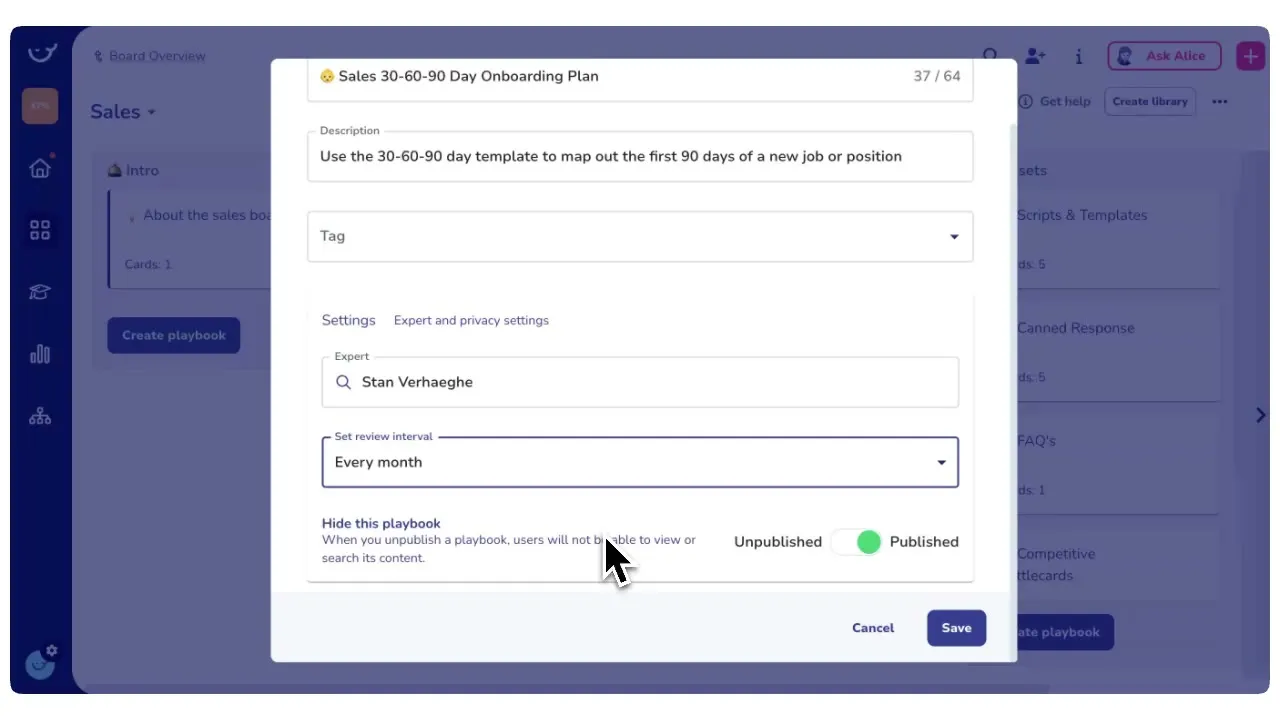
Assign a subject-matter expert as the owner of every card or playbook and set a review date. When the date arrives, Whale creates a review assignment for the right person so processes never quietly rot.
- 4.8/5 on G2
- SOC 2 certified









The problem
SOPs go stale and nobody notices until they are already wrong
You already have people who own each process. Every card and playbook gets a named owner and a scheduled review, and Whale tracks the date, pings the expert, and logs the verification.
How teams do it today: SOPs written two years ago nobody has touched since
With Whale's Experts & Reviews Cycles: Every SOP has a review date and the next one is scheduled
How teams do it today: No single person owns whether a process is correct
With Whale's Experts & Reviews Cycles: A named expert owns every card and playbook
How teams do it today: Teams stop trusting the library and go back to asking
With Whale's Experts & Reviews Cycles: The library stays current, so the team actually uses it
How teams do it today: Audits and onboarding surface outdated steps the hard way
With Whale's Experts & Reviews Cycles: Outdated content gets caught on a cadence, not in an audit
Assign the expert who actually knows the process
Pick a subject-matter expert and make them the owner of any card or playbook.
- The owner is the person responsible for keeping the content accurate.
- Their name shows on the document, so readers know who to ask, and Whale routes every review assignment to that person by default.
Set the review date and let Whale handle the chase
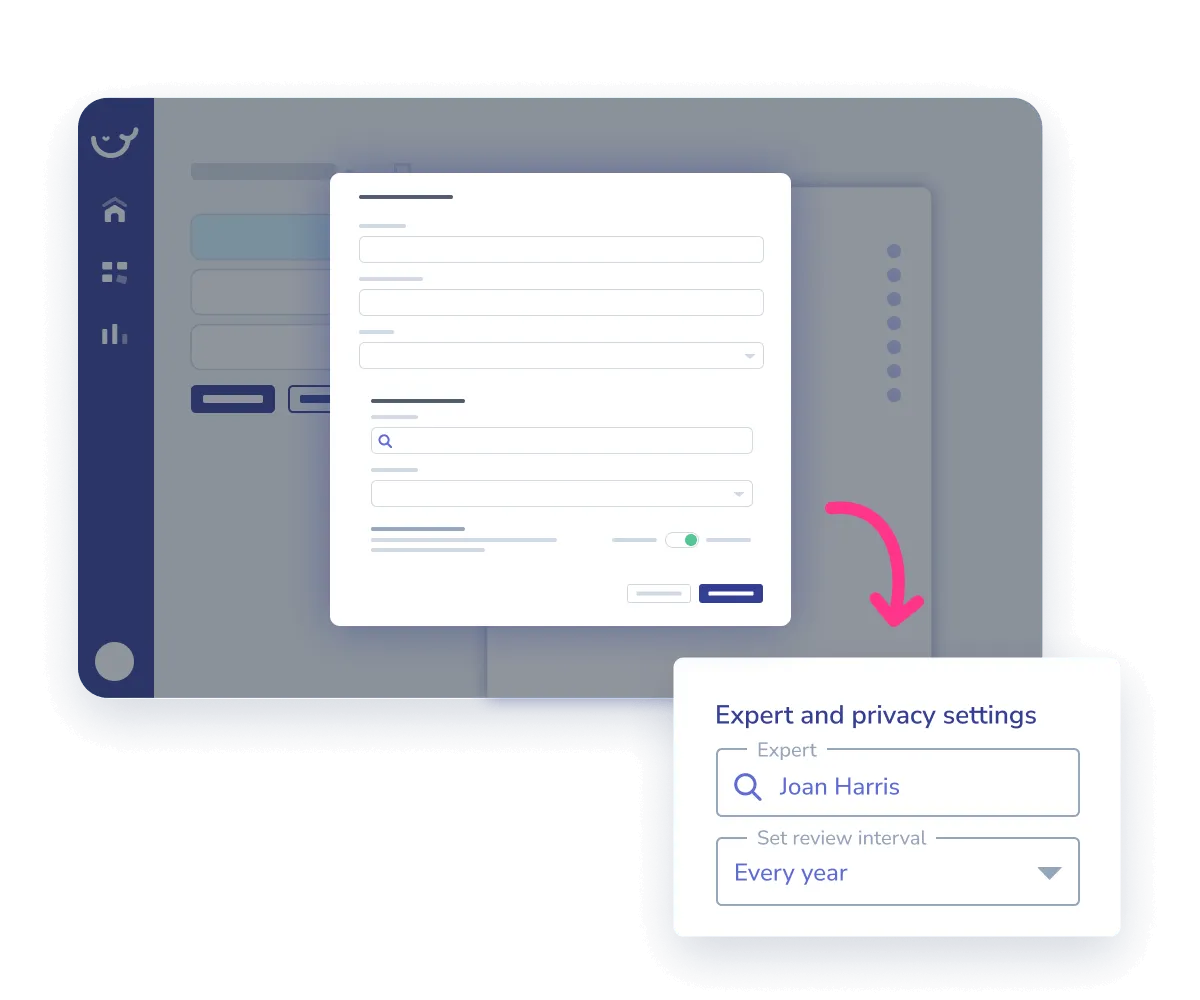
Choose a review frequency on any card or playbook.
- Monthly, quarterly, twice a year, annually, or a custom interval.
- When the date arrives, Whale creates a review assignment for the owner, sends the reminder, and logs the verification once the expert confirms.
- No spreadsheet, no recurring calendar invite, no one quietly forgetting.
Owners, reviews, and the whole Whale platform work together
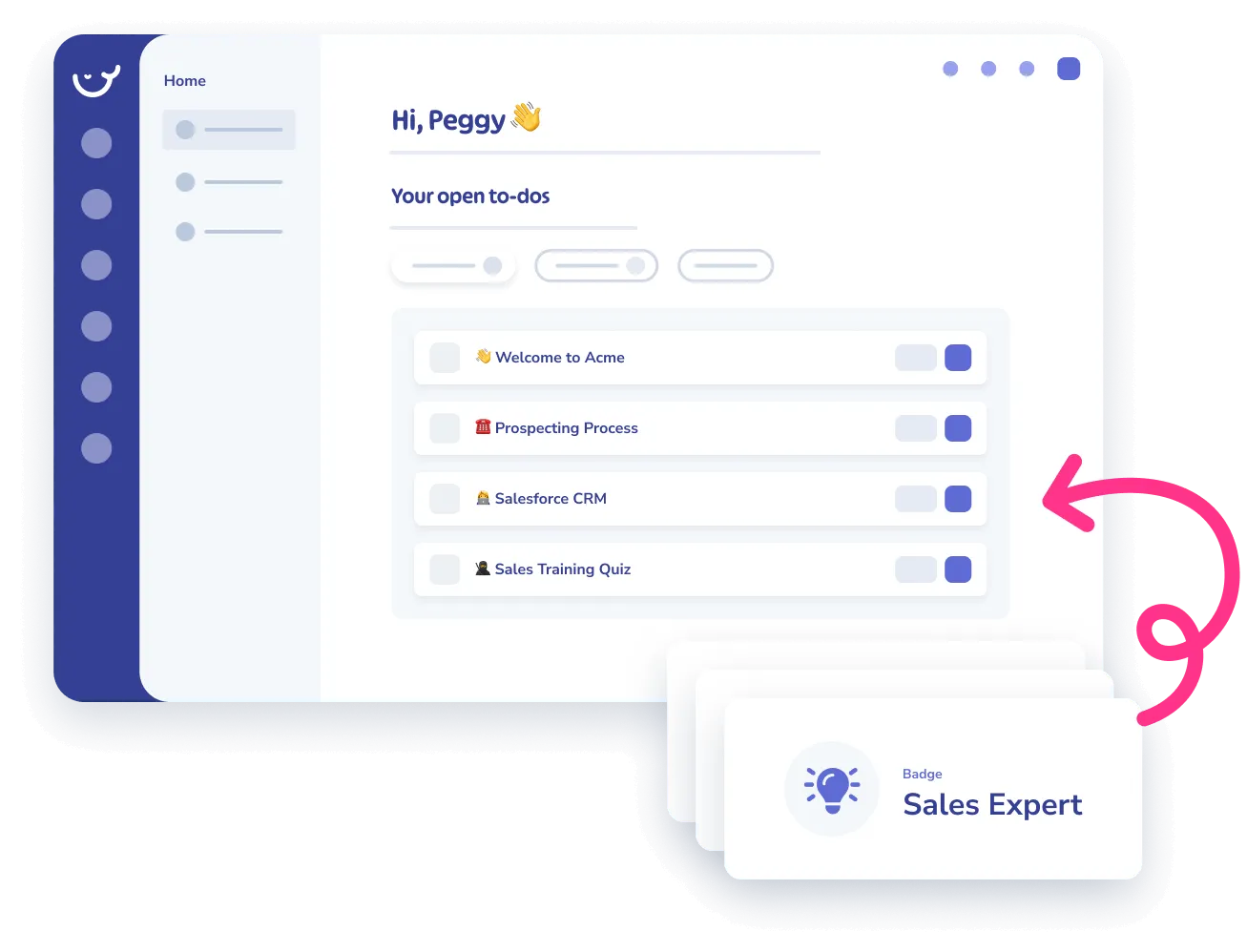
A reviewed card feeds Alice, Whale’s AI assistant, so the answers your team gets are always from current content.
- CoPilot surfaces the same verified card inside the tool where the process runs.
- Analytics flag cards nobody reviewed and cards nobody reads, so the library gets tighter over time.
How it works
- 01
Name the owner
Open any card or playbook and assign a subject-matter expert as the owner. Their name shows on the document and they become the default reviewer for every cycle.
- 02
Set the review cycle
Pick a review frequency. Whale schedules the next review date and tracks it in the background. You can change the cadence per card or per playbook.
- 03
Whale runs the review
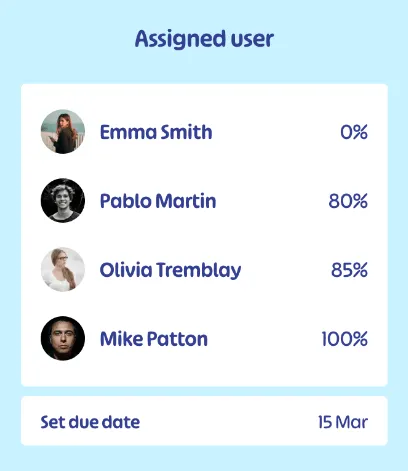
When the date arrives, the owner gets a review assignment in their inbox. They confirm the content is current, edit what changed, and Whale logs the verification with a timestamp.
In their own words
Loved for its overall simplicity and support
“Exceptional Tool for Business Knowledge”
Whale is excellent to document and organize business knowledge. Their AI makes it even easier!
Lyndon S.Small-Business (0-50 emp.) “Whale Keeps Work Organized and Teams Confident”
Whale unifies documentation, training, and reviews in one ecosystem.
Verified User in AccountingMid-Market (51-1000 emp.) “Screen Recorder Transformed Our Productivity”
All features are excellent, but the Screen Recorder has boosted productivity for our company.
Andres A.Enterprise (> 1000 emp.) “User-Friendly Platform with Great Features”
Whale is very user-friendly. "Alice" has been a game changer, makes finding information effortless.
Martha Y.Mid-Market (51-1000 emp.) “Intuitive, fresh and easy!”
Whale's clean layout makes building and navigating SOPs a breeze.
Harley B.Small-Business (0-50 emp.) “Productivity Unleashed!”
Managing and write SOP versions, assign them, track progress through a dashboard, and automate revision tracking.
Verified User in FarmingMid-Market (51-1000 emp.) “My company utilizes Whale for our SOP’s and FAQ’s.”
Everything is very easy to locate and the search bar is my favorite feature. When I need a quick answer I turn to Whale to find what I am looking for.
Georgia R.Mid-Market (51-1000 emp.) “Whale Streamlined Our Processes and Boosted Team Onboarding”
Whale transformed how we manage internal processes. Documenting SOPs is fast and we can build and share training materials in minutes, making onboarding significantly more efficient.
Fábio B.Enterprise (> 1000 emp.) “Whale Keeps Department Training Organized with Boards, Libraries, and Playbooks”
Boards, Libraries, and Playbooks keep training organized by department, so you can generate videos, SOPs, quizzes, and more for each topic.
Ketan T.Mid-Market (51-1000 emp.) “Streamlines Documentation with Ease”
I use Whale for company handbooks, regulations, how-to's, and manuals, all on one platform. The step-by-step screen recorder auto-captures screenshots and saves me about an hour per guide.
Anouk V.Mid-Market (51-1000 emp.) “Effortlessly Streamlines Team Training with Solid Support”
Whale supports training my merchandising teams with AI and video features that break down training step by step. Creating training flows is easy, and quizzes ensure the material lands.
Shelley F.Mid-Market (51-1000 emp.) “Effortless SOP Management with Stellar AI Search”
Whale centralizes all our SOPs with standard formatting and makes them easy to find, especially with the fast AI search across thousands of documents.
Jitender T.Small-Business (50 or fewer emp.)
Frequently Asked Questions
01What is a subject-matter expert in Whale and how do I assign one?
A subject-matter expert is the person you name as the owner of a card or playbook. Open any card or playbook, go to the details panel, and assign an owner from your workspace. Their name shows on the document so readers know who to ask, and Whale routes every review assignment to that person by default. You can reassign the owner at any time, and you can assign different experts to different playbooks inside the same board. Most teams run this by department. Ops owns the ops playbook, finance owns the finance playbook, the hiring manager owns the role-specific onboarding cards. On larger libraries, experts become the single source of accountability for keeping content accurate.
02How do review cycles actually work?
Pick a review frequency on any card or playbook. Monthly, quarterly, twice a year, annually, or a custom interval. Whale stores the next review date and watches it in the background. When the date arrives, Whale creates a review assignment for the owner and sends the reminder. The owner opens the card, confirms the content is still accurate, edits anything that changed, and marks the review complete. Whale logs the verification with a timestamp and schedules the next review date automatically based on the cadence you set. If the owner leaves the company or changes role, you reassign the owner and the cycle continues.
03What happens if the owner misses a review?
The review assignment stays in the owner’s inbox until it is completed, and the card is flagged as overdue for review. Admins see overdue reviews in the analytics dashboard, filtered by team, owner, or playbook. You can reassign the review to another expert, extend the date, or escalate to a manager. Overdue cards are not hidden from readers, but the status signals to the team that the content has not been verified on schedule. Most teams use the overdue flag as a prompt to talk to the owner rather than a hard block.
04Can we run reviews across a whole playbook at once?
Yes. Set a review cycle at the playbook level and the owner reviews the playbook as a single unit. That is usually the right cadence for process areas that move together, like a quarterly review of the hiring playbook or the client-onboarding playbook. For cards that change on different rhythms, set the cycle at the card level. You can mix both. A playbook-level annual review plus card-level quarterly reviews on the two or three cards that change most often.
05Which plan includes experts and review cycles?
Review cycles are included on the Scale plan and above. The Scale plan also bundles Alice, Whale’s AI assistant, analytics, version history, custom roles, training flows, Slack integration, and PDF export. Owner assignment is available on all paid plans, so any team can name an expert per card or playbook. Scheduled review cycles with automated assignments and verification logging are the Scale feature.
06How is this different from what Trainual or Scribe offer?
Scribe is a capture tool. It has no concept of an owner, a review date, or a verification log, because it is not built to be a living knowledge base. Trainual supports content owners and review reminders, but the reviews sit inside a training-first product, separated from search and from an AI assistant that can answer questions on the reviewed content. In Whale, the owner you name is the same person Alice, Whale’s AI assistant, points readers to, the same expert whose verified card CoPilot surfaces inside other tools, and the same owner whose review history shows in analytics. One owner, one review cycle, one source of truth across documentation, training, and day-to-day answers.