
Let's be honest: documenting business processes is one of those tasks that always gets pushed to "later." But in today's world, that's not just procrastination—it's a direct threat to your company's health. In fact, undocumented workflows cost businesses a staggering 20-30% of their revenue annually.
It's time to move past the idea that documentation is just busywork and start treating it as a core business function.
Why Undocumented Processes Are a Ticking Time Bomb
Ignoring process documentation isn't just a bad habit; it's a massive financial risk. With the rise of remote teams and complex regulations, clear documentation has shifted from a 'nice-to-have' to a mission-critical system that directly impacts your bottom line.
Think about it. When your key workflows exist only in the heads of a few senior employees, you’ve created a fragile system. What happens when that one person goes on vacation, gets sick, or even better, gets a promotion? The whole operation can grind to a halt. This leads to everything from messy client handoffs and missed deadlines to serious compliance nightmares.
The Real-World Costs of Flying Blind
The fallout from this kind of ambiguity isn't theoretical—it's tangible and expensive. Without a single source of truth, teams are left to guess, which inevitably leads to rework, frustration, and a systemic drain on your resources.
Here's where the pain really shows up:
- Inconsistent Quality: When everyone has their own "special way" of doing things, the quality of your product or service becomes a lottery.
- Painfully Slow Onboarding: New hires take forever to get up to speed when they have to constantly shoulder-tap colleagues for instructions instead of referencing a clear guide.
- Serious Compliance Risks: In regulated industries like finance or healthcare, failing to follow (and prove you followed) specific procedures can lead to hefty fines and legal battles.
- Growth Grinds to a Halt: You simply can't scale a process you haven't defined. Trying to grow becomes chaotic and completely unsustainable without a standardized playbook.
This growing need for clarity is why the global market for Business Process Documentation Tools is on a tear, projected to jump from $15 billion in 2025 to roughly $45 billion by 2033. This isn't just a trend; it's a massive operational shift as companies scramble to plug these costly efficiency leaks.
The core issue with undocumented processes is that they make your business fragile. A well-documented operation, however, is resilient, scalable, and prepared for whatever comes next. It’s the foundation for sustainable growth.
Let's break down exactly what's at stake. The difference between a business running on tribal knowledge and one built on clear, accessible processes is night and day.
The Hidden Costs of Chaos vs The Real ROI of Clarity
| Operational Area | Impact of No Documentation | Benefit of Clear Documentation |
|---|---|---|
| Onboarding | New hires are unproductive for weeks, draining senior staff time. | New team members ramp up 60% faster and contribute sooner. |
| Task Execution | High error rates, inconsistent output, and constant rework. | 25% decrease in operational errors and predictable quality. |
| Team Productivity | Employees waste 5-10 hours a week just searching for information. | Immediate access to answers boosts team productivity by 35%. |
| Knowledge Retention | 42% of knowledge walks out the door when an employee leaves. | Critical know-how is captured, secured, and easily transferred. |
| Scalability | Growth is chaotic, unpredictable, and difficult to manage. | Standardized processes create a clear path for sustainable scaling. |
The numbers don't lie. Investing in a system to document and share your processes isn't an expense—it's a direct investment in stability and growth.

This is where tools designed to create a single source of truth come in. Platforms like Whale don't just store documents; they create a central hub that actively powers your team, helping you reclaim that lost efficiency.
Ultimately, the entire goal is to drive operational efficiency, which is the true engine of profitability. If you're still on the fence, check out these eye-opening documentation statistics to see just how vital this has become.
How to Pinpoint Your Most Critical Business Processes
So, you know you need to document your business processes. That's a great start, but let's be honest—the real question is, where on earth do you begin?
The temptation to document everything at once is real. I’ve seen teams try to "boil the ocean," and it almost always ends in burnout and a project that fizzles out. A much smarter play is to zero in on the handful of critical processes that will give you the biggest wins, fast.
This isn't about pulling a process out of a hat. It’s a strategic look at your entire operation to find the workflows that are either causing the most pain or have the most direct impact on your customers and your revenue. This becomes even more crucial when you're looking at a major overhaul, like rebuilding your business processes from old-school tools to a modern platform. You have to know what matters most before you start tearing things down.
Look for High-Impact and High-Friction Areas
Your most critical processes are usually hiding in plain sight. They're the ones that directly touch your customers, bring in the money, or, if they break, bring everything to a grinding halt.
Start by hunting for workflows that just feel clunky. Where’s the friction? What’s always inconsistent?
Here are some dead giveaways that a process needs attention:
- A spike in customer complaints: Is your SaaS company suddenly drowning in support tickets about billing errors? Your invoicing and payment collection process should jump to the top of your list.
- Constant bottlenecks: If your sales team is always stuck waiting for the legal team to approve a standard contract, that review process is a prime candidate for documentation and a serious tune-up.
- High employee turnover in one specific role: When you can't keep someone in a particular job, it’s often because their core tasks are a chaotic, undefined mess. Documenting what they actually do is a huge step toward keeping them around.
These friction points aren't problems; they're opportunities. Tackling them first delivers immediate relief and builds the momentum you need to keep the entire documentation initiative going.
The goal isn't to document the easiest process. It's to document the one that will make the biggest positive difference. Find a workflow that, if you improved it by just 10%, would have a real, noticeable impact on your team's sanity and your bottom line.
Use the Impact vs. Effort Matrix
Once you’ve got a list of potential processes, it's time to prioritize. A simple but incredibly powerful tool for this is the Impact vs. Effort Matrix. This little framework helps you visually sort your ideas so you know exactly where to put your energy.
It’s just four quadrants:
- High Impact, Low Effort (Quick Wins): These are your no-brainers. Start here. For a logistics firm, creating a standardized checklist for picking orders in the warehouse might be a low-effort task that drastically cuts down on shipping errors—a huge impact.
- High Impact, High Effort (Major Projects): These are the big, strategic moves that need real resources but promise a massive payoff. Think of a complete overhaul of a manufacturing quality control system. Plan for these, but don't start with them.
- Low Impact, Low Effort (Fill-ins): These are the nice-to-haves you can tackle when you have a spare afternoon. Creating a guide for setting up company email signatures fits perfectly here.
- Low Impact, High Effort (Time Sinks): Avoid these like the plague. These are tasks that will eat up your time and budget for very little return.
Plotting your potential processes on this matrix gives you instant clarity. It turns a long, overwhelming to-do list into a clear, actionable roadmap.
Involve the Right People with Stakeholder Interviews
You absolutely cannot document a process accurately from your desk. The people who do the work every single day are your source of truth. Sitting down with them for stakeholder interviews is non-negotiable if you want to get the details right.
Schedule short, focused chats with the employees who actually live and breathe the process. Your goal is to understand the reality on the ground, not the "official" version from some old handbook.
Ask open-ended questions like:
- "Can you walk me through what happens from the moment a new customer order comes in until it's completely fulfilled?"
- "What are the most common snags or weird exceptions you have to deal with?"
- "Which part of this whole thing takes the most time or makes you want to pull your hair out?"
- "Are there any unofficial workarounds you use to just get the job done?"
These conversations do more than just pull out information; they build buy-in. When people feel like they’re part of creating the new standard, they are far more likely to actually follow it later on.
Bringing Your Processes to Life with Visual Mapping
Okay, you’ve pinpointed which workflows to tackle first. Now comes the real challenge: how do you get that messy, complex process out of people’s heads and into a format that everyone can understand?
Let’s be honest, nobody wants to read a 10-page document just to figure out a single workflow. It’s a surefire way to cause confusion and get your beautifully documented process ignored. This is exactly why visual process mapping is your new best friend.
Visual maps transform abstract steps into a shared, concrete reality. They become the universal language for your operations, showing not just what needs to be done, but who does it and how decisions actually flow. Think about explaining a client onboarding process—it jumps from sales to finance to the implementation team. A text document just can’t capture those critical handoffs in a way that makes immediate sense.
Choosing the Right Visual Style for the Job
Not all maps are created equal, and you don’t need a sledgehammer to crack a nut. The trick is to pick a format that matches the complexity of the process you're documenting. A simple five-step approval workflow doesn't need a super-technical diagram.
Here are the most common styles I see used effectively:
- Simple Flowcharts: This is your bread and butter for straightforward, linear processes. Using basic shapes—ovals for start/end points, rectangles for tasks, diamonds for decisions—you can quickly map out things like content approvals or purchase order requests. They’re perfect when the process is owned by a single person or a small, tight-knit team.
- Swimlane Diagrams (Cross-Functional Flowcharts): The moment a process crosses departmental lines, you need swimlanes. The diagram is split into horizontal or vertical "lanes," with each lane representing a different team or role (like Sales, Legal, or Finance). This brilliantly highlights every handoff and shows exactly where a task moves from one team to another, making it dead simple to spot potential bottlenecks.
- Business Process Model and Notation (BPMN): This is the heavy hitter. BPMN is a highly standardized and detailed method using a specific set of symbols to model complex processes with extreme precision. It covers different event types, gateways, and exceptions, leaving zero room for ambiguity. It's the go-to for technical workflows, compliance-heavy procedures, or any process you eventually plan to automate.
The shift toward visual methods is huge. Process modeling now dominates the Business Process Management (BPM) world, capturing a massive 32.03% revenue share in 2024. But here’s the catch: a recent survey found that over 50% of organizations don’t have a defined methodology for process improvement. This leads to inconsistent maps that actually hurt both knowledge sharing and automation efforts.
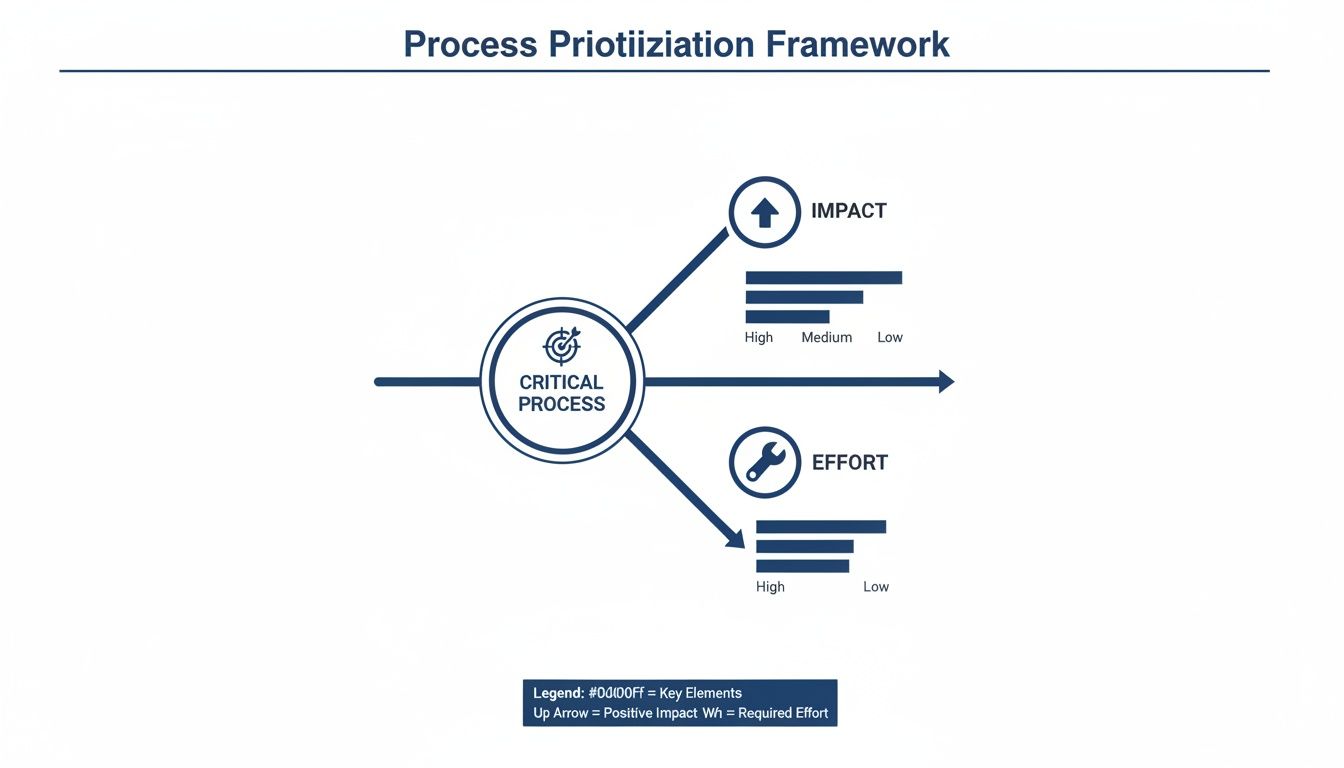
The image above shows a simple but powerful way to prioritize what to map first. The takeaway is clear: focus on high-impact processes that are relatively low-effort to document. Nailing these first creates quick wins and builds momentum for the bigger projects.
The Core Elements of an Effective Process Map
No matter which style you land on, every solid process map needs a few non-negotiable elements. Getting these fundamentals right is what turns a pretty picture into a powerful operational tool.
When you sit down to map, make sure you capture these core components:
- A Clear Scope: What, exactly, does this map cover? Be ruthless here. Define the start and end points clearly. For a "New Hire Onboarding" map, it might start with "Signed Offer Letter Received" and end with "Employee Has Full System Access." Anything outside that scope belongs to a different process map.
- All Actors and Roles: Who touches this process? List every single person or team involved. A swimlane diagram makes this obvious, but even a simple flowchart should have notes clarifying who is responsible for what.
- Every Action and Decision: Walk through the process step-by-step. Document every task performed and—this is critical—every decision point. A decision is anywhere the path can split, like, "Is the invoice over $5,000?"
- Exceptions and Alternate Paths: Mapping the "happy path" is easy. The real gold is in documenting what happens when things go wrong. What if a request is rejected? What if a client gives you bad information? Mapping these exceptions is what prevents panic and keeps things consistent when the unexpected happens.
A process map that doesn't account for exceptions is incomplete. It's in those messy, real-world scenarios that clear documentation provides the most value, turning potential chaos into a predictable, manageable response.
Remember, mapping is a team sport, not a solo mission. The best maps come from getting the actual process owners in a room (virtual or physical) with a whiteboard and hashing it out together.
And as you build your maps, you’ll need the right tools to make them shine. Check out our guide on the best process mapping software to find one that fits your team.
Choosing the Right Tools for Process Documentation
Picking the right software to document your business processes is a genuine game-changer. It's the difference between creating static, Word-doc-style procedures that are outdated the second you save them, and building a dynamic, living knowledge base that your team actually uses.
The market is flooded with options, and the "best" choice really depends on your team's size, your budget, and how mature your operations are.
Don't fall into the trap of thinking the most complex, feature-heavy tool is automatically the best. A small team just getting started might be perfectly fine with a simple diagramming tool or a shared Google Doc. But as your business grows and your processes get more complicated, you’ll quickly feel the pain points and need a more robust solution that can handle version control, integrations, and training all in one place.
Navigating the Tool Landscape
The software you choose directly shapes how your team interacts with your processes. A simple flowchart app is great for visualizing a workflow, but it’s not going to help you manage updates or train a new hire on that process.
Let's break down the main categories of tools you’ll run into:
- Diagramming and Flowchart Tools: Think platforms like Lucidchart or Miro. They’re fantastic for visual process mapping and brainstorming sessions. They excel at creating crystal-clear diagrams, but they often fall short when you need to add detailed step-by-step instructions or build a searchable knowledge base.
- Collaborative Document Platforms: The usual suspects here are Google Workspace and Microsoft 365. Everyone knows how to use them, which makes them an easy starting point. The big downside? They can become a disorganized mess in a hurry, leading to version control nightmares where nobody knows which "Final_V3_Final" document is the right one.
- Dedicated SOP and Knowledge Platforms: This is where tools like Whale really shine. They are purpose-built to be your single source of truth. These platforms combine documentation, training, and sometimes even AI-powered assistance, directly solving the problems of disorganization and outdated information you find in more generic systems.
Recent research from McKinsey even points to a huge shift toward AI-enabled "agents" that can handle complex, multi-step tasks. This trend is already shaping documentation tools, with newer platforms using AI not just to store information, but to actively help your team execute processes correctly.
The right tool doesn't just store your processes; it makes them actionable. It should drastically cut down the time employees spend hunting for information and free them up to do the high-value work you hired them for.
A Practical Comparison of Process Documentation Tools
To help you find the right fit, this table breaks down the different tool categories, highlighting what they're good at, who they're for, and where they might fall short.
| Tool Category | Key Features | Best Suited For | Potential Downsides |
|---|---|---|---|
| Diagramming & Flowchart Tools | Visual mapping, templates, real-time collaboration, simple integrations | Visually-driven teams, initial brainstorming, mapping high-level workflows | Lacks detailed instructions, no version control, poor for text-heavy SOPs |
| Collaborative Document Platforms | Familiar interface, easy sharing, basic version history, commenting | Small teams, startups with simple processes, budget-conscious organizations | Becomes disorganized quickly, poor searchability, "version control hell" |
| Dedicated SOP & Knowledge Platforms | Centralized repository, AI-assist, version control, training modules, integrations | Scaling businesses, compliance-focused industries, teams needing a "single source of truth" | Higher cost, can have a learning curve, may have features a small team doesn't need |
Ultimately, the goal is to find a solution that fits not just your current workflow, but your future ambitions as well.
Your Essential Tool Evaluation Checklist
Before you pull the trigger on a new platform, you need a clear way to evaluate it. It's easy to get distracted by flashy features you'll never actually use. Instead, focus on the core functions that will make a real difference in your team's day-to-day.
Here’s a practical checklist to guide your decision:
- User-Friendliness and Adoption: How intuitive is it? If your team needs a week of training just to figure out the basics, they simply won't use it. Look for a clean design and a low barrier to entry.
- Scalability: Will this tool grow with your company? A solution that's perfect for a team of 10 might completely fall apart with 100 users. Think about how it handles a growing library of documents and a larger team.
- Integration Capabilities: Your process documentation tool can't live on an island. It absolutely must integrate with your existing tech stack—your CRM, project management software, and communication hubs like Slack or Teams.
- Version Control and History: This is a non-negotiable. You have to be able to track changes, see who updated what and when, and easily roll back to a previous version. This is critical for both compliance and operational consistency.
- Search and Accessibility: When an employee needs an answer, can they find it in seconds? A powerful, intelligent search function is essential. If they can't find it fast, they'll just ask a coworker, defeating the whole purpose.
- AI-Powered Features: Can the tool actually help you create content faster? Modern platforms use AI to generate process steps from a video, create training quizzes, or summarize complex procedures, which can slash your documentation workload.
If you want to go a level deeper, check out our detailed comparison of the top process documentation software available today. It gives you a much more granular look at specific platforms and their unique strengths.
Keeping Your Process Documentation Alive and Relevant
So you’ve created your process documentation. That’s a massive win, but it's only half the battle. The single biggest mistake I see companies make is treating documentation like a one-and-done project. They pour weeks into mapping everything out, only to let the documents gather digital dust until they’re completely useless.
Great documentation becomes irrelevant the moment it’s out of date. The real value comes from treating your process library as a living, breathing asset that evolves right along with your business. That means you need a maintenance plan from day one.

This isn't just good practice; it's becoming a business necessity. The global market for Business Document Work Process Management is projected to hit US$ 13.41 billion by 2032. The finance and insurance sectors are leading the charge, needing automated workflows with electronic signatures and audit trails that can stand up to scrutiny—something static, forgotten documents just can't do.
Companies that get this right report productivity jumps of 25-40%, which shows the power of live, managed processes. You can dig into more of the growth of this market on coherentmarketinsights.com.
Establish a Realistic Review Cadence
The first step to keeping your docs fresh is setting a formal review schedule. Don't leave it to chance. A vague "we'll update it when things change" policy is a surefire way to fail because, let's be honest, everything is always changing.
You need to create a clear, predictable rhythm for reviews. The right frequency really depends on the process itself:
- High-Volatility Processes: Anything tied to tech, marketing campaigns, or sales tactics probably needs a look-over quarterly, maybe even monthly.
- Stable Core Processes: Think foundational workflows like HR onboarding or financial reporting. An annual check-up is likely all they need.
- Project-Based Processes: For workflows tied to specific client work, the perfect time for a review is during the project post-mortem.
The key is to make it official. Drop these reviews as recurring tasks in your project management system and assign them to a specific person.
Outdated documentation is worse than no documentation at all. It creates confusion, erodes trust in your systems, and actively teaches your team to ignore the official process because they know it's wrong.
Assign Clear Ownership for Every Process
Accountability is everything. If everyone is responsible, no one is. That's why every single process in your library needs a designated "owner."
This person isn't always the one doing the work. They're the subject matter expert who is ultimately responsible for the document's accuracy. The process owner's job is simple and clear:
- Lead scheduled reviews to make sure the documentation still reflects reality.
- Gather feedback from the team members who are in the trenches using the process every day.
- Make the updates when a tool changes, a policy is tweaked, or someone finds a better way to get the job done.
Tools like Whale make this a breeze by letting you assign owners directly to each document. It even sends automated reminders when a review is due, so nothing falls through the cracks.
Create Simple Feedback Loops
Your frontline employees are your best source of truth. They know what's clunky, what's confusing, and what's changed in the real world. You have to give them a frictionless way to tell you about it.
Don't make them send an email that gets lost in a crowded inbox. Your documentation platform should have a built-in feedback feature, like a comment or suggestion button, right on the page. When someone spots an issue, they should be able to flag it in two clicks.
This approach turns every employee into a guardian of your company's knowledge. It builds a culture where people feel empowered to improve how work gets done, transforming documentation from a top-down chore into a collaborative, team-owned resource that actually stays relevant.
Common Questions About Documenting Business Processes
Whenever you kick off a project to document your business processes, the same practical, on-the-ground questions always pop up. Even with a solid plan, you're going to hit a few snags that can slow you down.
Let's tackle some of the most common hurdles we see and give you straightforward answers to get you back on track.
How Much Detail Is Too Much Detail?
Ah, the Goldilocks problem of process documentation. Go too broad, and the document is basically useless. Get too granular, and you’ve written a dense, unreadable novel that no one will ever open.
Finding that "just right" sweet spot is everything.
A great rule of thumb is to document to the level of detail a new, competent hire would need to complete the task successfully without someone holding their hand. Think about someone with the right background who knows nothing about your company's specific way of doing things. They don't need you to explain how a mouse works, but they absolutely need to know which software to open and what key information to enter.
Here's how to dial it in:
- Focus on the "what" and "why," not just the "how." Instead of a dry instruction like "Click the 'Submit' button," add some context: "Submit the form to send it to the Finance team for approval." It's a small change that makes a huge difference.
- Use screenshots and visuals for the nitty-gritty. A picture really is worth a thousand words, especially when you're dealing with software. A quick screenshot with an arrow pointing to the right button is way more effective than a long-winded paragraph.
- Leave room for professional judgment. You're trying to build consistency, not an army of robots. Good documentation guides actions but still lets experienced employees use their smarts to handle minor hiccups and variations.
What Is the Best Format to Use?
There’s no magic bullet here. The "best" format is the one that actually fits the process you're documenting. Trying to cram a complex, multi-department workflow into a simple checklist is just as painful as creating a monstrous BPMN diagram for a five-step task.
Think of your formats like a toolbox—you've got to pick the right tool for the job.
- Simple Checklists: These are perfect for linear, repetitive tasks where the sequence matters but the steps are straightforward. Think daily opening procedures for a retail shop or a pre-flight check for a pilot.
- Step-by-Step Guides: When a process needs more context or explanation, this is your go-to. It's fantastic for software tutorials or any task that involves a bit more decision-making.
- Process Flowcharts or Swimlane Diagrams: The second a process involves a handoff between different people or teams, you need a visual map. It's the only way to clearly show who does what and where the potential bottlenecks are hiding.
- Video Walkthroughs: For tasks that are highly visual or technical, a quick screen recording is often the most effective way to teach someone. It’s perfect for showing how to use a specific software feature or even perform a physical task.
Honestly, the best documentation often uses a hybrid approach. You might have a high-level swimlane diagram showing the overall flow, with links that drill down into more detailed step-by-step guides for each major stage.
How Do We Get People to Actually Use the Documentation?
This is the million-dollar question, isn't it? You can build the most beautiful, accurate process library in the world, but if your team just ignores it, all that effort was for nothing.
Driving adoption isn't about forcing compliance. It's about making your documentation the path of least resistance. It has to be easier and more reliable than tapping a coworker on the shoulder.
Here’s how you make that happen:
- Weave it into their workflow. Don't make people hunt for information. Use tools that plug right into the platforms they already live in, like Slack or Microsoft Teams. The best platforms can even pop up guides directly inside the software they’re using.
- Involve them in creating it. Like we talked about earlier, people are far more likely to trust and use a process they had a hand in building. This creates a sense of ownership you just can't get from a top-down mandate.
- Make it the single source of truth. All roads must lead back to the documentation. When someone asks a question, the standard response from managers and senior folks should be, "Great question. Let's check the process doc and update it if we need to." This cultural shift is absolutely critical.
- Keep it obsessively up to date. Nothing kills trust faster than finding outdated information. A solid system for reviews and feedback isn't a nice-to-have; it's non-negotiable if you want long-term adoption.
Getting your team to actually use the documentation is an ongoing battle, but it pays off by creating a team that’s more self-sufficient, consistent, and empowered.