
In today's competitive business environment, inconsistency is the silent killer of productivity and growth. Unclear workflows lead to wasted time, costly errors, and frustrated teams. The solution isn't just creating more documentation; it's implementing the right documentation. A well-crafted example process document serves as a powerful blueprint for operational success, ensuring every team member performs critical tasks correctly, safely, and efficiently every single time. It's the key to transforming tribal knowledge into a scalable company asset, accelerating employee onboarding, and building a resilient operational foundation that supports sustainable growth.
This comprehensive guide moves beyond theory to provide practical, actionable resources. We will break down seven essential types of process documents, offering downloadable templates and a deep strategic analysis of each one. You'll gain a clear understanding of exactly how to leverage these tools to drive tangible results within your organization.
Here’s what you’ll find inside:
- Actionable Templates: Ready-to-use documents for every scenario, from a detailed Standard Operating Procedure (SOP) to a visual Process Flow Diagram.
- Strategic Breakdowns: We'll analyze each example process document to show you when to use it, why it works, and how to adapt it for your specific needs.
- Implementation Tactics: Discover how to integrate these documents into your daily operations and centralize them into a single source of truth using a platform like Whale, ensuring consistency and easy access for your entire team.
This listicle is designed to equip operations managers, HR professionals, and growing businesses with the tools needed to turn procedural chaos into strategic clarity. Let's dive into the examples that will streamline your operations.
1. Standard Operating Procedure (SOP) Template
A Standard Operating Procedure (SOP) is a foundational example process document that provides detailed, step-by-step instructions for performing routine tasks. It serves as the single source of truth for a specific procedure, ensuring that every employee performs the task consistently and correctly every time. This consistency is the bedrock of quality control, operational efficiency, and effective employee training.

A well-structured SOP template typically includes sections for the document's purpose, the scope of the procedure, any necessary prerequisites or materials, and the sequential steps to follow. Including clear visuals and contact information for the process owner elevates a good SOP to a great one.
Strategic Breakdown and Analysis
SOPs are powerful because they eliminate ambiguity and tribal knowledge. For instance, a manufacturing plant uses an SOP to document the precise steps for calibrating a critical piece of machinery. This document prevents costly errors and production delays, regardless of which technician is on duty. Similarly, an HR department uses an SOP for new hire onboarding, ensuring every employee receives the same essential information and completes all required paperwork.
The primary goal is to create a repeatable, scalable process. By standardizing actions, businesses can more easily identify bottlenecks, measure performance, and implement improvements. To learn more about how this standardization drives business growth, you can explore the core benefits of standard operating procedures.
Key Insight: The true value of an SOP isn't just in the instructions themselves, but in the stability and predictability they bring to an organization's operations. They are the building blocks for more advanced process improvement methodologies like Six Sigma and Lean.
Actionable Takeaways and Implementation
To effectively implement SOPs in your organization, follow these best practices:
- Prioritize Ruthlessly: Start by documenting high-impact, frequently performed, or high-risk tasks first. This approach delivers the most value quickly.
- Embrace Visuals: A picture is worth a thousand words. Use screenshots, diagrams, or short video clips to clarify complex steps. This is especially critical for technical or hands-on procedures.
- Assign Clear Ownership: Every SOP should have a designated owner responsible for keeping it accurate and up-to-date. Without clear ownership, documents quickly become obsolete.
- Leverage Technology: Use a dedicated platform like Whale to create, store, and manage your SOPs. Whale's AI-driven tools can help transform existing notes or videos into structured, easy-to-follow SOPs, saving you significant time.
- Test and Iterate: Before finalizing an SOP, have a new employee follow the instructions. Their feedback will reveal any confusing steps or gaps in the documentation, allowing you to refine it for maximum clarity.
2. Process Flow Diagram Template
A Process Flow Diagram is a crucial example process document that visually maps out the sequence of steps, decision points, and workflows within a procedure. It transforms complex, text-heavy processes into an intuitive, easy-to-understand visual format. This clarity helps teams instantly grasp how work moves through the organization, making it invaluable for training and cross-departmental alignment.
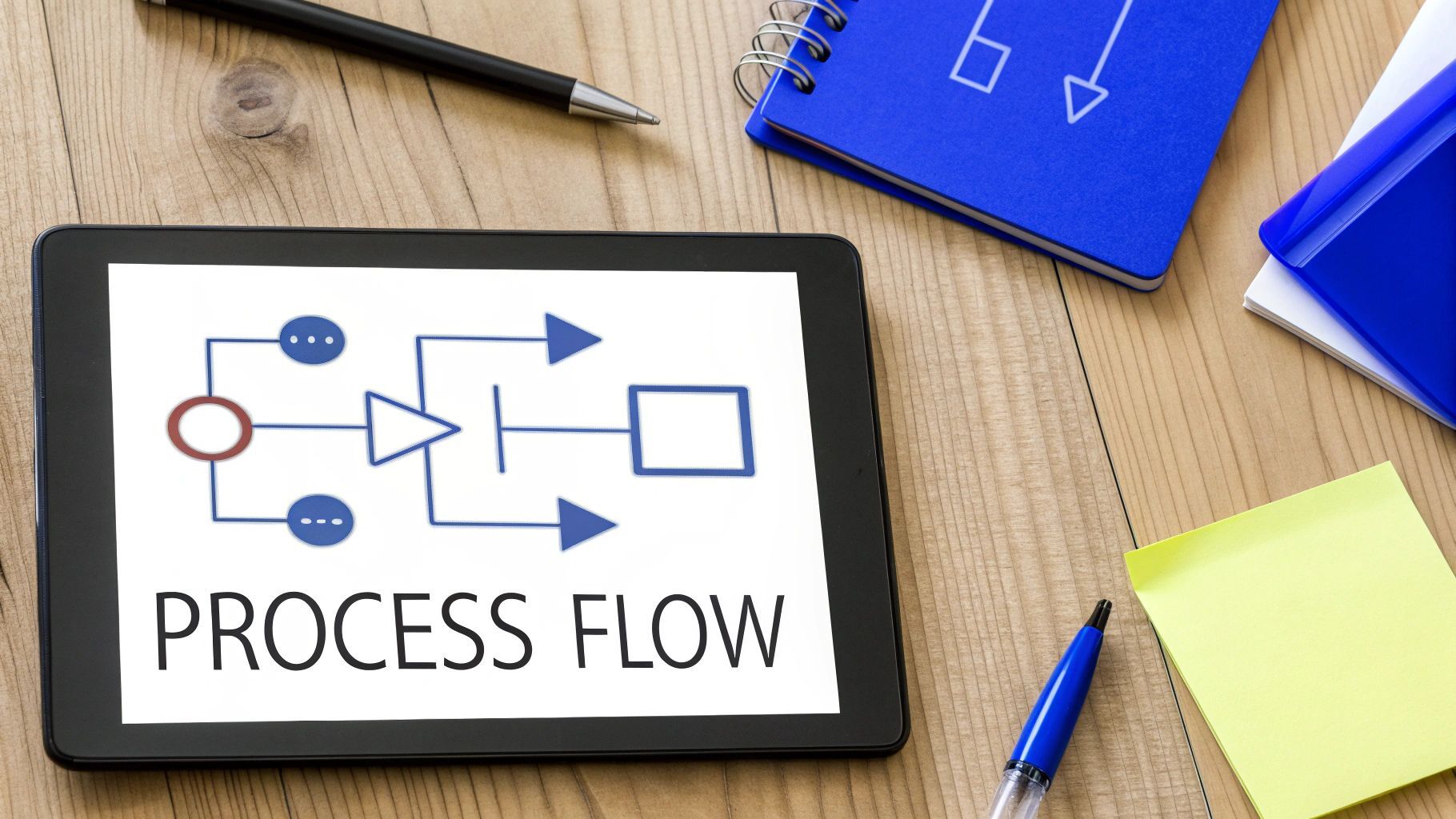
A standard process flow diagram template uses consistent symbols for different actions like tasks, decisions, and start/end points. By connecting these symbols, the diagram illustrates the complete path of a process, including handoffs between different people or teams.
Strategic Breakdown and Analysis
The power of a process flow diagram lies in its ability to expose hidden inefficiencies. For example, a SaaS company can map its customer onboarding process to identify where users drop off or face friction. This visual data allows them to pinpoint specific steps that need improvement, rather than guessing. Similarly, a financial institution can diagram its loan approval workflow to find and eliminate redundant checks or unnecessary delays.
The primary goal is to create a bird's-eye view of a process, making it easier to analyze and optimize. This high-level perspective helps stakeholders see the bigger picture, understand how their roles connect, and collectively identify opportunities for improvement. Visualizing the workflow fosters better communication and problem-solving across departments.
Key Insight: Process flow diagrams are diagnostic tools. They don't just document what is being done; they reveal how it's being done, uncovering bottlenecks, loops, and redundancies that written procedures might obscure.
Actionable Takeaways and Implementation
To create effective process flow diagrams, consider these best practices:
- Define Scope Clearly: Limit each diagram to a single, specific process. Trying to map too much at once leads to a confusing and unusable document. Start with a clear beginning and end point.
- Use Standard Symbols: Adhere to a consistent set of symbols (e.g., rectangles for tasks, diamonds for decisions). This universal language makes the diagram instantly readable to anyone familiar with process mapping.
- Incorporate Swim Lanes: Organize the diagram with horizontal or vertical "swim lanes" to assign steps to specific roles or departments. This clearly shows who is responsible for what at each stage of the process.
- Pair with Detailed SOPs: A flow diagram provides the "what" and "who," but not always the detailed "how." Link your diagrams to corresponding SOPs in a knowledge base like Whale to provide comprehensive documentation.
- Collaborate and Validate: Involve the team members who actually perform the process in its creation. They can validate the steps and provide crucial insights that might otherwise be missed.
3. Checklist and Quality Assurance Template
A Checklist and Quality Assurance Template is a practical, action-oriented example process document designed to ensure consistent execution and verify quality standards. It breaks down complex procedures into a series of simple, verifiable items that team members complete and sign off on. This creates accountability and a clear audit trail, making it indispensable for regulated industries and high-stakes operations where precision is paramount.
A well-designed checklist is more than just a to-do list; it's a cognitive net that catches human error. Templates often include columns for the task description, a check box for completion, the initials of the responsible person, and a notes section. This format enforces a systematic approach to tasks, from aircraft pre-flight inspections to surgical safety procedures.
Strategic Breakdown and Analysis
Checklists are powerful because they standardize critical checkpoints and mitigate the risks of memory lapses under pressure. For example, a restaurant uses a daily food safety checklist to prevent cross-contamination and ensure compliance with health codes. In a warehouse, a shipment verification checklist ensures every order is accurate before it leaves the facility, drastically reducing costly shipping errors and customer complaints.
The goal is to embed quality control directly into the workflow. By making verification an active step, businesses can shift from reactive problem-solving to proactive error prevention. For managing complex HR tasks, utilizing templates such as an employee termination checklist ensures all necessary legal and administrative steps are followed and documented accurately. You can dive deeper into how this simple tool drives powerful business outcomes by exploring the power of checklists for business and teams.
Key Insight: Checklists democratize expertise by codifying the "must-do" steps identified by seasoned professionals. This allows even junior team members to perform tasks with the same level of diligence as an expert, ensuring high standards across the board.
Actionable Takeaways and Implementation
To effectively integrate checklists into your quality assurance processes, follow these guidelines:
- Be Specific and Measurable: Avoid vague items like "Check equipment." Instead, use "Verify Machine A's pressure gauge reads between 80-85 PSI."
- Keep It Focused: An effective checklist is concise. Aim for 10-20 critical items that cover the most common failure points. Overly long checklists lead to fatigue and missed steps.
- Include Control Points: Design your checklist with both "preventive" controls (steps to avoid errors) and "detective" controls (steps to catch errors that have occurred).
- Go Digital for Data: Build checklists in a platform like Whale to enable real-time tracking, automated reporting, and data analysis. This helps you spot trends and identify areas for process improvement.
- Test and Refine: Have frontline workers test the checklist in a real-world scenario. Their feedback is invaluable for ensuring the items are practical, clear, and relevant to their workflow.
4. Job Instruction Sheet (JIS) Template
A Job Instruction Sheet (JIS) is a highly condensed example process document designed for rapid, on-the-job skill transfer. Unlike a comprehensive SOP, a JIS focuses on a single task, breaking it down into a few critical steps, key points for each step, and the reasons behind those key points. This format is ideal for training frontline employees quickly and effectively, especially in hands-on environments.
The power of the JIS comes from its simplicity and direct focus on the "how" and "why." Originating from the Training Within Industry (TWI) program during WWII, its purpose is to enable a supervisor to train an employee to do a job correctly, safely, and conscientiously in the shortest amount of time.
Strategic Breakdown and Analysis
The JIS excels where speed and precision are paramount. For example, in a warehouse, a JIS for a "pick and pack" process would not only list the steps (locate item, scan barcode, place in bin) but also highlight key points like "confirm SKU number visually" and explain the reason: "to prevent shipping errors." This structure helps the new employee understand the importance of each detail, leading to fewer mistakes and faster competency.
This methodology forces trainers to distill a process down to its most essential elements, eliminating extraneous information that can overwhelm a new learner. It's a tool for both training and process analysis. Creating a JIS often reveals unnecessary steps or opportunities for improvement in the task itself.
Key Insight: The true genius of the Job Instruction Sheet is its three-part structure: Major Steps, Key Points, and Reasons. This forces a deep understanding of the task, moving beyond simple instruction to impart genuine process knowledge and safety awareness.
Actionable Takeaways and Implementation
To implement Job Instruction Sheets effectively, focus on high-frequency, high-risk tasks first.
- Involve the Experts: Co-create the JIS with your most experienced frontline workers. They know the undocumented tricks and safety considerations that make the process run smoothly.
- Focus on a Single Task: Keep each JIS confined to one specific job or a very short sequence. If a process has multiple distinct tasks, create a separate JIS for each one.
- Use the "Four-Step Method": Train supervisors to use the TWI four-step training method alongside the JIS: Prepare the worker, Present the operation, Try out performance, and Follow up. The document is the guide, not the entire training.
- Keep It Visual and Accessible: Use simple language and include photos or diagrams for key points. Store these sheets in a centralized, accessible location using a tool like Whale, ensuring the most current version is always available at the point of need.
- Track and Update: Use the JIS as a living document. When a process is improved or a safety incident occurs, update the relevant JIS immediately to reflect the new best practice.
5. Policy and Procedure Manual Template
A Policy and Procedure Manual is a comprehensive example process document that compiles an organization's high-level rules, guidelines, and operational standards into a single, authoritative source. Unlike an SOP that details how to do a specific task, this manual explains the why and the what behind company operations, employee conduct, and compliance obligations. It serves as the official guide for consistent decision-making and legal adherence across the entire business.
A robust policy and procedure manual template typically organizes policies into logical sections, such as HR, IT security, and financial controls. It includes elements like policy statements, scope, definitions, procedures for compliance, and consequences for non-compliance, creating a clear framework for governance.
Strategic Breakdown and Analysis
The strategic power of a policy and procedure manual lies in its ability to mitigate risk and cultivate a consistent organizational culture. For example, a financial services firm uses its manual to document strict data privacy and GDPR compliance policies. This not only ensures it avoids massive regulatory fines but also builds trust with clients by demonstrating a commitment to protecting their sensitive information. Similarly, a growing tech startup can use an employee handbook to clearly define its code of conduct, remote work policies, and performance expectations, ensuring cultural cohesion as the team scales.
The main goal is to establish a clear, enforceable standard of behavior and operation that protects both the company and its employees. By codifying these rules, organizations can manage legal liabilities, streamline governance, and provide employees with a reliable reference for navigating complex workplace situations.
Key Insight: A policy and procedure manual transforms abstract company values and legal requirements into concrete, actionable guidelines. It is a proactive tool for risk management, not just a reactive document for resolving disputes.
Actionable Takeaways and Implementation
To create and maintain an effective policy and procedure manual, consider these best practices:
- Involve Cross-Functional Experts: Collaborate with legal, HR, IT, and compliance departments during development. Their input is crucial for ensuring policies are comprehensive, accurate, and legally sound.
- Use Clear and Simple Language: Avoid legal jargon and corporate-speak. Write policies in plain language that every employee can easily understand and apply to their daily work.
- Organize for Accessibility: Structure the manual with a clear table of contents, logical sections, and a searchable index. Using a platform like Whale makes policies instantly findable, which is critical during an audit or incident.
- Require Acknowledgment: Implement a system where employees must formally acknowledge that they have read and understood new or updated policies. This creates a clear audit trail and reinforces accountability.
- Schedule Regular Reviews: Policies can quickly become outdated due to new regulations or changes in business operations. Establish a formal annual review cycle to ensure all documentation remains current and relevant.
6. Work Instruction with Visual Documentation Template
A Work Instruction is a highly detailed example process document that enhances traditional text-based procedures with visual aids like photos, diagrams, and videos. It goes beyond a standard SOP by providing a rich, multimedia guide for completing specific tasks. This visual approach is crucial for complex, hands-on procedures where misinterpretation can lead to errors, safety risks, or quality issues.

This template is designed to cater to diverse learning styles and reduce cognitive load, making it easier for employees to absorb and retain information. By showing, not just telling, organizations can significantly improve training speed, task accuracy, and overall operational safety.
Strategic Breakdown and Analysis
Visual work instructions are incredibly effective because they break down the "language barrier" of technical jargon. Think of IKEA's globally recognized assembly manuals; they rely almost entirely on diagrams, allowing anyone to assemble complex furniture regardless of their native language or technical skill. Similarly, a software training guide with step-by-step screenshots and annotations prevents user frustration and reduces support tickets.
The core strategy is to minimize ambiguity and ensure precision. In a medical device manufacturing setting, a video demonstrating the correct way to operate sterilization equipment is far more effective than a dense block of text. This visual clarity directly impacts compliance, product quality, and patient safety.
Key Insight: Visual instructions transform abstract steps into concrete, observable actions. This reduces the mental effort required to perform a task correctly, which in turn lowers error rates and accelerates the time it takes for new employees to become fully proficient.
Actionable Takeaways and Implementation
To create impactful visual work instructions, focus on clarity and context:
- Capture Realistic Conditions: Photograph or record procedures in the actual work environment, using the same tools and lighting employees will experience. Authenticity is key.
- Annotate for Emphasis: Use arrows, circles, and brief text overlays to highlight critical areas, specific buttons, or correct hand positions. Guide the user's focus to what matters most.
- Establish Visual Consistency: Maintain a consistent style for images and videos, including angles, lighting, and branding. This creates a professional and easy-to-follow experience.
- Embed Media Directly: Use a knowledge platform like Whale to embed videos, GIFs, and interactive diagrams directly within the instruction steps. This prevents users from having to switch between different applications.
- Test with a Novice: Before finalizing, ask someone unfamiliar with the process to follow the visual instructions. Their confusion points will reveal exactly where you need to add more detail or clarify an image.
7. Onboarding and Training Program Template
An Onboarding and Training Program Template is a comprehensive example process document that orchestrates multiple procedures into a structured learning journey for new hires. It goes beyond a simple checklist by sequencing SOPs, job aids, and policies into a coherent pathway designed to bring employees to full productivity efficiently and consistently. This framework ensures every new team member receives the same high-quality, role-specific training.
A well-designed onboarding template maps out the entire new hire experience, from day one to day 90 and beyond. It typically includes learning objectives, training modules, practical assignments, knowledge assessments, and scheduled check-ins, creating a repeatable and scalable system for talent development.
Strategic Breakdown and Analysis
Onboarding and training programs are powerful because they directly impact employee retention, engagement, and time-to-productivity. For instance, a tech company might use this template to create a role-specific path for a new software engineer, blending self-paced coding tutorials, meetings with key architects, and a starter project with a dedicated mentor. This structured approach prevents new hires from feeling lost and accelerates their contribution to the team.
Similarly, a call center can use a training program template to ensure every new agent masters product knowledge, CRM software, and de-escalation techniques before handling live calls. The primary goal is to transform process documentation from a static library into a dynamic, interactive curriculum. To dive deeper into creating such a system, you can explore how to build a successful employee training program.
Key Insight: A great onboarding program is a strategic asset, not an administrative task. It operationalizes a company’s culture and standards from day one, setting the foundation for long-term employee success and reducing costly early-stage turnover.
Actionable Takeaways and Implementation
To effectively implement an onboarding and training program template in your organization, follow these best practices:
- Define Clear Milestones: Structure the program around 30, 60, and 90-day goals. This provides clear benchmarks for both the new hire and their manager to track progress and identify support needs.
- Create Role-Specific Paths: Avoid a one-size-fits-all approach. Tailor the content, tasks, and learning objectives to the specific requirements of each role, ensuring relevance and engagement.
- Assign a Mentor or Buddy: Pair new hires with an experienced team member who can answer informal questions and provide cultural context. This human element is crucial for integration and belonging.
- Centralize All Resources: Use a platform like Whale to house all onboarding materials, from SOPs and checklists to company policies and training videos. This creates a single source of truth and allows you to track completion and automate reminders.
- Gather Feedback Continuously: Actively solicit feedback from recent hires about their onboarding experience. Use their insights to identify gaps and iteratively refine the program for future employees.
7-Template Process Document Comparison
| Template | 🔄 Implementation Complexity | ⚡ Resource / Time Investment | ⭐ Expected Effectiveness | 📊 Expected Outcomes / Impact | 💡 Ideal Use Cases / Key Advantages |
|---|---|---|---|---|---|
| Standard Operating Procedure (SOP) Template | Medium — structured authoring and version control | Moderate — SMEs, writers, occasional visuals | ⭐⭐⭐⭐ — strong consistency & compliance | Reduced errors, faster onboarding, audit-ready documentation | Standardize recurring tasks across teams; compliance-focused operations |
| Process Flow Diagram Template | Low–Medium — mapping skills; can grow complex | Low–Medium — diagram tools + stakeholder input | ⭐⭐⭐⭐ — clarifies flow and decision points | Improved visibility, bottleneck identification, alignment | Process improvement, cross-department workflows, optimization |
| Checklist and Quality Assurance Template | Low — simple format but needs validation | Low — frontline input; minimal tooling | ⭐⭐⭐⭐⭐ — high reliability for task verification | Fewer human errors, clear audit trails, measurable completion rates | High-risk steps, regulatory checks, routine quality inspections |
| Job Instruction Sheet (JIS) Template | Low–Medium — task breakdown with trainer input | Low–Medium — experienced trainers, quick docs | ⭐⭐⭐⭐ — effective for rapid, on-the-job training | Faster skill transfer, consistent task performance, documented sign-offs | Frontline/manual tasks, assembly lines, short task training |
| Policy and Procedure Manual Template | High 🔄 — comprehensive, legal and HR reviews required | High — legal/HR/compliance resources; ongoing updates | ⭐⭐⭐⭐ — authoritative for governance and compliance | Reduced legal risk, consistent decision-making, organizational standards | Organization-wide governance, regulated industries, employee conduct |
| Work Instruction with Visual Documentation Template | Medium–High — visual capture, annotation, embedding media | High — photography/video, editing, CMS/storage needs | ⭐⭐⭐⭐⭐ — excellent for visual clarity and error reduction | Faster comprehension, fewer misinterpretations, lower trainer load | Technical assembly, equipment operation, multilingual / visual learners |
| Onboarding and Training Program Template | High 🔄 — program design, sequencing, assessments | High — LMS/tools, mentors, manager time commitment | ⭐⭐⭐⭐⭐ — significant impact on ramp and retention | Shorter time-to-productivity, better retention, measurable learning outcomes | New hire ramps, role-specific onboarding, scaling organizations |
Putting Your Processes to Work: The Path to Operational Excellence
Throughout this guide, we have explored a diverse collection of process documentation templates, from the granular detail of a Job Instruction Sheet to the comprehensive scope of a Policy and Procedure Manual. We've analyzed each example process document not just as a static file, but as a strategic tool for driving consistency, efficiency, and scalability across your entire organization. The journey from chaos to control, from ad-hoc operations to a finely tuned engine of productivity, begins with the deliberate act of documenting what you do and how you do it.
The templates provided for SOPs, process flow diagrams, and quality assurance checklists are more than just starting points. They represent a fundamental shift in mindset: moving from tribal knowledge trapped in the minds of a few key employees to a shared, accessible, and standardized source of truth. This transition is the bedrock of operational excellence, enabling you to onboard new hires faster, reduce costly errors, and ensure every team member performs their role with confidence and precision.
From Static Documents to a Dynamic Knowledge Engine
The greatest risk in process documentation is not creating it, but abandoning it. A document that is difficult to find, hard to update, and disconnected from daily workflows quickly becomes obsolete, breeding confusion rather than clarity. This is where the true transformation lies: moving from a collection of files to a living, integrated knowledge system. The real value is unlocked when an example process document becomes an active part of your team's daily toolkit.
Consider the power of a centralized platform like Whale. It transforms these templates from isolated documents into an interconnected knowledge base.
- Accessibility and Integration: Instead of hunting through shared drives, your team gets the information they need, right when they need it, delivered directly within the applications they use every day.
- Maintenance and Version Control: Whale’s AI-powered tools and streamlined editing capabilities make updating procedures a matter of minutes, not days. Automatic version control eliminates the risk of an employee using an outdated process, ensuring compliance and consistency.
- Actionable Training: These documents cease to be passive reading material and become the foundation for dynamic training and performance support. You can track comprehension, verify engagement, and ensure knowledge is not just documented, but truly absorbed.
By embracing this dynamic approach, you future-proof your operations. You build a system that can adapt and scale with your business, ensuring that as you grow, your processes don't break, they strengthen.
Your Actionable Next Steps to Implementation
Understanding the "why" and seeing the "how" through each example process document is crucial, but action is what creates change. To begin your journey toward operational excellence, here are your immediate next steps:
- Identify the Highest-Impact Process: Don't try to document everything at once. Start with one critical process that is causing bottlenecks, errors, or inconsistencies. Is it your customer onboarding? Your warehouse picking procedure? Your new hire IT setup?
- Select and Adapt the Right Template: Choose the template from this article that best fits your selected process. Use our adaptation tips to tailor it specifically to your team's needs, tools, and terminology.
- Involve the Experts (Your Team): The people performing the task are your subject matter experts. Involve them in the documentation process to ensure accuracy, practicality, and buy-in from the start.
- Implement in a Centralized System: Move your newly created document out of a static folder and into a centralized knowledge platform like Whale. This single step will dramatically increase its visibility, usability, and ease of maintenance.
- Train, Test, and Iterate: Announce the new process, train the relevant team members, and gather feedback. Great documentation is never truly "finished." It evolves with your business.
Mastering process documentation is no longer a bureaucratic chore; it is a profound competitive advantage. It is the framework that allows you to scale effectively, maintain high standards of quality, and empower your team with the knowledge they need to excel. By taking the insights and examples from this guide and putting them into practice, you are not just creating documents. You are building a more resilient, efficient, and successful organization, one clear process at a time.