
Before you even think about writing step one, let's talk about what separates a dusty SOP nobody reads from a tool your team can't live without. A truly effective Standard Operating Procedure isn't just a list of instructions; it's the operational backbone that guarantees consistency, quality, and empowerment. It’s about creating a single source of truth that lets anyone on the team perform a task correctly, every single time.
Building the Foundation of an Effective SOP

Think of a good SOP as the DNA of a repeatable process. It removes the guesswork that kills productivity and leads to costly mistakes.
In a fast-growing tech company, a rock-solid SOP for deploying code is the only thing standing between you and a catastrophic bug. On a manufacturing floor, it’s what ensures every single product meets the same quality standard, no matter who’s on shift. The document becomes the ultimate authority—the one place everyone turns to for the right way to get things done.
Getting this foundation right starts with understanding the core principles of process documentation done right. It's what makes your SOPs clear and genuinely useful from day one.
The Three Pillars of a Great SOP
From my experience, every successful SOP, regardless of the industry, is built on three simple pillars. Nail these, and you'll create a document that people actually use. effective team onboarding procedures are essential for fostering a positive work culture. When new employees feel welcomed and knowledgeable about their roles, they are more likely to contribute effectively from the outset. This not only boosts morale but also enhances overall productivity within the organization.
- Clarity: Use plain language and an active voice. Cut the jargon. If there's any room for misinterpretation, you've got more work to do.
- Actionability: Every step needs to be a clear command. The user must know exactly what to do next without having to guess.
- Accessibility: An amazing SOP is worthless if no one can find it when they need it. It has to be easily searchable and available at the point of action.
This focus on clarity and purpose isn't just a business-world quirk. An analysis of successful PhD Statements of Purpose for top universities revealed a similar pattern. Tangible evidence and a clear vision were the biggest factors, with research experience depth accounting for 40% of the score and applicant-faculty fit making up another 25%.
The takeaway for us? Structuring procedures around specific, high-impact goals makes them far more compelling and easier for your team to buy into and follow.
To make this crystal clear, here’s a quick breakdown of what goes into an SOP that actually drives results.
Core Components of a High-Impact SOP
This table summarizes the essential elements that transform a simple document into a powerful operational tool.
| Element | Purpose | Why It Matters |
|---|---|---|
| Clear Title & ID | Instantly identify the procedure and its version. | Prevents confusion and use of outdated documents. |
| Purpose Statement | Explain the "why" behind the procedure. | Motivates the team by connecting tasks to a larger goal. |
| Scope | Define what the SOP covers and what it doesn't. | Sets clear boundaries and manages expectations. |
| Roles & Responsibilities | Specify who does what. | Creates accountability and eliminates guesswork. |
| Step-by-Step Instructions | Detail the "how" in a logical sequence. | Ensures consistent and accurate execution every time. |
| Metrics & KPIs | Define what success looks like. | Allows you to measure effectiveness and drive improvement. |
| Review & Approval | Document who reviewed and approved the SOP. | Establishes authority and ensures compliance. |
Having these components in place gives your SOP structure and authority, making it a reliable guide for your entire team.
Defining the "Why" Before the "How"
The single biggest mistake I see teams make is diving straight into writing steps. They skip the most crucial part: defining the purpose. Why does this SOP even need to exist? What problem are we solving? What does a great outcome look like?
Answering these questions first gives the procedure context and meaning, which is what motivates people to actually follow it.
A procedure without a clear purpose is just a list of instructions. A procedure with a defined "why" becomes a shared commitment to excellence and consistency.
For example, an SOP titled "How to Process Customer Returns" is okay, but it's not inspiring. Compare that to an SOP with a purpose statement like, "To deliver a consistently positive customer experience during returns, reducing resolution time to under 24 hours and boosting customer loyalty." Now that gives your team a clear, motivating goal.
This strategic thinking is the key to creating documents that drive real business outcomes. Truly understanding the importance of SOPs is the first step toward building documentation that adds real, measurable value.
Defining Your Scope and Audience Before You Write
Before you even think about learning how to write an SOP, you’ve got to answer two foundational questions: Who is this for? And what, exactly, are we covering here?
Skipping this step is a classic mistake. It's like trying to give someone directions without knowing where they're going or if they're driving a car, riding a bike, or walking. The details matter.
A procedure written for a brand-new hire looks completely different from one meant for a senior technician who just needs a quick refresher. The rookie needs every step broken down, every acronym defined, and context for why things are done a certain way. The veteran? They probably just need a simple checklist.
Nailing down your audience from the start sets the entire tone, the language you use, and the level of detail needed. It’s the difference between creating a genuinely helpful guide and just another document that causes confusion.
Pinpointing Your Target Audience
First things first, build a quick profile of the person who will actually be using this SOP. You don't need to go overboard with a formal marketing persona, but you do need a crystal-clear picture of their needs.
Ask yourself these questions:
- Experience Level: Is this for a trainee on their first day or a seasoned pro with years of institutional knowledge?
- Frequency of Use: Is this a daily task for them, or a rare procedure they’ll only perform once a quarter?
- Primary Language: Do you have non-native speakers on the team? If so, simpler sentence structures and more visuals are a must.
- Technical Familiarity: Are they already comfortable with the software, equipment, and jargon involved?
For instance, an SOP for “Calibrating the XYZ Sensor” written for a new maintenance apprentice should have photos of the specific tools needed and a clear explanation of what "zeroing the baseline" actually means. The version for a senior engineer, on the other hand, might just be a list of the required calibration values and torque specs.
Defining your audience isn’t just about being considerate; it's about effectiveness. A document that tries to serve everyone often ends up serving no one well. Tailoring the content ensures it is immediately useful and reduces the cognitive load on the user.
Setting Clear Boundaries with Scope
Once you know who you're writing for, you have to define what the SOP will cover. A poorly defined scope is the number one reason procedures become either too vague to be useful or so bloated that nobody can follow them.
Think of the scope statement as a firm boundary. It tells the user exactly where the process begins, where it ends, and what’s intentionally left out. It’s the map for the journey, showing the start, the destination, and the key waypoints while also pointing out which roads you won't be taking. For some complex processes, it can be helpful to explore the differences between a high-level SOP and more detailed work instructions. If you're interested, you can learn more about when to use an SOP versus a work instruction to ensure you're creating the right type of document.
A good scope is your best defense against "scope creep," that all-too-common problem where extra steps and tangential information get tacked on until the document becomes an unmanageable beast.
A Practical Example from the Warehouse Floor
Let’s put this into practice with a real-world scenario. Imagine you’re tasked with writing an SOP for "Receiving a New Shipment" in a bustling logistics warehouse.
Without a clear audience and scope, you could easily end up with a massive, convoluted document that nobody wants to read. But by defining these elements upfront, you can create something far more effective.
Audience: A newly hired warehouse associate with little to no logistics experience.
Scope:
- Start Point: The moment a delivery truck backs into the receiving bay.
- End Point: When all items from the shipment are checked in, labeled, and moved to the designated staging area.
- Out of Scope: This procedure does not cover putting items into their final inventory locations or handling damaged goods (that’s a separate SOP).
With this solid framework in place, your writing process becomes much clearer. You know you need to include steps on how to safely open the truck, where to find the packing slip, how to operate the barcode scanner, and what information to punch into the inventory system.
And because your audience is a new hire, you’ll remember to add screenshots of the software and photos of the correct labels. By explicitly stating what's out of scope, you prevent confusion and keep the procedure focused, concise, and actionable.
Structuring and Writing Your SOP for Clarity
Alright, you've defined your audience and nailed down the scope. Now it's time to get practical and turn that process map into a document that's clear, scannable, and actually useful.
The goal here isn't to write a novel. It's to create a guide so straightforward that you engineer ambiguity right out of the process. Think of yourself as a translator, breaking down a complex set of actions into simple, bite-sized steps. Clarity is king.
Mastering Language and Voice
The bedrock of any great SOP is crisp, direct language. You need to ditch the passive voice and corporate jargon immediately. Instead, always use an active voice with strong, action-oriented verbs.
- Passive (Don't do this): The safety checks should be performed by the technician.
- Active (Do this instead): The technician performs the safety checks.
See the difference? This small shift assigns clear responsibility and makes the instructions feel direct and immediate. Keep your sentences short and to the point. If a sentence starts to drag on, just break it into two.
The ultimate test for any SOP is simple: Can a qualified person who has never done this task before complete it successfully just by reading your document? If the answer is no, you're not done yet.
Getting this right is all about user-centric writing, a principle at the heart of any effective procedure. For a deeper dive into making your instructions stick, it’s worth checking out these insights on how to write technical documentation that people actually use.
Building a Logical Document Structure
Every single SOP you create should follow a consistent, logical structure. This isn't just about looking professional; it's about making information easy to find when someone is in a hurry. When a team member needs an answer, they should instinctively know where to look.
Believe it or not, a well-structured SOP shares its DNA with persuasive documents. Think about it: you start with a clear purpose (the hook), outline prerequisites (the background), detail the steps (the experience), and connect it to business goals (the motivation). This is the kind of framework that helps over 5,000 teams on platforms like Whale turn raw workflows into guides that people actually want to use.
Your structure should always include these core elements:
- Title Page: A clear title, SOP ID number, version number, and the date it goes into effect.
- Purpose Statement: A quick paragraph explaining why this procedure exists and what it accomplishes.
- Scope: Define what the SOP covers and—just as important—what it doesn't.
- Roles and Responsibilities: List the specific job titles responsible for the tasks.
- Required Materials: Detail every tool, piece of software, or personal protective equipment (PPE) needed.
- The Procedure: This is the heart of the document—the step-by-step instructions.
- Appendices: A place for related documents, diagrams, or charts.
Sticking to this structure across all your documents builds familiarity and makes your entire knowledge base a breeze to navigate.
Formatting for Maximum Scannability
Let's be honest: people don't read SOPs cover to cover. They scan them for the specific piece of information they need right now. Your formatting has to support that behavior. Your job is to guide their eye to the critical info as fast as possible.
Use these formatting tools strategically to break up walls of text and make your document easy on the eyes:
- Headings and Subheadings: Use H2s and H3s to create a clear visual hierarchy. This lets users jump straight to the section they need.
- Numbered Lists: These are non-negotiable for sequential steps. If the order matters, it needs a number.
- Bullet Points: Perfect for lists where the order is irrelevant, like required tools or safety warnings.
- Bold Text: Make key terms, critical warnings, or specific values pop. Just don't overdo it, or it loses its power.
When you combine these elements, you create a document that isn’t just informative but is also incredibly easy to use. If you’re looking for some inspiration on how to lay things out, checking out these standard operating procedure examples is a great way to see these principles in action.
Using Visuals and Templates to Enhance Understanding
Words are powerful, but let’s be honest—sometimes a wall of text is the worst way to explain a hands-on process. When you’re trying to walk someone through a complex action, visuals aren't just a nice-to-have; they are essential for clarity and speed.
A well-placed image can do in seconds what a hundred words might struggle to explain. This is especially true for tasks that are highly technical or visual. Did you know the human brain processes images 60,000 times faster than text? That’s a huge advantage when an employee needs a quick, accurate answer mid-task. Integrating visuals is one of the fastest ways to boost comprehension and slash errors.
Choosing the Right Visual Aid
Not all visuals are created equal. The trick is to match the format to the complexity of the procedure. A simple checklist probably doesn’t need a detailed flowchart, but a troubleshooting guide will almost certainly fall flat without one.
Think about the specific problem your user is facing. Are they trying to find a specific button on a crowded software interface? A screenshot with a big red arrow is perfect. Are they navigating a process with multiple "if this, then that" decision points? A flowchart is your best bet.
The whole point of a visual is to remove ambiguity. If a picture or diagram makes a step clearer, use it. If it just adds clutter, leave it out. Always ask yourself: does this make it easier for someone to do the job right?
I once worked with an IT support team that was constantly fielding calls about resetting a specific software configuration. Their text-based SOP was technically correct but totally confusing. We swapped a 150-word paragraph for a single annotated screenshot showing the three required clicks. Support tickets for that exact issue dropped by over 70% almost overnight.
A Practical Comparison of Visual Formats
To help you decide what to use and when, it helps to see how common visual aids stack up against each other for different tasks.
Choosing the Right Visual Aid for Your Process
| Visual Type | Best For | Example Use Case |
|---|---|---|
| Annotated Screenshots | Software or user interface navigation. | Showing a user exactly where to click to export a report from a CRM system. |
| Diagrams | Illustrating the parts of a piece of equipment or a system. | A simple line drawing labeling the main components of a hydraulic press. |
| Flowcharts | Procedures with multiple decision points or conditional logic. | A customer service process for handling different types of complaints. |
| Short Videos/GIFs | Demonstrating a physical action or a quick, multi-step process. | A 10-second clip showing the correct way to load a new roll of labels into a printer. |
Each format has its place. The key is picking the one that makes the process feel intuitive and easy to follow.
The Power of Standardized Templates
Beyond individual visuals, the single most powerful tool for consistency is a standardized template. When every SOP in your company follows the same structure and layout, you drastically lower the cognitive load for your team.
They don't have to waste mental energy figuring out where to find the safety warnings or the required tools list; they instinctively know where to look because it’s always in the same place.
This is where a centralized knowledge platform like Whale becomes a game-changer. Instead of having dozens of slightly different Word documents floating around, a dedicated system provides proven, industry-specific templates right out of the box.
This ensures every SOP for a manufacturing floor has mandatory sections for PPE and lockout/tagout, while a template for a financial firm will have built-in fields for regulatory compliance checks. Using templates doesn't just save time; it builds a predictable and reliable knowledge base. It creates a unified language for your processes, making it easier for everyone to write, read, and—most importantly—follow the procedures that keep your business running smoothly.
Managing the SOP Lifecycle Review and Version Control
An SOP isn't a "set it and forget it" document. The moment you finalize that first draft, it’s not the end—it's the beginning of a whole new phase focused on review, approval, and ongoing management. Creating a living document that adapts to your business is just as crucial as knowing how to write an SOP in the first place.
Without a structured lifecycle, your carefully crafted procedures quickly become obsolete. And outdated information isn't just unhelpful; it can be dangerous, leading to non-compliance, safety risks, or costly operational mistakes.
Establishing a Rock-Solid Review Workflow
Before any SOP goes live, you need to get it in front of the people who actually know the process inside and out. This isn’t about proofreading for typos; it’s about verifying the accuracy, completeness, and practicality of every single step. Your goal is to gather targeted feedback from a diverse group of stakeholders.
Your review circle should absolutely include:
- Subject Matter Experts (SMEs): These are your frontline employees, the ones performing the task every day. They’ll spot the missing steps or identify those little nuances that a manager might completely overlook.
- Department Heads or Managers: They provide crucial oversight, making sure the procedure aligns with broader departmental goals and resource availability.
- Compliance or Safety Officers: For regulated industries, this is non-negotiable. They confirm the SOP meets all legal and safety standards, protecting your business from risk.
This simple diagram shows how a basic document evolves into a standardized, visual guide that people can actually follow.
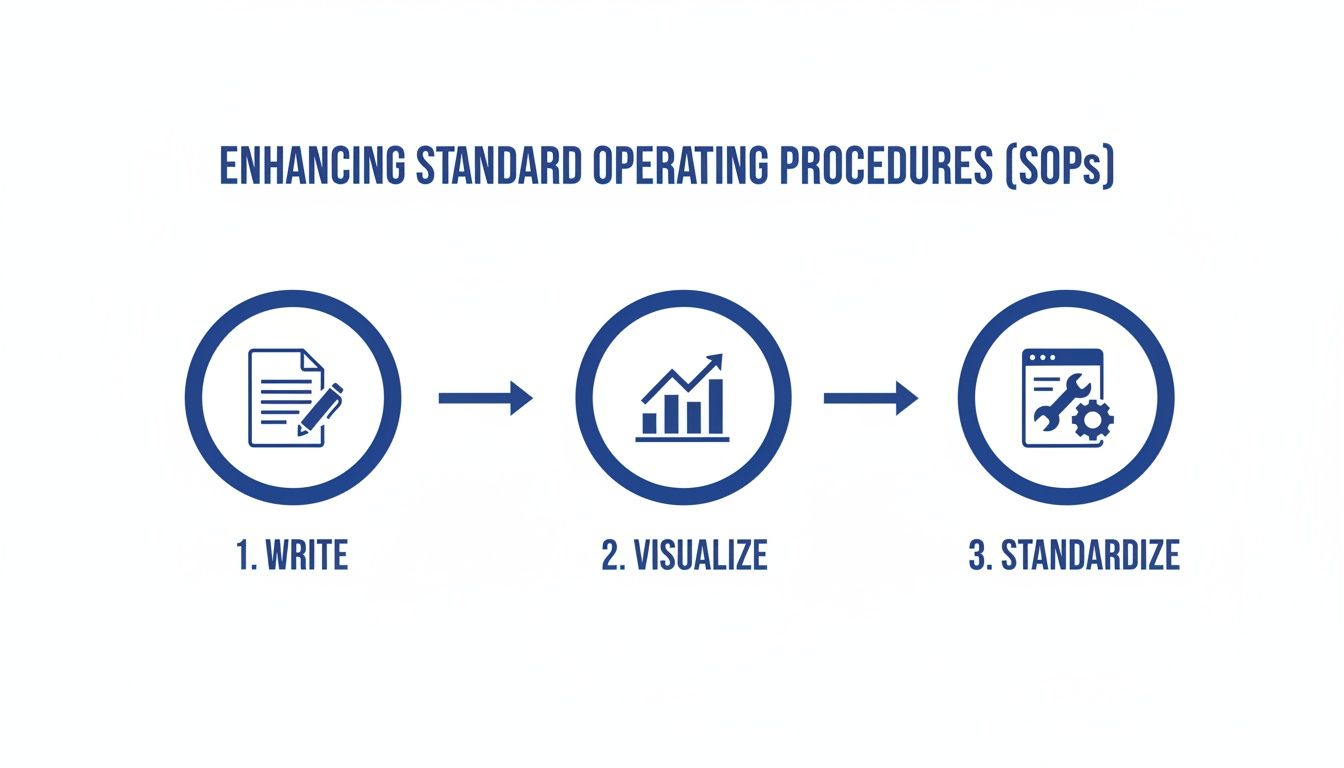
Moving from writing to visualization and finally to standardization is what turns a good SOP into a great one—something that creates consistency across the entire organization.
The Critical Role of Version Control
Once you've gathered feedback and the SOP is officially approved, version control becomes your single most important tool for maintaining order. Get this wrong, and you risk having multiple, conflicting versions of a procedure floating around, creating absolute chaos.
Think about a financial services firm. An SOP for processing wire transfers gets updated with a new anti-fraud verification step. If an employee uses an old version they saved on their desktop, they might skip this critical check, exposing the firm to massive financial loss and regulatory penalties. This isn't a hypothetical—it’s a common disaster that robust version control easily prevents.
A great SOP is only great if it's the current SOP. Version control isn't just an administrative chore; it's a fundamental risk management practice that ensures everyone is working from a single source of truth.
At a minimum, a proper version control system needs to track these details for every SOP:
- Version Number: A clear system like v1.0, v1.1, v2.0.
- Revision Date: When the latest changes were made.
- Author/Editor: Who made the changes.
- Summary of Changes: A quick note on what was updated.
- Approval Status: Who signed off on the current version and when.
This is exactly where relying on shared drives with messy file names like SOP_Final_V2_updated_new.docx completely falls apart.
Using a centralized platform like Whale automates this entire headache. Every change is tracked, a full version history is maintained, and you can instantly see who approved what and when. This eliminates the risk of someone accidentally pulling up an old, incorrect document.
The system ensures that only the most recent, approved version is accessible to the team, making compliance and consistency almost automatic. You can even set scheduled review dates, which prompt the document owners to verify that a procedure is still accurate and relevant after a set period. It's how you truly complete the SOP lifecycle.
Putting Your SOPs into Action and Keeping Them Relevant
Crafting a clear, actionable SOP is a huge accomplishment, but the job isn't done when you hit "save." Let's be honest: the true value of your work only kicks in once that document is actually adopted by your team and kept up-to-date.
Writing the procedure is just the first half of the battle. Implementation and maintenance are where you really win.
An SOP that sits unused in a folder is just as useless as having no SOP at all. This next phase is all about breathing life into the document through a smart rollout, targeted training, and a solid rhythm for ongoing reviews. This is how you build a culture where SOPs are seen as genuinely helpful resources—not just bureaucratic hurdles.
Launching Your SOP with Effective Training
Simply blasting out an email with the new SOP attached and hoping for the best is a recipe for disaster. A successful launch needs a real training strategy that ensures everyone gets not just the what, but also the why behind the new procedure.
Your training approach should match the complexity of the SOP and the experience of your team. A minor update? A quick team huddle might be all you need. But for a major new process, a more structured session is non-negotiable.
Consider these practical training methods I've seen work time and again:
- Hands-On Demonstrations: For any physical task, there's no substitute for seeing it in action. Walk the team through the procedure step-by-step, right where the work actually happens.
- Interactive Sessions: Don't just lecture. Encourage questions and open up a discussion. This is the fastest way to uncover confusing points and get your team's buy-in.
- AI-Generated Quizzes: Modern SOP platforms can instantly create short quizzes based on the procedure's content. This is a fantastic, low-effort way to check for understanding and spot knowledge gaps before they turn into real-world mistakes.
The goal here isn't just to inform your team; it's to empower them. When people feel confident in a new process, they're far more likely to stick to it.
Creating a System for Regular Reviews
Processes change. Technology evolves. Regulations get updated. Your SOPs have to adapt to these realities, or they'll quickly become obsolete. And an outdated SOP can be even more dangerous than no SOP, giving people a false sense of security while pointing them in the wrong direction.
To prevent this, you need a simple but unbreakable schedule for periodic reviews. This doesn't have to be some complicated, time-sucking affair.
An SOP is a living document. Its relevance depends entirely on a commitment to continuous improvement and regular upkeep. Treat it like a critical piece of equipment that requires scheduled maintenance to perform at its best.
Start by setting a review cadence for every SOP you create. A good rule of thumb is to review every procedure at least once a year, but some—especially those tied to safety or compliance—might need more frequent attention.
Knowing When It's Time for an Update
Your annual review is a great safety net, but sometimes a change in the business will force an immediate update. You should trigger a review of an SOP anytime one of these events happens:
- New Technology or Equipment: When you bring in a new tool or machine, the related SOPs must be updated to reflect its operation.
- A Change in Regulations: For industries with strict compliance needs, any update to legal or safety standards demands an immediate revision of relevant procedures.
- Process Improvement Insights: Your team is your best source of innovation. If they find a better, faster, or safer way to do something, capture that knowledge by updating the SOP.
- An Incident or Near-Miss: If an error or safety issue occurs, the first thing you should do after addressing it is review the associated SOP. Does it need to be clearer? Does the process itself need to change?
By building this lifecycle management directly into your operations, you ensure your documentation remains a reliable source of truth that grows with your business. This is the final step in learning not just how to write a SOP, but how to make it a lasting asset.
Your Top SOP Questions Answered
When my team and I help companies roll out SOPs for the first time, a few questions always pop up. It's totally normal to wonder about the finer details when you're just getting started.
One of the biggest questions I hear is, "How long should this thing actually be?" It's a great question. The simple answer is: as long as it needs to be, and not a word longer. Your goal is clarity, not hitting a certain page count. If you can explain the process clearly and safely in one page, fantastic. If it takes five, that's fine too. Just cut the fluff.
Another classic is about formatting. People want to know the "best" way to lay out an SOP. Honestly, it depends entirely on the task.
For straightforward, sequential tasks—like a morning open-up checklist—you can't beat a simple step-by-step list. But what if the process has variables? For something like troubleshooting a network connection, a flowchart is your best friend. It visually maps out the "if this, then that" decision points.
The right format is whatever makes the process foolproof for the person doing the job. Always think about the end-user. Pick the format that gets them to the correct outcome with the least amount of friction.