
At its core, manufacturing quality control software is a digital system designed to replace old-school, paper-based checks with automated, data-driven processes. It serves as the central command center for everything quality-related—monitoring production, tracking defects, and making sure every single product that leaves your facility meets the required standards. The immediate win? It dramatically cuts down on human error and waste.
Why Manual Quality Control Is Holding You Back
Picture this: a sudden spike in product defects hits the factory floor. What follows is a frantic scramble—a scene that’s painfully familiar to most operations managers. This chaos of wasted materials, delayed shipments, and unhappy customers perfectly illustrates the hard limits of relying on outdated, manual quality checks.
Sticking to clipboards, spreadsheets, and visual inspections is like trying to navigate a bustling city highway with a paper map instead of a real-time GPS. Sure, you might eventually get to your destination, but you’ll be slow, prone to mistakes, and completely blind to the traffic jams building up just around the corner.
This reactive approach isn’t just inefficient; it's a massive business risk. Every time someone manually enters data, there's a chance for a typo. Every delayed report means a production flaw might be duplicated hundreds of times before anyone even catches it.
The True Cost of Manual Processes
The problem with manual quality control runs deeper than just the occasional mistake. It creates systemic weaknesses that hamstring your entire operation, impacting everything from your bottom line to your brand's reputation.
- Always Playing Catch-Up: By the time a defect is found through a manual check, the damage is already done. This forces your team into a never-ending cycle of firefighting instead of getting ahead of problems before they start.
- Data Invisibility: Paper trails and scattered spreadsheets make it next to impossible to spot trends or find the root cause of a recurring issue. Your quality data is locked away in silos, leaving valuable insights completely buried.
- The Human Factor: Let's be honest—fatigue, distractions, and simple mistakes are part of being human. But in manufacturing, these small slip-ups can snowball into major quality escapes, leading to costly rework, scrapped materials, or even product recalls.
- Wasted Talent: Your skilled quality inspectors are spending their days buried in tedious data entry and paperwork. Imagine if they could use that time for higher-value work, like process improvement and root cause analysis.
The "1-10-100 Rule" hits this point home. It costs $1 to fix an error during the design phase, $10 to fix it during production, and $100 or more to fix it once it’s in the customer's hands. Manual processes almost always catch errors in the expensive $10 or $100 stage.
At the end of the day, manual quality control puts a hard ceiling on your production potential. It’s a system that just can't keep up with modern manufacturing's demand for speed, precision, and consistency.
The alternative isn't just a new tool; it's a whole new strategy. This is where manufacturing quality control software comes in, acting as the digital nervous system for your production line. It gives you the real-time visibility and control needed to shift from reactive fixes to proactive excellence, turning your quality data into a serious competitive advantage.
What's Actually Inside a Modern QC Platform?
Moving from manual quality control to a dedicated software platform is less like a simple upgrade and more like swapping a basic wrench for a full-blown automotive diagnostic system. Your old methods let you tighten a few bolts here and there, but a modern QC platform gives you a real-time view of your entire production line's health. It’s a complete ecosystem where every feature works together, shifting your team from putting out fires to preventing them in the first place.
Getting a handle on these core components is the only way to pick a solution that actually solves your problems. Don't just look at them as a list of buzzwords; think of them as specialized tools, each designed for a critical job on the shop floor.
If you've ever felt the chaos of manual QC, this diagram will look familiar. It’s a perfect visual of the vicious cycle of errors, waste, and delays that a digital system is built to eliminate.
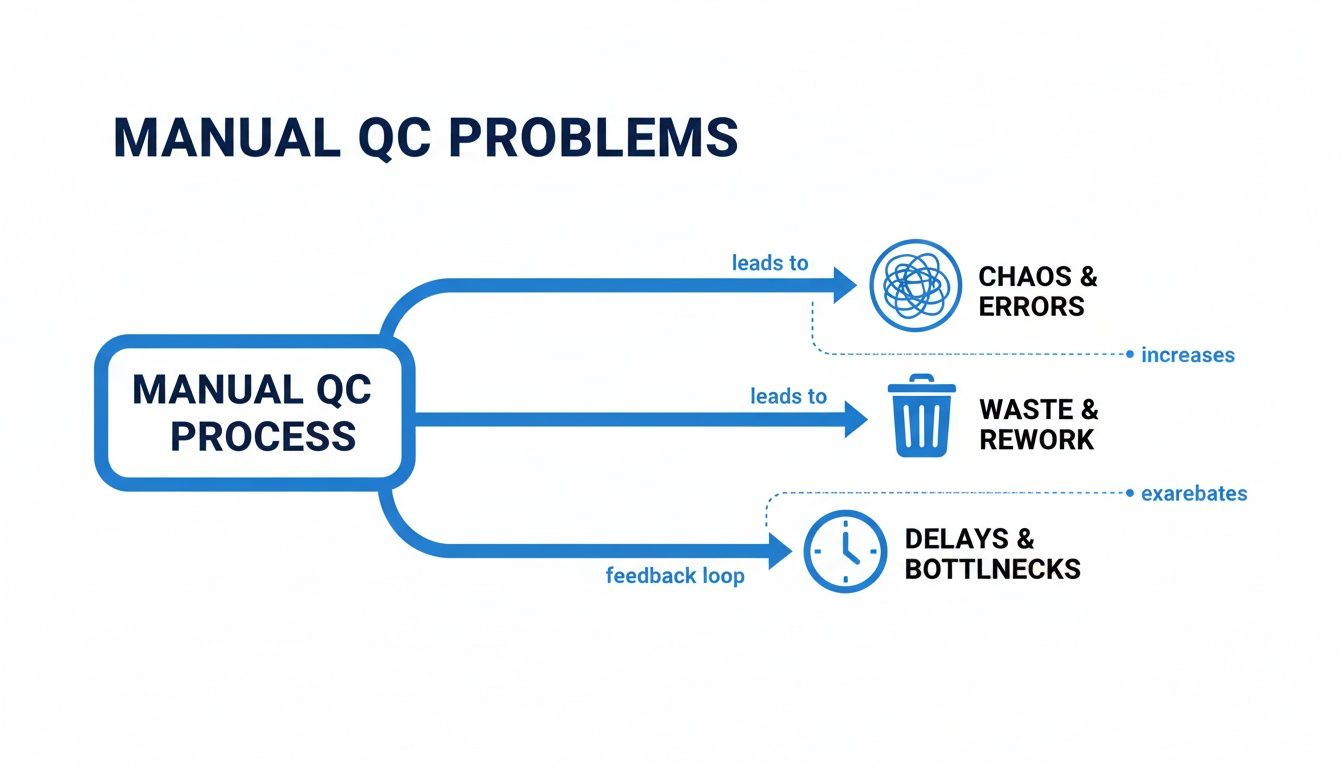
This just goes to show how disconnected processes inevitably lead to rework and bottlenecks. It makes the case for a single, centralized platform loud and clear.
Statistical Process Control: The Health Monitor
Think of Statistical Process Control (SPC) as the EKG for your production line. It constantly monitors vital signs—like temperature, pressure, or part dimensions—and visualizes them on easy-to-read control charts.
But this isn't just about spotting defects after the fact. SPC is predictive. It analyzes data trends to warn you when a process is drifting toward its upper or lower limits, long before it churns out a bad part. This lets your team make small, proactive tweaks to keep everything running smoothly and predictably.
Non-Conformance and CAPA: The Incident Response Team
When a quality issue does slip through, you need a clear, repeatable plan to tackle it. That’s where Non-Conformance Reports (NCR) and Corrective and Preventive Actions (CAPA) management come in.
This is your quality incident response system. A failed inspection triggers a digital NCR, capturing every critical detail in one place. That log immediately kicks off a CAPA workflow to dig into the root cause, roll out a fix, and confirm the problem is gone for good. It’s the difference between patching a problem and truly solving it.
When you digitize these workflows, you automatically create a bulletproof, auditable trail of every quality event. This isn't just nice to have—it's essential for regulatory compliance and proving your commitment to continuous improvement.
Document Control: Your Single Source of Truth
Nothing causes quality headaches faster than outdated or disorganized documents. A Document Control module acts as the definitive library for all your essential paperwork, from work instructions and SOPs to compliance certificates and design specs. Need to build better guides? Check out how to use a manufacturing SOP template.
This central hub guarantees that everyone on the floor is working from the latest version. No more guesswork. Key features usually include:
- Version Control: Automatically tracks every change and archives old revisions, so there’s never any confusion.
- Access Permissions: Lets you control exactly who can view or edit sensitive information.
- Approval Workflows: Makes reviewing and signing off on new procedures quick and painless.
Supplier Quality and Audit Management
Your quality standards have to extend beyond your own four walls. Supplier Quality Management tools give you a clear window into your supply chain, helping you track supplier performance, manage incoming inspections, and keep certifications up to date. This makes it easier to spot your best partners and weed out the ones causing problems.
In the same vein, Audit Management features take the pain out of both internal and external audits. The software helps you schedule audits, build checklists, log findings, and track corrective actions. Prepping for an ISO 9001 audit becomes a structured process instead of a last-minute scramble. And the results speak for themselves; in manufacturing, which makes up about 30% of the QMS software market, these tools have helped slash product recalls by 20% and cut defects by 15%.
The Real-World Benefits of Digital Quality Control
Let’s be honest: moving away from spreadsheets and clipboards to manufacturing quality control software isn't just about going paperless. It's about completely rewriting your production story—shifting from a constant state of reactive firefighting to one of proactive control and strategic thinking. The difference is as stark as navigating a cross-country road trip with a crinkled paper map versus a real-time GPS.
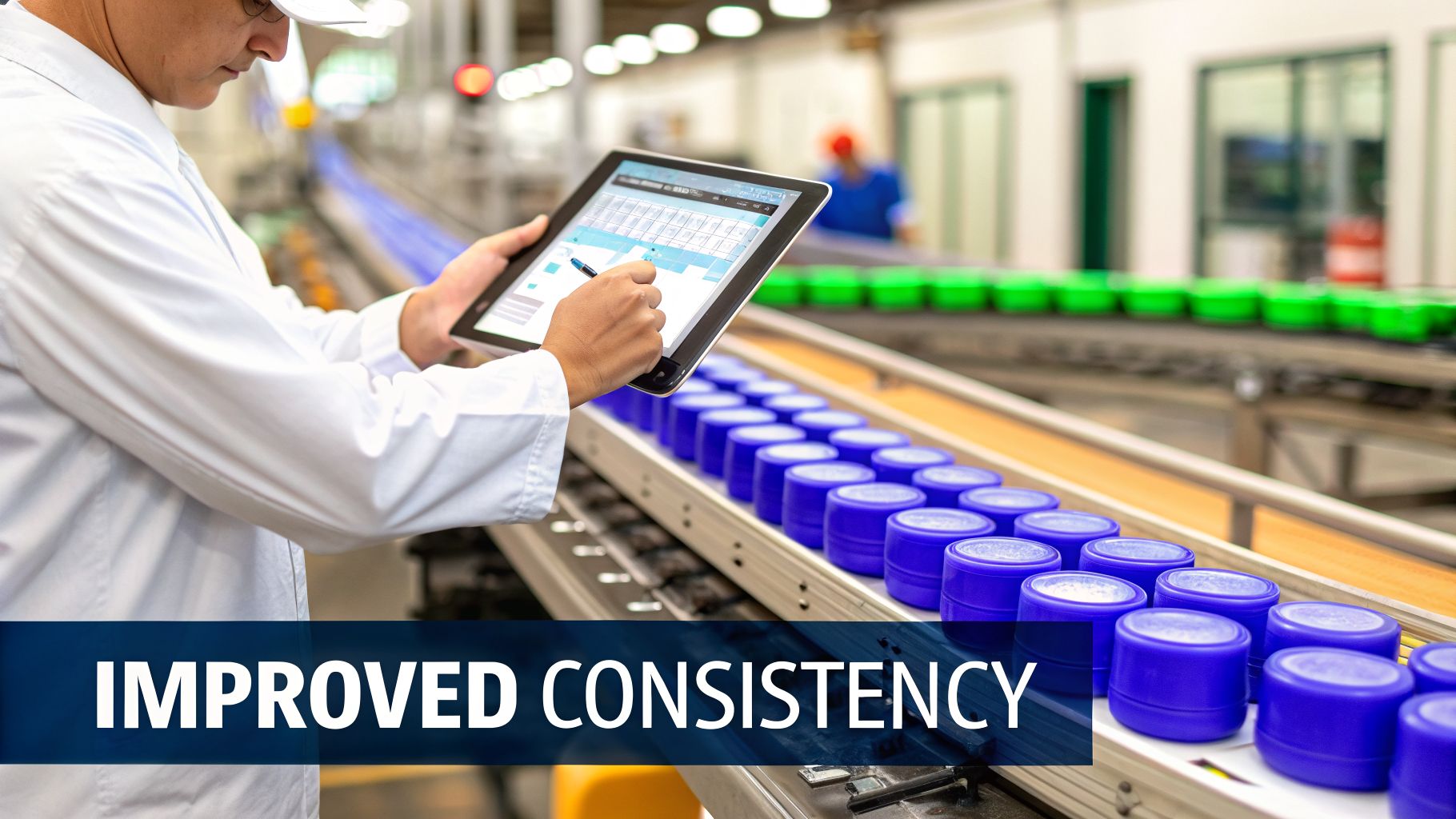
Before, a quality issue might only pop up hours—or even days—after hundreds of faulty units have already been made. The "after" is a whole new ballgame. With data streaming from the production line in real-time, the software can flag a potential deviation the moment it happens. Your team can jump in immediately and stop waste in its tracks.
This massive shift from hindsight to foresight is where you unlock the most powerful benefits, touching everything from your bottom line to your brand's reputation.
Achieve Unbreakable Product Consistency
In the manual world, consistency is a constant uphill battle. Two inspectors might see a visual defect differently. A tiny change in a machine’s calibration could go unnoticed for an entire shift. The result? Product variation that frustrates customers and chips away at the trust you've built.
Digital quality control acts as the ultimate enforcer of a single, objective standard. Every measurement is logged, every inspection follows a set checklist, and every single product is held to the same high bar. No exceptions.
This level of uniformity means:
- Drastically Reduced Rework and Scrap: When you catch deviations early, you slash the number of products that need to be fixed or, even worse, tossed in the bin.
- Happier, More Loyal Customers: Your customers get a reliable, high-quality product every single time. That’s how you build brand loyalty that lasts.
- Simpler, Faster Training: New operators can get up to speed in record time with clear, digitized work instructions and quality checks right at their fingertips.
Pinpoint Problems with Laser-Focused Traceability
Picture this: a critical component fails, and you have to figure out which batch of raw materials it came from. With a paper trail, you're looking at days of digging through stacks of records—a slow, painful, and error-prone process.
A robust manufacturing quality control software platform creates a complete digital thread for every product, from start to finish. It connects every component, every process step, and every quality check, giving you instant traceability. When a problem hits, you can find its source in minutes, not days.
This capability is a game-changer for managing recalls. Instead of pulling entire product lines off the shelves, you can isolate one specific batch. We're talking about saving millions in direct costs and protecting your brand from a PR nightmare.
Boost Operational Efficiency and Empower Your Team
One of the first things you'll notice is the end of tedious, manual data collection. Your skilled quality pros are no longer chained to a keyboard, entering data. They're freed up to do what they do best: analyzing trends, digging into root causes, and solving complex problems.
This automation directly leads to a more efficient and engaged team. Instead of chasing down paperwork, they can proactively improve processes and drive a true culture of continuous improvement.
This push for digital efficiency is fueling some serious market growth. Projections show the QMS software market is set to expand from just over USD 10.0 billion to USD 16.2 billion, all powered by an 8.3% CAGR. Regulated industries like automotive and pharmaceuticals are leading the way, using these tools to nail strict compliance demands and get a leg up by spotting failures early. You can learn more about these market forecast findings and see how firms are turning this trend into a competitive advantage.
At the end of the day, the real power of this software is its ability to turn raw data into smart, actionable intelligence. It gives you the strategic advantage to not just fix problems, but to stop them from ever happening in the first place.
How to Choose the Right Quality Control Software
Picking the right manufacturing quality control software is a huge decision. Think of it like choosing an engine for a high-performance car. The wrong one will leave you sputtering with constant breakdowns, but the right one gives you the power to smoke the competition. This isn't just about buying a tool; it's about investing in the very backbone of your quality operation.
The first step isn’t to jump into vendor demos or start browsing websites. It’s to look inward. You need to map out your current quality landscape to pinpoint every bottleneck, friction point, and recurring headache that’s holding you back.
This means getting your key people in a room—from the operators on the shop floor and quality inspectors to department managers and your IT folks. Each person sees the problems from a different angle, and their input is gold. The goal is to build a shared vision of what your future state of quality control should look like.
Define Your Must-Have Features
Once you've got a clear picture of your pain points, it's time to translate them into a concrete list of software requirements. It's so important to separate your "must-haves" from the "nice-to-haves." This simple step keeps you focused and stops you from getting wowed by flashy features that don’t actually solve your core problems.
Your "must-have" list is non-negotiable. These are the core functions you absolutely need to fix your biggest challenges.
- Real-Time SPC Charting: Is your main goal to catch defects before they even happen? Then predictive statistical process control is a must.
- Integrated CAPA Management: If you’re tired of fighting the same fires over and over, you need a solid system for managing corrective and preventive actions.
- Centralized Document Control: Are outdated SOPs causing chaos and confusion on the floor? You’ll need a single source of truth for all your documents.
- Supplier Quality Portal: If defects from incoming materials are a constant headache, you need a way to track and manage how your suppliers are performing.
The "nice-to-have" list is for features that would be great but aren't deal-breakers. Maybe that’s advanced AI-powered analytics or slick mobile auditing apps. Knowing the difference helps you make smart trade-offs when you're looking at different vendors and their price tags.
Key Vendor Evaluation Criteria
With your requirements list in hand, you can finally start checking out potential software partners. You have to look past the glossy marketing brochures and focus on what will actually drive your long-term success. And there are more options than ever—the global Quality Management Software market is projected to explode from USD 13.88 billion to USD 31.54 billion, growing at a 10.81% CAGR. That growth means you have to be extra diligent in your evaluation.
Here are the critical factors you need to weigh:
- Integration Capabilities: Your QC software can't be an island. It has to talk seamlessly with your other systems, especially your ERP and MES. Bad integration just creates more manual work and data silos, which defeats the whole purpose.
- Scalability: The software that works for you today needs to grow with you tomorrow. You have to ask vendors how their platform handles more production volume, new facilities, or a bigger team.
- User-Friendliness: Let's be honest, if the software is clunky and a pain to use, your team just won't adopt it. The interface has to be intuitive for everyone, from the engineers to the operators on the floor.
- Customer Support: When things go wrong—and they will—you need to know you can get responsive, knowledgeable help. Dig into the vendor’s support structure, their average response times, and what training they offer.
Before you sign anything, always insist on a live, customized demo. Don't let them get away with a generic sales pitch. Make the vendor show you exactly how their software solves your specific problems, using your own data or scenarios if possible. An even better move? Arrange for a pilot program or a trial period to see how it really performs in your day-to-day environment.
As you look at different platforms, you'll also face a big decision: weighing the pros and cons of custom software versus off-the-shelf solutions. Each path has its own advantages and challenges, and your choice will have a major impact on your implementation timeline, budget, and future flexibility.
Vendor Evaluation Checklist for QC Software
To keep your evaluation process organized and objective, a checklist is your best friend. It helps you systematically compare vendors side-by-side, ensuring you don't overlook critical details. Use a simple scoring system (like 1-5, where 5 is best) to rate each vendor on the criteria that matter most to your team.
| Evaluation Criteria | Vendor A Score (1-5) | Vendor B Score (1-5) | Notes |
|---|---|---|---|
| Core Feature Alignment | Does it meet all "must-haves"? | ||
| Integration with ERP/MES | API availability, proven integrations | ||
| Ease of Use (UI/UX) | Feedback from our team's demo | ||
| Scalability & Performance | Can it handle 2x our volume? | ||
| Reporting & Analytics | Customizable dashboards, export options | ||
| Customer Support Quality | Response times, training resources | ||
| Implementation & Onboarding | What is their process? Timeline? | ||
| Total Cost of Ownership | Licensing, support, implementation fees |
After scoring each potential partner, tally up the numbers. This data-driven approach, combined with the gut feeling you get from demos and conversations, will give you a much clearer picture of which software is the right fit to drive your quality forward.
Ensuring a Smooth Software Implementation and Adoption
Picking the right manufacturing quality control software is a huge step, but it's really just the starting line. The real wins come from a solid implementation—a well-laid plan is the difference between a smooth rollout and a frustrating, expensive flop.
Think of it like building a high-performance engine. You can have all the best parts, but if you don't assemble them with precision and care, it’s never going to run right.
A successful rollout isn't just an IT project; it's a massive operational shift. It demands careful planning, the right people on the job, and a genuine focus on your team. To make sure the transition goes off without a hitch and keeps disruptions to a minimum, weaving in some solid software project risk management from the get-go is a smart move. It helps you spot potential roadblocks before they throw your project off course.
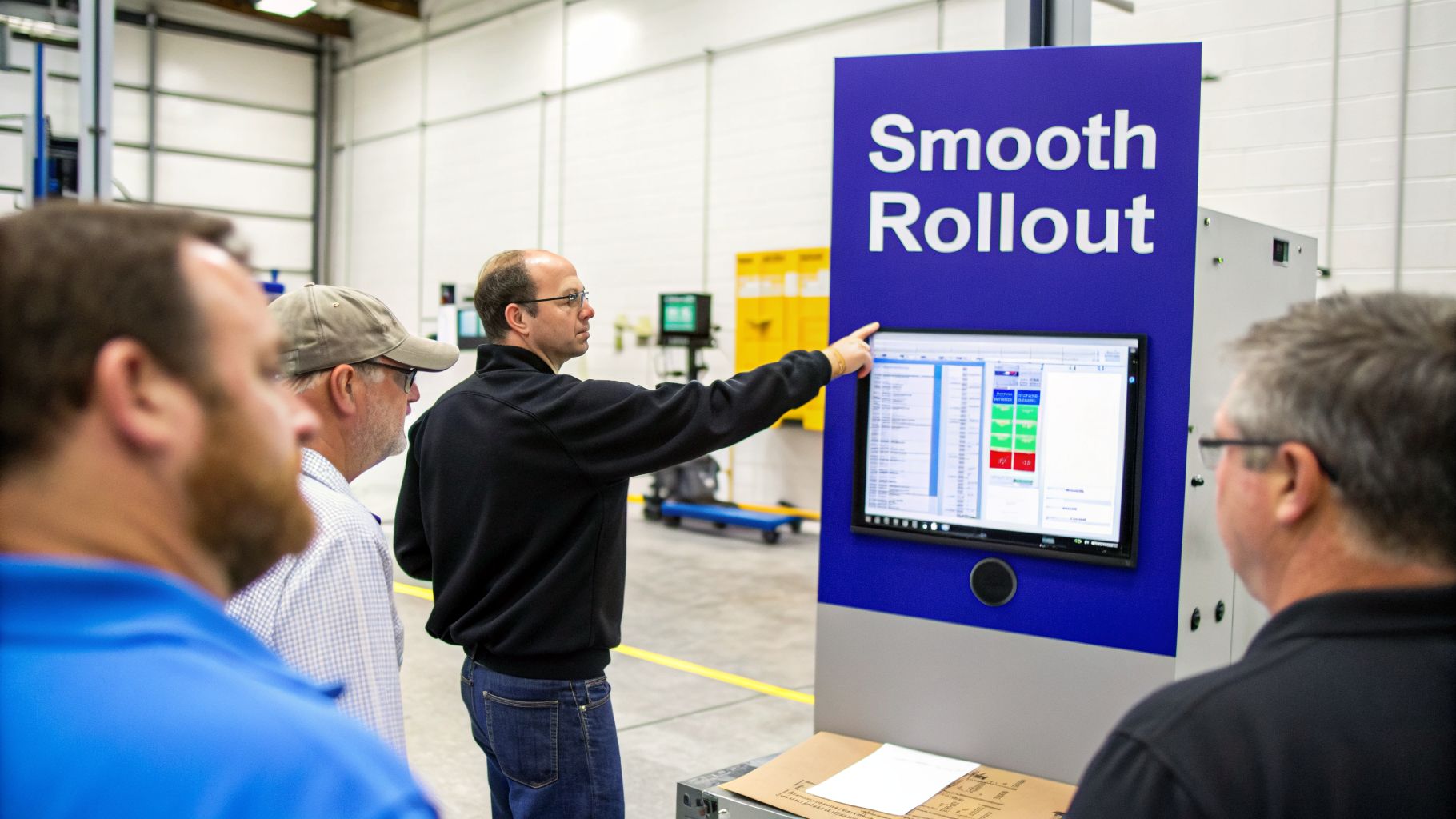
This is what it's all about: a well-planned launch means clear communication and teamwork right there on the factory floor.
Building Your Implementation Blueprint
Going for a phased rollout is almost always the right call. Trying to flip the switch for the whole organization at once is a high-stakes gamble. It can easily overwhelm your support teams and just create chaos.
Instead, start small and build momentum.
Pick a single production line or department for a pilot. This gives you a controlled space to iron out the kinks, get real feedback from users, and find a few internal champions who will sing the software's praises to everyone else.
A good implementation plan needs to cover a few key stages:
- Data Migration: You have to figure out exactly how to move your existing quality data—from inspection records to supplier info—into the new system without losing a single byte or corrupting anything.
- System Integration: Get your IT crew on board early. The new software needs to talk to your existing ERP or MES systems without a hitch to avoid creating messy data silos.
- User Acceptance Testing (UAT): Before you go live, let your actual end-users put the software through its paces. Have them run real-world scenarios to make sure it actually does what they need it to do.
Driving User Adoption Through Training and Documentation
Even the fanciest software is worthless if your team has no idea how to use it. Getting people on board comes down to clear, accessible, and ongoing training. This is where a central knowledge base becomes your secret weapon.
Simply holding a single training session and hoping for the best is a recipe for failure. Effective training is an ongoing process supported by easily accessible resources that empower employees to find answers themselves, right when they need them.
This is where a dedicated Standard Operating Procedure (SOP) platform like Whale can make a huge difference. Instead of burying procedures in clunky manuals, you can create dynamic, easy-to-follow guides and checklists for every quality process. This makes sure every single person uses the manufacturing quality control software the right way, every time.
If you’re trying to figure this out, you can learn more about how to implement quality control during business growth in our in-depth article.
A Phased Rollout Strategy
To keep your implementation on track and build some positive buzz, follow a clear, step-by-step process. This structured approach cuts down on disruptions and gives you the best shot at a successful launch across the whole facility.
- Phase 1 Pilot Program (Weeks 1-4): Roll out the software on one, low-risk production line. Focus on training a small group of "super-users" and grab their direct feedback for quick tweaks.
- Phase 2 Refinement (Weeks 5-6): Look at how the pilot went. Fine-tune the setup, update your training guides based on what users told you, and write down any best practices you discovered.
- Phase 3 Departmental Expansion (Weeks 7-10): Start rolling the software out to other departments. Use your newly trained super-users to help coach their coworkers. This peer-to-peer training builds confidence and gets everyone up to speed faster.
- Phase 4 Full Implementation and Review (Weeks 11-12): Finish the rollout to all remaining lines. Do a final review to see if you hit your original goals and make a plan for ongoing training and system improvements.
Measuring Your ROI and Driving Continuous Improvement
So you’ve implemented new manufacturing quality control software. Now comes the big question from leadership: was it worth it? Proving the value goes way beyond just saying things are "better." You need a clear, data-driven way to measure your return on investment (ROI) and use those insights to keep getting better.
Think of your new software as a powerful diagnostic tool for your whole operation. It doesn't just help you fix problems—it spits out a ton of data that shows exactly how much those fixes are saving you in time, money, and materials. This is how you connect your quality initiatives directly to the company's bottom line.
Key Metrics to Track for Tangible ROI
To build a compelling case, you have to focus on specific, quantifiable key performance indicators (KPIs). These metrics give you undeniable proof of the software's impact, turning abstract benefits into hard numbers everyone can get behind.
Start by setting up a dashboard to keep an eye on these critical data points:
- Scrap and Rework Rate Reduction: This is usually the first and biggest win. Track the percentage of non-conforming products before and after you brought in the software. A drop from 5% to 2% can easily translate to thousands of dollars saved every single month in material and labor costs.
- Decrease in Customer Complaints and Returns: Keep a close watch on the number of complaints, warranty claims, and product returns. A steady decline here is direct proof that product quality and customer satisfaction are up, which is huge for protecting your brand.
- Faster Audit Completion Times: Measure the hours your team spends prepping for and sitting through internal or external audits. With everything documented and digitized in one place, audit prep time can be slashed by as much as 50%.
Beyond the Numbers: The Qualitative Wins
Not every benefit fits neatly on a spreadsheet, but they're just as important. These qualitative wins show how the software is making the entire organization stronger from the inside. Think about the improvements in enhanced brand reputation thanks to consistent product quality, or a noticeable lift in team morale.
When your quality teams have better tools, they stop being reactive firefighters and start becoming proactive problem-solvers. This shift creates a much more positive and innovative work environment where people feel more engaged and valued.
The ultimate goal is to use the data from your manufacturing quality control software not just as a report card, but as a roadmap. The real-time insights it provides are the fuel for a culture of ongoing refinement and excellence.
This data-first approach lets you spot trends, pinpoint areas for process tweaks, and update your training materials with laser precision. For a deeper dive, check out our guide on building a culture of continuous improvement on your team. By turning insights into action, you make sure the software keeps delivering value long after it’s installed, driving real innovation for years to come.
Got Questions About QC Software? We've Got Answers.
Diving into the world of manufacturing quality control software always brings up a few questions. As you get closer to making a decision, it’s totally normal to wonder about the nitty-gritty details of getting it set up, making it talk to your other systems, and handling compliance.
Let's tackle some of the most common things we hear from operations managers and quality teams.
What's a Realistic Timeline to Get This Up and Running?
This is a big one. While every setup is a bit different, you should probably block out a 6 to 12-week process for a full implementation. This isn't just flipping a switch; it's a phased approach to get it right.
The first few weeks are all about the groundwork—planning, figuring out your data migration strategy, and configuring the system to fit your workflow. After that, you’ll move into training your team, running a pilot test on a single production line to work out any kinks, and then connecting the software to your ERP or MES. Staging the rollout this way is the best way to avoid disrupting the whole plant.
Can This Software Actually Talk to My Existing ERP System?
Absolutely. In fact, if it can't, you should walk away. Seamless integration with your Enterprise Resource Planning (ERP) or Manufacturing Execution System (MES) is a non-negotiable feature for any modern quality platform. This is one of the most important things to grill a vendor on.
When it's done right, data flows between systems automatically. No more double-entry, no more conflicting information. You get a single source of truth for your entire operation. You'll want to look for vendors who have solid APIs or, even better, pre-built connectors for the ERP system you're already using.
Think of it this way: when your QC software and ERP are constantly talking, you get the full picture. Quality data can instantly inform everything from inventory levels and production schedules to your financial reports. That’s how you build a truly connected factory.
How Does This Software Help With Our ISO 9001 Audits?
This is where this kind of software really shines. It's practically built to make ISO 9001 compliance less of a headache. It directly supports the core requirements of the standard, which makes audit season feel a lot less like a fire drill.
Here’s a quick breakdown of how it helps you stay compliant:
- Document Control: It acts as a central library for all your SOPs, work instructions, and quality manuals. Everything is version-controlled, so you know for a fact that your team is always working from the latest document.
- Corrective Actions (CAPA): The system automates how you log non-conformances and manage corrective and preventive actions. This creates a crystal-clear, auditable trail of how you identify and fix problems.
- Data Analysis: ISO 9001 requires you to monitor, measure, and analyze your processes. The software gives you the dashboards and reports to do just that, so you can back up your continuous improvement efforts with hard data.
- Audit Trails: Every single click, change, and approval is logged automatically. When the auditor asks for proof, you’ll have a complete, time-stamped record ready to go.