
Crafting a Standard Operating Procedure (SOP) from scratch is a daunting task that consumes valuable time and resources. Why start with a blank page when a wealth of expertly designed templates is available? This guide is built to help you bypass that initial struggle by providing a curated collection of the best resources for downloadable standard operating procedure examples pdf files, alongside modern digital alternatives that can supercharge your process documentation.
We have compiled a list of top-tier platforms and marketplaces, from comprehensive template libraries to specialized digital SOP software. For each entry, you'll find a direct link, a brief analysis of its strengths, and clear guidance on who it's best suited for, whether you're in manufacturing, finance, HR, or IT. We cut through the noise to show you exactly where to find high-quality, actionable templates that can be immediately adapted to your organization's unique needs.
This isn't just a list of links. It's a strategic resource designed to fast-track your documentation efforts. We break down what makes each template effective, offer tips for customization, and explain how to transition from static PDFs to dynamic, integrated platforms. To effectively understand the structure and content of robust procedures, you might want to review a practical Safe Operating Procedure (SOP) sample to see a completed document in action. Our goal is simple: to equip you with the tools and insights needed to implement clear, consistent, and effective SOPs, saving you countless hours of work.
1. Whale
Whale is an AI-powered knowledge and training platform designed to centralize and streamline the entire SOP lifecycle. It excels not just at storing documents but at actively helping teams create, distribute, and enforce standard operating procedures. While many seek static standard operating procedure examples pdf files, Whale offers a dynamic, integrated solution that transforms process documentation from a passive archive into an actionable, single source of truth for your entire organization.
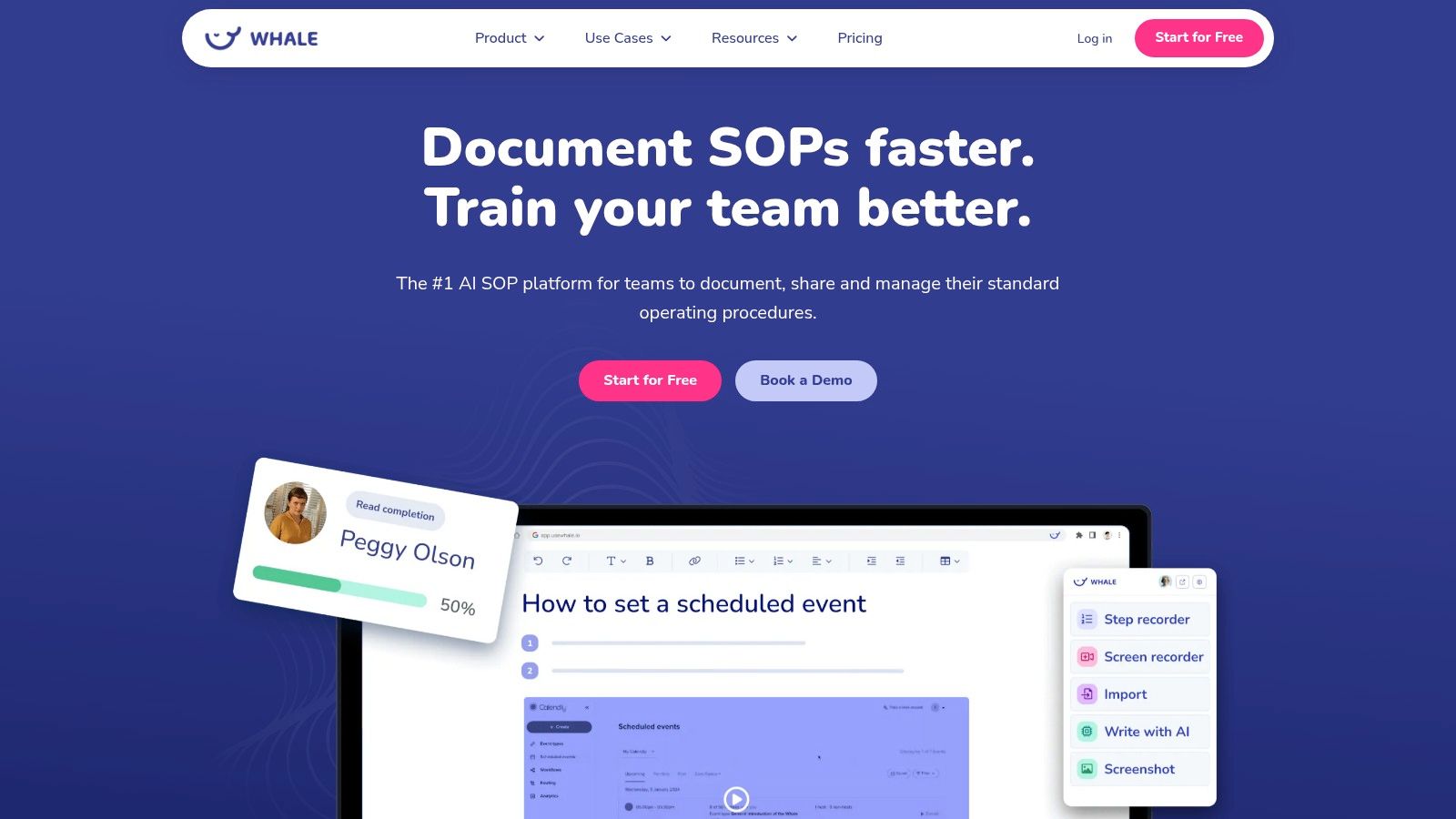
This platform is a standout choice because it addresses the core problems associated with traditional SOP management: outdated documents, inconsistent training, and low user engagement. For operations managers, HR professionals, and teams in regulated industries like manufacturing or finance, Whale provides the tools to not only document processes but also to ensure they are followed correctly.
Strategic Analysis: Key Features and Advantages
Whale’s strength lies in its comprehensive, AI-driven approach. It moves beyond simple document hosting to offer a suite of interconnected tools that dramatically reduce administrative overhead and improve operational consistency.
- AI-First SOP Authoring: Whale’s AI capabilities are a significant differentiator. The system can import existing documents, websites, or videos and instantly convert them into structured, step-by-step SOPs. Its AI writing assistant helps refine language for clarity, while its built-in AI helper, Alice, can answer employee questions directly from your documented knowledge base.
- Integrated Training and Onboarding: Unlike a folder of PDFs, Whale embeds training directly into its platform. You can create quizzes and assign SOPs as training modules, then track completion rates and performance through an analytics dashboard. This is particularly effective for reducing new-hire ramp-up time, with a customer case study reporting a 50% reduction in onboarding.
- Version Control and Centralization: A critical feature for any compliance-focused organization, Whale provides a single source of truth. Its robust version control and automated update notifications ensure that employees are always referencing the most current procedure, eliminating the risk of using outdated information.
- Industry-Specific Support: Whale recognizes that different industries have unique needs. It offers a library of pre-built templates for sectors like manufacturing, finance, real estate, and IT. Furthermore, businesses can work with certified Whale consultants for tailored implementation, ensuring the platform is optimized for specific compliance and workflow requirements.
Practical Applications and Use Cases
Whale is particularly effective for teams looking to scale operations, improve quality control, or streamline compliance. Its features are designed for immediate impact.
| Feature Area | Use Case Example | Practical Takeaway |
|---|---|---|
| AI-Assisted Import | An operations manager uploads a 20-page Word document detailing a complex manufacturing process. | The AI converts it into an interactive, step-by-step guide with checklists in under five minutes, saving hours of manual reformatting. |
| Embedded Quizzes | An HR team creates a new-hire onboarding playbook for the sales department. | They embed a short quiz after each key SOP to verify comprehension, ensuring new team members understand critical processes from day one. |
| Process Analytics | A warehouse manager notices a recurring error in the shipping process. | They review SOP completion data in Whale and discover a specific team has not completed the required training, allowing for targeted intervention. |
| Integrations | A customer support team uses Zendesk to manage tickets. | Whale integrates directly, allowing agents to access relevant SOPs within their Zendesk workflow without switching applications, speeding up response times. |
Access and Pricing
Whale offers a flexible entry point, making it accessible for teams of all sizes. You can start with a free plan (no credit card required) to explore its core features. For larger teams or those needing advanced capabilities, paid plans are available, and a demo can be scheduled for a customized quote. While enterprise pricing isn't listed publicly, this sales-assisted approach ensures a solution tailored to complex organizational needs.
Website: https://usewhale.io
2. Smartsheet
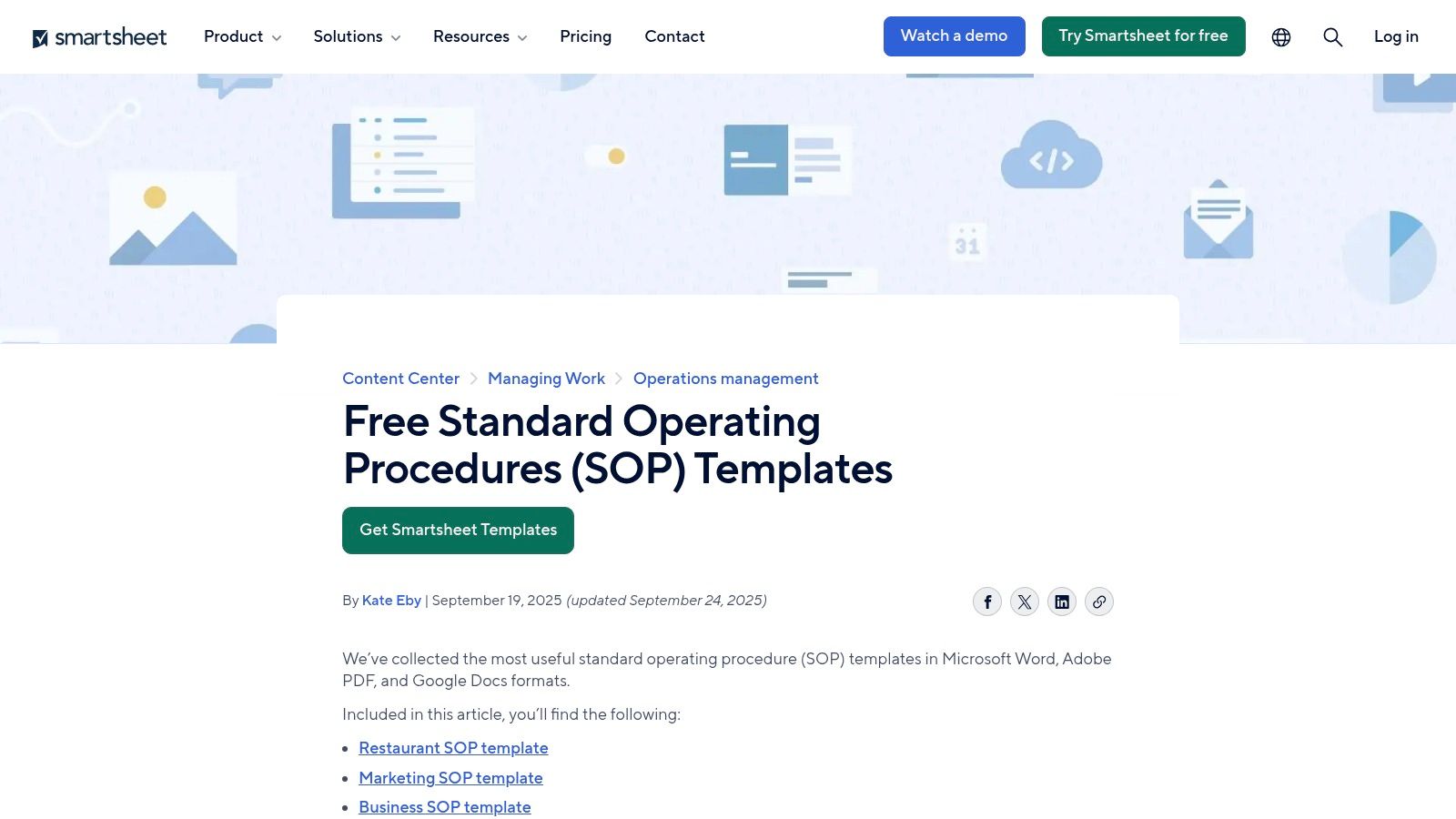
Smartsheet has established itself as a go-to resource for operations managers and HR professionals by offering a comprehensive library of free SOP templates. The platform curates an extensive collection of standard operating procedure examples in PDF, Word, and Google Docs formats, all accessible without requiring an account or sign-up. This immediate, unrestricted access is a significant advantage for teams needing to quickly find and adapt a template for their specific operational needs.
The collection is particularly well-organized, categorizing templates by department (IT, HR, Manufacturing) and specific use cases like warehouse management or healthcare compliance. This structure simplifies the search process, allowing users to efficiently locate relevant documents instead of browsing a generic list. Each template is also accompanied by practical guidance and definitions, which is invaluable for teams new to formal process documentation.
Strategic Analysis & Actionable Insights
Smartsheet's strength lies in its breadth and accessibility. While other platforms might offer more visually polished templates, Smartsheet focuses on providing functional, business-ready documents that cover a wide spectrum of operational activities. The availability of multiple download formats (PDF for immediate use, Word/Docs for easy editing) is a key tactical feature that enhances usability.
Key Takeaway: Smartsheet is the ideal starting point for teams that need functional, no-frills SOP templates for common business functions. The combination of departmental organization and embedded guidance makes it a powerful educational tool, not just a template repository.
For those looking to leverage these resources, here are some actionable tips:
- Quick Start: Use the Google Docs link for a specific template to instantly create a collaborative version that your team can edit in real-time.
- Customization: Download the Word version to heavily modify the structure, add your company branding, and integrate custom fields before saving it as your final standard operating procedure examples PDF.
- Version Control: After adapting a template, immediately implement a version control system (e.g.,
v1.0_2024-10-26) in the document's header or footer to track revisions.
Platform Breakdown
| Feature | Details |
|---|---|
| Access & Cost | Completely free. No account or email sign-up required for downloads. |
| Formats | PDF, Microsoft Word (.docx), Google Docs. |
| Selection | Dozens of templates across IT, HR, manufacturing, finance, healthcare, and more. |
| User Experience | Simple, scroll-based navigation. While effective, finding a specific template can require some scrolling through the long-form page. |
| Unique Offering | Each template is paired with contextual explanations and best-practice tips directly on the webpage, helping users understand the why behind the SOP. |
Website: Smartsheet Standard Operating Procedures
3. Template.net
Template.net functions as a massive digital marketplace, offering a vast library of professionally designed templates for nearly every business need, including standard operating procedures. The platform stands out by providing a wide variety of SOPs that are not only functional but also visually polished and ready for immediate use. Users can easily filter the extensive collection by file format, making it simple to find downloadable standard operating procedure examples PDF files alongside editable versions in Word, Pages, and Google Docs.
This wide selection caters to a diverse audience, from startups needing simple, clean SOP outlines to established enterprises looking for department-specific documents for HR, manufacturing, or restaurant operations. While many resources are available for free, Template.net also operates on a freemium model, with a portion of its premium, more elaborate designs reserved for subscribers. This model allows them to offer a continuous stream of new and updated templates.
Strategic Analysis & Actionable Insights
Template.net's core strength is its design-forward approach and sheer volume. Unlike purely functional repositories, it provides templates that are presentation-ready, which is a significant advantage for businesses that value polished internal branding and clear visual communication. The ability to quickly find and download a professional-looking PDF saves considerable time on formatting and design, allowing teams to focus solely on the content of their procedures.
Key Takeaway: Template.net is the best choice for teams that prioritize presentation and need print-ready or digitally distributable SOPs with a professional aesthetic. Its extensive, filterable library makes it a one-stop-shop for finding visually appealing templates for specific industries.
For those wanting to make the most of this platform, consider these tips:
- Filter First: Always use the "Format" filter on the left-hand sidebar to narrow your search to "PDF" or "Google Docs" to quickly find templates that fit your workflow.
- Leverage Freebies: Before considering a subscription, thoroughly explore the free options. Many high-quality, fully functional templates are available without a paid plan.
- Brand Adaptation: Download the Word or Google Docs version of a design you like. This allows you to add your company logo, change the color scheme to match your branding, and then save your customized version as a final PDF.
Platform Breakdown
| Feature | Details |
|---|---|
| Access & Cost | Freemium model. Many templates are free, while premium designs and features require a subscription. |
| Formats | PDF, Microsoft Word (.docx), Google Docs, Apple Pages, and more. |
| Selection | Hundreds of templates covering a vast range of industries including restaurants, IT, construction, and corporate functions. |
| User Experience | Modern, marketplace-style interface with robust filtering and search capabilities. Easy to navigate and find specific assets. |
| Unique Offering | The focus on professionally designed, visually appealing templates that are ready for immediate deployment without extensive formatting. |
Website: Template.net Standard Operating Procedures
4. SafetyCulture (iAuditor) Template Library
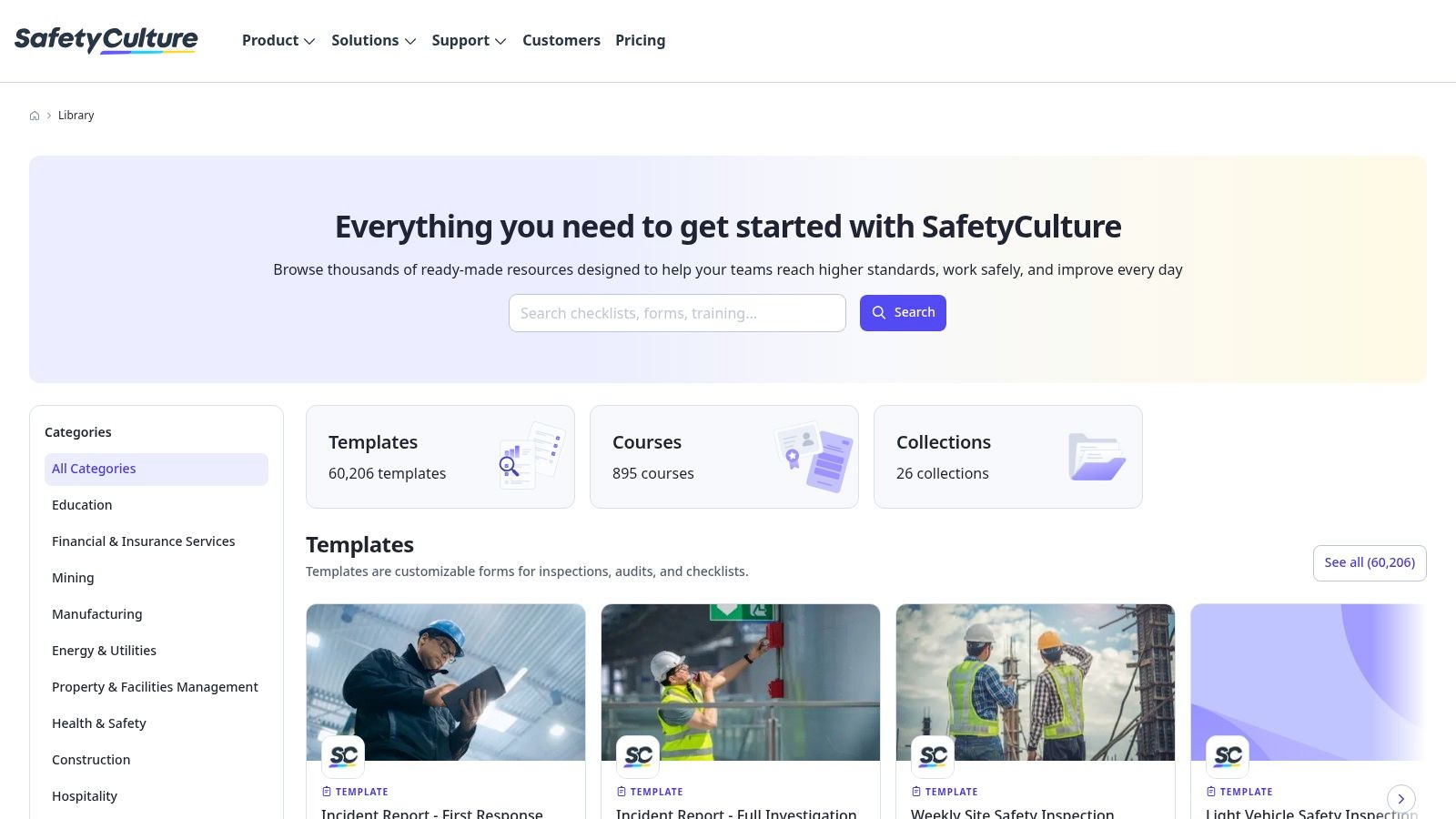
SafetyCulture, primarily known for its iAuditor inspection and checklist app, provides a massive public library of free templates that serve as excellent standard operating procedure examples. The platform's strength is its focus on safety, compliance, and field operations, offering practical, checklist-style SOPs that are easy to follow. Users can browse thousands of community-contributed and expert-vetted templates online and export them as PDFs, often without needing an account for basic access.
This library is particularly valuable for industries where hands-on, step-by-step guidance is critical, such as manufacturing, construction, and hospitality. The templates are structured more like actionable checklists than dense, text-heavy documents, which makes them highly effective for on-the-ground execution. Each template page provides a clear preview of the procedure, allowing users to assess its suitability before downloading.
Strategic Analysis & Actionable Insights
SafetyCulture's core strength is its operational and field-tested focus. The templates are not theoretical; they are practical tools designed for real-world application, often submitted by professionals who have used them. This results in highly relevant and effective checklist-based SOPs that prioritize clarity and action over lengthy prose. The platform bridges the gap between static documentation and interactive, digital execution.
Key Takeaway: SafetyCulture is the best resource for teams needing checklist-style, mobile-friendly SOPs for safety, quality control, and field operations. Its library is a goldmine for anyone looking to create procedures that are easy for frontline workers to use and follow.
Here are some actionable tips for leveraging these resources:
- PDF for Quick Use: Find a relevant template and use the "Preview & Download PDF" option for a fast, shareable document you can use immediately for training or reference.
- Digital Adaptation: For a more advanced approach, sign up for a free SafetyCulture account, import the template, and use the app to conduct digital inspections and track SOP completion.
- Hybrid Model: Download the standard operating procedure examples PDF to establish a baseline. Then, use its structure to build a more detailed, branded document in Word or Google Docs, combining SafetyCulture's practical steps with your own company-specific context.
Platform Breakdown
| Feature | Details |
|---|---|
| Access & Cost | Free public library. PDF downloads are available, though the full experience is designed around using their app with a free or paid account. |
| Formats | PDF, or can be used digitally within the SafetyCulture (iAuditor) app. |
| Selection | Thousands of templates focusing on safety, inspections, quality assurance, and operational checks across nearly every industry. |
| User Experience | Clean, searchable interface. The preview function is excellent for quickly evaluating a template's content and structure. |
| Unique Offering | The community-contributed nature of the library ensures a vast and diverse collection of field-tested procedures that go beyond standard corporate templates. |
Website: SafetyCulture Template Library
5. TechRepublic Premium
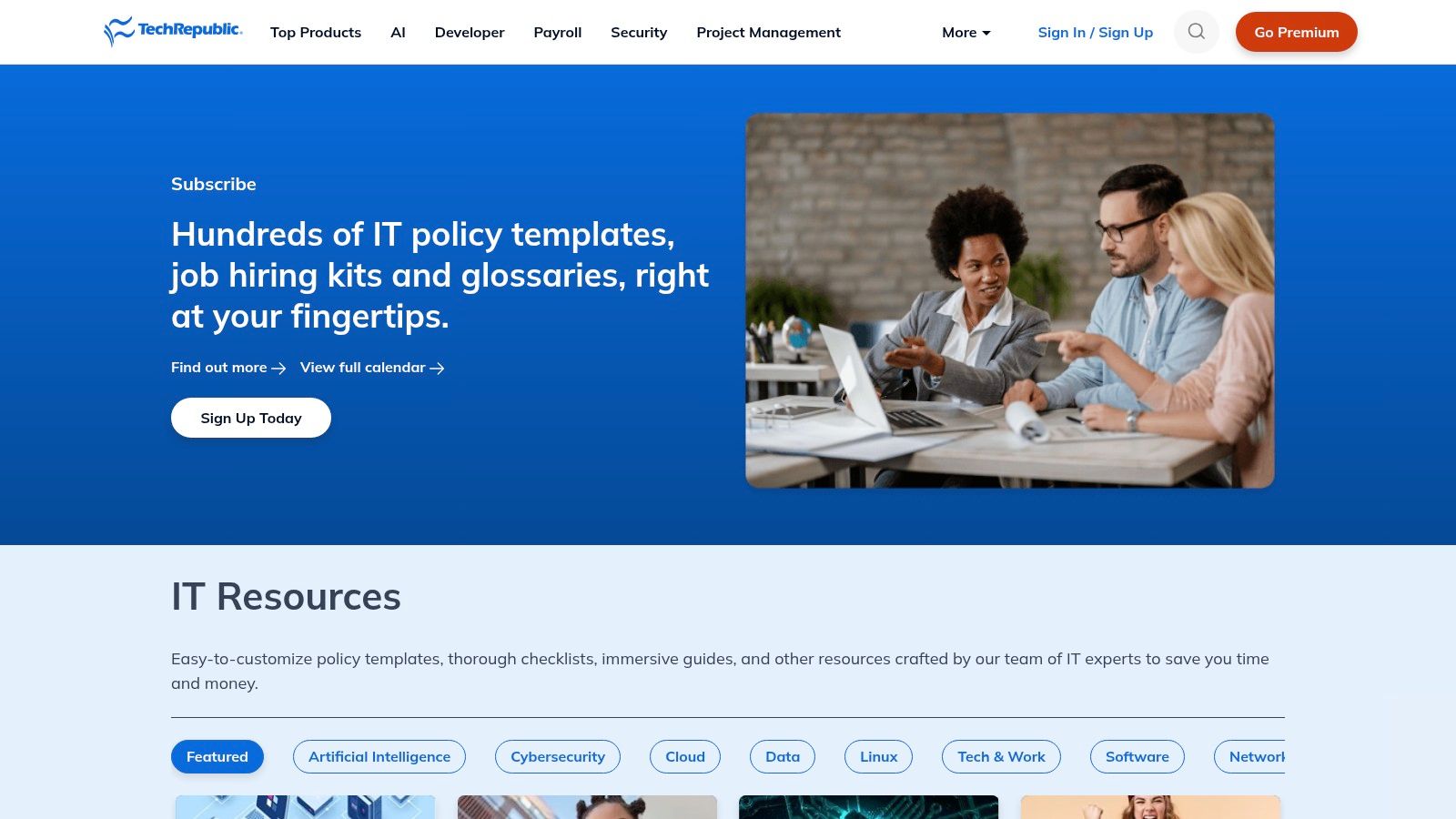
TechRepublic Premium targets a professional audience, particularly in the IT and HR sectors, by offering a paid library of ready-made policies, checklists, and procedures. Unlike free repositories, its resources are editorially curated and designed to meet higher standards of compliance and governance. The platform provides professionally written documents that serve as a strong foundation for creating robust internal controls in regulated or audit-heavy environments.
While not exclusively focused on SOPs, many of its assets, such as IT security procedures or employee onboarding checklists, can be directly adapted into formal standard operating procedures. The primary value is the quality and depth of the content, which saves significant research and drafting time for teams needing to establish formal, enforceable policies. Access to these resources requires a premium subscription or individual purchase.
Strategic Analysis & Actionable Insights
TechRepublic Premium's key differentiator is its professional-grade, compliance-focused content. Where other sites provide basic templates, TechRepublic offers comprehensive documents that are often audit-ready or easily adaptable for specific regulatory frameworks like GDPR or HIPAA. This makes it an invaluable resource for IT managers, compliance officers, and HR leaders who cannot afford ambiguity in their operational documents.
Key Takeaway: TechRepublic Premium is the best choice for organizations that need authoritative, expertly vetted templates for creating policies and procedures, especially within IT and HR. The subscription cost is justified by the reduction in legal and compliance risks.
To get the most value from this platform, consider these actionable steps:
- Policy to SOP Conversion: Download a relevant policy document (e.g., "Data Backup Policy") and use it as the source material to draft a step-by-step SOP for your IT team.
- Compliance Baseline: Use their templates as a baseline to conduct a gap analysis against your current procedures, ensuring all necessary compliance points are covered before finalizing your own standard operating procedure examples PDF.
- Bundle Value: If your organization needs multiple documents, the premium subscription often provides better value than purchasing individual templates, granting access to the entire library.
Platform Breakdown
| Feature | Details |
|---|---|
| Access & Cost | Requires a premium subscription or pay-per-document purchase. |
| Formats | Primarily Microsoft Word (.docx) and PDF. |
| Selection | Strong focus on IT policies (150+ templates), security, HR, and project management. |
| User Experience | Professional, library-style interface. Resources are well-categorized and searchable, making it easy to find specific documents. |
| Unique Offering | The documents are created and vetted by subject-matter experts and editors, providing a level of authority and quality not found in free template collections. |
Website: TechRepublic Premium
6. Etsy (Digital SOP Templates)
Etsy offers a unique marketplace approach for standard operating procedure templates, where independent creators and small business consultants sell their digital designs. This platform is an excellent source for businesses looking for visually appealing, professionally designed SOPs that align with their brand aesthetic. Most sellers offer instant digital downloads, which often include a ready-to-use PDF alongside editable files in formats like Canva, Word, or Google Docs.
The main advantage of using Etsy is the sheer variety of styles and niche-specific templates available. You can find everything from minimalist corporate designs to more creative and colorful layouts suitable for small businesses or startups. The marketplace structure, complete with seller ratings and customer reviews, allows users to vet the quality of the templates before purchasing, ensuring they get a product that meets their needs. This is particularly useful for finding specialized standard operating procedure examples pdf for areas like client onboarding, social media management, or specific retail operations.
Strategic Analysis & Actionable Insights
Etsy's strength lies in its design-centric and niche-specific approach. While corporate repositories offer functional documents, Etsy provides templates that are presentation-ready and often designed with a specific end-user or brand image in mind. This is a significant advantage for small businesses that want their internal documentation to reflect their company culture and branding without hiring a graphic designer.
Key Takeaway: Etsy is the best option for teams that prioritize visual design and branding in their documentation. It's a low-cost way to acquire polished, ready-to-use SOP templates that go beyond basic functionality and enhance the user experience.
For those looking to leverage these resources, here are some actionable tips:
- Verify Formats: Before purchasing, carefully read the item description to confirm that a PDF is included alongside the editable file (e.g., Canva or Word).
- Leverage Reviews: Pay close attention to customer reviews and photos to gauge the quality, ease of editing, and accuracy of the template description.
- Create a Brand Kit: Choose a seller or a template style that aligns with your brand, and use it consistently for all your process documents to create a cohesive internal library of standard operating procedure examples PDF.
Platform Breakdown
| Feature | Details |
|---|---|
| Access & Cost | Low-cost, one-time purchases. Prices typically range from $2 to $30. |
| Formats | Varies by seller. Commonly includes PDF, Canva, Microsoft Word (.docx), and Google Docs links. |
| Selection | Thousands of templates from various sellers, covering general business operations and highly specific niches (e.g., photography studios, virtual assistants). |
| User Experience | Standard e-commerce marketplace experience. Easy to search, filter, and compare products. Seller communication is handled through the platform. |
| Unique Offering | Access to professionally designed, brand-aligned templates at a fraction of the cost of custom design work. The review system provides social proof of quality. |
Website: Etsy SOP Templates
7. Shopify Resources – Free SOP Templates
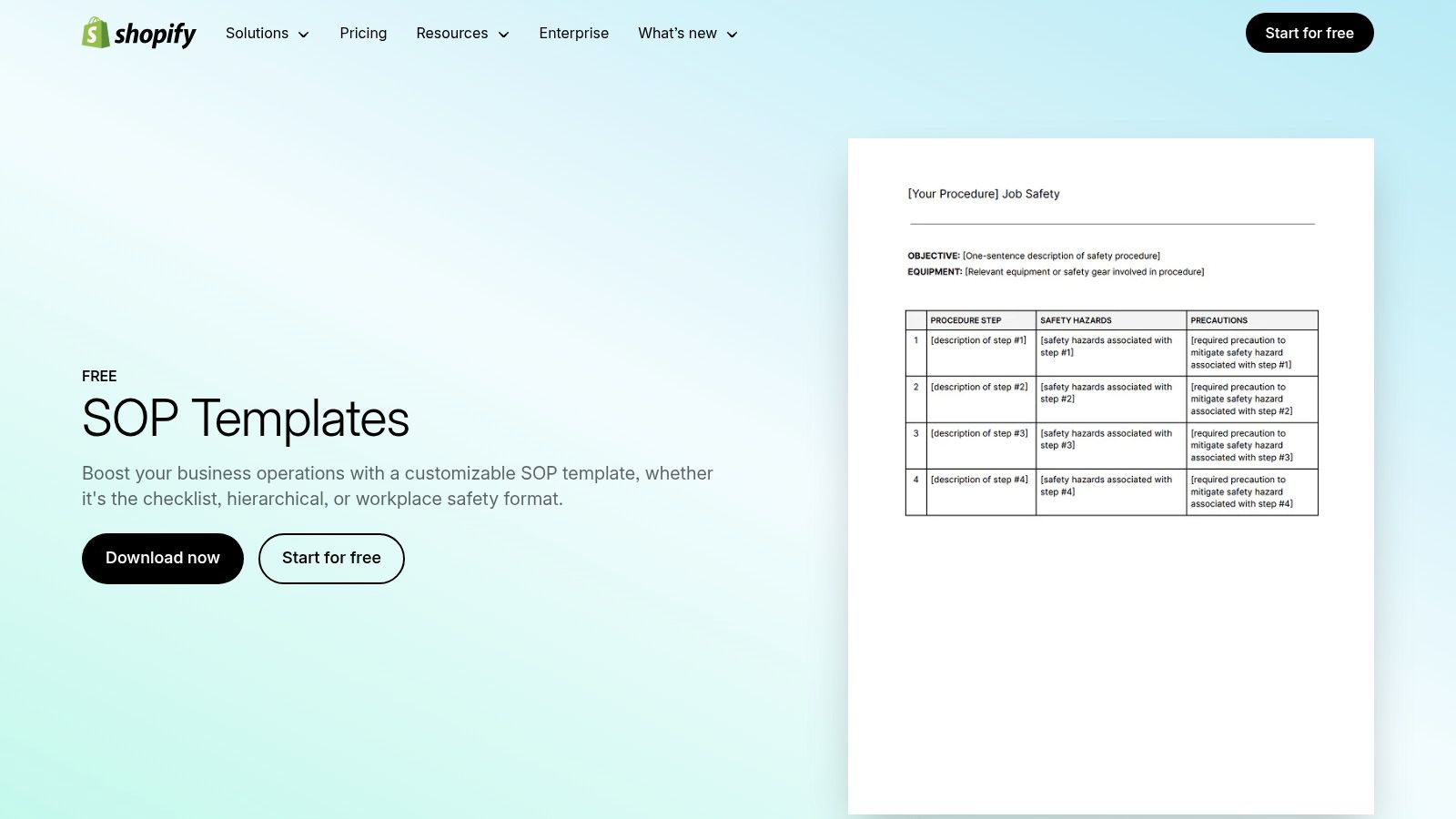
Shopify, a leader in the e-commerce space, extends its support to entrepreneurs through its resource center, which includes a highly practical collection of free SOP templates. Designed for the fast-paced environment of startups and small businesses, Shopify provides foundational templates that cover essential SOP structures like checklists, hierarchical steps, and workplace safety protocols. These resources are available for immediate download without any cost or sign-up, reflecting Shopify's commitment to empowering business owners with accessible tools.
The platform's approach is less about providing an exhaustive library and more about delivering clarity and utility. Each template is presented alongside clear guidance on SOP best practices, explaining when to use a specific format and how to customize it effectively. This educational component is particularly beneficial for founders or managers who are formalizing their operations for the first time and need a straightforward starting point.
Strategic Analysis & Actionable Insights
Shopify's strength lies in its simplicity and focus on core structures. Instead of overwhelming users with dozens of industry-specific documents, it provides the fundamental building blocks (checklist, step-by-step) that can be adapted to almost any business process. This makes it an excellent resource for new businesses that need to establish operational consistency quickly without getting bogged down in complex documentation.
Key Takeaway: Shopify is the perfect resource for startups and SMBs that need to rapidly implement basic, effective SOPs. The focus on format-based templates rather than industry-specific ones makes it a versatile tool for creating foundational processes from scratch.
To make the most of Shopify’s templates, consider these actionable steps:
- Format Selection: Start by identifying the nature of your process. Use the checklist template for simple, task-oriented procedures and the hierarchical template for more complex workflows with multiple phases.
- Safety First: Immediately download and adapt the workplace safety SOP template. This is a critical document for any business with a physical location, especially in retail or warehouse environments.
- Brand Integration: After downloading the Word version, spend a few minutes adding your company logo and adjusting the color scheme to match your brand guide before finalizing it as your official standard operating procedure examples PDF. This small step adds a layer of professionalism and ownership.
Platform Breakdown
| Feature | Details |
|---|---|
| Access & Cost | 100% free. Downloads are instant without the need for an account or email submission. |
| Formats | Microsoft Word (.docx). |
| Selection | A focused collection of templates based on SOP structure: checklist, hierarchical, and workplace safety. |
| User Experience | Clean, minimalist webpage design. The content is presented clearly with helpful explanations, making it easy for users to choose the right template. |
| Unique Offering | The primary focus is on teaching users how to structure an SOP by providing distinct formats, which is a different approach from most repositories that categorize by department. |
Website: Shopify Resources SOP Templates
7-Source SOP PDF Template Comparison
| Product | Implementation Complexity 🔄 | Resource Requirements ⚡ | Expected Outcomes 📊⭐ | Ideal Use Cases 💡 | Key Advantages ⭐ |
|---|---|---|---|---|---|
| Whale | 🔄 Medium — platform setup, change management, optional consultant help | ⚡ Medium — free tier to try; paid plans for scale | 📊 High impact on onboarding, QA, and knowledge access — ⭐⭐⭐⭐⭐ | Regulated industries, company-wide SOPs, faster onboarding | AI-assisted authoring & assistant; version control; training + analytics; certified consultants |
| Smartsheet | 🔄 Low — browse and download templates, minimal setup | ⚡ Low — free access, no account required | 📊 Moderate — quick templates but no native training/analytics — ⭐⭐⭐ | Teams needing broad, department-organized SOP examples | Large free catalog; one-click downloads; practical guidance with templates |
| Template.net | 🔄 Low–Medium — download and adapt editable files | ⚡ Low–Medium — many free items; some paid/licensed assets | 📊 Moderate — polished, print-ready SOPs — ⭐⭐⭐ | Organizations needing varied, printable SOP formats quickly | Wide variety; PDF-ready and editable source files; format filters |
| SafetyCulture (iAuditor) | 🔄 Medium — preview online; app account improves export/version features | ⚡ Low–Medium — free library; app features may require account | 📊 Moderate–High — field-tested templates and digital completion — ⭐⭐⭐⭐ | Field operations, safety inspections, teams needing checklists & digital completion | Practical, field-tested structures; version control and app-based completion |
| TechRepublic Premium | 🔄 Medium — subscription and adaptation to SOPs/policies | ⚡ Medium–High — paid access for curated assets | 📊 High for compliance/audit needs — ⭐⭐⭐⭐ | IT and regulated environments needing policy-level, audit-ready docs | Professional, editorially curated policy/procedure templates suitable for compliance |
| Etsy (Digital SOP Templates) | 🔄 Low — purchase & customize per seller delivery | ⚡ Low — low-cost one-off purchases | 📊 Low–Moderate — polished design, variable content quality — ⭐⭐⭐ | Small businesses seeking branded, presentation-ready SOPs | Low-cost, design variety, immediate digital delivery |
| Shopify Resources | 🔄 Low — download and apply simple templates | ⚡ Low — free and quick to implement | 📊 Moderate — quick adoption for startups/SMBs — ⭐⭐⭐ | Startups and SMBs needing simple SOPs and best-practice guidance | 100% free; clear SOP best-practice guidance; simple, checklist-friendly formats |
From Static PDFs to a Dynamic System: Making Your SOPs Work for You
Throughout this guide, we've explored a diverse collection of standard operating procedure examples pdf files from sources like Whale, Smartsheet, and SafetyCulture. We've dissected templates for manufacturing, analyzed checklists for IT, and provided actionable tips for adapting them to your specific operational needs. The core lesson is clear: a static PDF is only the starting point. The true power of an SOP lies not in its creation, but in its active, daily use.
These examples serve as a powerful launchpad, demonstrating best practices in formatting, clarity, and comprehensiveness. However, relying solely on downloadable documents traps your processes in a digital filing cabinet. They become difficult to update, challenging to track, and nearly impossible to integrate into the flow of daily work. The real objective is to transition from these static blueprints to a dynamic, living system of operational knowledge.
Key Takeaways: From Template to Transformation
Reflecting on the examples provided, several critical themes emerge that should guide your SOP strategy:
- Adaptability is Paramount: No single template fits all. The most effective SOPs are those that are customized. The financial procedure from Template.net needs tailoring to your specific accounting software, just as a warehouse checklist from SafetyCulture must reflect your unique layout and equipment.
- Clarity Over Complexity: The best SOPs, whether a simple HR onboarding checklist or a complex IT security protocol, prioritize simple language, clear visuals, and a logical flow. The goal is immediate comprehension, not academic thoroughness.
- Accessibility Drives Adoption: If your team can't find an SOP in under 30 seconds, it might as well not exist. This is the fundamental limitation of traditional PDF storage and the primary advantage of dedicated platforms that put knowledge directly at your team's fingertips.
- Process, Not Just Paper: An SOP is a tool to execute a process flawlessly. The document itself is secondary to the action it enables. Your focus should be on how the procedure is performed, measured, and improved over time.
Your Actionable Next Steps: Building a Modern SOP Ecosystem
Moving forward, your goal is to build an ecosystem where procedures are easy to find, follow, and refine. Here’s a roadmap to get you started.
- Audit and Prioritize: Begin by reviewing your existing processes. Which ones are most critical to your operations? Which ones cause the most errors or confusion? Use the examples we've shared as a benchmark to identify gaps and prioritize which SOPs to create or update first.
- Select Your Foundation: Choose a foundational tool that matches your organization's maturity and needs. A small team might start effectively with structured templates from Smartsheet or even a well-organized cloud drive. However, a scaling business or a compliance-driven enterprise will quickly see the ROI from a dedicated platform like Whale, which turns static documents into interactive training and knowledge-sharing assets.
- Digitize and Integrate: Start the process of converting your most critical standard operating procedure examples pdf files into your chosen system. This isn't just a copy-paste job. Use this opportunity to update content, add new visuals, and break down lengthy steps into smaller, more digestible actions. To further optimize your operational workflows, exploring various dedicated business productivity apps can provide additional tools and strategies beyond traditional SOP management.
- Train and Empower: Launching a new system requires training. Show your team where to find procedures, how to use them, and importantly, how to provide feedback for improvements. Empower them to be part of the process, fostering a culture of continuous improvement rather than one of rigid, top-down instruction.
Ultimately, the journey from a collection of PDFs to a dynamic operational system is a strategic investment in consistency, quality, and scalability. The templates and examples we've provided are your raw materials. By applying these next steps and embracing a more integrated approach, you can transform them from simple documents into the very engine that drives your business's efficiency and success.