
A strategy for knowledge management is really just a deliberate plan for how your company captures, shares, and uses its collective wisdom to hit its goals. This isn't about neatly organizing files in a shared drive. It’s the operational backbone that turns scattered information into a powerful, accessible asset, making sure critical expertise doesn't walk out the door when an employee does.
Why a Knowledge Management Strategy Is No Longer Optional
Let’s be honest, disorganized knowledge is costing your business more than you realize. Think about the time your team wastes every day just searching for information. Or the costly errors that stem from inconsistent training. This disorganization creates friction, slows down operations, and makes scaling feel nearly impossible.
A formal knowledge management strategy cuts through that chaos. It provides a clear, intentional system for managing your most valuable, intangible asset: your company's collective brainpower. This isn't just an IT project; it's a fundamental business function that directly impacts your bottom line.
Connecting Knowledge to Business Outcomes
When you get it right, a knowledge management plan drives real results. It's the bridge between a structured approach to information and tangible business outcomes that empower your teams.
Here’s where you’ll see the impact:
- Faster Onboarding: New hires get up to speed in record time because training materials and standard operating procedures (SOPs) are centralized and easy to find.
- Streamlined Operations: Consistent processes reduce errors, improve quality, and create a single source of truth for how work actually gets done.
- Stronger Compliance: For those in regulated industries, a clear strategy is non-negotiable. It ensures procedures are documented, up-to-date, and auditable, which helps you avoid significant risks.
- Enhanced Innovation: When you make expertise accessible, you break down silos between departments. This empowers people to build on shared ideas instead of reinventing the wheel.
The whole point of a knowledge management strategy is to turn your institutional knowledge into a competitive advantage. It’s about building an operational backbone that makes your organization more resilient, efficient, and intelligent.
This simple visual breaks down the powerful, three-part process at the heart of any effective knowledge strategy.
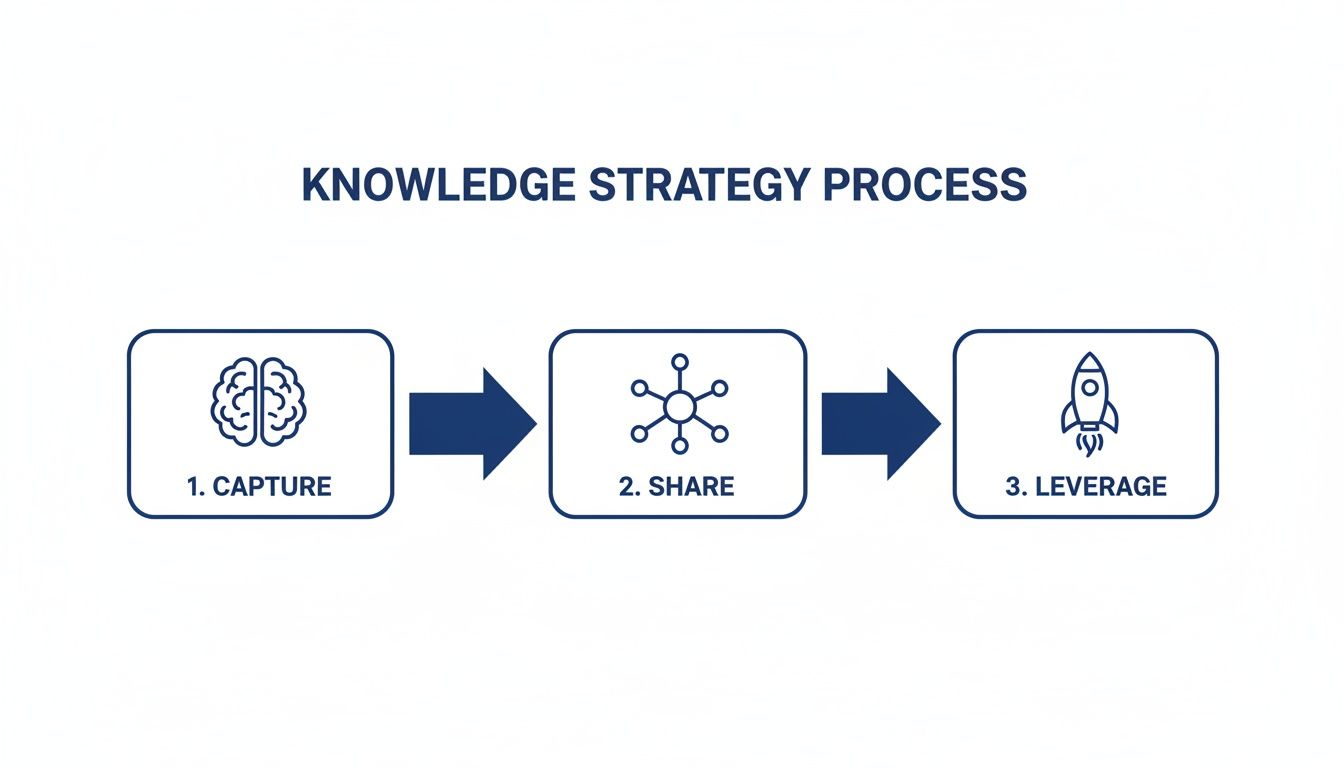
This flow shows how it all works: you have to capture vital information first, then create systems to share it effectively, and finally use that shared knowledge to drive better performance and new ideas.
The Growing Importance of Formal Systems
It's clear that organizations are catching on. The proof is in the massive investments being made in supportive technologies. The global knowledge management software market is on track to hit USD 37.64 billion by 2031, growing at an impressive 18.34% annually.
This isn't just a fleeting trend. Companies are actively moving away from informal, cobbled-together systems and toward structured, scalable solutions. You can dive deeper into the future of knowledge sharing to see how these shifts are shaping modern workplaces. This evolution isn't just about adopting a new tool; it's about building a smarter, more connected organization from the ground up.
Auditing Your Current Knowledge Ecosystem

Before you build anything new, you have to get an honest look at what you’ve already got. A knowledge audit is your diagnostic tool, helping you figure out where critical information lives, who owns it, and—most importantly—where the dangerous gaps are.
This isn’t just about making a list of documents. Think of it more like an X-ray for your company's collective brain. You’ll uncover everything from polished, official SOPs buried on a shared drive to the crucial, unwritten expertise held by your most seasoned employees. The whole point is to move past assumptions and get real data to back up the need for change.
Mapping Your Knowledge Assets
First things first, you need to identify and categorize what you have. This means looking at both explicit knowledge (the easy stuff, like manuals and process guides) and tacit knowledge (the trickier, experience-based wisdom in your employees' heads).
To get started, focus your search on these key areas:
- Formal Documentation: Find all the official process documents, training materials, and compliance guides. Make a note of their format (PDF, Word doc, wiki), where they’re stored, and the last time anyone updated them.
- Informal Resources: This is where you uncover the "shadow IT" of knowledge—the team-specific checklists in a spreadsheet, notes buried in a Slack channel, or flowcharts saved to someone's desktop.
- Human Expertise: Pinpoint your subject matter experts (SMEs). Who does everyone go to with questions about a specific process? This is where your most valuable—and most vulnerable—tacit knowledge is hiding.
Identifying Critical Gaps And Risks
Once your assets are mapped out, you can start hunting for the gaps. These gaps often represent huge business risks that a proper strategy for knowledge management is designed to fix. Your audit should be a systematic search for these weak points.
Picture a manufacturing firm where the only person who knows how to calibrate a vital piece of machinery is two years from retirement. That’s a classic "single point of failure," and it's a massive knowledge gap. Outdated safety procedures or inconsistent quality control checklists are other common examples that can lead to expensive errors or compliance fines.
A thorough knowledge audit isn't about pointing fingers. It's about proactively identifying where a lack of accessible, accurate information is creating friction, risk, or inefficiency in your daily operations.
This process draws a direct line between knowledge gaps and real-world business problems. When you can pinpoint these issues, you build a powerful case for why a new approach is non-negotiable.
To make this systematic, a simple table can be a game-changer. It forces you to move from vague feelings to concrete data points.
Knowledge Audit and Gap Analysis Template
This template helps guide teams in systematically identifying and prioritizing knowledge gaps across departments, ensuring nothing critical is overlooked.
| Department | Critical Process | Current Documentation Status (None, Outdated, Complete) | Knowledge Holder(s) | Business Impact of Gap (Low, Medium, High) | Action Required |
|---|---|---|---|---|---|
| Sales | Quoting enterprise clients | Outdated | Jane Doe | High | Create new quoting SOP |
| Operations | Machine Calibration XJ-5 | None | John Smith (retiring) | High | Document process with video |
| Support | Handling Tier 3 escalations | Complete | Support Team | Low | Review for updates Q3 |
| Marketing | Publishing blog content | Outdated | Marketing Team | Medium | Update SEO checklist |
By filling this out, you create a clear, prioritized roadmap for what needs to be documented first, based on actual business impact.
Engaging Stakeholders to Uncover Pain Points
Your audit is only half-done without talking to the people on the ground. You have to interview stakeholders across different departments to truly understand how knowledge—or the lack of it—affects their day-to-day. Don't just talk to managers; get in the trenches with your frontline employees.
When you sit down with them, ask open-ended questions that get to the heart of the matter:
- "What's one piece of information you waste time looking for every week?"
- "Tell me about a time when an outdated document caused a real problem."
- "If [key employee] was on vacation, how would you handle [critical task]?"
- "What one process, if it were clearly documented, would make your job way easier?"
The answers you get are gold. You’ll hear firsthand accounts of the sales team’s frustration trying to find the latest pricing sheet or the production team struggling with conflicting work instructions. This is the qualitative data that brings your audit to life, showing you exactly where the pain is and helping you build a system people will actually want to use.
Designing Your Knowledge Governance Framework
Okay, so you’ve finished your audit. You now have a solid map of what knowledge you have, what’s missing, and where the real pain points are. The next step is to build the blueprint for your system—a knowledge governance framework.
Think of governance as the rules of the road for your company's information. It’s what brings order to the chaos and dictates how knowledge is created, reviewed, managed, and eventually retired.
Without this framework, even the most impressive tech stack will eventually lead you right back to the digital mess you're trying to escape. A strong governance plan is what keeps your knowledge base a reliable, single source of truth, especially as you scale.
Defining Roles and Responsibilities
When people hear "governance," they often picture a slow, complex bureaucracy. It doesn't have to be that way. The goal is simply to define clear ownership so accountability is baked in, not to slow people down.
Start by establishing a few essential roles:
- Knowledge Owner: This is the person ultimately accountable for a specific knowledge domain. Think of a department head who owns all the sales process documentation. They’re responsible for making sure the content is accurate and aligned with the company's bigger goals.
- Subject Matter Expert (SME): This is your hands-on expert—the person who actually creates and updates the content. It’s usually a senior team member who knows the process inside and out.
- Reviewer: Someone assigned to periodically check content to ensure it's still accurate, relevant, and easy to understand. This role is crucial for preventing your knowledge base from becoming stale.
On a small team, one person might wear all three hats. In a larger company, these roles will be distinct. The key isn't the number of people, but that everyone knows who is responsible for what. This simple step eliminates confusion and stops valuable content from becoming orphaned.
Building an Intuitive Taxonomy
Your governance framework also needs to define how all this information is organized. A taxonomy is just a fancy word for a logical classification system—it's the digital filing cabinet for your company’s collective brain.
Here’s where a lot of companies go wrong. An overly complicated structure will just confuse everyone, but one that's too simple won't scale with you.
The best taxonomies are built around how your employees actually work. Instead of organizing everything by department (which just creates silos), try organizing by function or task. For instance, a "Customer Onboarding" category could pull in relevant resources from sales, support, and product, putting everything someone needs in one intuitive spot.
Don’t get stuck trying to create the perfect taxonomy from day one. Start with a simple, logical structure based on your audit findings. Your taxonomy should be a living system that can evolve as your company and its processes change.
This user-first approach makes finding information incredibly easy. When someone needs to figure out how to handle a specific task, they know exactly where to look, no matter which department technically "owns" the original document.
A Real-World Governance Scenario
Let's see how this plays out in the real world. Imagine a manufacturing firm trying to centralize its safety SOPs. Before they got organized, each production line had its own slightly different version of procedures, all saved on local computers. The compliance risk was massive.
Here’s how they built their governance framework:
- Roles Assigned: The Head of Operations was named the Knowledge Owner for all safety docs. The most experienced line supervisor for each area became the SME, responsible for drafting and updating their specific SOPs. Finally, the company's Compliance Officer was assigned the Reviewer role, with a mandatory review cycle every 12 months.
- Taxonomy Created: They built a dead-simple folder structure in their new knowledge base:
Safety SOPs > Production Line > Machine Type. This made it foolproof for any operator to find the exact procedure they needed in seconds. - Processes Embedded: They set clear ground rules. No SOP could be published without the SME’s sign-off and the Reviewer’s approval. They also turned on version control, ensuring only the most current, approved version was accessible on the floor, while older versions were automatically archived for audit purposes.
This straightforward governance model completely changed their approach to safety. It wiped out confusion, created consistency across the plant, and gave them a fully auditable trail for regulators. It’s a perfect example of how a simple but solid framework is the backbone of any reliable, future-proof knowledge system.
Choosing and Integrating the Right Technology
Your technology is the engine that drives your knowledge management strategy. If your governance framework provides the rules of the road, the right platform is the vehicle that actually gets you where you need to go. Selecting a tool isn't just about ticking off features on a checklist; it’s about finding a solution that fits seamlessly into your team's daily rhythm.
Let the needs you uncovered during your audit be your North Star here. It’s easy to get distracted by flashy demos. Instead, stay focused on how a potential tool solves the specific pain points you already identified—whether that's cutting down search time, simplifying content creation, or integrating with the software your team already lives in.
Core Criteria for Evaluating Knowledge Tools
When you start comparing platforms, a few non-negotiable criteria should guide your decision. A tool can have a hundred features, but if it fails on these fundamentals, it will struggle to gain any real traction with your team.
Make these three areas your priority:
- Intuitive User Experience (UX): The platform absolutely must be easy to use. If creating or finding a document feels like a chore, your team will just revert to their old habits. The goal is to make knowledge sharing feel like a genuine help, not another hurdle in their busy day.
- Seamless Integrations: Your knowledge base can't be an island. It needs to connect directly with the tools your team already relies on, like Slack, Microsoft Teams, or project management software. This makes sure information is accessible right where the work is happening.
- AI-Powered Assistance: Modern tools use AI to dramatically speed up content creation and improve search. This is a game-changer for busy operations teams who don’t have hours to spend writing SOPs. AI can turn a chaotic process doc into a clean, step-by-step guide in minutes.
A classic mistake is picking a platform based on an exhaustive feature list rather than on how well it solves your top 2-3 most critical problems. Simplicity and adoption will always beat complexity and a steep learning curve.
This is a key part of an effective strategy for knowledge management—the tech should remove friction, not add it. Check out our detailed breakdown of the best knowledge base software to see how different platforms stack up against these criteria.
From Theory to Practice: A Real-World Example
Let's imagine a fast-growing company struggling with inconsistent processes. Their audit revealed that SOPs were scattered across countless Google Docs and local drives, which was causing constant confusion and errors. They needed a tool that could centralize everything while making it fast and easy for process owners to document their workflows.
A platform like Whale is designed for this exact scenario. Its AI-assisted editor helps operations managers create clear, structured SOPs from rough notes or existing documents in a fraction of the time.
Here’s a look at how a modern knowledge platform's interface is designed to make SOP creation straightforward for any user.

This kind of clean, organized dashboard allows users to quickly get to playbooks, cards, and libraries, making it easy to both manage and find crucial information.
Planning a Phased Rollout for Maximum Adoption
Once you've chosen your tool, resist the urge to launch it to the entire company at once. A "big bang" rollout can overwhelm both your team and your support resources. Instead, plan a phased implementation to build momentum and work out any kinks along the way.
Here’s a simple playbook for a smoother transition:
- Start with a Pilot Group: Select one or two tech-savvy teams whose pain points align perfectly with the tool's core strengths. Their success will become a powerful case study for the rest of the company.
- Focus on High-Impact Content: Work with your pilot group to migrate or create the top 10-15 most critical pieces of knowledge they need. Getting quick wins by solving their biggest problems builds immediate buy-in.
- Gather Feedback and Iterate: Use the pilot phase to get honest feedback. What do they love? What’s confusing? Adjust your training materials and approach based on their real-world experience before expanding.
- Expand Department by Department: Once your pilot is a success, use those internal champions to help roll the platform out to other departments. This kind of peer-to-peer endorsement is far more effective than any top-down mandate.
This methodical approach minimizes disruption and helps ensure your new technology becomes an embedded, indispensable part of your company's operational fabric.
Driving Adoption with a People-First Approach
You can pour resources into the slickest technology and design a flawless governance framework, but none of it matters if your team doesn't actually use it. This is the classic pitfall where so many initiatives stumble—they're treated like tech projects when they are, at their core, people projects.
Getting your team on board isn't about sending a mass email and crossing your fingers. It’s about smart, empathetic change management that puts your employees' real-world needs front and center. The goal is to make the new system feel like an indispensable tool, not another bureaucratic hoop to jump through.
Nail the "Why" Before You Get to the "How"
Before a single training session, your most important job is to be a storyteller. You have to sell the "why" behind this shift in a way that resonates with everyone. Let’s be honest, people are naturally wary of change, especially when it feels like a mandate from on high.
So, skip the feature list and talk about the benefits from their point of view.
- For the warehouse team: "This means you can pull up the latest safety SOP on a tablet right at your station. No more trekking to the office or wondering if you have the old version."
- For the finance department: "This gives you one source of truth for all compliance guides, with automatic reminders for review cycles. Imagine how much faster audit prep will be."
- For new hires: "You'll have a single place to get answers to all your questions, helping you feel confident and up to speed from your very first day."
When people see how this makes their job easier or safer, you'll see them shift from resistant to genuinely interested.
Find and Empower Your Internal Champions
You can't lead this charge alone. Real, lasting momentum is built from the ground up, and that begins with identifying your internal champions. These are the respected, go-to people on different teams who just "get it" early on.
These folks become your advocates on the ground. They can:
- Offer peer-to-peer training that feels way more approachable than a formal class.
- Share real examples of how they're using the tool to save time.
- Act as a trusted channel for honest feedback from the front lines.
Give these champions early access, extra training, and a public shout-out for their help. Their authentic enthusiasm will do more to drive adoption than any corporate memo ever could.
Let's be real: adoption is hard. Even with a great system in place, getting people to consistently use it is a massive hurdle. The best strategies accept this reality and focus on building new habits through great communication, tangible value, and tons of support.
The data backs this up. Recent IDC research shows that in large companies with knowledge management tools, only 45% of employees are active users. While that number is expected to climb to 55%, it proves that just having the tool isn't enough. It's a slow burn that requires a sustained, people-focused effort.
Make Onboarding Practical and Engaging
A one-size-fits-all training program is a recipe for failure. The needs of a finance professional at their desk are worlds apart from a warehouse employee who is constantly on the move. Your onboarding has to reflect that.
Build a mix of training resources that people will actually use:
- Quick-Start Guides: Simple, one-page cheat sheets with the top three things a user needs to know to get started.
- Short Video Tutorials: Two-to-three-minute videos that show how to do one specific thing, like finding an SOP or updating a process.
- Hands-On Workshops: Interactive sessions where teams can bring their real-world problems and learn how to solve them using the new system.
The secret is to embed the tool into their daily work. Show them how to use it to solve a problem they're facing right now. That first "aha!" moment is what makes the value click and helps the new habit stick.
Measuring Success and Fostering Continuous Improvement

Here’s a hard truth: a knowledge management strategy isn’t a "set it and forget it" project. It’s a living, breathing part of your operations. If you want it to deliver real value, it requires ongoing care and attention.
Once you’ve launched, your focus needs to shift from implementation to continuous improvement. It's time to move past vanity metrics like the number of articles created and zero in on what actually matters—tangible business impact. The right metrics tell a story about efficiency, risk reduction, and operational excellence.
Tracking KPIs That Matter
How do you measure true success? By tying your data back to the original pain points you identified in your audit. This creates a powerful before-and-after picture that leadership can understand and get behind.
Concentrate on tracking meaningful improvements in areas like:
- Reduced Onboarding Time: How long does it take for new hires to become fully productive? A 25% reduction in ramp-up time is a massive win and a clear sign your knowledge base is working.
- Fewer Support Tickets: Keep an eye on the volume of internal, process-related questions. When "how-to" tickets drop, it means employees are successfully finding answers on their own.
- Improved Audit Scores: For those in regulated industries, tracking first-pass audit success rates is crucial. Better scores provide direct proof of stronger compliance and process control.
This data-driven approach turns your knowledge management initiative from a perceived cost center into a strategic asset. It's a global trend, with the Asia-Pacific region now the fastest-growing knowledge management market, holding 25% of the global market share. This growth is driven by companies realizing they need cloud-based platforms to achieve these kinds of measurable results. You can read more in this global market report on knowledge management.
An effective knowledge management strategy is never static. It must evolve with your business, responding to new challenges and opportunities. A commitment to continuous improvement is what separates a short-term project from a long-term competitive advantage.
Establishing a Continuous Improvement Cycle
With your core metrics in place, the final step is to build a repeatable cycle for keeping your knowledge base accurate, relevant, and valuable. Without a proactive rhythm, your system will slowly degrade into another outdated, untrusted information silo.
This isn’t about creating more work; it’s about building smart habits. Your improvement cycle should include scheduled activities that keep your knowledge fresh and aligned with what the business actually needs. For a structured approach, you might want to review our continuous improvement plan template for practical guidance.
Your cycle should include a few core components:
- Scheduled Content Reviews: Assign owners and set automated reminders for critical documents to be reviewed annually or quarterly.
- User Feedback Sessions: Actively solicit input from your teams. Don't be afraid to ask what’s working, what’s missing, and what’s just plain confusing.
- Periodic Audits: Re-run a simplified version of your initial knowledge audit every year to identify new gaps and re-prioritize your efforts.
Frequently Asked Questions
Here are a few questions that always seem to come up when teams start building out their knowledge management strategy. Understanding knowledge management in team dynamics can greatly enhance collaboration and efficiency. Teams that effectively share information and insights tend to foster a more innovative environment. By prioritizing knowledge management, organizations can leverage individual expertise and maintain a cohesive approach to problem-solving.
How Do We Get Buy-In From Leadership for This Initiative?
To get your leadership team on board, you have to speak their language. Frame the conversation around business outcomes, not just neat and tidy organization.
Use the data from your initial knowledge audit to build a solid business case that’s laser-focused on ROI. Highlight the hard numbers: reduced training costs, a measurable bump in team efficiency, fewer compliance risks, and the exact number of hours saved per employee.
Present a clear, phased implementation plan with a defined budget. When you can show exactly how a dedicated platform solves specific, expensive problems—like costly process errors or inconsistent quality—the investment becomes a no-brainer. It connects directly to profitability.
What Is the Biggest Mistake to Avoid When Implementing a System?
The most common failure point? Focusing 100% on the technology while completely forgetting about the people who have to use it. A powerful, expensive tool will just gather digital dust if you don't have a solid change management plan.
Success really hinges on communicating the "what's in it for me" to your team, providing excellent training, and weaving the tool into their daily workflows. You also need to empower internal champions to lead the charge.
Without a strategy to build new habits around knowledge sharing, your investment won't deliver its full value. The human element is what turns a tool into a solution that actually moves the needle.
How Often Should We Review and Update Our Knowledge Base?
There’s no one-size-fits-all answer here. The review frequency should match how critical and how volatile the content is.
For instance, your critical compliance and safety procedures might need an annual or even quarterly review, especially if regulations are constantly shifting. High-velocity operational processes could also benefit from quarterly checks to stay sharp.
For more static info like general company policies or best practices, a semi-annual or annual review is usually plenty. The key is to build this schedule directly into your governance model, assign clear owners for every piece of content, and use a system that automates review reminders so nothing ever falls through the cracks.