
A work instruction is your detailed, step-by-step guide that spells out exactly how to perform a specific task. Think of it as the most granular level of documentation you can have, focusing purely on the "how" to get a single job done safely, correctly, and consistently every single time.
Understanding The Role Of Work Instructions
Imagine trying to build a complex piece of IKEA furniture with only a picture of the finished product. You might get close, but the result would probably be wobbly, inefficient, and definitely inconsistent. A work instruction is the detailed, illustrated manual that comes with the picture, ensuring every screw is tightened and every panel is perfectly aligned.
It’s the recipe for action. While a broader procedure might tell you to "Perform monthly maintenance on the conveyor belt," the work instruction gives you the nitty-gritty details: "Step 1: Lock out the power source. Step 2: Use a 14mm wrench to loosen tension bolt B. Step 3: Inspect for wear on…" This incredible level of detail is what makes it so powerful.
Why Precision Matters
This precision isn't just about being controlling; it's about empowering your team and creating stability. In today’s fast-paced world, capturing expert knowledge is more critical than ever. Detailed work instructions act as a bridge, transferring the hard-won experience of a veteran employee to a new hire. This ensures that valuable "tribal knowledge" doesn't just walk out the door when someone retires.
This is a massive deal in industries facing a skills gap. For instance, U.S. manufacturing is staring down a potential shortage of 2.1 million jobs by 2030, a crisis made worse by millions of experienced workers heading into retirement. When you consider that human error contributes to $92 billion in annual downtime losses and replacing skilled workers can cost up to $40,000, the need for effective knowledge transfer becomes crystal clear. Good digital work instructions can slash training time by as much as 50%, tackling these huge operational and financial risks head-on. You can discover more about the financial impact of the skills gap on diracinc.com.
A work instruction transforms abstract company processes into tangible, repeatable actions for front-line employees. It’s the final, crucial link in the chain connecting high-level strategy to consistent, on-the-ground execution.
To help break it down even further, here's a quick reference guide that summarizes the essentials of a work instruction.
Work Instruction Quick Reference Guide
This table breaks down the core purpose, scope, and key benefits of a work instruction for at-a-glance understanding.
| Attribute | Description |
|---|---|
| Primary Purpose | To provide clear, step-by-step guidance on how to perform a single, specific task. |
| Level of Detail | Extremely high and granular. It breaks down a task into individual actions. |
| Audience | Front-line employees, technicians, operators, or anyone responsible for executing the task. |
| Key Benefit | Ensures consistency, reduces errors, improves safety, and accelerates employee training. |
Think of this table as your cheat sheet. When you're trying to figure out if you need a procedure or a work instruction, a quick look here will tell you exactly which tool is right for the job.
SOPs Procedures and Work Instructions Explained
In the world of business operations, you’ll hear terms like Standard Operating Procedure (SOP), procedure, and work instruction thrown around, often interchangeably. But lumping them together is a recipe for confusion and creates documentation that no one can actually follow.
To get your operations running like a well-oiled machine, you have to understand the unique job each document does.
Think of it like a pyramid. At the very top, you have your big-picture company policies—these are the "why" behind what you do. One level down, you'll find procedures or SOPs. These documents tackle the "what," "who," and "when" of a process, giving a solid overview without getting bogged down in every tiny detail.
And at the very bottom, forming the foundation of it all, is the work instruction. This is where the magic happens. It’s the ultra-detailed, step-by-step "how" for getting a single task done right, every single time.
The Pyramid of Process Documentation
Let's make this real. Imagine a finance department has an SOP called "Invoice All Clients Monthly." This document explains that the accounting team is responsible for sending all invoices by the last business day of each month. It covers the what (invoicing), who (accounting), and when (end of the month). Simple enough.
But the work instruction would be something like, "How to Generate an Invoice for Client X in QuickBooks." This guide would be your lifeline, showing you exactly where to click, what to type in each field, and which buttons to press to create and send that specific invoice without a hitch.
This simple hierarchy is the key to clear, actionable process documentation.
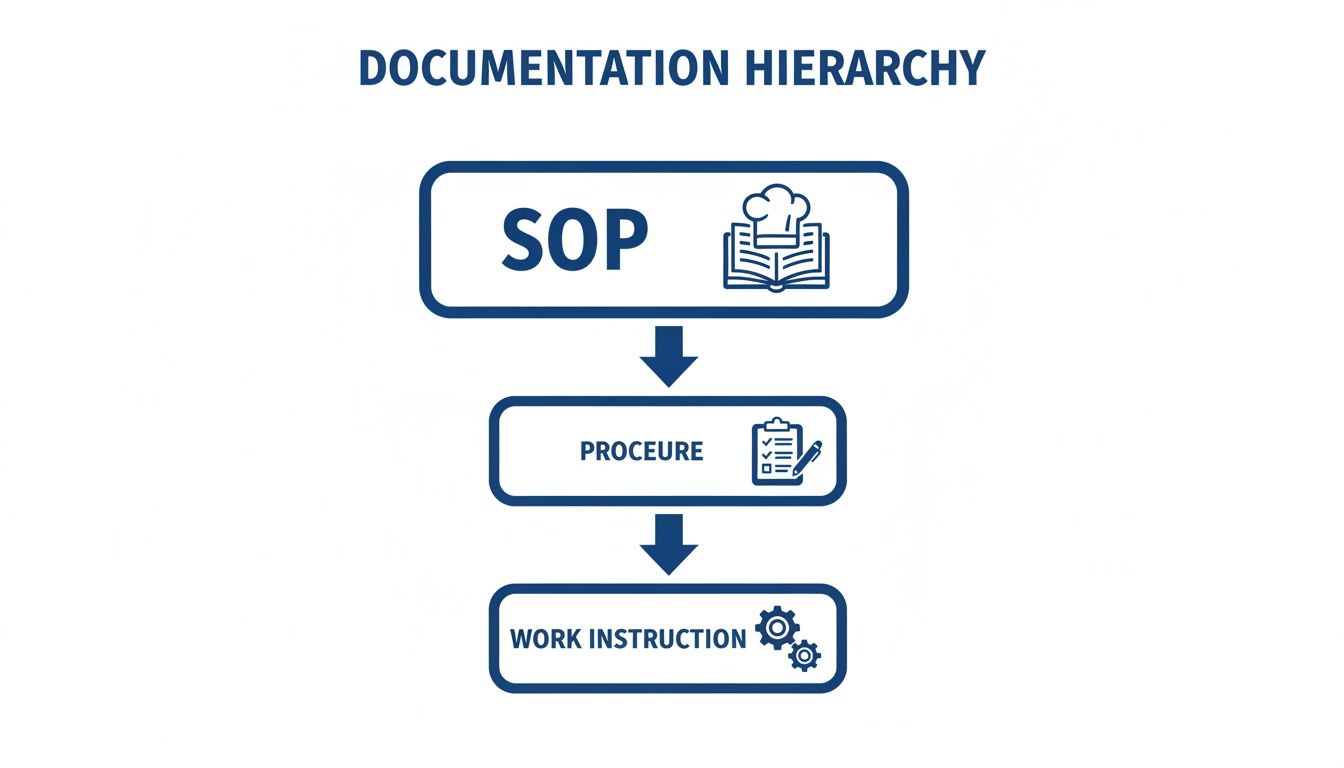
For a deeper dive, check out our guide on SOP vs. work instruction for more examples. This clarity is the first step toward building a system where every employee knows exactly what to do and how to do it.
Building an Effective Work Instruction
Alright, so you know what a work instruction is and how it’s different from an SOP. That’s half the battle. Now, let’s get practical and build one that your team will actually pick up and use. A truly effective work instruction isn't just a list of steps; it's a guide meticulously designed for crystal-clear understanding and immediate action.
The whole point is to eliminate guesswork. Every single component, from a super-specific title to a unique document ID for version control, has a job to do. These foundational bits and pieces make sure everyone is on the same page, working from the exact same playbook.

Key Components for Clarity
To build a guide that actually works, you need a solid structure. Think of these components as the non-negotiable ingredients in your "recipe" for getting a task done right, every single time. Each one is crucial for preventing mix-ups and ensuring you get consistent results.
Your instruction should always have these:
- A Clear Title: Be brutally specific. Don't just say "Machine Maintenance." Instead, write "How to Lubricate the Main Bearing on the CX-5 Press." Anyone should know exactly what they're about to do just by reading the title.
- Purpose Statement: Quickly explain why this task matters. A little context goes a long way for buy-in (e.g., "To prevent equipment failure and ensure operator safety").
- Required Tools and Materials: List everything needed before they start. This simple step prevents someone from getting halfway through a task only to realize they're missing a specific wrench or part. No more frustrating delays.
- Safety Warnings: This is non-negotiable. Put any safety precautions or required personal protective equipment (PPE) front and center, before the steps even begin.
This basic framework perfectly sets the stage for the real meat of the document—the step-by-step actions.
The best work instructions are written with the end-user in mind, using simple language, logical flow, and visual aids to make complex tasks feel straightforward and achievable.
Making Instructions Easy to Follow
The core of any work instruction is the sequence of steps. This is where you need to be direct. Write in the active voice and use simple language. For instance, say "Turn the red knob clockwise" instead of the passive "The red knob should be turned in a clockwise direction." It's clearer and more direct.
Visuals are your absolute best friend here. They cut through ambiguity like nothing else. Study after study shows people process images way faster than they process text. When you're documenting a software task, an annotated screenshot is worth a thousand words. For physical tasks, a simple photo or diagram can explain a complex movement far better than a whole paragraph ever could.
If you want to see how this looks in practice, you can check out different work instructions examples to find a format that clicks for your specific needs.
And finally, test your instructions. Hand them to someone who has never done the task before and watch them work. Their questions, hesitations, and stumbles will show you exactly where you need to add more detail or pop in a clarifying visual. This feedback loop is the secret sauce to creating a guide that’s not just good, but genuinely foolproof.
Best Practices for Managing Your Instructions
Nailing a clear and accurate work instruction is a huge win, but let’s be real—that’s just the starting line. The real magic happens when you treat your documentation like a living, breathing system that keeps everything relevant, accessible, and actually followed.
Think of it like maintaining a high-performance car; you don't just build it and walk away. Without a solid management plan, your static documents become obsolete liabilities. This whole lifecycle, from the expert writing the guide to the new hire using it on the floor, is what turns a simple document into a powerhouse for operational excellence.
Involve Your Team from the Start
Want to make sure a work instruction actually gets used? Simple: involve the people who do the job every single day. Nobody knows the little tricks, shortcuts, and potential tripwires better than your frontline employees.
When you co-create instructions with your team, you're not just getting more accurate content; you're building ownership. It stops being a top-down mandate and becomes a shared tool. That buy-in is everything when it comes to getting people to adopt and improve the process over time.
The gold standard for any process document is simple: the person who does the work should be able to write the instruction, and anyone else should be able to follow it.
Establish Consistent and Clear Frameworks
Consistency is your best friend. When every work instruction follows a standard template, employees don't waste brainpower trying to figure out a new format. They know exactly where to look and can jump straight into the task.
Your framework should cover a few key things:
- Simple Language: Ditch the jargon. Write every instruction as if you're explaining it to a brand-new hire. Clarity beats complexity every time.
- Clear Review Process: Who signs off on new or updated instructions? Define a simple workflow to make sure nothing goes live until it’s been properly vetted.
- Easy Access: Your instructions need to be where the work happens. Whether that’s on a tablet mounted to a machine or integrated into a software tool, they have to be instantly available.
Prioritize Version Control and Regular Updates
This might be the most important part of managing your instructions: get serious about version control. Using an outdated guide can lead to expensive mistakes, product recalls, or even safety incidents. A rock-solid system ensures old versions are archived and only the most current, approved document is in circulation.
This isn't a one-and-done deal. Schedule regular reviews—maybe annually—to make sure instructions are still on point. Better yet, create triggers for immediate updates. New equipment? Software update? Regulatory change? Those are all cues to refresh the documentation and keep it a trustworthy source of truth for your entire operation.
How Whale Transforms Work Instruction Management
Trying to manage work instructions with static documents like Word files or PDFs is like navigating a bustling city with a crumpled paper map. Sure, it might work for a bit, but it quickly gets outdated, becomes a hassle to use, and ends up causing more frustration than it's worth. This is where a dedicated platform like Whale completely changes the game, shifting your team from scattered files to a living, breathing knowledge system.
Whale isn't just another folder on a shared drive; it’s a central hub. It creates a genuine single source of truth for every single one of your processes. This simple shift puts an end to the dangerous guesswork that happens when employees aren't sure if they're looking at the latest version of a document. No more digging through confusing folders—your team gets instant access to the correct, approved work instruction every single time.

From Tribal Knowledge to Centralized Intelligence
One of the toughest hurdles for any business is getting that "tribal knowledge" out of the heads of experienced employees and into a format everyone can use. Whale tackles this problem head-on with powerful, AI-assisted creation tools that make documenting complex tasks surprisingly simple.
Think about it: a senior technician can just record a video of a tricky maintenance procedure. From there, Whale’s AI can help transcribe and structure that video into a clear, step-by-step guide. It’s a fast and effective way to turn expert insights into standardized instructions that help the whole team. You can even see how our video-to-SOP converter makes this a reality.
A single source of truth isn't just a database; it's a strategic asset. It ensures that every team member, from a new hire to a seasoned veteran, operates with the same clear, up-to-date information, drastically reducing errors and boosting consistency.
Streamlining Content Creation and Updates
The best systems for managing work instructions are leaning into new technologies to make documentation more effective. For companies trying to get ahead, understanding the potential of leveraging LLMs in documentation is a big part of that.
Whale simplifies the entire documentation lifecycle by design. It gives you intuitive templates and editing tools that let you build clear, visually engaging instructions without needing a graphic design degree. Key benefits include:
- Robust Version Control: Old versions are automatically archived, so you can be confident that only the current, approved work instruction is visible to your team.
- Seamless Distribution: Instantly push updates to everyone at once. You’ll never have to worry about an outdated guide being used on the factory floor or in the office.
- Integrated Feedback: Team members can suggest improvements right inside an instruction, creating a continuous feedback loop that keeps your processes sharp and relevant.
Turning Documentation into a Growth Engine
By solving the core challenges of creation, access, and maintenance, Whale transforms your documentation from a tedious chore into a powerful tool for growth. It directly tackles major business problems like skills gaps by making expert knowledge available on demand.
When a work instruction is clear, easy to find, and always current, you empower your team to perform their jobs with confidence and precision. This means less time spent on training, fewer costly mistakes, and a culture where everyone has the information they need to do their best work. It’s the next logical step for any company ready to move beyond static files and build a truly dynamic and resilient operation.
Common Questions About Work Instructions
As you start rolling out work instructions, a few questions always seem to pop up. That’s a good thing. Getting these practical details sorted out ensures your team can actually use these documents to their full potential.
Let’s tackle some of the most common queries to make sure you’re set up for success.
How Long Should a Work Instruction Be?
The simple answer? As long as it needs to be, but as short as possible. There’s no magic number here; the task itself dictates the length. A simple password reset might only need three steps, while assembling a complex piece of machinery could fill several pages.
Here’s the golden rule: focus on one specific task per document. If you find a work instruction is getting ridiculously long, it’s a huge red flag. It probably means the task itself is too big and can be broken down into smaller, more manageable sub-tasks, each with its own guide.
Even for longer instructions, using clear headings, bullet points, and plenty of visuals keeps things scannable and stops people from getting overwhelmed.
Are Work Instructions Only for Manufacturing?
Absolutely not. It’s a common misconception because they’re such a cornerstone of manufacturing, but their real value is in bringing consistency to any repeatable task, in any department.
Just think about all the other routine processes in a business:
- Finance: "How to Process a Customer Refund in the CRM."
- HR: "How to Onboard a New Hire and Set Up Their Accounts."
- IT: "How to Install and Configure the Standard Software Suite on a New Laptop."
- Sales: "How to Qualify a Lead and Log it in the System Correctly."
Standardizing these everyday tasks is a game-changer. It slashes errors, speeds up training, and makes it way easier for team members to cover for each other. They’re a core tool for operational excellence, period.
Any process that needs to be done the same way every time is a perfect candidate for a work instruction, regardless of the industry. It's about standardizing excellence, from the factory floor to the finance department.
What Is the Best Format for a Work Instruction?
The best format is whatever makes the steps crystal clear for the person doing the job. A simple numbered list is a great start, but let's be honest—adding visuals almost always makes things easier to understand and harder to mess up.
Different tasks call for different formats:
- Software-Based Tasks: Annotated screenshots are your best friend. They show the user exactly where to click and what to type, leaving zero room for guessing.
- Physical or Mechanical Tasks: A high-quality photo or a short video clip can clear up any confusion way faster than a block of text ever could.
Modern knowledge platforms like Whale let you mix and match, so you can drop images, GIFs, and videos right into the steps. This multi-format approach is how you create instructions that are as close to foolproof as you can get.
How Often Should We Update Work Instructions?
Think of updates in two ways: scheduled check-ins and immediate, event-driven revisions. A scheduled review, maybe once a year, is a good safety net to catch anything that’s become outdated.
But the real key is updating a work instruction the moment a process changes. This isn’t just good practice; it's often critical for safety and quality. These triggers should prompt an immediate update:
- A new piece of equipment or machinery is introduced.
- A major software or system update goes live.
- Safety regulations or compliance standards change.
- An employee points out a step that’s confusing or just plain wrong.
Using a digital platform makes this totally manageable. It gives you seamless version tracking, sends out automated review reminders, and pushes updates to the whole team instantly. No more worrying about someone using an old—and potentially dangerous—guide.