
Improving workplace efficiency isn't just about working harder; it's about working smarter. It means creating a clear, repeatable system for your core operations—defining them, standardizing them, and centralizing everything in a single source of truth.
This is how you move your team from a state of constant, reactive firefighting to proactive, structured work. It's about building a resilient operational backbone for your entire organization.
The Hidden Costs of Unstructured Work
That feeling of constantly putting out fires and barely hitting deadlines? It's not just frustrating. It's a massive, silent drain on your resources, morale, and ability to grow.
When you don't have a clear playbook, every task becomes an improv exercise. Think about a finance team scrambling at month-end. One person is pulling steps from an old email, another is using a personal spreadsheet, and the new hire is just trying to remember what they were told verbally. The result? A chaotic mess filled with errors, missed compliance checks, and a stressful final push. This isn't a people problem; it's a process problem.
The Real Price of Disengagement
This kind of operational friction takes a serious toll on your team. When processes are a mystery, employees check out, and productivity plummets.
Gallup's 2025 State of the Global Workplace Report is eye-opening: only 21% of employees worldwide are truly engaged at work. This widespread disengagement results in a staggering $438 billion loss to the global economy each year. Flip that around, and fully engaged teams could add an estimated $9.6 trillion in productivity.
"Disengaged workers cost their employers $1.9 trillion in lost productivity during 2023. At the heart of productivity is effective leadership, which creates an environment where teams can collaborate, innovate, and excel."
So, how do we fix this? How do you actually do workplace efficiency and break this cycle? It all comes down to a simple, powerful three-step framework: define, standardize, and centralize. You can't fix what you haven't defined.
Symptoms of Inefficiency vs. The SOP Solution
Recognizing the problem is the first step. If your team is struggling with inconsistent workflows, missed deadlines, or onboarding headaches, you're not alone. These are classic symptoms of unstructured work. A centralized SOP platform directly tackles these pain points by providing a single source of truth.
| Common Problem | Impact on Your Team | How Centralized SOPs Solve It |
|---|---|---|
| Inconsistent Work Quality | Different team members produce wildly different results for the same task, leading to errors and rework. | Standardized procedures ensure everyone follows the same best practices, creating consistent, high-quality outcomes. |
| Long Onboarding Times | New hires take weeks or months to get up to speed, draining resources from senior team members. | A centralized knowledge base provides a clear roadmap for new employees, letting them learn independently and contribute faster. |
| "Tribal Knowledge" | Critical process knowledge is stuck in the heads of a few key people. If they leave, the knowledge leaves with them. | Documenting processes captures essential expertise, making it accessible to the entire organization and preventing knowledge loss. |
| Constant Interruptions | Team members constantly ask repetitive questions, disrupting focus and slowing everyone down. | An easily searchable platform empowers employees to find answers themselves, fostering autonomy and reducing interruptions. |
| Difficulty Scaling | As the team grows, processes break down, and chaos ensues because there's no repeatable system. | Well-documented SOPs provide a scalable foundation, making it easy to train new team members and maintain consistency as you grow. |
By moving from chaotic, improvised work to a system of clear, documented processes, you're not just improving efficiency—you're building a more resilient, scalable, and engaged organization.
This visual breaks down the fundamental flow for turning the idea of "workplace efficiency" into a tangible strategy.
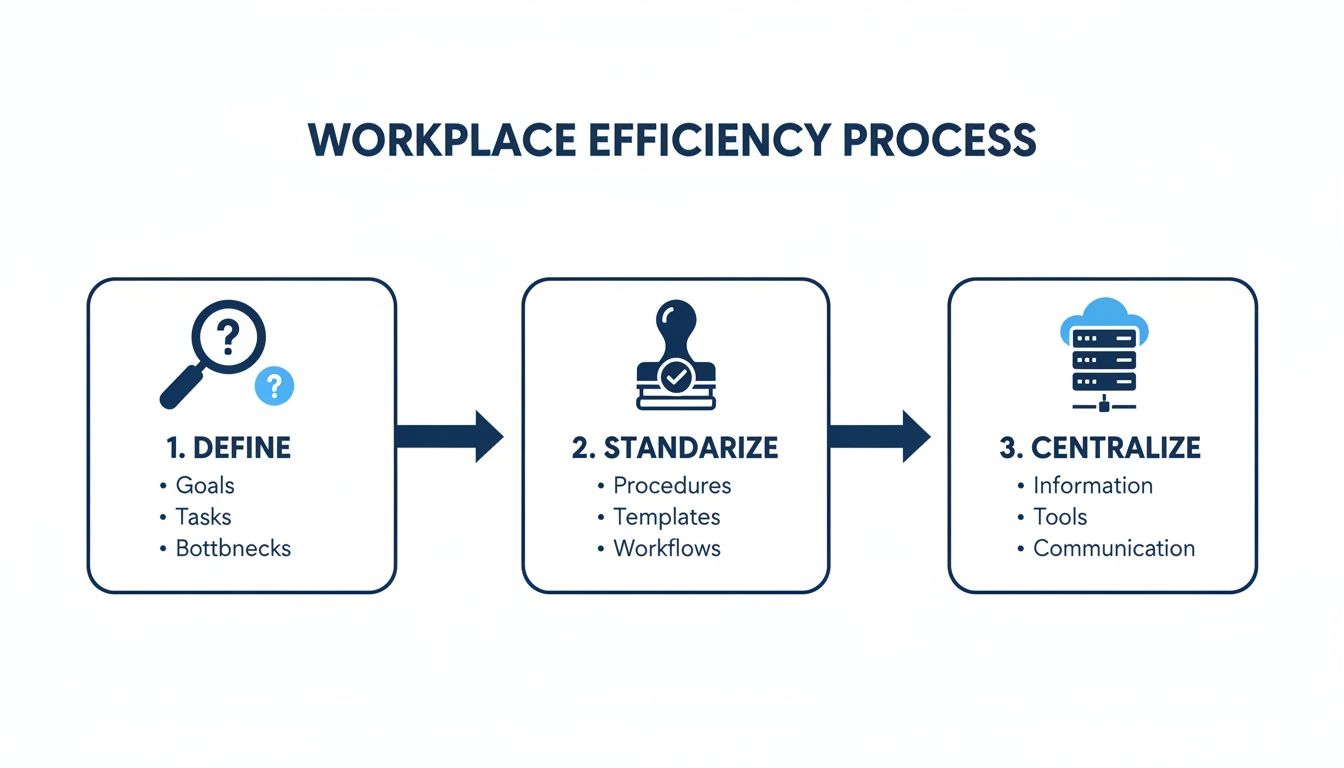
True efficiency is built on a foundation of clarity and consistency, which only happens when knowledge is accessible to everyone. Each step builds on the last, creating a system that not only works but evolves with your business.
By documenting these core functions, you begin solving many of the hidden problems that drain productivity before you even realize they're there.
Bringing Your Hidden Workflows to Light
You can’t improve what you can’t see. It's a simple truth that gets overlooked in the daily chaos of running a business. The first real step toward improving workplace efficiency is to drag your team’s invisible, day-to-day processes out into the open.
This means mapping out your most critical workflows. Everything from how you onboard a new client to the way your warehouse team does weekly inventory checks.
The goal isn't to hold endless, unproductive meetings. It’s about creating a clear, shared understanding of how work actually gets done right now. Without this map, every team member is just navigating from memory, outdated notes, or by constantly interrupting their colleagues—a surefire recipe for inconsistency and wasted time.
Where to Start Your Process Mapping Journey
The thought of documenting everything can be completely overwhelming. The key is to avoid boiling the ocean. Start small and focus on the areas that will give you quick, noticeable wins.
Not sure where to begin? Prioritize your workflows by asking these simple questions:
- Which process causes the most frustration or confusion? This is often the best place to start. Solving a major pain point gets immediate buy-in from the team.
- Where do our costliest mistakes happen? Mapping a process with a high error rate can deliver a huge ROI by cutting down on rework and waste.
- Which workflow is most critical for compliance? For regulated industries, this is non-negotiable. You need to know these processes are documented and followed to the letter.
- What process is essential for scaling our business? Think about your core operations—sales, client onboarding, production—that absolutely have to be repeatable as you grow.
By targeting one of these high-impact areas first, you build momentum and prove the value of process documentation right away. This approach turns a daunting project into a series of achievable victories.
Running an Effective Mapping Session
Once you’ve picked a process, get the people who actually do the work in a room. Their ground-level expertise is invaluable. Forget stuffy conference rooms and make it a collaborative workshop.
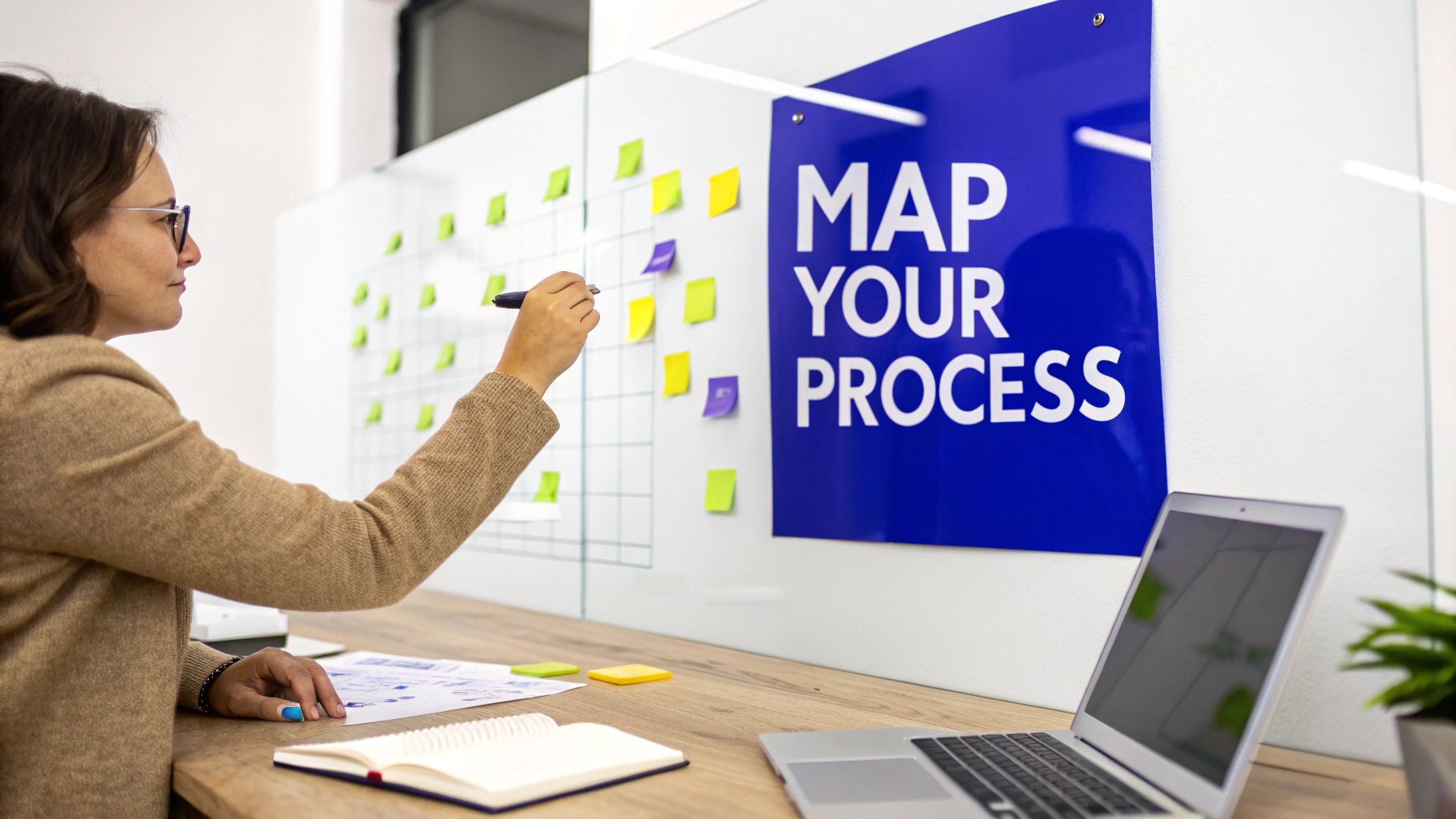
Grab a whiteboard, sticky notes, or fire up a digital collaboration tool. The idea is to visually lay out every single step, decision point, and handover. Encourage an open discussion to uncover all the hidden steps and workarounds people use to get their job done.
Don’t aim for perfection in the first draft. The initial map is about capturing the current state, warts and all. Polishing and optimizing comes later. Your first objective is simply to get everything out of people’s heads and onto the board.
From there, you can easily spot the bottlenecks, redundant steps, and areas of confusion. This visual map often sparks immediate "aha!" moments, revealing obvious opportunities for improvement that were previously buried in the daily grind.
From Messy Notes to a Clear SOP
So, what do you do with a whiteboard full of messy handwriting and a rainbow of sticky notes? This is where modern tools completely change the game. Manually transcribing, formatting, and organizing all that information into a usable Standard Operating Procedure (SOP) used to be a tedious, soul-crushing task.
Today, AI-powered platforms can speed this up dramatically. You can just take a photo of your whiteboard or upload a bunch of scattered documents, and the tech will instantly transform that raw input into a clean, structured, and easy-to-follow SOP. This drastically lowers the barrier to creating great documentation, turning a days-long task into a minutes-long one.
Let’s look at a real-world scenario:
An IT support team is struggling with inconsistent responses to critical system outages. When a server goes down, the reaction depends entirely on which technician is on duty, leading to longer downtimes and seriously frustrated users.
They decide to map their incident response protocol. During the session, they identify key steps that were often being missed:
- Initial Triage: Confirming the scope and impact of the outage.
- Internal Communication: Notifying key stakeholders immediately via a designated channel.
- System Diagnostics: Following a specific checklist to nail down the root cause.
- Escalation Path: Defining clear criteria for when and how to loop in senior engineers.
- Resolution & Post-Mortem: Documenting the fix and analyzing the incident to prevent it from happening again.
By turning these steps into a clear SOP within a centralized platform like Whale, they create a single source of truth. The next time an outage hits, any technician—even a new hire—can pull up the exact playbook. This drastically reduces downtime, lowers stress, and ensures a consistent, professional response every single time. It's a perfect example of how documenting just one workflow can boost efficiency across an entire team.
Standardizing Your Workflows for Flawless Execution
Okay, so you’ve mapped out your critical processes and dragged them into the light. What's next? It's time to standardize. This isn't about creating dusty documents that nobody reads; it's about turning those process maps into the single, accepted way of getting things done. Consistency is the engine of efficiency. It guarantees every task is performed correctly, every single time, by everyone on the team.
Standardization is what turns abstract process maps into repeatable, reliable workflows. It’s the difference between a team where everyone wings it and a team that operates like a finely tuned machine. This is where you’ll start seeing huge jumps in quality, speed, and accuracy.
Overcoming the "Way We've Always Done It" Mindset
Let's be honest—one of the biggest roadblocks you'll face is inertia. That dreaded phrase, "but we've always done it this way," can kill progress before it even starts. The key to getting past this is to build genuine buy-in by showing how the new, standard way is just plain better.
Don't just hand down edicts from on high. Get your team involved in refining the documented processes. When people have a say in creating the standard, they take ownership of it. Frame it as a team effort to make everyone's job easier, not a mandate. This is also a crucial element in unlocking growth through strong business alignment, as it connects individual tasks to bigger company goals.
A standardized workflow isn't a cage for creativity. It's a foundation that frees your team from sweating the 'how' so they can focus on the 'why'. It kills the guesswork and cuts down the mental energy wasted on reinventing the wheel for routine tasks.
The Power of a Single Source of Truth
Standardization is a total illusion if people can't find or trust the official process. If your team members are saving their own "master copies" to their desktops or digging through old email attachments, you haven’t actually standardized anything. You've just created more chaos.
This is exactly why a centralized platform is non-negotiable. It has to be the single source of truth for all your Standard Operating Procedures (SOPs).
- Version Control: No more second-guessing. Everyone always has the latest, approved version of a process right at their fingertips.
- Instant Accessibility: SOPs become searchable and are available on-demand, right where the work is happening. The friction of hunting for information just disappears.
- Clear Ownership: Every process gets a designated owner who's responsible for keeping it fresh. Documentation never goes stale.
Using a tool like Whale ensures that when a process gets an update, that change is pushed out to everyone instantly. This is absolutely critical for maintaining consistency, especially in compliance-heavy fields or on fast-growing teams. For a deeper dive, check out our guide on how to write a standard operating procedure that your team will actually want to use.
Real-World Example: Nailing the Closing Process
Picture a real estate agency struggling with inconsistent client closings. Every agent does it a little differently. One agent forgets a key compliance document, while another uses an outdated checklist. The results? Frustrated clients, delayed closings, and some serious legal risks.
By standardizing this workflow, the agency creates one mandatory closing process, all documented in their central platform.
- A property goes under contract. This is the trigger.
- A closing checklist is automatically assigned to the agent.
- The SOP then walks the agent through every single step—ordering the title search, scheduling the final walkthrough—complete with required fields and document templates.
- Before the file can be closed, the system flags any missed steps or outdated forms.
- The outcome? A flawless, consistent client experience, every single time. Errors plummet, compliance is locked down, and new agents can handle closings like a seasoned pro from day one.
That’s the tangible, real-world impact of standardization. It shifts your team from operational chaos to flawless execution and builds a scalable foundation for growth.
Automating Tasks and Integrating Your Tools
Okay, you've standardized your workflows. That's a huge win. But now it’s time to really kick things into high gear with technology. This is where you move from having well-defined manual processes to an intelligent, automated system.
The point isn't to replace your people. It's to stop them from wasting their talent on the boring, repetitive stuff that eats up the day—think manual data entry, firing off template emails, or pulling the same report every Monday morning. These tasks are prime candidates for automation.
By finding these low-value jobs within your newly standardized workflows, you can hand them over to software. This frees your team up to do what they do best: thinking strategically, solving complex problems, and tackling the high-impact work that actually moves the needle.
Creating a Connected Operational Ecosystem
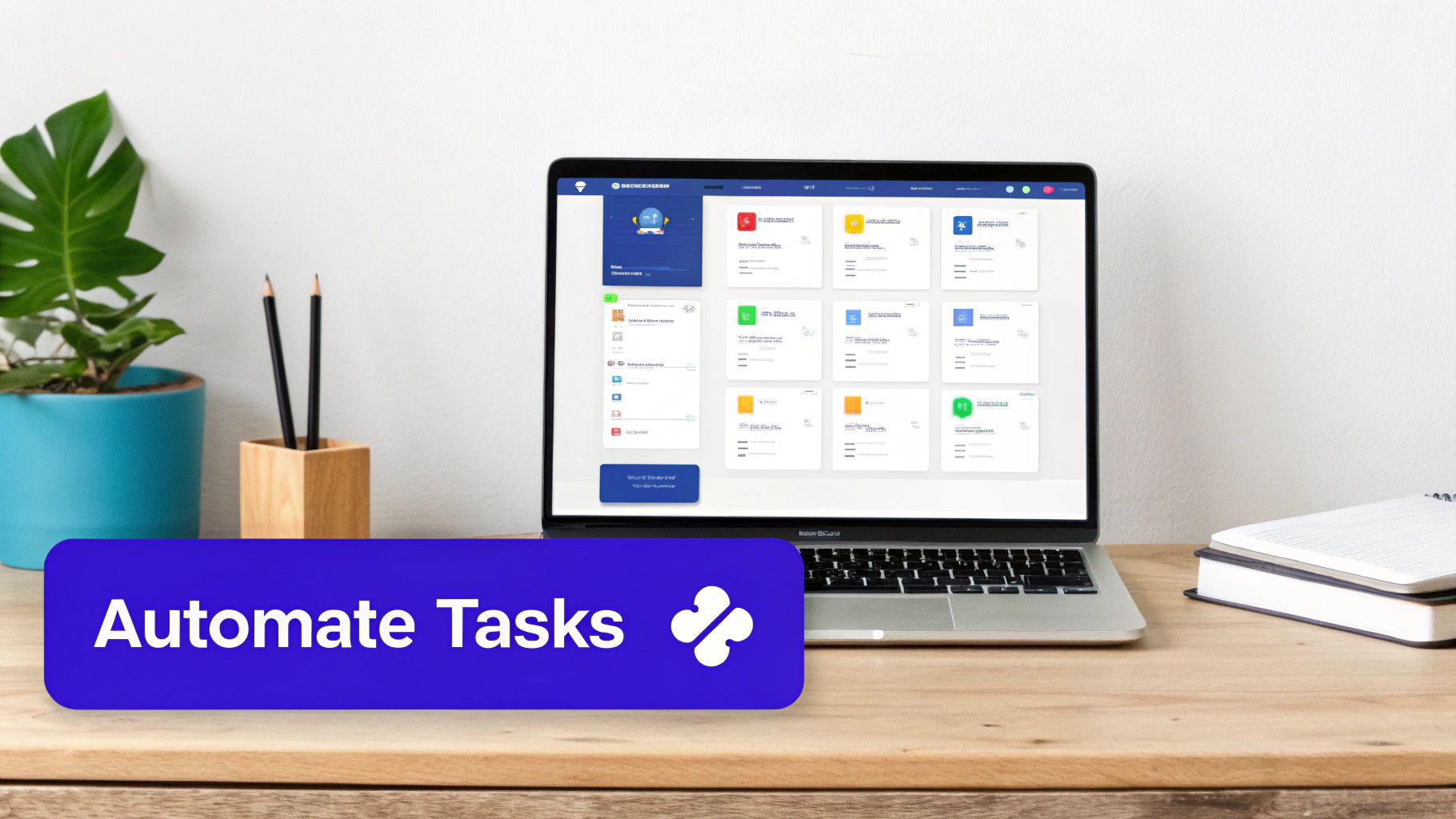
Real efficiency isn't just about one tool; it's about making all your tools work together. Having a central place for your SOPs is great, but when that knowledge base is plugged into the other software your team lives in every day—like Slack, Salesforce, or your project management platform—it’s a different ballgame entirely.
This kind of integration tackles one of the biggest productivity killers out there: context switching. Nobody likes having to jump out of one app, hunt down a procedure in another, and then try to remember where they were.
Imagine a new sales rep trying to piece together a complex quote in Salesforce. With the right integration, the exact SOP for that specific quote type can pop up right there on their screen, inside the Salesforce record. No searching, no guessing. They get instant, contextual guidance without ever breaking their stride. This not only saves a ton of time but also cuts down on mistakes and keeps everyone compliant.
You're essentially building a smart operational ecosystem where information flows where it's needed, when it's needed. For a deeper look, check out our guide on the best workflow automation platforms you can use to make this happen.
The Rise of AI in the Workplace
Artificial intelligence is pouring fuel on this fire. According to Microsoft's latest Work Trend Index, a staggering 75% of knowledge workers are already using AI at work. The results speak for themselves: 90% say it saves them time, 85% find it easier to focus on important tasks, and 84% feel it makes them more creative. This isn't just a fleeting trend; it’s a fundamental shift in how work gets done.
When you automate the administrative grind, you give your team permission to operate at a higher level. They can stop managing tasks and start solving problems, innovating processes, and creating more value for your customers.
Automation in Action: A Logistics Scenario
Let's make this real. Picture a busy logistics team in a warehouse. They have a solid SOP for what to do when inventory runs low, but the manual process is clunky and leaves room for error.
Here's what happens when they connect their SOP platform (like Whale) to their inventory management system:
- The Trigger: The inventory system flags an item that has dropped below its reorder threshold.
- Automated Action: An alert is instantly fired off to the team's Slack channel, tagging the right people.
- In-Context Guidance: That Slack message includes a direct link to the "Low-Stock Reordering" SOP. No one has to guess what to do next.
- The Outcome: The team immediately follows the standardized process to place a new order.
The result? They avoid costly stockouts, keep operations running smoothly, and maintain business continuity—all with almost zero manual effort. This is how you improve workplace efficiency in a way that actually impacts the bottom line. It's about building a connected system that supports your team, removes friction, and lifts everyone's daily output.
Fostering a Culture of Continuous Improvement
Look, even the most perfectly documented and automated systems are doomed to fail if nobody actually uses them. The final, and arguably most critical, step in boosting workplace efficiency is tackling the human side of the equation.
This is all about building a culture where process improvement isn't some one-off project but a core, collaborative part of how you operate. We're moving beyond just creating SOPs and into making them living, breathing elements of your daily workflow. It’s about driving adoption, gathering real-world feedback, and proving that all this effort is genuinely paying off.
Making Training Stick Without the Boredom
Let's be honest: traditional training is often a massive time-sink with minimal results. People get pulled into long, passive sessions, handed dense manuals, and their eyes just glaze over. Retention plummets.
Effective training needs to be engaging, accessible when it's needed most, and directly tied to the work at hand. Instead of yanking people away from their jobs for hours, the smarter move is to deliver training right inside their workflow. This is where modern learning tools completely change the game.
- Bite-Sized Learning: Forget the novel. Break down complex processes into small, digestible steps that your team can pull up on demand.
- Engaging Quizzes: Use AI-powered tools within your SOP platform (like Whale) to generate quick, simple quizzes. This isn't about passing some formal test; it's about reinforcing key knowledge in an interactive way that actually works.
- Trackable Progress: Easily monitor completion rates to see who has reviewed critical updates. This is a lifesaver for ensuring everyone is aligned, especially for compliance-heavy procedures.
This approach transforms training from a dreaded calendar invite into a continuous, genuinely helpful resource that makes your team's jobs easier.
Creating a Powerful Feedback Loop
Want to know where your processes are broken? Ask the people doing the work every single day. Your frontline team sees the bottlenecks, the redundant steps, and the tiny frustrations that a manager, looking from 30,000 feet, is bound to miss.
Fostering a culture of continuous improvement means creating a simple, frictionless way for them to share that invaluable insight. Your SOP library shouldn't be a static set of rules handed down from on high; it should be a dynamic system that evolves with your business.
When employees feel empowered to suggest changes, they take ownership of the processes. They stop seeing SOPs as a rigid constraint and start seeing them as a tool they can help shape and improve.
To make this a reality, your documentation platform needs a built-in feedback mechanism. A simple "Suggest an Edit" button on every single SOP allows an employee to flag an outdated step or propose a better way of doing things in the moment. This simple feature turns your entire team into a proactive force for improving efficiency, guaranteeing your processes never become stale.
Proving the ROI of Your Efforts
If you want to build unstoppable momentum for future improvements, you have to prove that your efforts are working. This means getting out of the realm of "it feels more efficient" and into the world of hard data.
Tracking the right metrics gives you concrete evidence of your success. It helps you build a rock-solid business case for continued investment in process optimization. A good starting point is to track a mix of both performance and engagement metrics to get the full picture.
Key Metrics to Track:
| Metric Category | Specific Examples | What It Tells You |
|---|---|---|
| Speed & Throughput | – Time to complete a specific task – Project delivery timelines – Customer ticket resolution time |
Are your standardized processes making the team faster and more productive? |
| Quality & Accuracy | – Error rates on production lines – Number of customer complaints – Compliance audit failures |
Is the quality and consistency of work improving, reducing costly rework? |
| Onboarding & Training | – Time for new hires to reach full productivity – Quiz scores and SOP completion rates |
Are you onboarding new team members more effectively and at a lower cost? |
| Employee Engagement | – Employee satisfaction surveys – Rates of SOP feedback submissions |
Is the team feeling more empowered and less frustrated by their daily workflows? |
Tracking these numbers does more than just justify your work; it creates a virtuous cycle. When the team sees that their feedback and adherence to new processes are directly leading to fewer errors or faster onboarding times, it reinforces the value of the system and encourages even more engagement.
This is how you transform efficiency from a goal into a core part of your company's DNA.
Your Workplace Efficiency Questions Answered
Even with the best playbook, real-world questions always come up when you start digging into workplace efficiency. We get it. So, we’ve gathered some of the most common hurdles and queries we hear from operations managers and team leads on the ground.
Think of this as the practical advice you need to get unstuck and keep moving forward.
Where Do I Start If Our Processes Are Completely Undocumented?
It's a familiar feeling: staring at a blank slate, knowing all that "tribal knowledge" is just stuck in people's heads. The idea of capturing it all can be completely overwhelming.
Don't try to boil the ocean. The secret is to start small and be strategic. Just pick one single process. Seriously, just one. A great place to start is a workflow that’s a constant source of headaches or one that directly impacts your customers.
Once you’ve picked your target, grab the handful of people who live that process daily. Their hands-on experience is gold. Run a quick workshop, map out their current steps on a whiteboard, and don't get hung up on perfection. Aim for a "good enough" first draft. Modern tools like Whale can even take a photo of that whiteboard and use AI to generate a structured SOP, giving you a massive head start and building that crucial initial momentum.
How Can I Make Sure My Team Actually Follows the New SOPs?
This is the million-dollar question, isn't it? A beautiful library of SOPs is worthless if it just gathers digital dust. Getting your team to actually use the new processes comes down to three things.
First, you have to make your SOPs ridiculously easy to find right where the work happens. If someone has to switch screens, open a new tab, and hunt through a confusing folder structure, they just won't do it. Your goal should be to embed guides directly into the tools they already live in, whether that's your CRM, project management app, or Slack.
The trick is to make the right way the easiest way. When the answer is one click away inside their workflow, adoption stops being a fight.
Second, involve your team from the get-go. When people help build and refine the SOPs, they feel a sense of ownership. They see them as a helpful tool they created, not some restrictive rulebook handed down from on high.
And finally, always position your SOPs as a way to make their jobs easier. Remind them that these guides are there to kill the guesswork, slash errors, and help them do great work with less stress. This changes the whole vibe from top-down enforcement to a supportive, team effort.
What Metrics Should I Be Tracking to Measure Efficiency?
To prove your efforts are paying off, you need to go beyond "it feels like things are smoother" and get into the hard data. Tracking the right KPIs gives you concrete proof that standardizing your operations delivers a real return.
You'll want a mix of quantitative (the numbers) and qualitative (the human feedback) metrics to get the full picture.
Here are a few essential metrics to start with:
- Task Completion Time: How long does it take someone to get a specific, standardized task done? Seeing this number drop over time is a clear win.
- Error Rates: How many mistakes are being made? How much rework is required? A falling error rate is a direct line to higher quality and lower costs.
- New Hire Ramp-Up Time: How long does it take a new person to become fully productive? Great SOPs can cut this time in half.
- Employee Satisfaction Scores: Use quick pulse surveys. Is the team feeling less frustrated? Do they feel their daily work is getting easier?
This data is your best friend for building a business case for more resources. It turns the fuzzy concept of "efficiency" into cold, hard results you can take to leadership.
How Often Should We Be Reviewing and Updating Our SOPs?
Your SOPs have to be living documents, not museum artifacts. The second they become outdated, your team's trust in the entire system starts to evaporate.
The right review schedule really depends on the process itself.
For critical, compliance-heavy workflows—think finance or manufacturing—you should be doing a formal review every quarter, minimum. And of course, these need to be updated immediately if any regulations change.
For most of your other day-to-day internal processes, a solid annual review is usually enough to make sure they still reflect reality.
But the most powerful thing you can do is build a culture of continuous improvement. Make it dead simple for anyone on the team to flag an SOP that needs a second look. A simple "Suggest an Edit" button inside your documentation platform empowers everyone to be your eyes and ears, ensuring your processes evolve right alongside your business.