Employee Onboarding & Training
Best LMS for Small Business 2026: The Most Effective Options


In this article
Last updated: 18 August 2026
Effective employee training is critical to success. For small businesses, the challenge is finding a learning management system (LMS) that is both affordable and capable of driving meaningful outcomes.
According to Grand View Research, the global LMS market was valued at $28.6 billion in 2025 and is projected to reach $34.1 billion in 2026, on its way to $123.8 billion by 2033.
As the market keeps growing, the options have grown more diverse too, with platforms tailored to organizations of very different sizes. Here we compare 5 of the best LMS platforms for small businesses in 2026 on real, current pricing, features and G2 ratings.
Key Takeaways
- The best LMS for a small business isn’t the one with the most features — it’s the one that fits your budget and team size without paying for capability you won’t use.
- Whale, TalentLMS and TalentCards all offer genuinely usable free tiers, not just time-limited trials, so you can test-drive a platform before committing budget.
- Trainual and LearnUpon are both demo/quote-only, so budget time for a sales conversation if either is on your shortlist.
- Mobile access matters more than it used to. If your team includes deskless or remote employees, check mobile and offline support before comparing feature lists.
- Check the billing basis before comparing prices. Several vendors here quote a lower per-month rate for annual commitments — TalentLMS and TalentCards both charge noticeably more month-to-month.
The Case for LMS in Small Businesses
Small businesses make up 99.9% of all businesses in the U.S. Despite their importance, many lack structured training programs due to budget and resource constraints.
Training an existing employee is generally far more cost-effective than hiring and onboarding a new one. LinkedIn’s 2025 Workplace Learning Report found that 88% of organizations now cite employee retention as a top concern, with learning opportunities ranking as the number one strategy companies use to address it.
Here’s why investing in an LMS makes sense:
- Improved productivity: Efficient training reduces time wasted on manual processes.
- Employee engagement: Structured learning pathways increase job satisfaction.
- Scalability: Training systems grow as your team expands.
- Competitive edge: Skilled employees adapt faster to market changes.
Selecting the Right Learning Management System for Small Business
When evaluating an LMS, consider the following:
- Affordability: Solutions must fit small business budgets without compromising quality.
- Ease of use: Intuitive interfaces reduce onboarding time for both administrators and learners.
- Scalability: The LMS should grow with your business.
- Automation: Time-saving features like automated training paths and progress tracking.
- Mobile access: Essential for deskless or remote workers.
Top LMS Platforms for Small Businesses
Here’s a comparison of five learning management systems suitable for small businesses. Prices were verified against each vendor’s own pricing page in August 2026.
| LMS tool | Starting price | Key features | Best for | G2 rating |
|---|---|---|---|---|
| Whale | Free Forever ($0, 10 members included), Scale $299/month billed annually, Advance $599/month billed annually, Enterprise on request | AI-powered documentation, screen and step recorder, training flows, quizzes, knowledge base, mobile app, custom branding, integrations with Slack and Zapier | Small teams automating and scaling employee onboarding and training alongside their documentation | 4.8 out of 5 |
| TalentLMS | Free (up to 5 users, 10 courses); Core $119/month billed annually ($149 monthly) for 1–40 users; Grow $229 annually ($299 monthly) for 1–70; Pro $449 annually ($579 monthly) for 1–100; Enterprise custom from 1,000 users | Blended learning, course authoring, assessments, gamification, custom reports, mobile access, integrations with videoconferencing and HR systems | Small to midsize businesses needing a customizable, user-friendly LMS for employee, customer or partner training | 4.6 out of 5 |
| LearnUpon | No published pricing — custom quote, demo required | Course creation and management, reporting, eCommerce, user management, customizable dashboards, HRIS and CRM integrations | Organizations making learning central to their growth strategy, with a focus on scalability | 4.5 out of 5 |
| TalentCards | Free ($0, up to 5 users); Standard $0.80 per user/month billed annually ($1.00 monthly); Premium $1.20 per user/month billed annually ($1.50 monthly). Paid plans are sold in 50-user increments starting at 50 users, so the practical floor is $40/month on Standard and $60/month on Premium. Enterprise custom above 2,000 users | Mobile-first microlearning, bite-sized content, gamification, assessments, offline access, multimedia support | Training deskless or mobile employees in short, engaging bursts | 4.8 out of 5 (from a small base of around 26 reviews) |
| Trainual | No published self-serve pricing on any of its four tiers (Core, Pro, Premium, Enterprise) — demo required. A one-time $1,000 implementation fee is published separately | Process documentation, role and responsibility tracking, onboarding workflows | Small businesses wanting one tool for documenting processes and onboarding against them | 4.7 out of 5 |
Pricing and features change. G2 ratings reflect scores at the time of writing — check each vendor’s own pricing and G2 pages before making a decision. Where a plan is quoted “billed annually,” the monthly-billed rate is higher, so confirm which cycle a quote refers to.
1. Whale LMS — Best for Automated Training
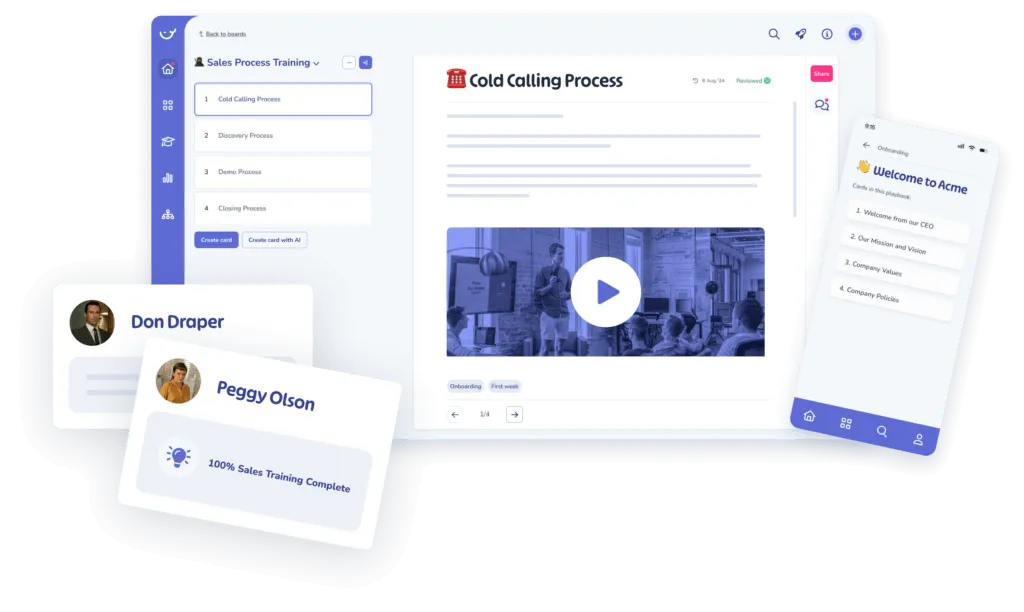
Best For: Dynamic and automated training solutions tailored for SMBs.
Whale combines AI-powered documentation with training tools built for small, growing teams. Beyond course delivery it centralizes SOPs, knowledge and training in one searchable place, so new hires aren’t juggling five different tools to get up to speed.
Whale excels at creating personalized learning experiences. Powered by AI, it automates training flows and generates role-specific quizzes to reinforce knowledge retention.
Automate role-based training with Whale
Design custom training journeys for each team and role, and let automation handle the delivery. You also won’t have to wait for employees to finish one subject before moving them onto the next — everything flows seamlessly.
Key Features:
- Automated Training Flows: Streamline onboarding with triggers and delays.
- AI-Generated Quizzes: Reinforce learning with tailored assessments.
- Certifications and Badges: Motivate employees with visible achievements.
- Mobile and QR Code Access: Seamless learning for remote and deskless teams.
- Integrations: Native connections plus over 2,000 apps through Zapier.
Whale pricing
- Free Forever: $0, 10 members included.
- Scale: $299/month billed annually. 3 creators included. Everyone else joins as a member, with no per-seat fee.
- Advance: $599/month billed annually. 5 creators included. Everyone else joins as a member, with no per-seat fee.
- Enterprise: Yearly pricing on request.
G2 rating: 4.8 out of 5.
Starting price: Free Forever ($0, 10 members included).
2. TalentLMS
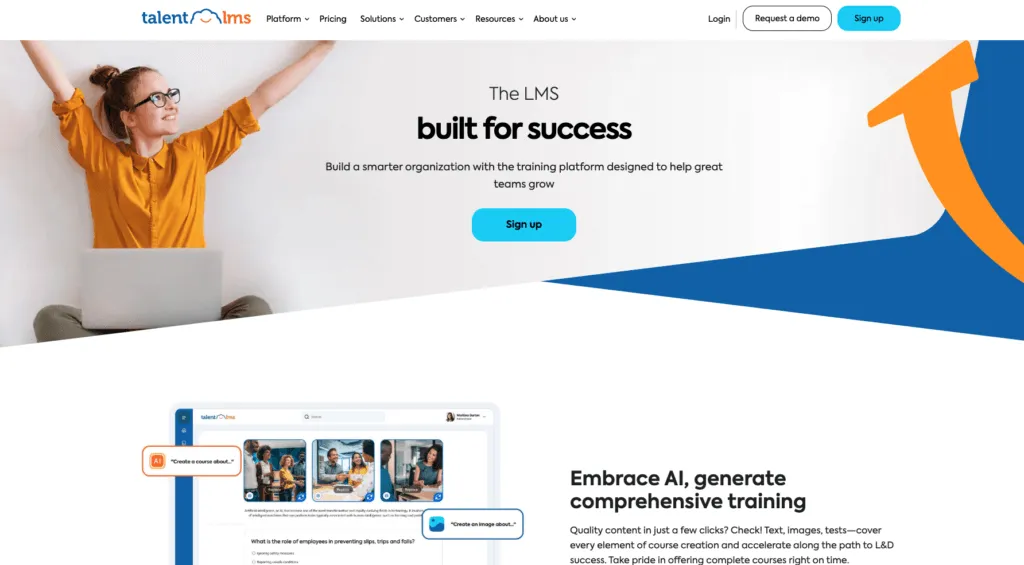
Best For: Simplifying training with customizable course creation.
TalentLMS is a widely used, cloud-based LMS for creating, managing and delivering online courses, built for small and midsize teams that need flexibility without a steep learning curve.
Key Features:
- Course Management: Develop and organize courses with videos, presentations and quizzes.
- Progress Tracking: Monitor learner progress and performance through detailed analytics.
- Gamification: Points, badges and leaderboards to lift engagement.
- Branching and Automation: Personalized learning paths and automated routine tasks.
- Integrations: Connects with tools like Zoom, Salesforce and LinkedIn Learning.
TalentLMS pricing
TalentLMS prices by user bracket, and its pricing page leads with the annual rate under a “Pay Yearly (Save 20%)” toggle — so the monthly-billed figure is meaningfully higher. Both are given below.
- Free: Up to 5 users and up to 10 courses.
- Core: $119/month billed annually, or $149/month billed monthly, for 1–40 users.
- Grow: $229/month billed annually, or $299/month billed monthly, for 1–70 users.
- Pro: $449/month billed annually, or $579/month billed monthly, for 1–100 users.
- Enterprise: Custom pricing, starting at 1,000 users.
G2 rating: 4.6 out of 5.
Starting price: Free (5 users, 10 courses); Core $119/month billed annually.
3. LearnUpon
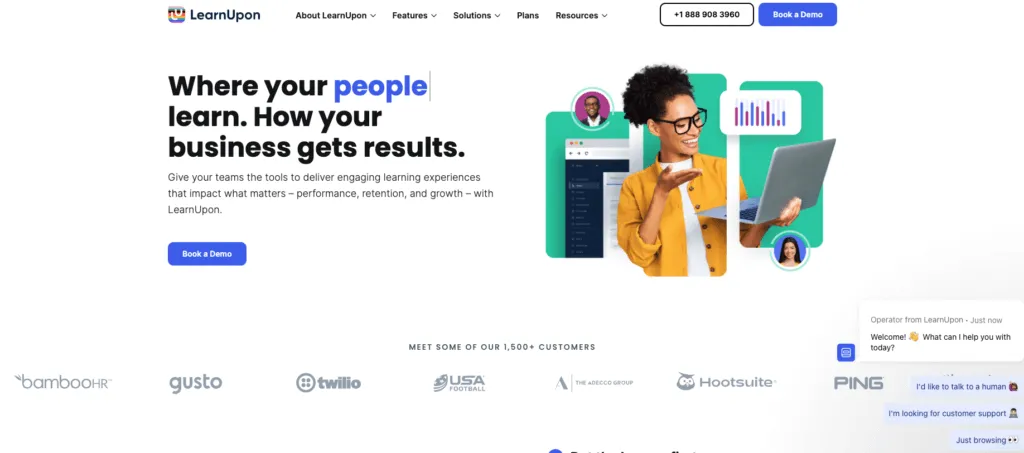
Best For: Companies requiring a full-service training solution for employees, customers and partners.
LearnUpon was founded on the belief that learning should be simple and its impact should be big, and today it supports 1,500+ businesses worldwide. It champions learner-centric experiences and results-focused support, with an emphasis on scaling training as an organization grows.
Key Features:
- Multi-Portal Functionality: Manage multiple training environments from a single account.
- Integrations: Connect with HRIS and CRM systems.
- Automation Tools: Simplify user enrollment, notifications and reporting.
- Content Support: Handles SCORM and xAPI among other formats.
- Reporting and Analytics: Insight into learner performance and course effectiveness.
LearnUpon pricing
- Pricing: LearnUpon publishes no pricing at all. Every plan is a custom quote and a demo is required, so there is no way to size a budget without talking to sales.
G2 rating: 4.5 out of 5.
Starting price: No published pricing, custom quote.
4. TalentCards
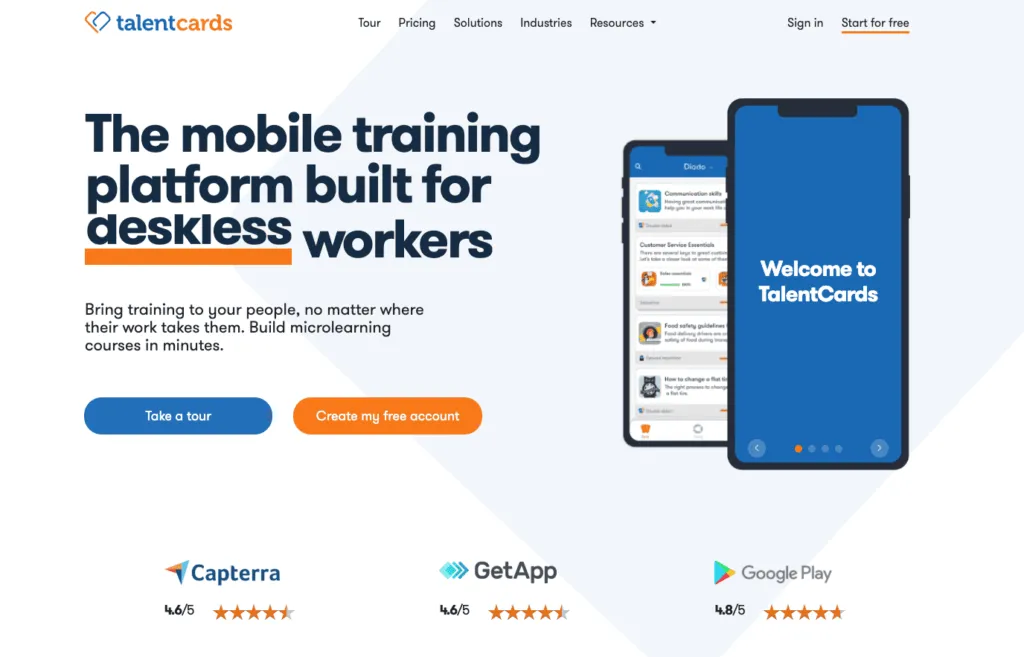
Best For: Deskless workforce training.
This mobile-first LMS delivers microlearning in short, bite-sized card sets rather than long courses, so deskless and frontline employees can train on the go.
Key Features:
- Microlearning Content: Create concise, engaging training materials.
- Mobile Access: A dedicated mobile app, with offline access.
- Multimedia Support: Images, video and quizzes.
- Gamification: Badges and challenges to motivate learners.
TalentCards pricing
TalentCards charges per user, and its paid plans are sold in 50-user increments starting at 50 users — so 50 seats is the floor, not the ceiling. As with TalentLMS, the headline rate is the annual one.
- Free: $0, up to 5 users.
- Standard: $0.80 per user/month billed annually, or $1.00 per user/month billed monthly. At the 50-user minimum that works out to $40/month annually, $50/month monthly.
- Premium: $1.20 per user/month billed annually, or $1.50 per user/month billed monthly — $60/month or $75/month respectively at 50 users.
- Enterprise: Custom quote, for more than 2,000 users.
G2 rating: 4.8 out of 5, though from a small base of around 26 reviews.
Starting price: Free ($0, up to 5 users); Standard from $40/month billed annually at the 50-user minimum.
5. Trainual
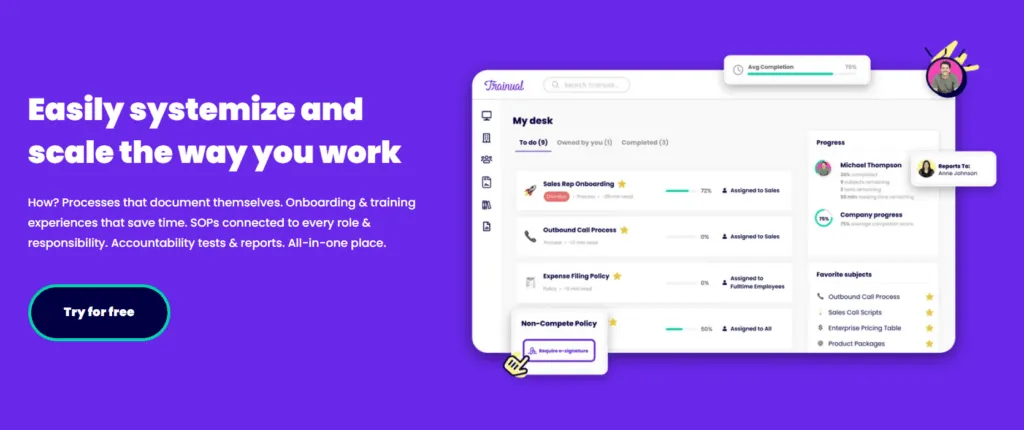
Best For: Documenting processes and onboarding people against them.
Trainual focuses on process documentation and onboarding workflows, helping small businesses turn tribal knowledge into a structured, trackable system.
Key Features:
- Employee Onboarding: Structured onboarding programs to get new hires up to speed quickly.
- Process Documentation: Capture how work actually gets done, by role.
- Mobile Access: Training materials available on the go.
Trainual pricing
Trainual no longer publishes self-serve pricing. Where it once listed specific monthly tiers, all four plans now route to a demo.
- Pricing: No published pricing on any of the four tiers (Core, Pro, Premium, Enterprise) — a demo is required to get a quote.
- Implementation: Trainual does publish one figure — a one-time implementation fee of $1,000, which is worth factoring into a first-year comparison against tools that charge nothing to get started.
G2 rating: 4.7 out of 5.
Starting price: No published pricing, demo required.
LMS Use Cases and Applications for Small Business
- Onboarding: Save time with automated training flows that give every new hire a consistent experience.
- Compliance: Deliver industry-specific training to meet regulatory requirements.
- Upskilling and reskilling: Equip employees with modern skills as business needs change.
- Remote learning: Give distributed or deskless teams instant access to training.
Small Business Learning Trends for 2026
1. Skills-Based Learning
As industries face rapid technological and operational change, focusing on specific, actionable skills has become paramount. Skills-based learning prioritizes practical expertise over broad, traditional training, so employees can apply what they’ve learned to their roles immediately.
Why it matters: multiple workforce surveys have found that a majority of employees now see acquiring new skills as essential to their job security over the next few years. The exact share varies by survey, so treat any single figure as directional.
2. Microlearning for Quick Knowledge Retention
Microlearning delivers content in short, digestible chunks that employees can absorb easily. The format suits time-constrained workers and works well for reinforcing complex concepts.
Why it matters: microlearning is widely associated in industry research with better retention than long-form sessions, though the reported improvement varies considerably by study and source — so be cautious with any one specific percentage.
3. AI-Driven Personalized Learning
AI is reshaping how employees learn by tailoring the experience. Algorithms analyze an employee’s progress, preferences and role requirements to recommend customized learning paths.
Why it matters: personalization tends to increase training engagement and completion rates, and AI tools cut administrative time by automating content recommendations and assessments.
4. Mobile-First Learning
With remote and hybrid work here to stay, mobile-first learning lets employees access training anytime, anywhere. It matters most for deskless workers in retail, hospitality, healthcare and similar sectors.
Why it matters: a meaningful share of employees now say they would rather learn on their own devices than on company-issued hardware. That is worth factoring into your shortlist if your team is distributed or deskless.
5. Gamification for Engagement
Gamified elements like points, leaderboards and badges are becoming standard in learning programs, tapping into competitiveness and giving learners instant feedback on progress.
Why it matters: gamification is widely reported to improve learner engagement, though the size of the lift varies across studies and vendors — use it as a directional signal rather than a guaranteed number.
Advantages and Disadvantages of Learning Management Systems for Small Businesses
Implementing an LMS can significantly benefit small businesses, but it’s worth weighing the pros and cons before deciding.
Advantages
- Cost-effective training: Reduces the need for in-person sessions, saving time and money.
- Scalability: Easily adapts as your team grows.
- Automation: Streamlines repetitive tasks like assigning courses and tracking progress.
- Employee engagement: Features like gamification and mobile access improve participation.
- Performance tracking: Analytics help measure training effectiveness and identify skill gaps.
Disadvantages
- Initial costs: Even affordable LMS platforms may require upfront investment, and some charge separate implementation fees.
- Learning curve: Admins and employees may need time to become proficient with the system.
- Maintenance: Regular updates and content creation require ongoing effort.
- Overwhelming options: Choosing the right LMS can be challenging given the variety of platforms.
Features to Look for in an LMS
Not all LMS platforms are created equal, especially for small business needs. Here are the features to prioritize:
- Cost-effectiveness: Affordable pricing without sacrificing essential tools.
- Automation: Simplify repetitive tasks like assigning courses and tracking progress.
- Customization: Tailor learning paths and course content to your team’s needs.
- Mobile access: Ensure employees can learn anywhere, anytime.
- Reporting and analytics: Track performance and identify gaps in training.
- Ease of use: The system should be intuitive for both admins and employees.
The Bottom Line? Find the Right LMS for Your Business
The right LMS can transform a small business, lifting both engagement and productivity.
The key is aligning the system with your team’s needs and your business objectives. Whether you prioritize scalability, ease of use or mobile access, a well-chosen LMS pays back by driving employee development and retention.
If you want to compare on cost without a sales call, Whale, TalentLMS and TalentCards all publish their pricing and all three start free. Trainual and LearnUpon will both require a demo before you see a number.
Ready to transform your training? Explore Whale and see how it can make learning simple, affordable and effective for your business.
Key Terms & Further Reading on Learning
Key Definitions
Definition of a Training Manager
Onboarding and Training on Whale
Additional resources
Employee Goal Setting Template
Related blog posts
Lisa Steingold is the Head of Content for Whale. With a history in tech, she's authored 4 books and is obsessed with helping teams unlock the next level of growth and productivity. (And riding her bike)