
Access
Whale The Whale Mobile App
Put every SOP and training flow in your team's pocket
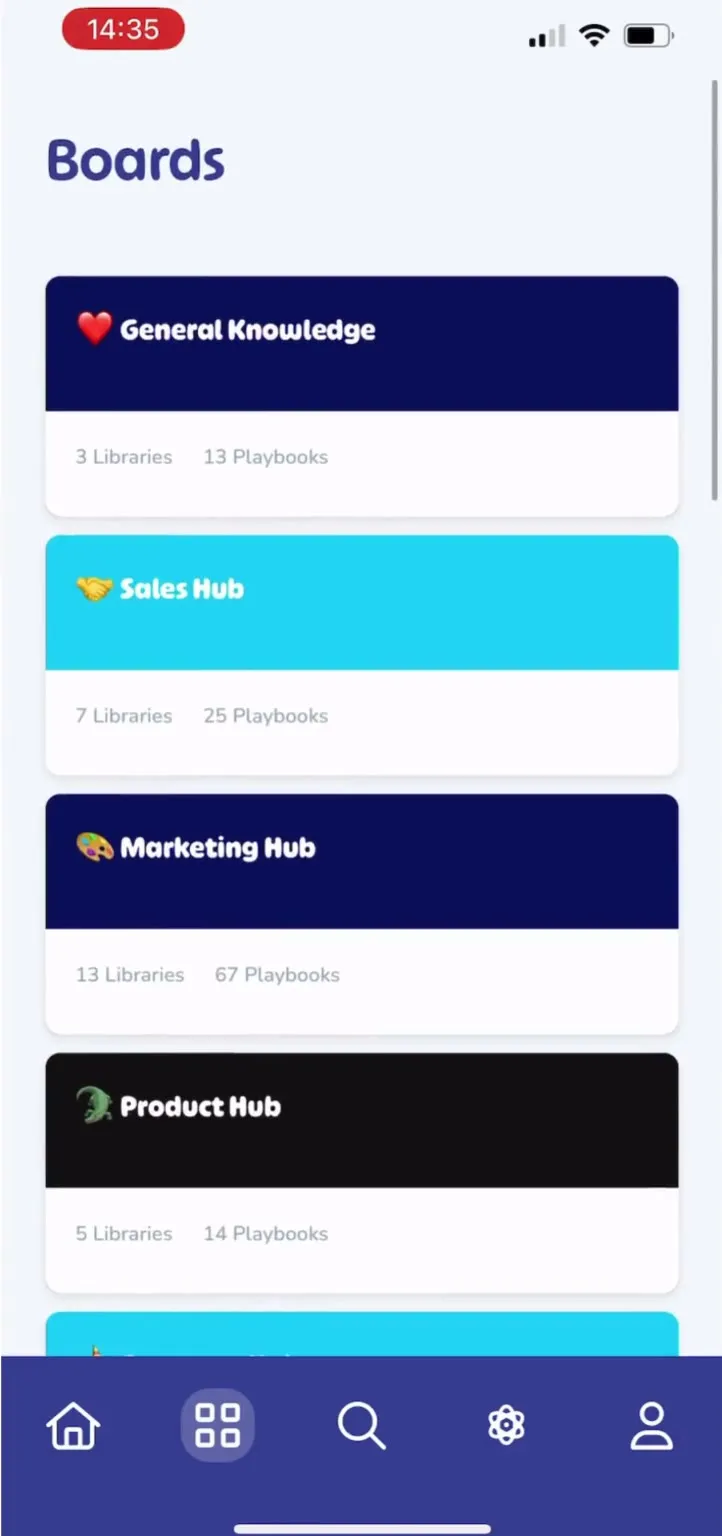
The Whale app runs natively on iOS and Android. Frontline and deskless teams open SOPs, complete assigned training, pass quizzes, and tick checklists from wherever the work happens.
- 4.8/5 on G2
- SOC 2 certified









The problem
Desk-bound SOPs never reach the field
Your team already carries a phone everywhere they work. Whale runs natively on iOS and Android, so the same SOPs, training flows, and checklists your head office uses are available the moment a worker signs in.
How teams do it today: A paper binder on a shelf that nobody updates
With Whale's The Whale Mobile App: Every SOP live on iOS and Android the moment it updates
How teams do it today: Workers calling the office to ask how to do a task
With Whale's The Whale Mobile App: Workers pull up the exact step from their phone on site
How teams do it today: Field teams left out of training rollouts
With Whale's The Whale Mobile App: Training flows delivered to frontline and office the same way
How teams do it today: No record of who read what and when
With Whale's The Whale Mobile App: Read receipts, quiz scores, and checklist completions per user
Works on any phone your team already carries
The Whale app runs on iOS and Android and installs from the App Store or Google Play.
- Workers sign in with the same credentials as the web app.
- Construction crews, home service techs, hospitality staff, and factory floor teams open a playbook, watch a video, or tick a checklist from the device in their pocket.
Read, train, and check off work from anywhere
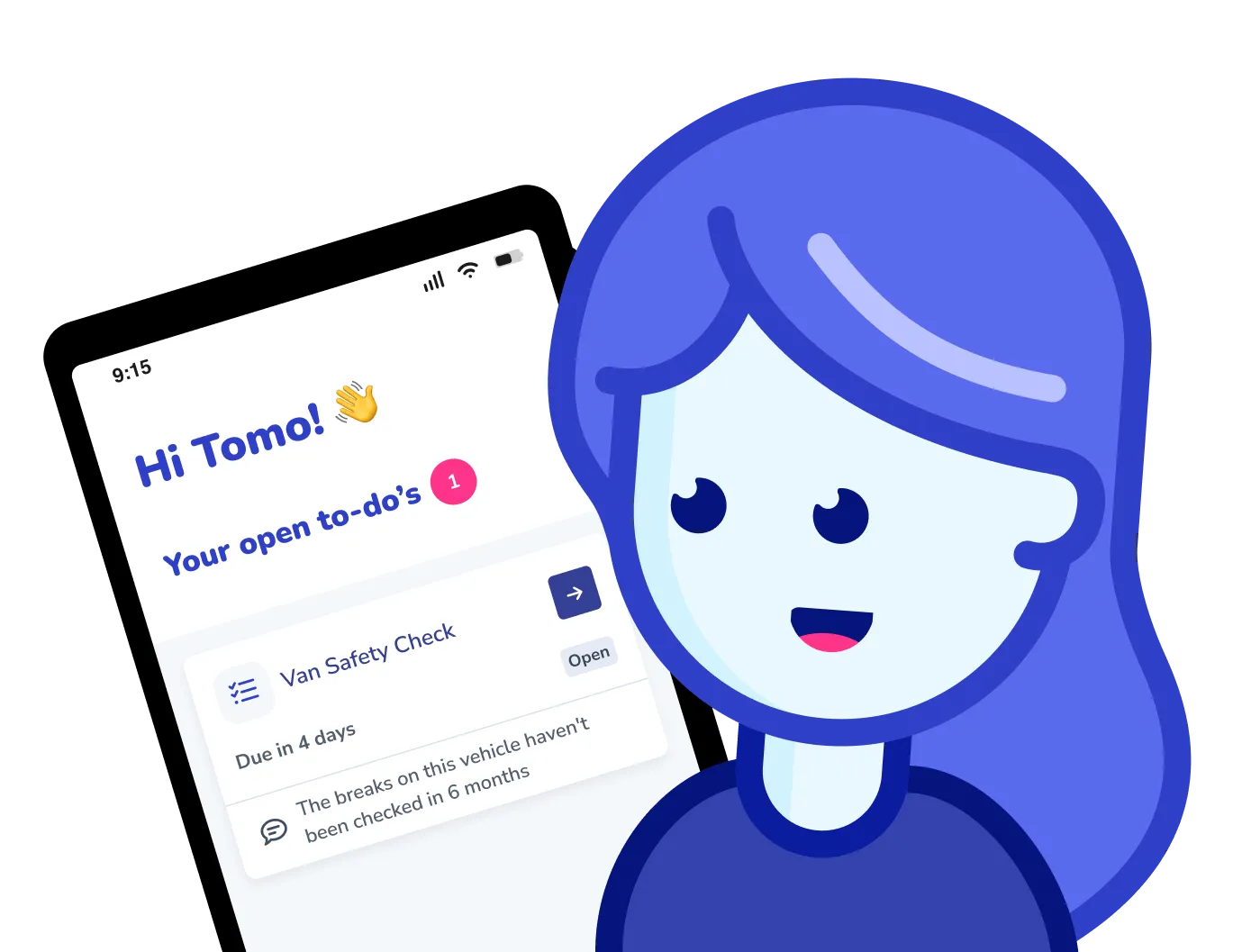
Open any SOP, complete assigned training, pass a quiz, and tick a checklist from the app.
- Every action syncs back to Whale.
- Managers see completion per person and per location without chasing paper.
- Frontline workers get the exact same content the head office uses, without a laptop.
One Whale on the phone and at the desk
The app reads from the same knowledge base as the web product.
- A playbook updated by ops at head office is live on every phone in minutes.
- Alice, Whale’s AI assistant, answers questions on mobile from the same content.
- Assignments, training flows, and notifications flow across phone, desktop, and CoPilot.
How it works
- 01
Install the app and sign in
Download the Whale app from the App Store or Google Play. Workers sign in with their existing Whale credentials or a single-sign-on link from email.
- 02
Open SOPs and assignments on the go
Browse the knowledge base, run assigned training flows, watch Step Recorder videos, and tick checklists from the phone. Every action syncs to Whale in real time.
- 03
Managers see progress without chasing
Completion data from mobile users lands in the same analytics dashboard as office users. See who finished training, who passed quizzes, and which checklists are overdue per person and per site.
In their own words
Loved for its overall simplicity and support
“Exceptional Tool for Business Knowledge”
Whale is excellent to document and organize business knowledge. Their AI makes it even easier!
Lyndon S.Small-Business (0-50 emp.) “Whale Keeps Work Organized and Teams Confident”
Whale unifies documentation, training, and reviews in one ecosystem.
Verified User in AccountingMid-Market (51-1000 emp.) “Screen Recorder Transformed Our Productivity”
All features are excellent, but the Screen Recorder has boosted productivity for our company.
Andres A.Enterprise (> 1000 emp.) “User-Friendly Platform with Great Features”
Whale is very user-friendly. "Alice" has been a game changer, makes finding information effortless.
Martha Y.Mid-Market (51-1000 emp.) “Intuitive, fresh and easy!”
Whale's clean layout makes building and navigating SOPs a breeze.
Harley B.Small-Business (0-50 emp.) “Productivity Unleashed!”
Managing and write SOP versions, assign them, track progress through a dashboard, and automate revision tracking.
Verified User in FarmingMid-Market (51-1000 emp.) “My company utilizes Whale for our SOP’s and FAQ’s.”
Everything is very easy to locate and the search bar is my favorite feature. When I need a quick answer I turn to Whale to find what I am looking for.
Georgia R.Mid-Market (51-1000 emp.) “Whale Streamlined Our Processes and Boosted Team Onboarding”
Whale transformed how we manage internal processes. Documenting SOPs is fast and we can build and share training materials in minutes, making onboarding significantly more efficient.
Fábio B.Enterprise (> 1000 emp.) “Whale Keeps Department Training Organized with Boards, Libraries, and Playbooks”
Boards, Libraries, and Playbooks keep training organized by department, so you can generate videos, SOPs, quizzes, and more for each topic.
Ketan T.Mid-Market (51-1000 emp.) “Streamlines Documentation with Ease”
I use Whale for company handbooks, regulations, how-to's, and manuals, all on one platform. The step-by-step screen recorder auto-captures screenshots and saves me about an hour per guide.
Anouk V.Mid-Market (51-1000 emp.) “Effortlessly Streamlines Team Training with Solid Support”
Whale supports training my merchandising teams with AI and video features that break down training step by step. Creating training flows is easy, and quizzes ensure the material lands.
Shelley F.Mid-Market (51-1000 emp.) “Effortless SOP Management with Stellar AI Search”
Whale centralizes all our SOPs with standard formatting and makes them easy to find, especially with the fast AI search across thousands of documents.
Jitender T.Small-Business (50 or fewer emp.)
Frequently Asked Questions
Start for Free01Which devices and operating systems does the Whale app support?
The Whale app runs natively on iOS and Android. iOS requires version 15 or later and runs on iPhone and iPad. Android requires version 9 or later and runs on phones and tablets. Install from the App Store or Google Play. Workers sign in with the same email and password they use for the web app, or through single sign-on if your organization has SSO configured. Admins can provision access through the same user groups and role rules that control the web app, so frontline workers see only the content that applies to their job.
02Can deskless and frontline workers use Whale without a company email?
Yes. The Whale app supports personal email sign-in, SMS invites, and single sign-on. Teams in construction, manufacturing, hospitality, and home services often onboard workers with a personal email or phone number rather than a company inbox. Admins send an invite, the worker installs the app, signs in, and lands directly in the content assigned to their role or user group. No corporate laptop or IT ticket required. Access rules, user groups, and assignments behave the same as they do for desk-based staff.
03Does the app work offline on the job site or shop floor?
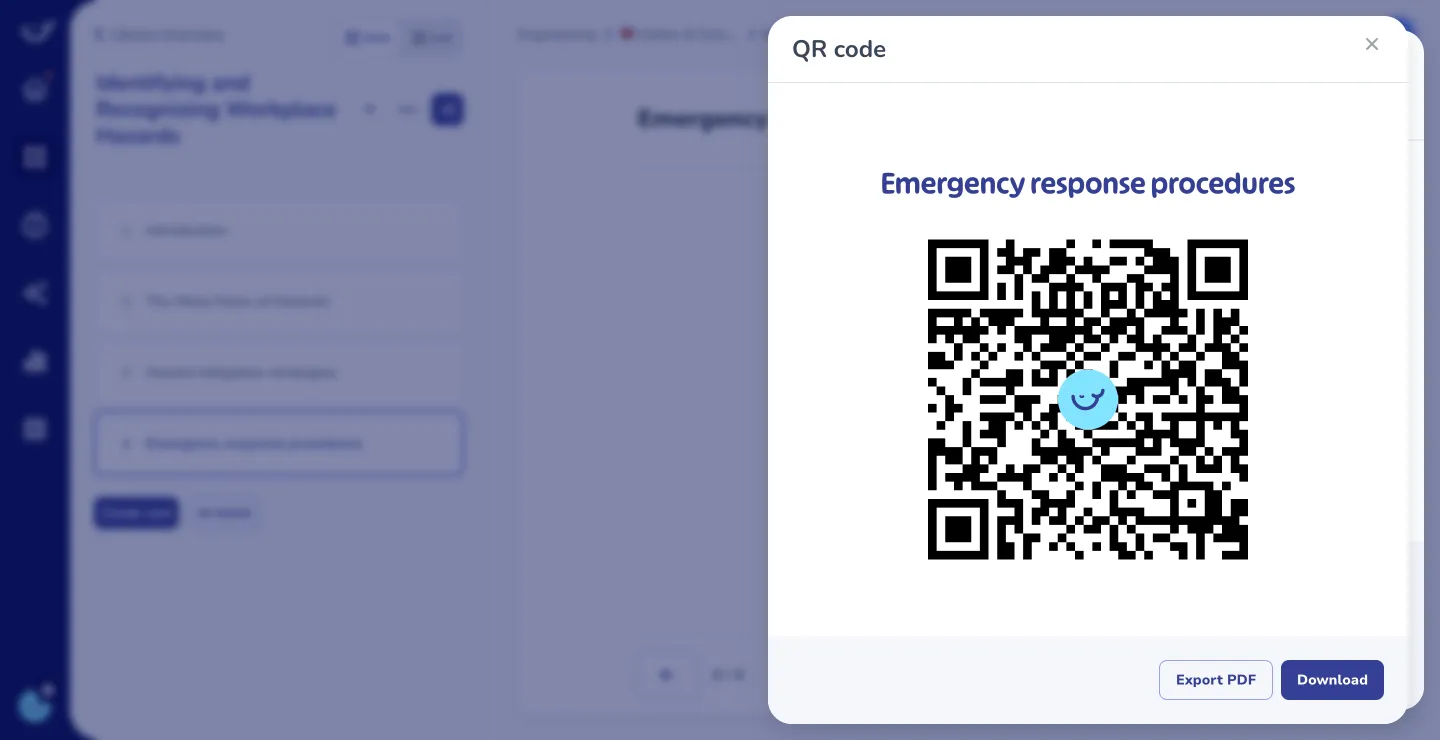
The app caches content the worker has opened recently, so the most-used SOPs and assigned training steps remain readable without a live connection. Checklists completed offline sync back to Whale when the device reconnects. For sites with no connectivity at all, pair the app with QR codes on equipment or stations so workers scan straight to the relevant SOP when they arrive. Live Alice answers and analytics updates require a connection. The offline layer is built for read access and checklist completion in low-signal environments.
04Can the app handle training, quizzes, and checklists the same way the web app does?
Yes. A training flow assigned to a worker appears in the mobile inbox in the same order as on the web. The worker reads the playbook, watches the video, completes the checklist, and takes the quiz, all on the phone. Passing scores release the next step automatically. Read assignments track receipt, quizzes track retention, and checklists track completion. Managers see every action in the same analytics dashboard as desk-based users. Frontline and office completion data live in one place, per person, per team, per location.
05How do admins roll the app out to a frontline workforce?
Admins provision users in Whale the same way they do for the web product. Group users by role, department, site, or shift. Assign training flows and required reading to those groups. Send invites by email, SMS, or QR code poster. Workers install the app, sign in, and land directly in the content that applies to their role. For larger deployments, the Paycor HRIS integration creates users automatically when payroll adds them, and the assigned training flow starts without any manual step. Admin analytics track install and completion rates per site so rollout gaps surface early.
06How does the Whale app compare to the Trainual mobile app?
Trainual ships a mobile app for training content only. The Whale app covers the full SOP lifecycle on mobile. Frontline workers read any SOP in the knowledge base, run assigned training flows, take quizzes, complete checklists, and ask Alice, Whale’s AI assistant, for help on the same device. Managers see mobile completion data in the same dashboard as web users. Teams moving from Trainual usually cite cleaner mobile UX, stronger AI answers on the phone, and the ability to run operational checklists and documentation from the same app, not just training courses.
Other Features
Share
Web Extension (CoPilot)
Surface the right SOP inside any web tool the moment your team needs it.
Learn moreShare
QR Codes
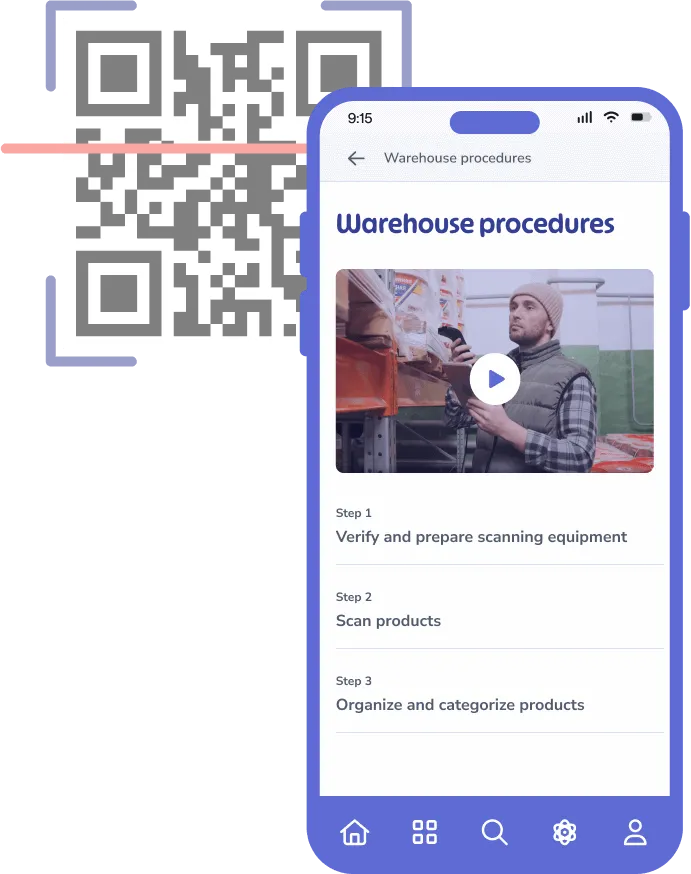
Put a code on equipment, doors, or stations so workers scan straight to the right SOP.
Learn moreTrain
Training flows
Sequence playbooks, videos, and quizzes into a structured path your whole team follows.
Learn more