SOP & Process Documentation
The 5 Best Tettra Alternatives in 2026, Ranked and Compared

In this article
Why are there so many Tettra alternatives?
Because Tettra does one thing genuinely well, and teams eventually need the thing that comes next. Tettra answers repetitive questions in Slack from a wiki you already wrote. That is a real problem, and Kai, its AI bot, solves it. What Tettra was never built to do is prove that anyone read the answer, understood it, or is still following it six months later.
So the search usually starts for one of three reasons: the 10 user minimum on the only paid plan costs more than a small team wants to spend, the documentation needs to become training rather than trivia, or someone asks for an audit trail and there is nothing to show. Pick your replacement based on which of those actually happened to you.
If the problem is that answers live in Slack and nowhere authoritative, you want SOP software rather than a wiki. If the problem is that your team wants a faster, prettier place to write together, a lightweight docs tool will do. If the problem is only price, there are cheaper wikis, and we name them below.
Full disclosure: we publish this, we make Whale, and we rank Whale first. We also compete with Tettra, and we have a detailed Tettra vs Whale comparison if you want the head to head rather than the roundup. Every price on this page was read from that vendor’s own pricing page on 29 September 2026, and every screenshot was captured from the vendor’s live site on the same date.
Key Takeaways
- Whale is our pick for teams that need the answer to become a process. Every SOP gets an owner, a version history and a review date, you assign it to a person or a role, and you can see who completed it. Free up to 10 members, then $249/month billed annually, with 3 creators included and no per-seat fee for members.
- Tettra has no free plan and a 10 user minimum. Scaling is $8 per user/month billed yearly, so the cheapest paid Tettra account is $80/month whether you have ten people or three.
- Nuclino is the cheapest credible swap. A real free plan, then $6 per user/month billed yearly. It is a nicer place to write than Tettra. It is not a training tool.
- Guru no longer publishes pricing at all. Its pricing page is now a “talk to sales” page with no figures on it, which tells you where it is aiming.
- SweetProcess is the closest thing here to Whale and the only other tool on this list built around procedures rather than pages, at $99/month for up to 10 members.
The 5 Best Tettra Alternatives at a Glance
| Tool | Best for | Starting price | Free plan | How it keeps content current | Assign and track completion |
|---|---|---|---|---|---|
| Whale | Turning a wiki answer into an owned, trainable process | From $249/month billed annually, flat, 3 creators, no per-seat fee for members | Yes, up to 10 members | Named owner, review date, approval and expert review cycles | Yes |
| Nuclino | Lightweight, real time collaborative documentation | From $6 per user/month billed yearly | Yes, 50 items and 3 canvases | Version history only, no review workflow | No |
| Guru | AI knowledge retrieval in the browser, with verification | Not published, contact sales | Not published | Automated verification and maintenance, escalated to experts | No |
| Slite | AI document creation that flags its own stale docs | From $10 per user/month billed yearly | No, 14 day trial | Doc verification workflow and a Knowledge Management Panel | No |
| SweetProcess | Writing and running SOPs, policies and procedures | $82.50/month billed yearly for up to 10 members | No, 14 day trial | Version history and approval of suggested improvements | Yes, task completion |
| Tettra | Answering repetitive questions in Slack, the baseline | From $8 per user/month billed yearly, 10 user minimum | No, 30 day trial | Verification plus stale, unowned and public content reports | No |
Prices verified 29 September 2026.
What Is Tettra?
Tettra is an AI powered knowledge base and knowledge management tool. It is an internal wiki with a question and answer layer on top: you curate company information into pages, and your team gets instant answers to repetitive questions without anyone having to type the answer again. Its AI bot, Kai, answers from your own content directly inside Slack, in channels and in DMs, and routes anything nobody has documented yet to the right person.
The part Tettra does better than most wikis is staying honest. Verification asks a subject matter expert to re-confirm a page on a set schedule. Built in reports surface stale pages, unowned content and pages that are more public than you intended. Teammates can file page requests when they hit a gap, so the backlog comes from the people actually using it. Tettra also mines answers already buried in Slack history and summarizes threads.
Tettra publishes two plans. Scaling is $8 per user/month billed yearly, or $10 billed monthly, with a 10 user minimum. Enterprise is custom priced and adds SSO and SCIM as standard, hands-on training, custom import and custom reporting. There is no ongoing free plan, only a 30 day free trial. One detail worth knowing before you budget: Tettra counts a user as anyone you invite who accepts, but people who only interact with it through Slack do not count towards that total. It scores 4.7 stars on G2.
If you want the full side by side rather than a summary, we keep a Tettra vs Whale comparison page with both vendors’ published feature lists.
Why Tettra Users Start Looking Elsewhere
- The pricing floor, not the price. $8 per user/month reads cheap until you notice the 10 user minimum on the only self serve plan. A five person team pays for ten seats. There is no free tier to grow into, only a 30 day trial, and SAML SSO and SCIM are paid add-ons on Scaling rather than included features.
- It documents, it does not train. Tettra can tell you a page is current and owned. It cannot tell you that Maria in accounts read the refund procedure, understood it, and signed off on the version that was live last Tuesday. There are no courses, quizzes, assignments or completion tracking on its published feature list, and no org chart mapping processes to the roles responsible for them.
- Integrations are thin outside Slack. Slack is excellent. Beyond it, Tettra lists Google Workspace, GitHub and Zapier. Zapier will connect almost anything, but it is a separate paid product and a separate thing to maintain.
- Everything is written. There is no screen recording. If a procedure is easier shown than described, you are writing it out or hosting the video somewhere else and linking to it.
1. Whale: Best for Turning a Wiki Answer Into an Owned Process
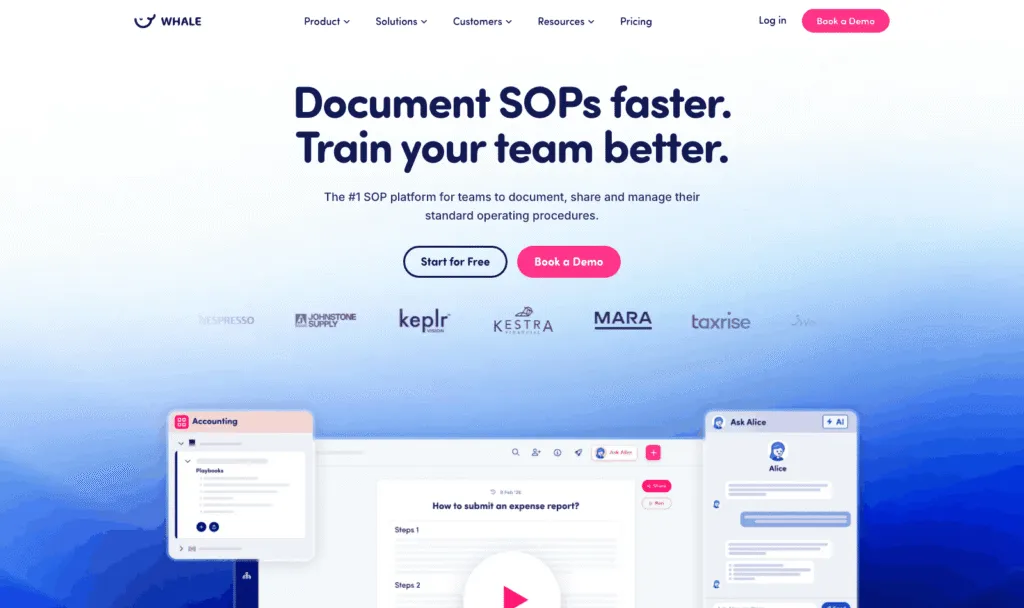
Whale is SOP, training and knowledge software. Like Tettra it keeps documented processes in one searchable place. Unlike Tettra, its job carries on after the document exists: every procedure has a named owner, a version history and a review date, you assign it to a person or a role, and you can see who has completed it.
Best for: teams of roughly 10 to 500 where procedures need an owner, a review date and proof of completion, including frontline and deskless teams.
What it does well:
- A stale procedure surfaces as a task for its owner rather than as a confused Slack message six months later. This is the same problem Tettra’s Verification solves, with one difference: the fix is assigned to a person, not flagged on a report.
- Onboarding is a list whose state you can see, not a folder you hope someone opened. Training flows chain procedures into a path a new hire works through, and you watch it progress.
- AI generated quizzes check comprehension where it matters, rather than just acknowledgment. Read Assignments give you the completion record, quizzes tell you whether the reading landed.
- Written and visual live together. The built in step recorder captures a walkthrough of up to ten minutes, and training flows turn a pile of documents into an ordered program. Tettra has no screen recording at all.
- An org chart maps processes to the roles responsible for them, so “who owns this” has an answer that survives someone leaving.
- Approval flows and expert review cycles keep content trustworthy as it changes, and template libraries mean you are not starting from an empty page.
- External AI tools can read and write your documentation through Whale’s MCP server, and there are 23 native integrations plus an API.
- Scores 4.8 out of 5 on G2, and 9.6 out of 10 for ease of use.
Where it falls short:
- It is a heavier tool than a wiki, and it asks for a week of thinking that Tettra never asks of you: where procedures live, who owns them, who has to read them. If you genuinely only want faster answers in Slack, that setup is work you will not get paid back for.
- Whale has no equivalent of Kai answering questions conversationally inside Slack channels. Whale delivers into the flow of work through a browser extension, Slack and a mobile app, but Tettra’s Slack Q&A is the better experience if Slack is the only place your team lives.
- Priced per plan rather than per seat, so at very small headcounts a per user wiki is cheaper. Ten people on Tettra Scaling is $80/month. Ten people on Whale is free, but the eleventh person moves you to $249/month.
Pricing, verified 29 September 2026:
- Free: $0, 1 creator, up to 10 members
- Scale: $249/month billed annually, 3 creators included, extra creators $29 each
- Advance: $499/month billed annually, 5 creators included, extra creators $39 each
- Enterprise: from $1,499/month
- On paid plans, everyone else joins as a member, with no per-seat fee. Members consume content, creators build it, so a 200 person company with 5 documenters pays for 5 creators.
Who should skip it. A five person team that just wants Slack answers should not buy Whale.
2. Nuclino: Best for Lightweight, Real Time Collaborative Documentation
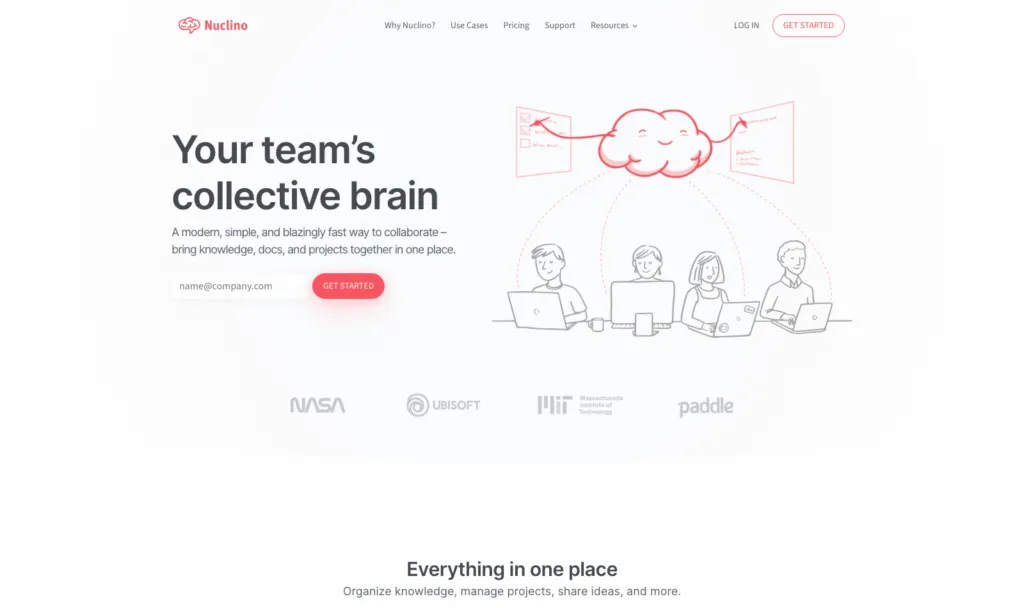
Nuclino is a collaborative workspace that its makers describe as your team’s collective brain. Docs, knowledge and projects sit together, several people can edit the same page at once, and the same content can be viewed as a list, a board, a table or a graph.
Best for: teams who found Tettra’s editor and structure limiting and want a faster, more visual place to write together.
What it does well:
- The visual organisation is the real differentiator. List, board, table and graph views mean the same knowledge base can be browsed as a wiki, run as a lightweight project board, or explored as a map of how pages connect.
- Real time collaborative editing, instant internal linking between items, and canvases for whiteboards and diagrams directly inside the tool.
- It has an actual free plan, which Tettra does not: up to 50 items, up to 3 canvases and 2GB of storage, with no time limit and no minimum seat count.
- Sidekick, Nuclino’s AI, answers questions from your content, drafts and summarizes, and generates images. It sits on the Business plan.
- Integrations with the tools teams already use including Slack and Google Drive, plus web, desktop and mobile apps and an API.
Where it falls short:
- It is documentation, full stop. No assignments, no completion tracking, no quizzes, no review cycles. If a page goes out of date, nothing tells you.
- Watch the seat definition. Nuclino counts a user as anyone who joins your team, including guests and read-only members, and upgrading upgrades the entire team. A wiki that mostly gets read still costs you per reader, which is the opposite of how Whale’s members work, with no per-seat fee.
- No AI in the free or Starter tiers. Sidekick, SAML SSO, audit log and advanced security controls all sit on Business at $10 per user/month.
Pricing, verified 29 September 2026:
- Free: $0, up to 50 items, up to 3 canvases, 2GB total storage
- Starter: $6 per user/month billed yearly, or $8 billed monthly. Unlimited items and canvases, admin tools, publishing, 30 day version history, 10GB per user
- Business: $10 per user/month billed yearly, or $12 billed monthly. Adds Sidekick AI, audit log, team insights, advanced security controls, SAML SSO, custom publishing domain, unlimited version history, 20GB per user
- 14 day free trial on Starter, no credit card required
Skip it if you need to prove a procedure was read, or you need any kind of onboarding program. Nuclino is a better wiki than Tettra, not a different category of tool.
3. Guru: Best for AI Knowledge Retrieval and Browser Based Knowledge Management
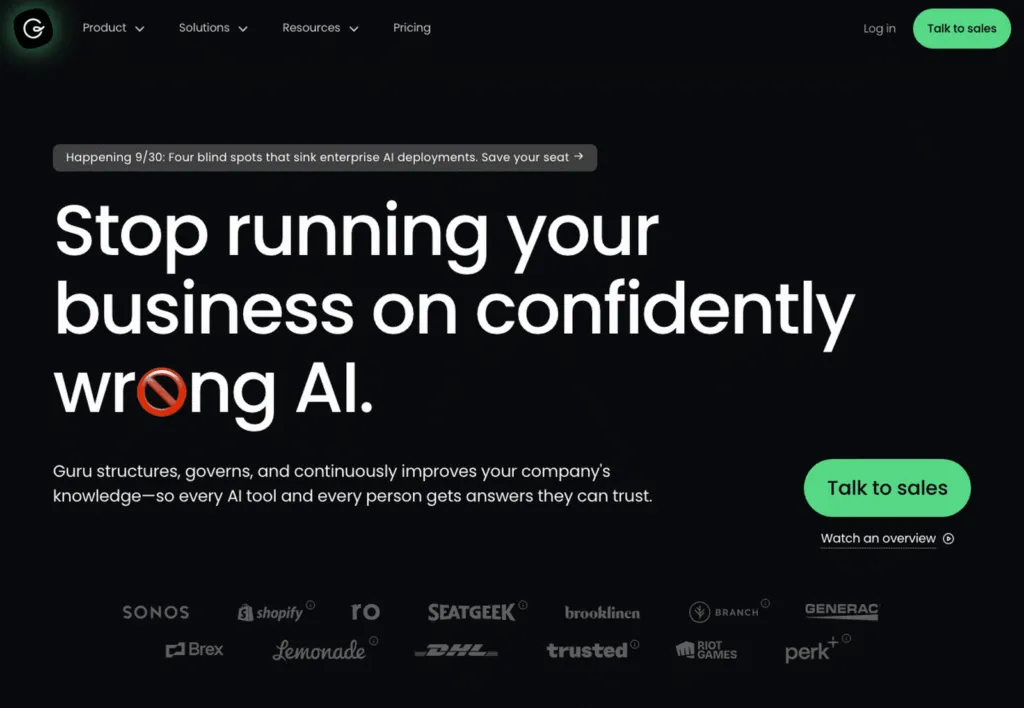
Guru is an AI knowledge management platform built around getting verified answers to people inside whatever app they are already using. Its browser extension and knowledge triggers surface the right card in context, and its verification system is designed to keep those answers trustworthy without a human checking every page.
Best for: larger organisations that want AI search across a sprawling tool stack, with governance and an audit trail on top.
What it does well:
- Verification is more automated than Tettra’s. Guru states it handles roughly 80 to 90% of verification automatically using usage signals, content age and policy rules, escalating to human experts only when needed. Tettra’s Verification is a scheduled ask to a named expert every time.
- The browser extension and knowledge triggers mean answers arrive where the work happens, without a tab switch. This is the same instinct as Tettra’s Slack bot, applied to every web app rather than one.
- Knowledge Agents give cited, permission aware answers, and there is a full audit trail for every answer, edit and verification with lineage tracking. If you have to explain to a regulator where an answer came from, that matters.
- Over 100 integrations and MCP delivery, so AI agents can draw on governed knowledge rather than whatever they scraped.
Where it falls short:
- Guru no longer publishes any pricing. We checked its pricing page on 29 September 2026 and there is not a single figure on it. It now reads as an enterprise page offering a package built around your scale, knowledge complexity and AI maturity, with “Talk to sales” as the only path. If you are leaving Tettra because $8 per user felt steep, this is not the direction you are heading.
- Like Tettra, it is knowledge management rather than training. It will tell you an answer is verified. It will not run an onboarding program, assign a procedure to a role, or quiz anyone.
- The positioning has moved upmarket. A five or ten person team that wanted a cheaper Tettra is not the customer this page is written for.
Pricing, verified 29 September 2026: not published. Guru’s pricing page carries no figures, no plan tiers and no free trial offer, only a request to book a call. We are not going to estimate a number, so treat budget as an unknown until you have spoken to them.
Skip it if you need a price before you need a sales call, or if what you actually want is training with proof of completion rather than better search.
4. Slite: Best for AI Document Creation That Flags Its Own Stale Docs
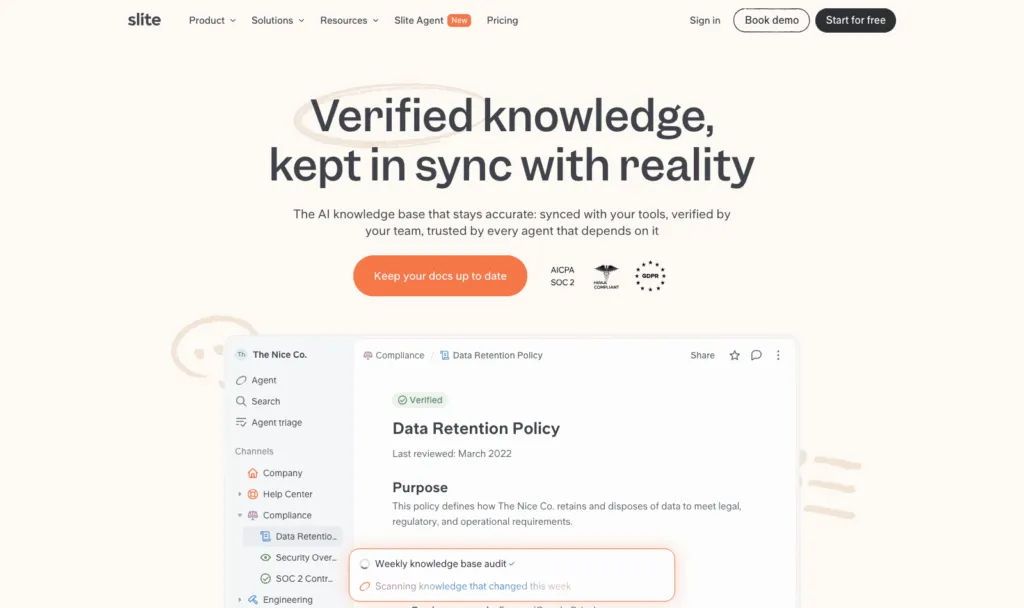
Slite is an AI knowledge base built on the premise that documentation rots and a tool should notice. It pairs a clean, distraction free editor and real time collaboration with a verification workflow and an agent that watches for docs drifting out of date across your connected tools.
Best for: teams who like Tettra’s Verification idea and want it to be active rather than a report they have to remember to read.
What it does well:
- The Slite Agent scans connected tools for knowledge that changed, fact checks docs against it, and proposes fixes for a human to approve. Tettra tells you a page is stale. Slite tries to tell you what is wrong with it.
- Ask, its AI search, gives answers from your docs, and on Pro it searches across your connected tools rather than just Slite.
- A doc verification workflow and a Knowledge Management Panel that surfaces outdated and unowned content in one view, which is the direct equivalent of Tettra’s stale and unowned content reports.
- MCP and API access is included on the entry plan, not held back for enterprise, so AI agents can read and write your docs from day one.
- Clean writing experience. If the complaint about Tettra was the editor, this is the biggest step up on this list alongside Nuclino.
Where it falls short:
- No free plan, same as Tettra. There is a 14 day trial covering Basic and Pro with no credit card, and then you pay.
- It costs more than Tettra per seat. Basic is $10 per user/month billed yearly against Tettra’s $8, and the agent everyone actually wants sits on Pro at $20.
- Still no training layer. Verified documents are not the same as trained people, and Slite has no assignments, completion tracking or quizzes.
- Reader-only seats, the thing that would make a large read-mostly team affordable, are an Enterprise feature.
Pricing, verified 29 September 2026:
- Basic: $10 per user/month billed yearly, or $12 billed monthly. Unlimited docs, Ask AI search and answers, doc verification workflow, Knowledge Management Panel, MCP and API access
- Pro: $20 per user/month billed yearly, or $25 billed monthly. Adds the Slite Agent, search across connected tools, and doc fact checking with suggested fixes
- Enterprise: custom pricing. Adds reader-only seats, advanced security and controls, audit logs, an SLA and a dedicated account manager
- 14 day free trial, no credit card required. No ongoing free plan
Skip it if the budget conversation started because Tettra’s 10 seat minimum was too expensive. Slite is a better product in several ways and it is not the cheaper one.
5. SweetProcess: Best for Creating and Managing SOPs
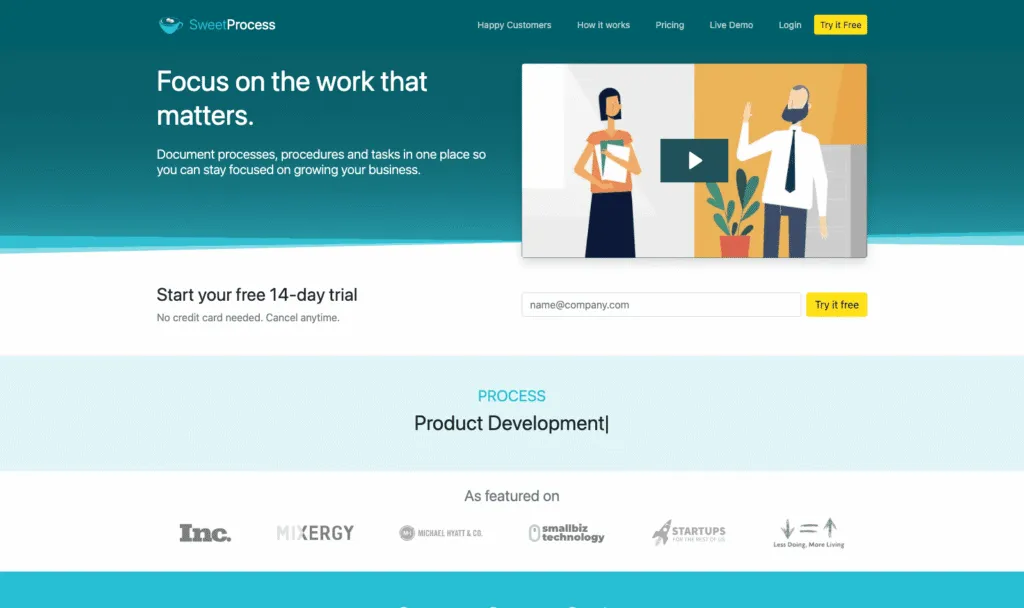
SweetProcess is process documentation software rather than a wiki. It is built around three things a business runs on, procedures, processes and policies, and it treats them as work to be completed rather than pages to be read.
Best for: operations led businesses that want documented procedures people actually execute, and do not need a Slack answer bot.
What it does well:
- Procedures are runnable. A process becomes a checklist someone works through, tracked step by step until completion. This is the single biggest structural difference from Tettra, and the thing Whale and SweetProcess share.
- Teammates can suggest improvements and managers approve them, which is a lighter, more continuous version of Tettra’s scheduled Verification.
- A browser plugin records your clicks straight into a procedure, so you are not writing every step by hand. Tettra has nothing comparable.
- Process maps turn a written procedure into a diagram you can follow through its decision points, and version history tracks every change with rollback.
- Public or private knowledge bases on your own domain, AI written first drafts, SCIM, and 1,000+ app connections through the API or Zapier.
Where it falls short:
- The entry price is the highest on this list in absolute terms. $99/month for up to 10 members, or $82.50/month billed yearly, against Tettra’s $80/month for the same ten seats. There is a note on the pricing page offering separate pricing for teams under 10 employees, but the figure is not published.
- No free plan. A 14 day trial and a 30 day money back guarantee, but nothing ongoing.
- No AI answer bot in Slack, which is the specific thing Tettra users tend to like most.
- Task completion is not the same as training. You can see a procedure was worked through, but there are no quizzes or structured onboarding paths, and no org chart.
Pricing, verified 29 September 2026:
- $99/month for a team of up to 10 members, or $82.50/month billed yearly, a 16% saving
- Each additional member: $5/month, or $4.17/month billed yearly
- 14 day free trial, no credit card needed, plus a 30 day money back guarantee
- Teams under 10 employees are directed to sign up for separate pricing, which SweetProcess does not publish
- A paid migration service will move your existing documents in
Skip it if your team lives in Slack and the whole point was answering questions there, or if you need training and comprehension checks on top of completed tasks.
How to Choose: Wiki, Knowledge Base or Process System
There is one question that sorts this whole list. When a procedure changes, does anyone have to do anything, or does the page just need to be right? If the page just needs to be right, you want a wiki and you should buy the cheapest one you like writing in. If somebody has to change their behaviour, and you need to know they did, no wiki will finish the job. Everything else follows from that.
- You want Tettra but cheaper. Nuclino. It has a real free plan, it starts at $6 per user/month billed yearly, and there is no seat minimum.
- You want Tettra but with a better editor. Nuclino or Slite. Nuclino if you want speed and visual structure, Slite if you want the AI to keep the docs honest for you.
- Your problem is stale documentation specifically. Slite. Its agent proposes fixes rather than just flagging that something is old.
- You are a large organisation with knowledge spread across dozens of tools. Guru, and budget for a sales conversation because it publishes no prices.
- Your procedures need to be executed, not just read. Whale or SweetProcess. Both turn a document into work with a state you can see.
- You need to prove who was trained on what. Whale. Read Assignments, completion tracking, AI generated quizzes and training flows are the layer no other tool on this list has, and it is the layer auditors and regulators ask about.
- You have frontline or deskless staff. Whale. A Slack bot is no use to somebody on a shop floor or in a van, and Whale ships a native mobile app.
- You genuinely only want answers in Slack. Stay on Tettra. It is good at that, and nothing else here does it better. Just go in knowing the floor is ten seats.
If you are in the last three groups, the fastest way to find out whether documents or processes are your real problem is to write one procedure properly and watch what happens to it. Our SOP document template is a reasonable place to start.
How We Compared These Tools
We compared six tools, the five alternatives plus Tettra as the baseline, on six criteria: starting price, whether a free plan exists and its most restrictive limit, how the tool keeps content from going stale, whether you can assign work and see completion, how answers reach people in their flow of work, and who the vendor is clearly selling to.
Every price on this page was read from that vendor’s own pricing page on 29 September 2026, not from a review site, a search snippet or a third party comparison. Where a pricing page has a monthly and annual toggle we read both states and quote both, because the annual figure on its own understates what a monthly customer pays. Where a vendor publishes no number, we say it publishes no number rather than estimating one, which is why the Guru row reads the way it does. Every screenshot was captured from the vendor’s live site on the same date.
We also stuck to what each vendor publishes about itself. Where we say a tool has no completion tracking or no org chart, that means the feature does not appear on that vendor’s published feature list or pricing comparison, not that we tested every corner of the product.
FAQs on Tettra Alternatives
What is the best Tettra alternative?
Whale, if the reason you are leaving is that documentation is not enough on its own. Tettra answers questions in Slack from a Q&A wiki. Whale makes the answer the source of truth: SOPs, checklists and policies with an owner, a version history and a review date, assigned to people or roles as training, with a record of who read and understood which version.
How much does Tettra cost?
Tettra publishes one self serve plan. Scaling is $8 per user per month billed yearly, or $10 billed monthly, with a 10 user minimum, so the cheapest paid Tettra account is $80 a month even for a team of three. Enterprise is custom priced and adds SSO and SCIM as standard along with hands-on onboarding, custom import and custom reporting. There is no ongoing free plan, only a 30 day free trial. Two details catch people out: SAML SSO and SCIM are paid add-ons on Scaling rather than included, and past 250 licences Tettra offers discounted per user rates through its sales team.
Does Tettra have a free plan?
No. Tettra offers a 30 day free trial with no credit card required, and after that you need a paid plan. Of the tools on this list, Nuclino is the only one with an ongoing free tier of its own, limited to 50 items, 3 canvases and 2GB of storage. Whale’s Free plan covers up to 10 members with 1 creator and does not expire.
What is the difference between Tettra and Whale?
Tettra keeps knowledge current. Whale keeps it current and proves it was followed. Both let you document processes and both take content going stale seriously, Tettra through Verification and its stale and unowned content reports, Whale through process owners and review dates. The difference is what happens next. Whale adds training flows, quizzes, read assignments, completion tracking and an org chart mapping processes to roles, so you can show that a named person read a procedure and understood it. Tettra has no equivalent layer. Whale also records screen walkthroughs with a built in step recorder, where Tettra is written documentation only. In the other direction, Tettra’s Kai answering questions conversationally inside Slack is genuinely better than anything Whale does in chat.
Is Whale more expensive than Tettra?
It depends entirely on how many of your people write versus read. Tettra charges per user with a 10 user minimum, so ten seats is $80 a month and a hundred seats is $800. Whale charges per plan: Scale is $249 a month billed annually with 3 creators included. Everyone else joins as a member, with no per-seat fee. So Tettra is cheaper for a small team where nearly everyone contributes, and its Slack-only participants do not consume a seat at all, which is a real advantage. Whale gets cheaper as the read-only population grows, because a hundred people who only need to read and acknowledge procedures cost nothing extra, and you are not also paying for a separate LMS to train them.
Can I migrate my Tettra content to another tool?
Partly, and plan for less than you hope. Tettra pages are structured text, so the content itself moves more easily than, say, a rendered video would. What does not move is everything wrapped around it: verification schedules, page owners, permissions and the Slack history Kai has been mining. Most teams migrate by exporting what they have, leaving the old wiki read-only for a quarter, and rebuilding the twenty or thirty procedures people genuinely use rather than all several hundred. Whale offers a migration service that takes your existing documentation wherever it lives today and brings it in, and SweetProcess sells a paid migration service too.
Which Tettra alternative is best for employee onboarding?
Whale, because onboarding is the case where reading is not the outcome. A new hire has to complete defined procedures in an order, and somebody needs a record that they did. Training flows chain procedures into a path, read assignments give you the completion record, and AI generated quizzes check comprehension rather than just acknowledgment. Tettra, Nuclino, Guru and Slite will all give a new starter somewhere to look things up, which is useful, but none of them will tell you whether week one actually happened.
Is there a Tettra alternative that works in Slack?
Every tool here integrates with Slack, but none of them match what Tettra does there, and it is worth being straight about that. Kai answers questions in channels and DMs from your own content, summarizes threads, and mines answers already buried in Slack history, and people who only ever interact through Slack do not count towards your Tettra user total. Guru comes closest in spirit by delivering answers in context, though through a browser extension rather than chat. If Slack answering is the main thing you need, the honest advice is to stay on Tettra.
Lisa Steingold is the Head of Content for Whale. With a history in tech, she's authored 4 books and is obsessed with helping teams unlock the next level of growth and productivity. (And riding her bike)