In this article
Typically buyers choosing SOP Software are trying to solve one or more of these problems:
- Having processes documented
- Sharing company knowledge
- Onboarding new team members with SOPs and processes
- Training team members
- Training AI agents
- Keeping compliant
- Trying to create a sustainable business that can be sold as an asset
To choose the SOP software that best matches your needs, start with the three problems you most need to fix. Then shortlist two or three tools that solve them, and test each one with a real process from your business before you look at a single feature list.
The right tool is the one your team will actually use, not the one with the longest spec sheet. If you want to see what modern SOP software looks like first, start there.
We wrote this because the biggest problem isn't the software for most teams. The biggest problem is six months later, when the shiny new tool turns into another place nobody checks.
So we always make sure on our demos that we go through the use case scenario properly with each prospective customer.
So this guide is about choosing a tool that survives contact with your team.
Key takeaways
- Start with your team and company pain points, not features. List the three biggest friction points your team faces and use them as your evaluation lens.
- These features are the baseline of every good SOP Tool: document, share, train, and manage.
- Test the tool with real work. Run at least two tools side by side with the same real procedure before you commit.
- Budget for the whole cost, including setup, migration, training and support, not just the monthly fee.
- AI changes the maths. Choose a tool that exponentially improves your team’s output. Whale's AI assistant, AI documentation creation and MCP are all designed for growth.
What problem are you actually trying to solve?
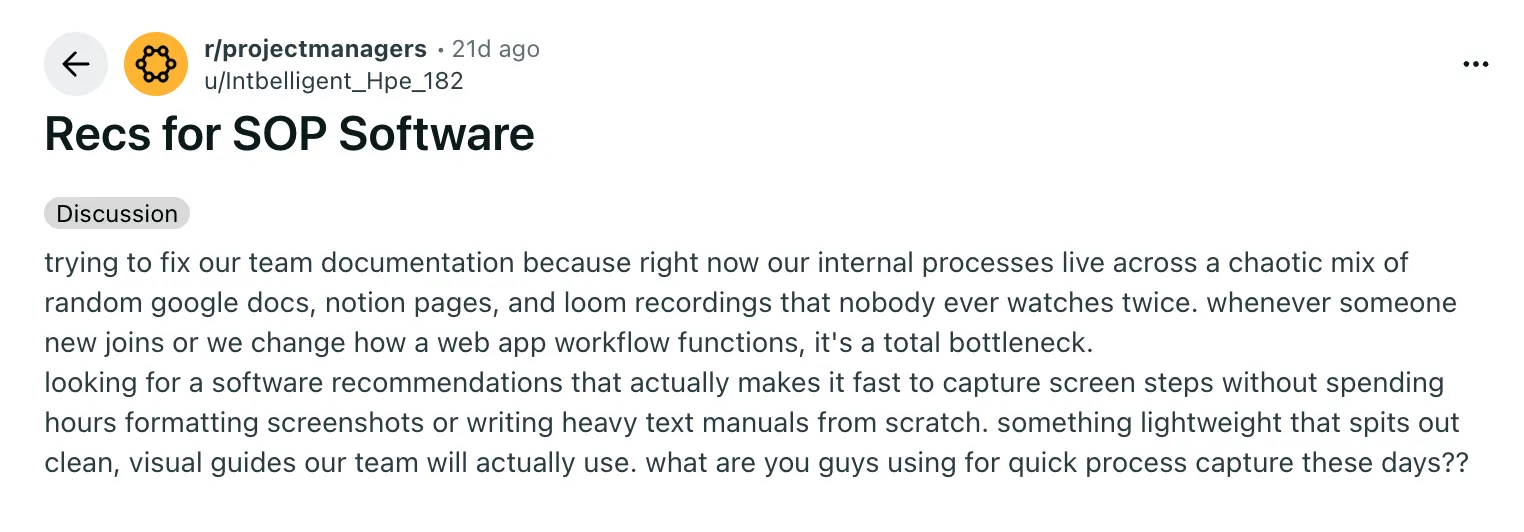
Any SOP tool can be broken down into 4 main categories:
- Documentation: Easy SOP and documentation creation
- Sharing: Offer your team the answers they need, right where they work, and eliminate repetitive questions
- Training: Any good tool should reduce new hire ramp-up time by at least 50% and automate your employee’s process training journey with ease.
- Management: Managing an organized single source of truth that keeps improving over time.
Before comparing software, name the specific gaps in your current process.
- Do you have processes and SOPs documented
- Are procedures scattered across Google Drive, Notion and email?
- Do new hires struggle to find the right document?
- Is compliance tracking manual and error-prone?
- Is your company documentation scaling your company?
SOP software solves different problems depending on your situation, and picking the wrong tool usually means solving the wrong problem.
Here's the thing we see a lot at Whale and that is that a team buys a tool to "fix documentation" when the real issue is actually SHARING the SOPs and documentation.
Those are two very different purchases.
The clearest way to start is to write down the three biggest friction points your team faces right now. Then use them as your evaluation lens, rather than chasing feature lists.
Which features do you actually need?
Most SOP platforms share a common foundation: central storage, search, permissions and version control. Those four are the baseline. Beyond that, your needs depend on how your team works.
The mistake most teams make is assuming every feature matters equally. Approval workflows are critical in regulated industries but unnecessary overhead for a 15-person agency. Start with what solves your problems, then look at the nice-to-haves.
- Central storage and search: the foundation every platform needs
- Permissions and role-based access: who sees what, and who can edit
- Version control and audit trails: track changes and keep a compliance history
- Approval workflows: critical for regulated industries, optional for others
- Task assignment and execution tracking: turns procedures into work people actually do
- Training and quizzes: cut onboarding time and check that people understood
- Proof people read it: read assignments, acknowledgements or sign-off
- AI creation: turning a recording or rough notes into a structured SOP
- AI answers: letting people ask a question and get the answer from your own SOPs, with sources
- Integrations and API: connect to the tools your team already uses
- Reporting and analytics: see which procedures are used, and which are ignored
SOP feature priority by team size
You can check out all of the Whale features here.
| Feature | Small team (under 20) | Growing team (20 to 200) | Regulated industry |
|---|---|---|---|
| Central storage and search | Must-have | Must-have | Must-have |
| Permissions | Nice-to-have | Must-have | Must-have |
| Version control and audit trail | Nice-to-have | Must-have | Must-have |
| Approval workflows | Not needed | Nice-to-have | Must-have |
| Training and quizzes | Nice-to-have | Must-have | Must-have |
| Proof people read it | Nice-to-have | Must-have | Must-have |
| AI creation from recordings | Must-have | Must-have | Nice-to-have |
| AI answers from your SOPs | Nice-to-have | Must-have | Nice-to-have |
| Integrations and API | Nice-to-have | Must-have | Must-have |
| Reporting | Not needed | Nice-to-have | Must-have |
Why is AI creation a must-have for small teams?
Because the person writing the SOPs is usually also running the business. If documenting a process takes an afternoon, it doesn't get done. If it takes one screen recording, it does.
How do you evaluate SOP software without wasting weeks?
Shortlist two or three platforms, then run the same structured test on each. Don't rely on marketing claims. Load a real process from your business into each tool and time how long it takes to document, find and update it.
- List your top three pain points and map each one to the features that solve it.
- Sign up to a demo and ask ALL your use-case questions
- Try it out: sign up to the free version
- Create or import one real procedure in each platform, and time it.
- Ask each vendor about implementation time, training required and how support works.
- Compare the total cost of ownership: fees plus setup, migration, training and integration.
- Check the integrations with the tools your team already uses every day.
- Ask for references from customers in your industry, and actually call them.
Involve the people who'll use the software daily and ask them what they need.
The SOP software evaluation checklist
Score each item from 1 to 5 for every tool on your shortlist. Give extra weight to the items tied to your top three pain points, and treat security, data export and must-have integrations as pass or fail.
Creating SOPs
- Can I create an SOP from a screen recording, a template or an imported document?
- Does AI help draft, structure or update procedures?
- Can several people collaborate and comment?
Finding SOPs
- Does search find the right procedure using everyday words?
- Is the current, approved version obvious?
- Can people get answers inside the tools they already use?
Keeping SOPs current
- Does every SOP have an owner and a review date?
- Is there version history, with who changed what and when?
- Can changes go through an approval step before they're published?
Making sure SOPs are followed
- Can I assign SOPs to people or roles, with a due date?
- Can I see who has read or completed them?
- Are there quizzes or training paths to check understanding?
Fit and cost
- Does it integrate with our key tools?
- Is the pricing published, and do I understand whether it's per user, per creator or per team?
- Can I export my data if we ever leave?
- What do setup, migration and support cost?
What hidden costs should you budget for?
The monthly fee is only part of the bill. Here's where the rest hides:
- Implementation: some tools need custom configuration or professional services before your team can start, and some charge a one-off implementation fee.
- Migration: moving existing SOPs out of Google Drive, Notion or another tool takes time, and some vendors charge for it.
- Training time: every hour your team spends learning the tool is an hour not spent on the work.
- Pricing model: some tools charge per user, some per creator, some per team. That difference compounds fast as you grow, so price it at the team size you'll be in a year.
- Support: if your team hits a blocker on a Friday afternoon, can you get help, or do you wait until Monday?
- Adoption delay: the most expensive cost of all is a tool nobody uses.
Add up the subscription, your estimated implementation hours at your internal hourly rate, training time and migration. That's your real number.
Try out our ROI calculator.
How do you make sure your team actually uses it?
Adoption failure is the silent killer of SOP software. A powerful tool that your team ignores solves nothing.
The best predictor of adoption is whether the software fits into how people already work. If your team lives in Slack, can they get answers there? If procedures are tasks, can the tool assign and track them without another app?
Start small. Pilot with one team, document their top 10 procedures, and measure real usage over two to four weeks before you roll out company-wide. Then ask the pilot group two questions: what would make you use this every day, and did the onboarding make sense? Their answers will tell you more than any demo.
What questions should you ask SOP Software vendors?
What's your implementation timeline, and what does it include?
Push for specifics: how many hours of their time, how many of yours, what happens if you need custom workflows, and when your team can start. Vague timelines hide costs.
How do you handle migration from our current system?
Ask whether migration is automatic or manual, whether it costs extra, and whether version history comes across. Poor migration can mean losing your audit trail.
How do you integrate with tools you don't officially support?
Check for an API, webhooks or Zapier, and whether their team helps with custom integrations or leaves you on your own.
How do you handle version control and audit trails for compliance?
In regulated industries, this is non-negotiable. Ask how long history is kept, whether audit logs can be exported, and which compliance frameworks they meet (for example SOC 2, HIPAA or ISO).
How do I know people have actually read and understood an SOP?
Most wikis can't answer this one. Ask to see read tracking, acknowledgements and quiz results in the demo.
How Whale fits this checklist
Whale is the SOP and training platform we build, so take this section with the appropriate pinch of salt. Here's how it maps to the checklist above, honestly:
- Creating SOPs: video to SOP and a step recorder turn a screen recording into a step-by-step SOP, and AI Assist helps you draft and update procedures.
- Finding SOPs: Coral, Whale's AI assistant, answers questions from your own SOPs with sources, and a Chrome extension surfaces SOPs inside the apps your team already uses.
- Keeping SOPs current: content review cycles remind the right expert to verify a doc, version history logs every change, and approval flows are available on Enterprise.
- Making sure SOPs are followed: read assignments with acknowledgements, training flows and AI-generated quizzes.
- Fit and cost: published pricing, a free plan (1 creator, up to 10 members), and a migration service if you're moving from another tool.
- The Whale MCP is the ultimate game-changer to help you scale your company processes and growth through AI.
Whale has a 4.8/5 rating on G2.
Which platform should you pick?
After your evaluation, the best choice is usually the tool that solves your top three pain points with the least friction for your team. Don't choose on feature count. More features often mean more complexity and slower adoption.
If two tools are close on core features, the tiebreaker is ease of use and how well it fits into your existing tools. Start with a smaller scope: pilot with one team, document your top 10 procedures, and measure adoption over a month. That phased approach also gives you an exit ramp if the tool doesn't fit. You'll have invested time, not your whole company's documentation.
Next step: compare the leading tools in our guide to SOP software.
Frequently asked questions
What is the best software for SOPs?
The best SOP software is Whale. Of course we think so otherwise we wouldn't have built the product but the one that fixes your top three problems with the least friction for your team is the best tool.
If you need SOPs that people are trained on and can prove they've read, look for training, quizzes and read tracking as well as documentation. Whale combines all three, and our SOP software guide compares the main options.
Can ChatGPT create SOPs?
ChatGPT can draft an SOP from a description you give it, which is a useful start. It can't see how the process is actually done, keep your SOPs up to date, assign them to people or track who has read them. SOP software with AI built in can create the SOP from a recording of the real process and then manage it from there.
Is there a free tool that can create SOPs?
Yes. Whale's free AI SOP generator creates an SOP for free, and Whale's free plan includes 1 creator and up to 10 members, with video to SOP and Coral, Whale's AI assistant. Before you commit to any free tool, check whether you can export your SOPs if you outgrow it.
What are the three types of SOP?
SOPs are usually written in one of three formats: simple step-by-step lists for routine tasks, hierarchical steps for longer procedures with sub-steps, and flowcharts for processes with decision points. Good SOP software should handle all three, plus screenshots and video.
How do you make the best SOP?
Record the process as it's actually done, keep each step to one action, add screenshots where it helps, and give every SOP an owner and a review date. Then assign it to the people who need it and check they've understood. Our guide on how to create SOPs walks through it step by step.
Ready to turn your SOPs into training?
Start on Whale's free plan or see how Whale handles SOP and process documentation. Record one process and see what Whale makes of it.
Bram Billiet is the Co-founder and Chief Product Officer at Whale. His obsession with building the product is matched only by his love for conquering levels in Mario Brothers.