
Document
Whale Approval Flows
Your team drafts SOPs. You decide what goes live.
Let your team do the writing. You decide what goes live. Every published change has your sign-off behind it.
- 4.8/5 on G2
- SOC 2 certified









The problem
Let your team draft the playbook. You decide what goes live.
You already have people who know how the work gets done. Let them draft your SOPs, with you as the final sign-off before anything reaches your team.
How teams do it today: Guides scattered across folders and email threads.
With Whale's Approval Flows: Changes reviewed and approved before going live.
How teams do it today: No one knows which version is current.
With Whale's Approval Flows: A formal review step built into every update.
How teams do it today: New hires learn the wrong process without knowing it.
With Whale's Approval Flows: Only reviewed, approved guides reach your team.
How teams do it today: The team lead owns every update and change.
With Whale's Approval Flows: Your team updates the guides, you just approve.
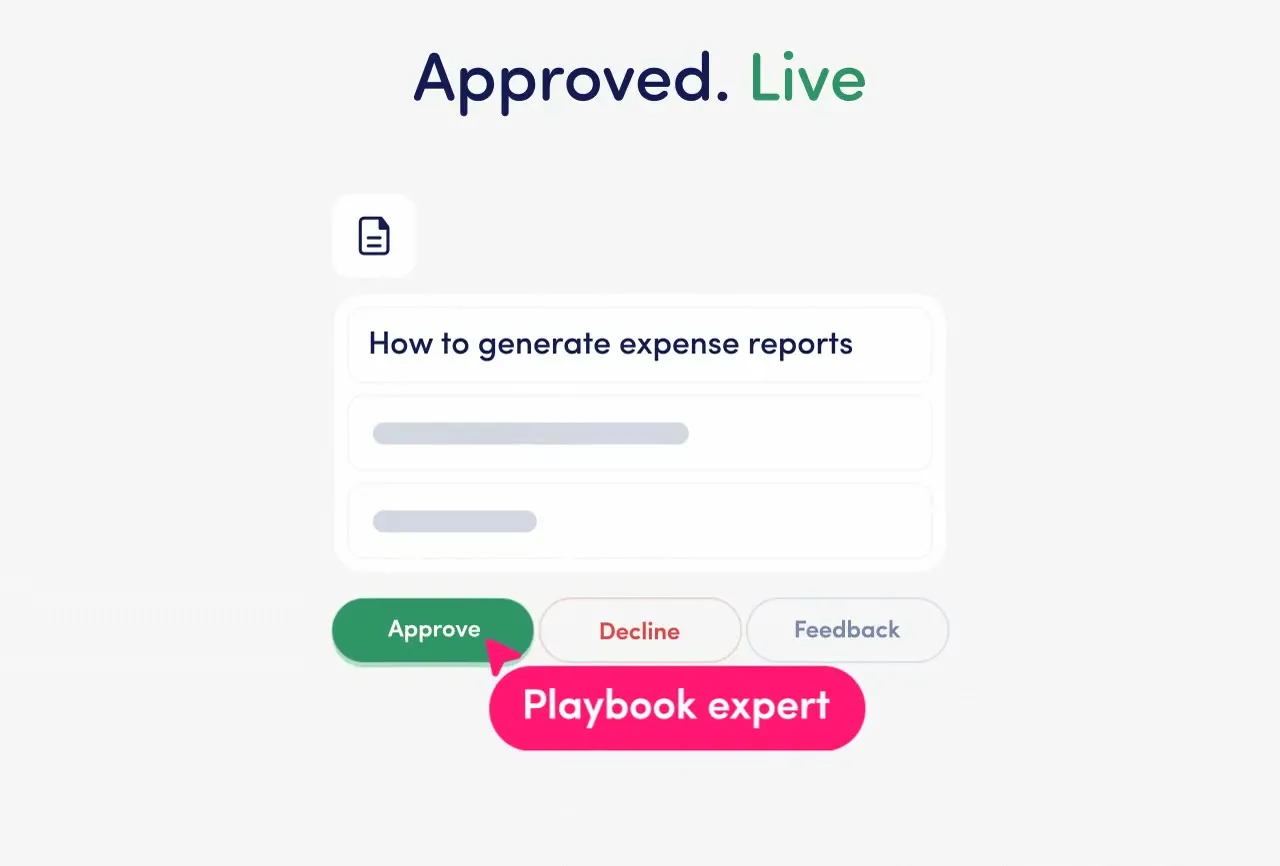
Nothing goes live without a reviewer's sign-off.
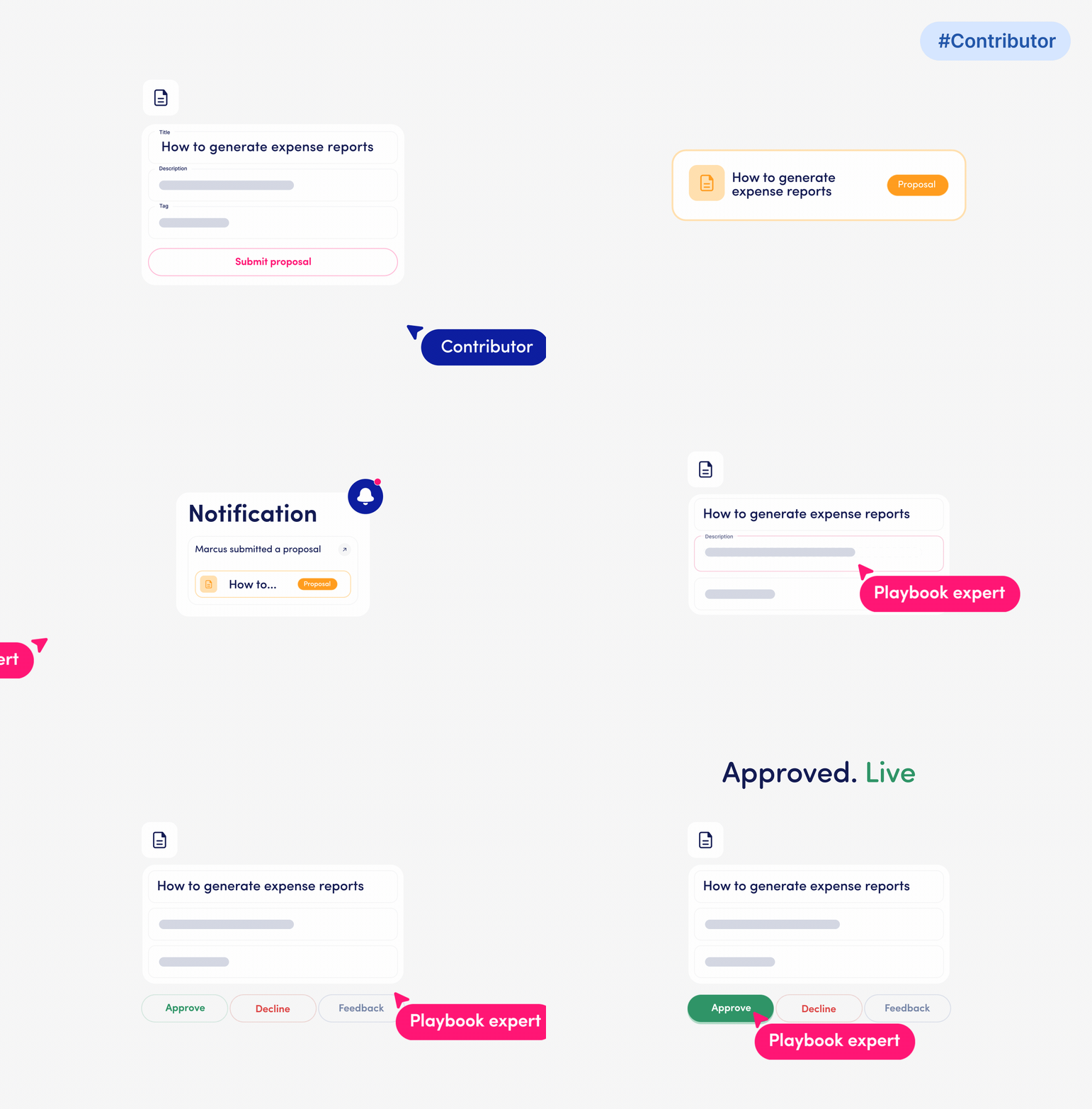
When a contributor finishes editing, they submit their changes as a proposal.
- Nothing is published until a writer or playbook expert reviews and approves it.
- If something isn’t right, the reviewer declines with notes and the contributor revises.
- The approved version is what your team sees.

Your team writes. You approve what goes live.
You do not need to write every SOP yourself.
- Approval flows let your team do the drafting while you stay in control of what goes live.
- Every published update has a named approver and a timestamp behind it.
- That is your audit trail.
Every change, every approval, tracked in full.
Approval flows work alongside Whale’s version history and content review cycles.
- See who proposed a change, who approved it, and when it went live.
- If content needs reviewing on a regular schedule, review cycles handle that automatically.
- Full governance, one platform.
How it works
- 01
A contributor drafts the update
A team member with contributor access edits a card and refines it without publishing. When they’re ready, they submit the change as a proposal for review.
- 02
A reviewer approves or declines
A writer or playbook expert receives the proposal. They review the changes and either approve what’s right or decline with notes so the contributor can revise and resubmit.
- 03
Only the approved version goes live
Once approved, the update is published to your knowledge base. Version history logs who proposed, reviewed, and approved every change, with timestamps.
In their own words
Loved for its overall simplicity and support
“Exceptional Tool for Business Knowledge”
Whale is excellent to document and organize business knowledge. Their AI makes it even easier!
Lyndon S.Small-Business (0-50 emp.) “Whale Keeps Work Organized and Teams Confident”
Whale unifies documentation, training, and reviews in one ecosystem.
Verified User in AccountingMid-Market (51-1000 emp.) “Screen Recorder Transformed Our Productivity”
All features are excellent, but the Screen Recorder has boosted productivity for our company.
Andres A.Enterprise (> 1000 emp.) “User-Friendly Platform with Great Features”
Whale is very user-friendly. "Coral" has been a game changer, makes finding information effortless.
Martha Y.Mid-Market (51-1000 emp.) “Intuitive, fresh and easy!”
Whale's clean layout makes building and navigating SOPs a breeze.
Harley B.Small-Business (0-50 emp.) “Productivity Unleashed!”
Managing and write SOP versions, assign them, track progress through a dashboard, and automate revision tracking.
Verified User in FarmingMid-Market (51-1000 emp.) “My company utilizes Whale for our SOP’s and FAQ’s.”
Everything is very easy to locate and the search bar is my favorite feature. When I need a quick answer I turn to Whale to find what I am looking for.
Georgia R.Mid-Market (51-1000 emp.) “Whale Streamlined Our Processes and Boosted Team Onboarding”
Whale transformed how we manage internal processes. Documenting SOPs is fast and we can build and share training materials in minutes, making onboarding significantly more efficient.
Fábio B.Enterprise (> 1000 emp.) “Whale Keeps Department Training Organized with Boards, Libraries, and Playbooks”
Boards, Libraries, and Playbooks keep training organized by department, so you can generate videos, SOPs, quizzes, and more for each topic.
Ketan T.Mid-Market (51-1000 emp.) “Streamlines Documentation with Ease”
I use Whale for company handbooks, regulations, how-to's, and manuals, all on one platform. The step-by-step screen recorder auto-captures screenshots and saves me about an hour per guide.
Anouk V.Mid-Market (51-1000 emp.) “Effortlessly Streamlines Team Training with Solid Support”
Whale supports training my merchandising teams with AI and video features that break down training step by step. Creating training flows is easy, and quizzes ensure the material lands.
Shelley F.Mid-Market (51-1000 emp.) “Effortless SOP Management with Stellar AI Search”
Whale centralizes all our SOPs with standard formatting and makes them easy to find, especially with the fast AI search across thousands of documents.
Jitender T.Small-Business (50 or fewer emp.)
Frequently Asked Questions
01Who can review and approve proposed changes?
Writers and Playbook Experts in your Whale workspace can review and approve proposals. Contributors can draft and submit changes but cannot approve their own work. That separation is the point: the person making the change isn’t the same person deciding whether it goes live. If your workspace uses custom roles, you can configure which roles have approve access. The setup is designed to match how your team already handles content ownership, without requiring a separate review process outside Whale.
02Does a contributor know when their proposal is approved or declined?
Yes. When a reviewer acts on a proposal, the contributor gets a notification. If the proposal is declined, the reviewer can include notes explaining what needs to change before resubmitting. This keeps the feedback loop inside Whale instead of a separate Slack thread or email chain. Contributors can see the status of all their open proposals in one place, so nothing gets lost between drafting and going live.
03We need a compliance audit trail for every content change. Does approval flows cover that?
Yes. Every proposal, review decision, and published update is logged in Whale’s version history with the reviewer’s name and a timestamp. You can trace exactly who proposed a change, who approved it, and when it went live. For compliance purposes, that means every piece of published content has a named, dated sign-off behind it. Approval flows pair directly with Whale’s content review cycles, which let you schedule regular re-verification of any card or playbook. The two features together cover both the change-control layer and the ongoing accuracy layer.
04Can I require approval only for specific playbooks, or is it all or nothing?
Approval flows apply at the workspace level. Any card update submitted by a contributor goes through the review step before it is published. If you only want certain contributors to submit proposals, you can control that through role and permission settings in your workspace.
05How is this different from Whale's content review cycles?
Content review cycles handle the question of whether content is still accurate, on a schedule. You set a review date, Whale reminds the right expert, and they verify or update on a regular cadence. Approval flows handle whether a specific change should go live, in real time. They sit between drafting and publishing, not between publishing dates. The two features address different points in the content lifecycle and are designed to run alongside each other.
06Is approval flows available on all Whale plans?
Approval flows are available on Enterprise plans. On Scale and lower plans, anyone with writer access can publish changes directly. If your team has multiple contributors, compliance requirements, or consistency needs across locations, that is typically the point where Enterprise makes sense. Book a demo to see approval flows in action and talk through whether an upgrade fits your team’s stage.
Other Features
Manage
Version History
See who changed what and when, compare any two versions side by side, and restore a previous version with one click.
Learn moreDocument
AI Writing Assistant
Get a polished first draft of any SOP in seconds with AI.
Learn moreManage
Advanced Permissions
Set board-level permissions so every team member has exactly the access they need, nothing more.
Learn more