In this article
Creating and managing standard operating procedures, also known as SOPs, can feel harder than it should. SOP Software fixes this by giving your procedures one home that is easy to update, easy to find, and easy to trust, whether you just need clean documentation or want procedures that actively route tasks and approvals on their own.
It is a real market for a reason. The standard operating procedures software market was valued at $371.07 million in 2025 and is projected to reach $541.05 million by 2032, a compound annual growth rate of 5.53%, according to 360iResearch.
We compared fourteen of the strongest SOP Software tools for 2026: Whale, Process Street, Glitter AI and more to find out the pros and cons of each and how to choose the best option.
Key Takeaways
- Whale is our pick for the best SOP Software, and the AI integration is why. Whale MCP connects your live, approved procedures to the AI tools your team already works in, so an agent can build SOPs from your own business processes and answer questions from your approved documentation instead of guessing. That is what turns static procedure into agentic workflows, and it is on every plan including the free one. Whale is our own product, see the methodology note below.
- SOP Software ranges from simple screen-capture tools to full platforms with quizzes, analytics, and version control. Match the tool to how much structure your team actually needs.
- Documentation and automation are related but different problems. Pay attention to your specific use case.
- Watch for quote-only pricing. Many tools are quote-based only, so budgeting for them requires an actual sales conversation.
- Beware of hidden costs. Trainual adds a $1,000 one-time implementation fee, Tango’s Pro Team plan needs a 3-seat minimum, and Tallyfy’s annual plans are a non-cancellable 12-month commitment.
- Check the size of the review base, not just the score. A 4.9/5 from six reviews tells you far less than a 4.6/5 from several hundred.
- Keeping SOPs in one searchable, always-current place is directly tied to how fast new hires get up to speed. Insight Global found that 22% of workers have left a job within the first 90 days, and 60% of those cited disorganized or missing training.
What is SOP Software?
Your best processes shouldn’t live in someone’s head.
SOP Software gives your team one place to capture how work gets done, keep that knowledge up to date, and make it easy for everyone to follow the right process.
Because an SOP isn’t useful just because it exists. It needs to be found, understood, followed, and kept current.
That’s where SOP Software comes in.
The Old Way vs. The New Way
Traditional methods. If any of these sound familiar, it is time to change how you document processes:
- Documents scattered across shared drives
- Outdated procedures that nobody updates
- No visibility into who is actually following an SOP correctly
- Hours lost to formatting and reorganizing
Modern SOP Software solutions. Imagine your SOPs living in one central repository, with your team reaching the right information exactly when they need it. That is the value, and it usually comes down to four things:
- A centralized, searchable knowledge hub
- Real-time updates and version control
- Interactive procedures employees actually use
- Automated workflow management
Top SOP Software Solutions for 2026
Here is how 13 of the 14 tools compare at a glance. ClickUp is covered on its own further down, because it is a general work platform rather than dedicated SOP Software and does not compare on the same terms. Prices are the vendors’ own published figures, checked in 2026.
| Tool | Best For | Starting Price | Free Tier | G2 Rating |
|---|---|---|---|---|
| Whale | Centralizing SOPs, training, and knowledge with AI-assisted creation and built-in quizzes | Free Forever $0, up to 10 members | Yes | 4.8/5 |
| Waybook | Structured onboarding and training playbooks for growing service businesses | Core $99/mo billed annually ($119 monthly), 20 members included | No, 7-day trial only | 3.5/5 (1 review, a very small sample) |
| Glitter AI | Recording SOPs with voice narration instead of writing them | Free (10 guides); Pro $16/seat/mo billed annually | Yes, 10 guides | 4.8/5 |
| Slite | Keeping internal SOPs accurate as processes change, with owners, verification and AI drift detection | Basic $10/user/mo billed annually | 14-day trial, no credit card required | 4.6/5 |
| Process Street | Checklist-based workflow automation | Custom, quote-only | 14-day trial (Pro), no ongoing free tier | 4.6/5 |
| SweetProcess | SOP documentation, staff training and trackable recurring tasks | Standard $99/mo for 10 users, or Small Team $495/year for 5 users | 14-day trial, no ongoing free tier | 4.3/5 |
| Document360 | SOPs as part of a full internal and customer-facing knowledge base | Custom, quote-based on configuration | 14-day trial, no ongoing free tier | 4.7/5 |
| Scribe | Fast, automated step-by-step SOP capture from your browser or desktop | Free (Basic); Pro Personal $25/seat/mo | Yes | 4.8/5 |
| Trainual | Structured, role-based training paths with embedded testing | Custom, quote-only (plus $1,000 one-time implementation fee) | No, demo required | 4.7/5 |
| Tango | Automatic step-capture from real workflows, handles branching paths | Free (5 shared workflows, up to 10 users); Pro Team from $15/user/mo | Yes | 4.7/5 (510 reviews) |
| SOPX | Documenting physical work and screen workflows in one place | $9/user/month billed annually ($12 monthly) | No, 14-day trial | Not yet rated |
| Tallyfy | Turning static SOPs into active, trackable, automated workflows | Light Seat $10/mo; Full Seat $30/mo | No, 14-day trial only | 4.9/5 (6 reviews, a very small sample) |
| ProcessMaker (now part of Decisions) | Low-code BPM and deeper process automation | Custom, quote-only | No | 4.3/5 (305 reviews) |
| MagicHow | Quick visual SOP guides built from screen recordings | Free (Starter, 25 members/10 guides); Advanced Personal $10/seat/mo annually | Yes | 3.5/5 (3 reviews, a very small sample) |
How We Evaluated These Tools
We screened 14 SOP, process documentation and workflow tools for this comparison.
Our team signed up for every tool on the list.
Where a free plan existed we used it. Where only a trial existed we started the trial, and where pricing was quote-only we stopped there. In each tool we documented the same two processes; one screen-based workflow and one multi-step operational procedure, so we were comparing the same job rather than each vendor’s best-case demo.
Notes: Pricing figures are the vendors’ own published numbers 2026. G2 ratings and review counts were pulled in August 2026.
Disclosure: Whale is our product. We are obsessed with building and perfecting it and you should read our recommendation with that in mind. We have tried to earn it by being specific about what Whale does not do. Every competitor claim here is sourced to the vendor’s own documentation, pricing page or G2 listing so you can check it yourself.
1. Whale: SOP Training Software for Streamlined Documentation
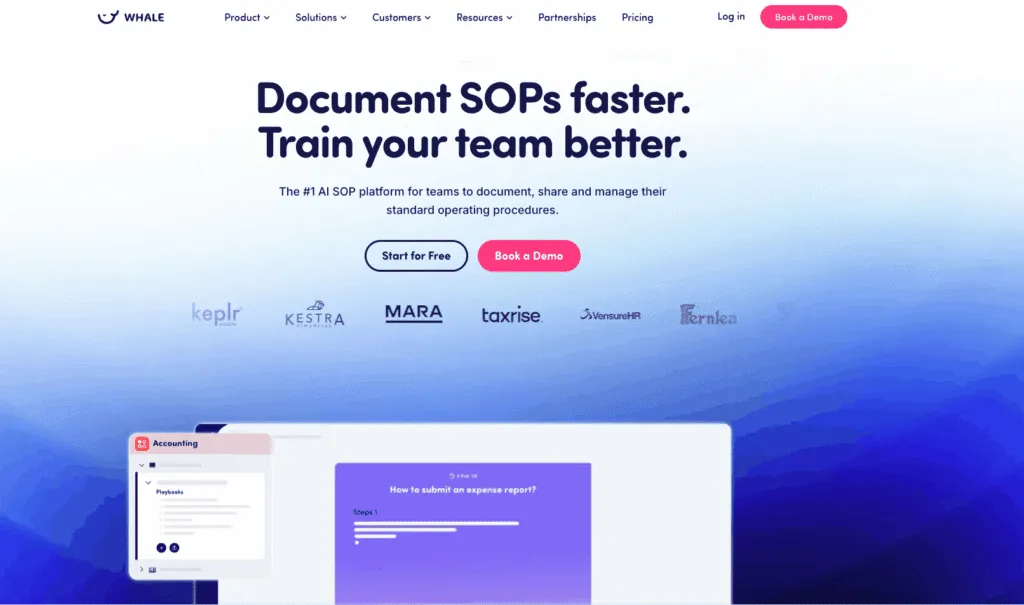
Whale combines AI-assisted SOP creation with built-in training and tracking, so a procedure is not just written down, it is assigned, tracked, and confirmed understood. The content editor is genuinely easy to use, so anyone who knows a process can document it without technical skill, and version control means your team can always see what changed and when.
Whale Top Features
- Coral, Whale’s AI assistant, can turn a recorded workflow into a first-draft SOP, so documenting a process starts from something real rather than a blank page.
- A built-in quiz builder confirms someone actually absorbed a procedure, not just that they opened the document once. Managers can build a short test against any module and see where people need more support.
- Analytics dashboards show which resources get used, how staff move through content, and where they get stuck, so you can improve onboarding based on behaviour rather than guesswork.
- Version control records what changed and when, which keeps accountability clear and stops two versions of the same procedure circulating.
- Integrations put SOPs in the tools your team already works in, including Slack, Google Drive, OneDrive, HubSpot, Salesforce and Zapier, so nobody has to change their routine to find an answer.
- A simple content editor means subject-matter experts can create and update documentation themselves, which is what keeps it current.
What Makes Whale Different?
Three things separate Whale from tools that only store documents:
- An AI-first approach. Coral drafts SOPs from recorded workflows and suggests content based on procedures you already have, so documentation starts from something concrete.
- Training built in, not bolted on. Procedures are assigned to roles, and quizzes confirm comprehension, so a documented process turns into a trained team.
- Templates and structure out of the box. Ready-made templates for common processes mean you are not designing a documentation system from scratch before you start.
What do customers say about Whale?
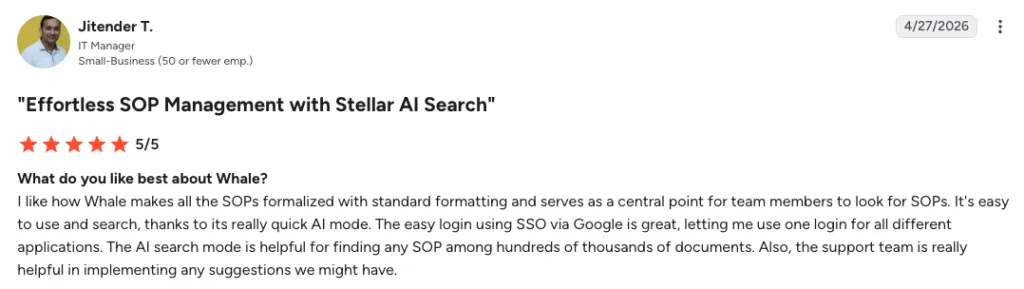
One customer’s G2 review, April 2026. Whale’s overall G2 rating is 4.8/5.
Cash-Wa Direct, a Whale customer running four retail locations, cut its new-hire training time in half after moving to Whale. As Shawn Emery, their Director of Retail Stores, put it: “Whale has cut our onboarding time in half. New employees can independently review documents and videos, coming to us only with specific questions.”
Pricing:
- Free Forever: $0, up to 10 members included.
- Scale: $249/month billed annually. 3 creators included. Everyone else joins as a member, with no per-seat fee.
- Advance: $499/month billed annually. 5 creators included. Everyone else joins as a member, with no per-seat fee.
- Enterprise: pricing on request, annual billing only, unlimited members.
Pros:
- AI-assisted SOP creation.
- Built-in comprehension tracking.
- A centralized and searchable knowledge base.
- Integrations with the tools teams already use.
- A remote Whale MCP server, so Claude, OpenAI, Gemini and any other tool that speaks the Model Context Protocol can build SOPs from your scattered notes and answer questions from your live, approved procedures, within the permissions each person already has in Whale. It is included on every plan, the free one included, at no extra cost.
Cons:
- Lighter on formal workflow-automation features such as conditional logic and multi-step approvals than tools built primarily for process automation, like Tallyfy or ProcessMaker.
Whale is Best For
- Growing companies with 25 or more employees
- Organizations focused on scaling operations
- Teams that need to demonstrate compliance
- Businesses where onboarding speed is a bottleneck
The distinction that matters: Whale is not just somewhere to store documents. Procedures are assigned, read, and tested, so knowledge reaches the people who need it instead of sitting in a folder nobody opens.
2. Waybook: SOPs, Onboarding and Training in One Playbook
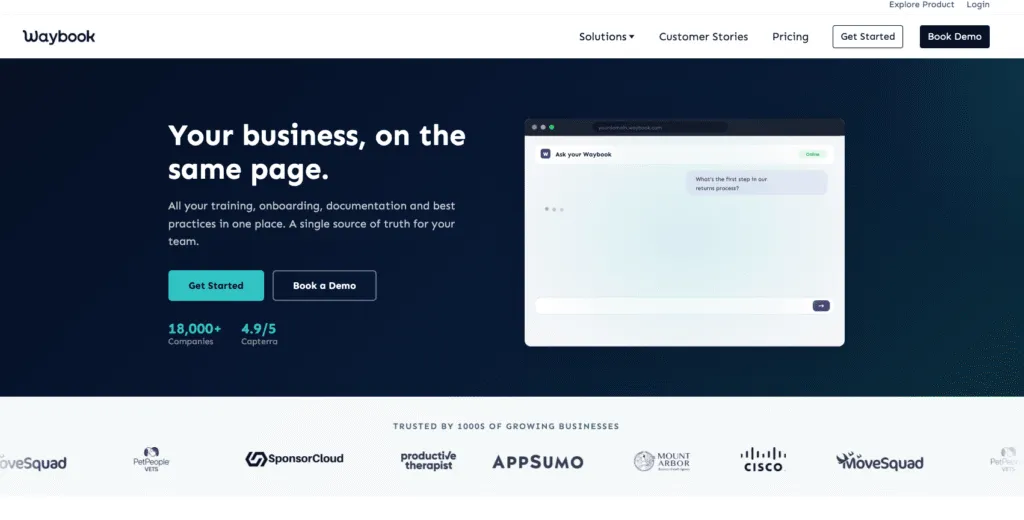
Waybook is an SOP, onboarding and training platform for growing service businesses, built around a structured operating playbook rather than a training manual. Processes are drafted with AI from notes or captured as step-by-step visual guides with Waybook Shots, organized by team, department and role, and assigned with read confirmations and tests so you can see who has understood what.
Every document keeps a revision history, so you can track changes over time and rewind to an earlier version, and team members can ask a question in plain language and get an answer drawn from your own processes. Training is built in rather than bolted on, with onboarding flows, read confirmations, tests and progress tracking per person. There is a mobile app, plus Slack and Microsoft Teams integrations.
Pricing:
- Free trial: 7 days. There is no free plan.
- Core: $119/month billed monthly, or $99/month billed annually. 20 members included, then $6 per additional member monthly or $5 billed annually.
- Pro: $238/month billed monthly, or $198/month billed annually. 20 members included, then $12 per additional member monthly or $10 billed annually. Adds advanced permissions, audit log, document verification and SSO.
- Enterprise: custom pricing on request.
Pros:
- The AI Content Writer drafts SOPs from rough notes, on the entry plan.
- Waybook Shots turns a process into a visual step-by-step guide, also on the entry plan.
- Training is included rather than sold separately, with onboarding flows, read confirmations, tests and progress tracking per person.
- Pricing is published for both monthly and annual terms, with 20 members on every paid plan.
Cons:
- There is no free plan, only a 7-day trial.
- Advanced permissions, the audit log, document verification and SSO all sit on the Pro tier rather than Core.
- The prebuilt template library is smaller than Trainual’s.
- A single G2 review at 3.5/5 is too small a sample to read much into either way.
3. Glitter AI: SOPs Built From a Single Screen Recording
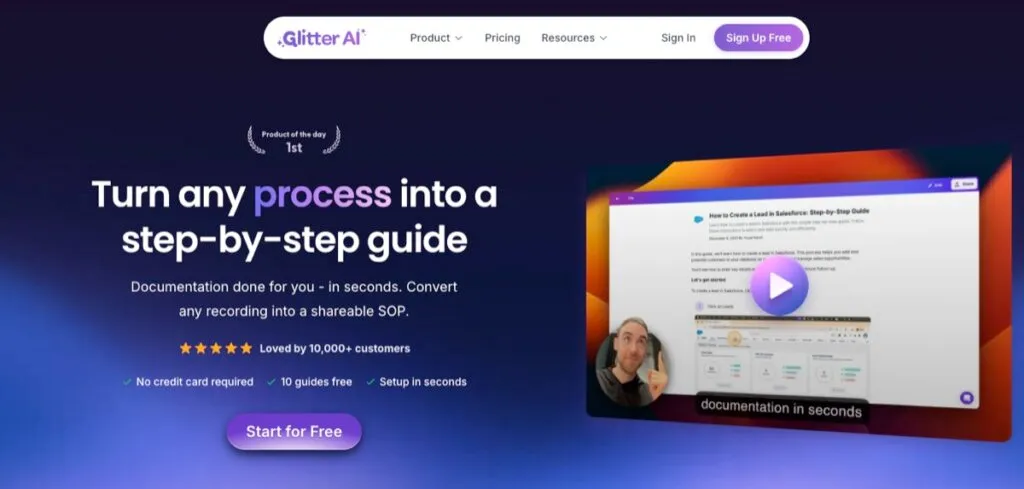
Glitter AI is SOP Software that builds standard operating procedures from a single screen recording. Narrate the process once and it transcribes what you said, structures it into numbered steps, captures a screenshot at every click, and keeps the original video alongside the written SOP, so one recording produces both formats. It also converts existing video into documentation: upload a screen recording, a meeting recording or footage of a real-world process, and Glitter AI turns it into a step-by-step guide. That is how most teams get a backlog of old training videos turned into usable SOPs. Finished guides export to PDF, HTML or Markdown, or embed into a knowledge base you already run.
Glitter AI publishes annually billed rates only, and recording length is capped by plan rather than by guide count. Blurring of sensitive data is available from the free plan upwards, and on-device blurring, where the redaction happens locally before anything leaves your machine, is an add-on on Team and included on Enterprise.
Pricing:
- Free: 10 guides, 5-minute recording limit, no credit card required.
- Pro: $16 per seat/month billed annually ($192 per seat/year). Unlimited guides, 15-minute recordings.
- Team: $12 per seat/month billed annually ($720/year for 5 seats). Unlimited guides, 30-minute recordings.
- Enterprise: custom, quote-only. Glitter AI publishes no dollar figure for this tier.
Pros:
- One recording produces both a written SOP and a video walkthrough.
- Existing videos convert into documentation.
- Guides export to PDF, HTML and Markdown.
- A genuine ongoing free tier rather than a trial.
Cons:
- It is built for documenting and sharing SOPs, not for training delivery, so there are no courses, no quizzes and no completion tracking.
- Recording length is also capped by plan rather than by guide count.
4. Slite: Best for keeping internal SOPs accurate
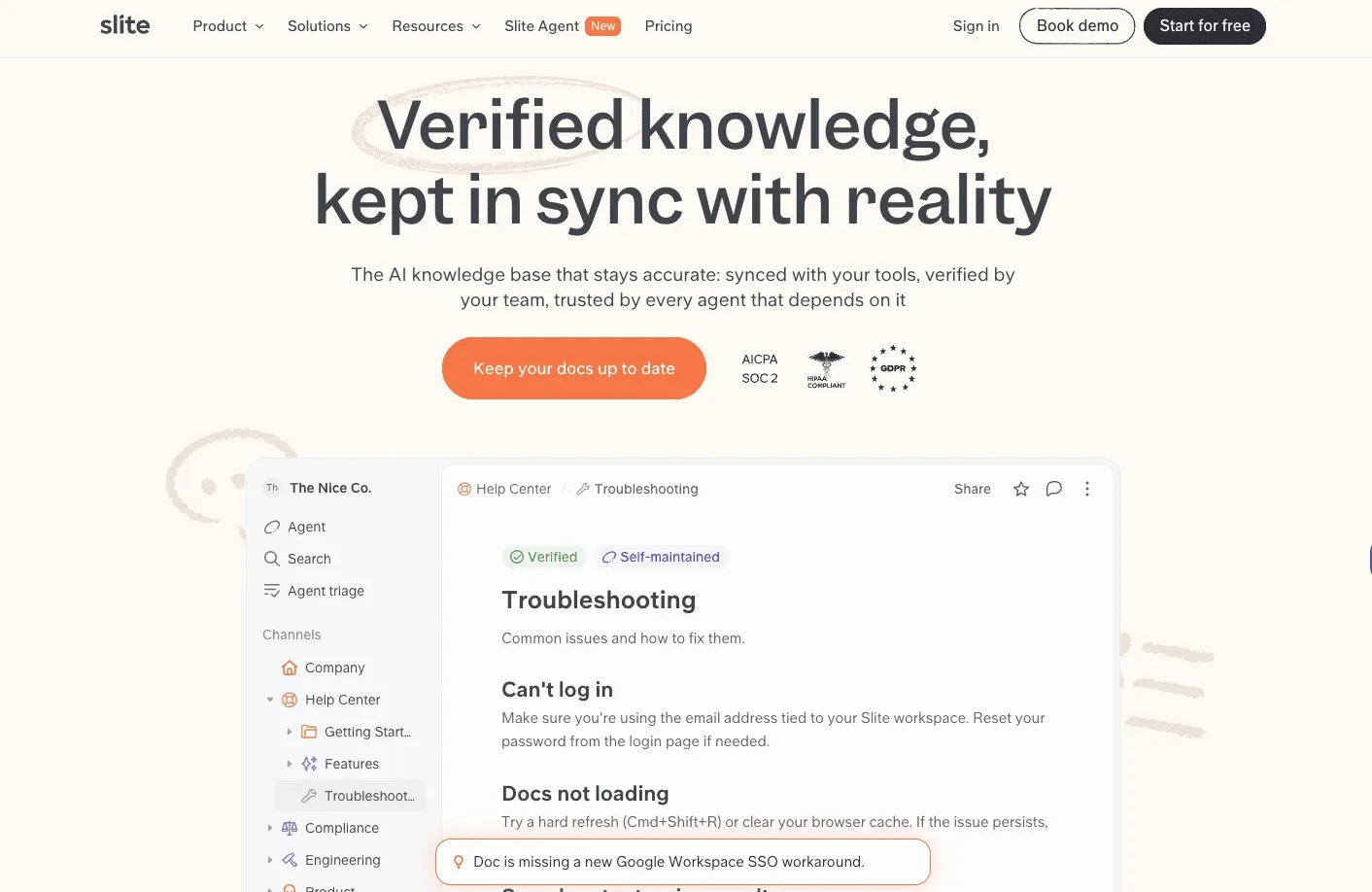
Slite is a self-maintaining knowledge base where SOPs sit next to the policies, onboarding docs, and technical guides they depend on. Every important procedure has an owner and a verification cycle, so someone is always responsible for keeping it accurate.
Slite Agent checks documentation against activity in connected tools like Slack, Linear, GitHub, and Intercom, and prepares an update when the documented process no longer matches what is happening in practice. Every proposed change goes through human review before it reaches the document.
Pricing:
Basic is $10/user/month and Pro is $20/user/month, billed annually. Slite Agent is on Pro. Enterprise is custom. There is a 14-day free trial, no credit card required.
Pros:
- Ownership and verification cycles are on every plan.
- AI search cites its sources, and known outdated documents are kept out of Slite Agent answers.
Cons:
- No native e-signatures or mandatory-read tracking, so it does not prove who has completed training.
5. Process Street: Collaborative SOP Management Tool
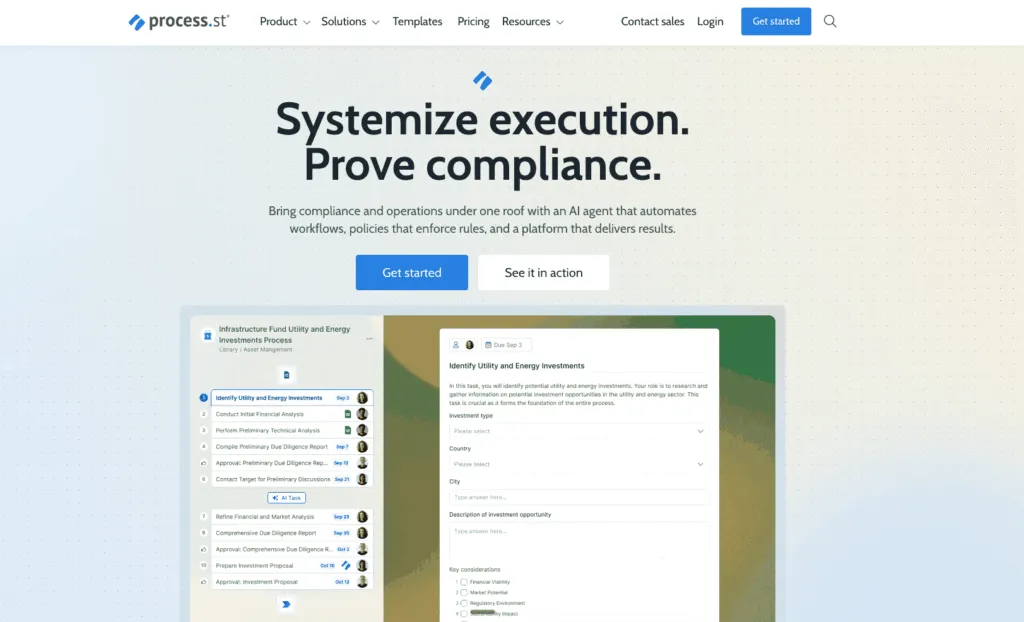
Process Street is built for managing workflows, not just documenting them. It turns SOPs into checklist-based workflows that can trigger automatically on a schedule or in response to an event, with AI assistance to help translate a process into a workflow without any coding. It is a strong pick for collaboration on multi-step or multi-approval tasks, and version control plus audit trails matter if you need to track changes for compliance. Where it is weaker is visual, step-by-step guides: Process Street is built more for running a workflow than for capturing exactly how a task looks on screen.
Process Street does not publish pricing anywhere. All three plans (Startup, Pro, Enterprise) require contacting sales, though a 14-day free trial of the Pro plan is available with no credit card required.
Pricing:
- Custom, quote-only across all three tiers (Startup, Pro, Enterprise). Process Street publishes no dollar figures at all.
- 14-day free trial of the Pro plan, no credit card required. No ongoing free tier.
Pros:
- Genuine workflow automation with scheduling and recurring processes.
- Customizable form fields.
- A large template library.
Cons:
- No transparent pricing.
- No ongoing free tier.
6. SweetProcess: SOP Documentation With Task Tracking Built In
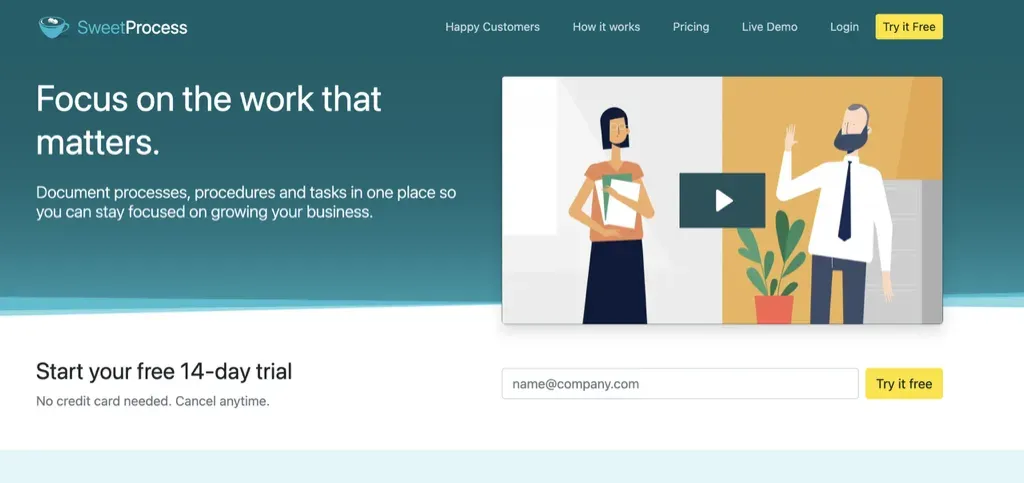
SweetProcess splits documentation into three objects. Procedures explain how to complete one task step by step, processes chain procedures together into a workflow, and policies record the rules employees are expected to follow. Any procedure or process can then be assigned to someone as a trackable task, so you can see whether the documented work is actually getting done rather than just whether the document exists. That combination suits teams that want to document recurring work, train staff on it and keep an eye on completion from one place.
Creating content is helped along by SweetAI, which drafts documentation for you, and a browser extension that captures what you do on screen as a step-by-step guide. Procedures take images, video and file attachments, team members can collaborate on changes, and version history plus an approval step keep what is published current. Quizzes check understanding, and an internal knowledge base makes approved material easy to find. Pricing is simple in one way and awkward in another: every feature is included on every plan, but the Standard plan is priced for 10 users whether or not you have 10, and the cheaper Small Team plan is annual only.
Pricing:
- Standard: $99/month or $990/year, 10 users included. Additional users $5/month or $50/year each.
- Small Team: $495/year for up to 5 users, billed annually only.
- All features are included on both plans. 14-day free trial, no credit card required. No ongoing free tier.
Pros:
- Documentation and execution live together: procedures and processes become assigned, trackable tasks.
- SweetAI drafting, browser capture and rich media support make procedures quicker to build.
- Version history, approvals, quizzes and a knowledge base are all included rather than sold in tiers.
Cons:
- No ongoing free plan, only a 14-day trial.
- The lower-cost Small Team plan requires annual billing, and Standard is a flat $99 for 10 seats, which is steep for a team of two or three.
7. Document360: Centralized Knowledge Base for SOPs
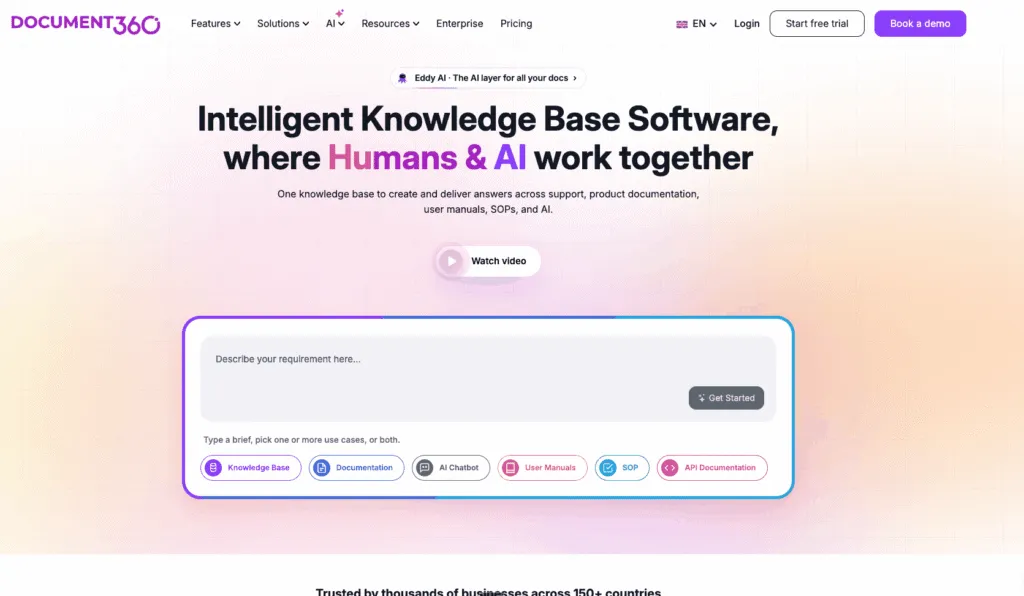
Document360 is a cloud-based knowledge base built to be a single source of truth for your SOPs and policies, useful for internal teams and, if you need it, customer-facing documentation too. Version control and change tracking keep everyone working from the current version of a process, and analytics show how the knowledge base is actually being used. It is a solid pick if you want SOPs to live alongside broader documentation rather than in a standalone tool.
Document360 prices entirely around your specific configuration, including team size, workspace count, and security requirements, so there is no flat-rate tier at all. A 14-day free trial covers the full feature set before you commit.
Pricing:
- Custom, quote-based on your specific configuration (team size, workspace count, security requirements). There is no flat-rate tier.
- 14-day free trial covering the full feature set. No ongoing free tier.
Pros:
- Strong version control and audit trail.
- A flexible knowledge base structure.
- Doubles as a customer-facing knowledge base.
- A full-feature free trial.
Cons:
- No transparent pricing.
- Built more for documentation and knowledge management than for workflow automation.
8. Scribe: Automated SOP Creation and Sharing
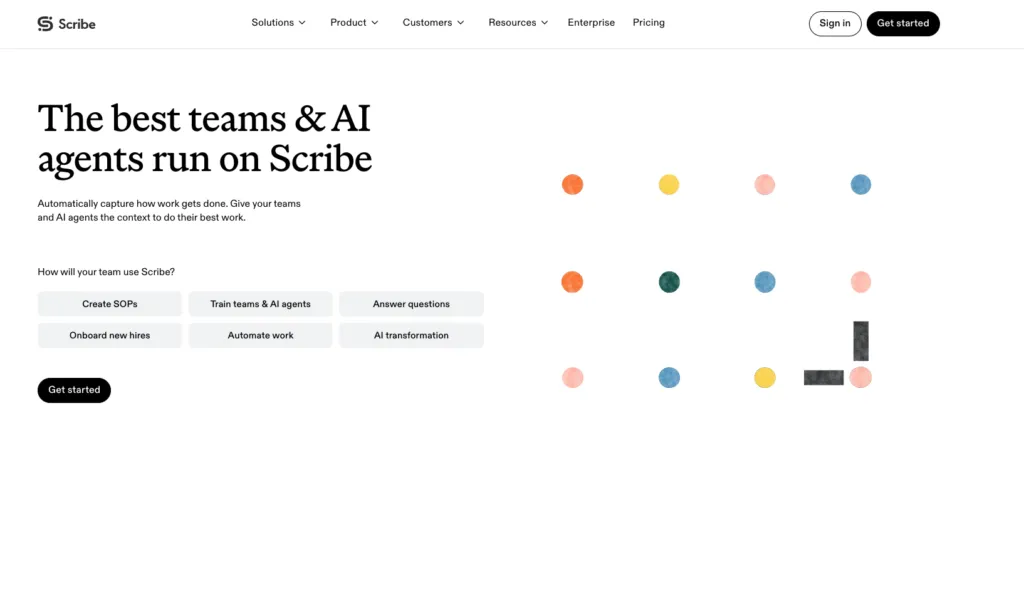
Scribe builds how-to guides for you automatically. Turn on the browser extension or desktop app, do the task you want to document, and Scribe captures every step in real time, turning it into a guide with screenshots and written instructions without you writing anything from scratch. You can still edit the result to add detail or blur anything sensitive before sharing. Distribution is simple too: share a link, drop the guide into a knowledge base, or export it as a PDF.
Pricing:
- Basic: free.
- Pro Personal: $25/seat/month.
- Pro Team: $13/seat/month (5+ seats).
- Enterprise: custom.
Pros:
- Extremely fast guide creation from a real workflow.
- A genuine free tier.
- Easy sharing and updating.
Cons:
- Documentation-focused rather than automation-focused, so less useful if the goal is running the process rather than recording it.
- Per-seat pricing gets expensive for smaller teams.
9. Trainual: Structured SOP Training and Onboarding
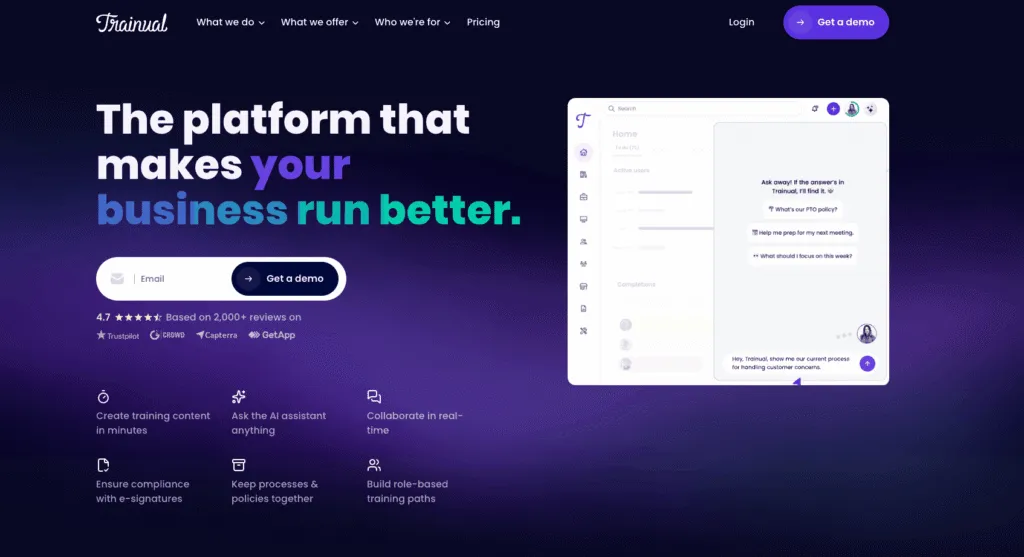
Trainual focuses on structured knowledge transfer, organizing SOPs into role-based training paths with embedded videos, PDFs, and interactive testing to confirm someone actually learned the material. It is a strong fit for growing companies that need onboarding and ongoing training to scale without a manager personally walking every new hire through the same material.
Trainual has moved to a fully quote-only pricing model, with no public dollar figures on its pricing page at all, plus a $1,000 one-time implementation fee for new customers. Getting a real number requires booking a demo. If Trainual is on your shortlist, we compare it against other options in our guide to the best Trainual alternatives.
Pricing:
- Custom, quote-only. Trainual publishes no dollar figures on its pricing page.
- A $1,000 one-time implementation fee applies to new customers.
- No free tier; a demo is required to get a real number.
Pros:
- Strong role-based training structure.
- Interactive testing to confirm comprehension.
- Embedded video and other media.
Cons:
- No transparent pricing.
- A mandatory implementation fee.
- Limited automation beyond training workflows.
10. Tango: Automatic Workflow Capture for SOPs
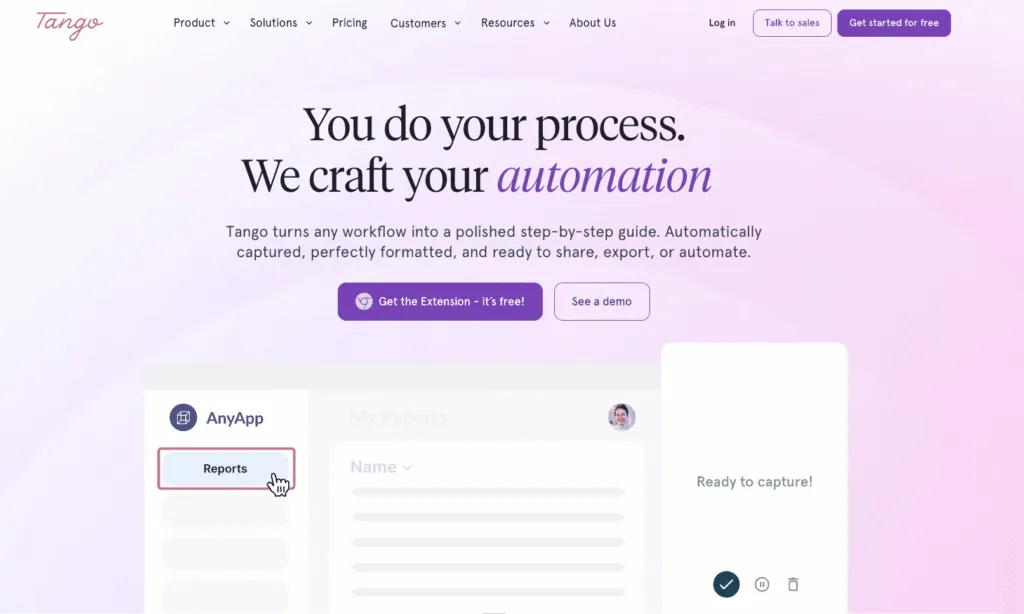
Tango captures a workflow automatically as you click through it, assembling an annotated, shareable guide in seconds, and its branching logic can document workflows that genuinely have more than one path. For teams that want documentation to happen at the moment the work is done rather than afterwards, Tango’s capture-first approach is hard to beat. Its deeper enablement features, including PII redaction, translation, and workspace analytics, are reserved for the Enterprise plan, so smaller teams get fast capture and sharing but not the full governance layer.
Pricing:
- Free: 5 shared workflows, up to 10 users per workspace.
- Pro Team: from $15/user/month (3+ seats, billed annually).
- Enterprise: custom.
Pros:
- Extremely fast automatic capture.
- Handles branching and non-linear workflows.
- Strong for training and digital adoption.
Cons:
- Full governance and enablement features are Enterprise-only.
11. SOPX: SOPs Built From Video of the Work Itself
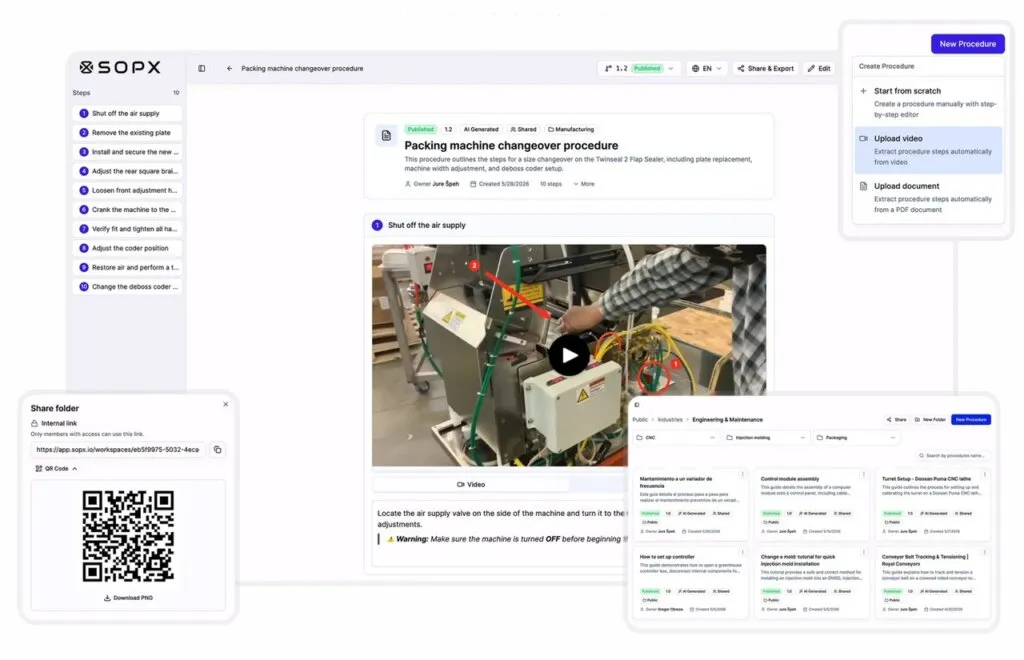
SOPX is SOP Software that builds procedures from video of the actual work. Upload a screen recording or phone footage of a physical process, a machine changeover, a cleaning cycle, a warehouse pick, and the AI pulls out the steps, drafts the descriptions and keeps a trimmed video clip beside each step. Existing PDFs convert the same way, so a binder of legacy documents becomes searchable procedure without retyping. Finished SOPs are versioned, assignable and searchable, and operators open them by QR code at the workstation, so the version someone reads on the floor is the current one. Most tools in this category stop at the screen. SOPX covers both.
Translation runs into 50+ languages, unlimited on Pro and Enterprise and capped at three on the trial, and each one goes through a side-by-side review so a bilingual supervisor can correct terminology before the translated version is published. Video length is capped by plan at 10 minutes on the trial, 20 minutes on Pro and up to 40 minutes on Enterprise by request. SOPX is fully self-serve, with no sales call and no implementation project, and the trial runs without a credit card. SSO, SCIM 2.0 and custom branding sit on Enterprise.
Pricing:
- Free trial: 14 days, 5 AI-generated SOPs, 3 translations, up to 100 teammates, no credit card required.
- Pro: $12 per user/month, or $9 per user/month billed annually ($108 per user/year). Unlimited SOPs and translations, 20-minute videos.
- Enterprise: custom, for 100+ users or multiple sites. Adds SSO, SCIM 2.0, custom branding and dedicated onboarding.
Pros:
- It documents physical work and screen workflows in one tool.
- Video clips stay attached to each step.
- Version history with restore, plus per-step comments that let an operator flag an outdated step without being able to edit it.
Cons:
- It is built for creating and maintaining procedures, not for training delivery, so there are no courses, no learning paths and no quizzes.
- There is no browser extension that captures clicks as you work, so screen workflows are recorded and uploaded, and Scribe is stronger on live capture.
- There is no ongoing free tier, only a 14-day trial.
12. Tallyfy: Workflow Automation and SOP Creation
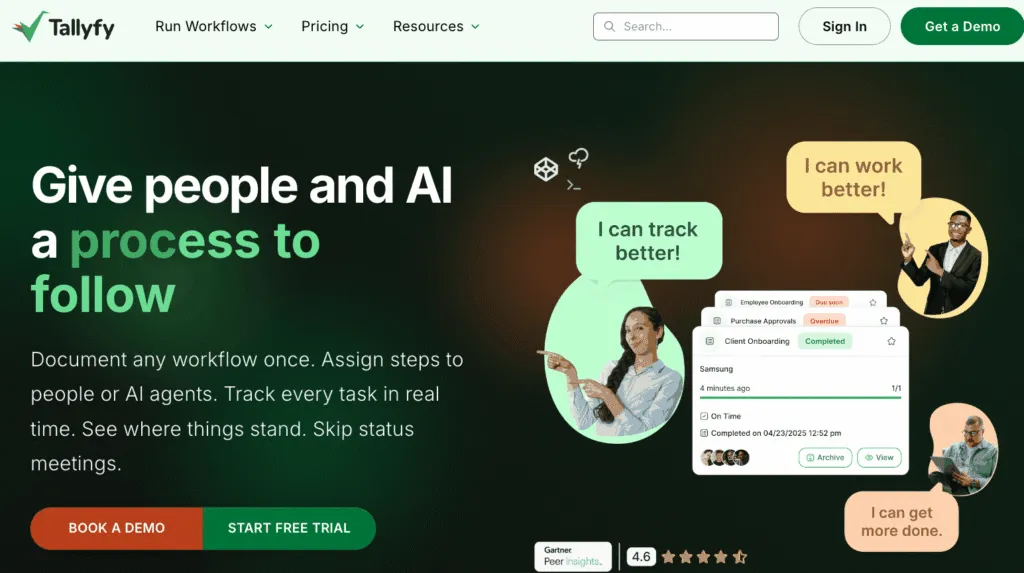
Tallyfy is built to turn static procedures into active, trackable workflows. You document the steps once, then Tallyfy runs them: assigning tasks, routing approvals, and showing in real time who is doing what and where each task stands. Form-based and scheduled triggers start processes automatically, and none of it requires coding.
The trade-off is that Tallyfy is an automation tool first and a documentation tool second. Building automations has a steeper learning curve than writing a guide, document formatting is more basic than in dedicated documentation tools, and there is no way to blur sensitive information in a captured screen, which matters if your procedures touch customer or employee data.
Pricing:
- Light Seat: $10/month, or $100/year. Light seats can launch, track, approve and complete work but cannot create or edit templates.
- Full Seat: $30/month, or $300/year. Tallyfy labels annual billing “Save 16%”, which works out to two months free.
- No free tier, but there is a 14-day free trial. Guests are unlimited and free.
Pros:
- Genuine no-code process automation.
- Form-based and scheduled triggers.
- Real-time visibility into where a process stands.
- SSO plus SCIM on every paid plan.
Cons:
- A steeper learning curve for building automations.
- More basic document storage and formatting than dedicated documentation tools.
- No sensitive-data blurring, and annual plans are a non-cancellable 12-month commitment.
13. ProcessMaker (now part of Decisions): Low-Code Process Automation
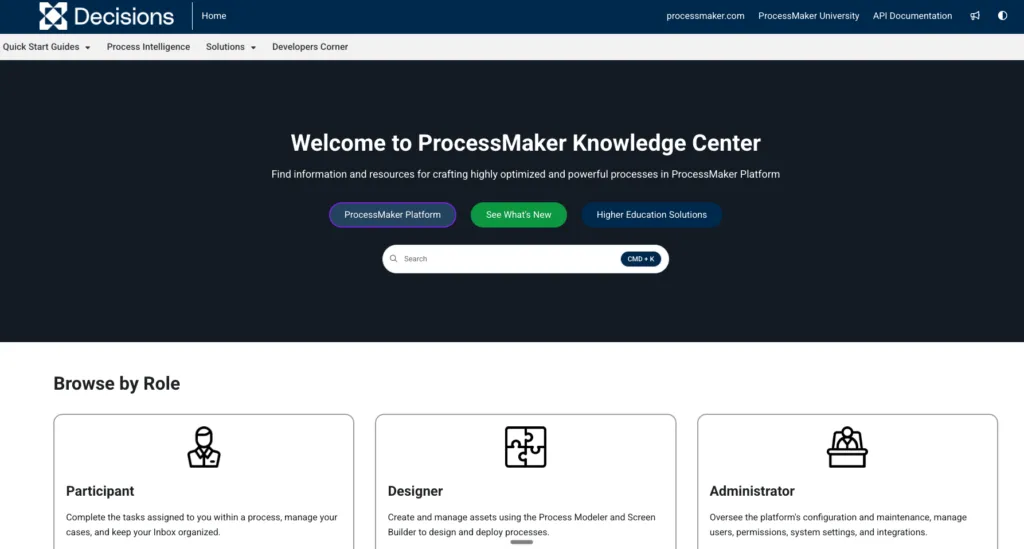
ProcessMaker is the deepest process-automation option on this list: a low-code BPM platform with a visual BPMN 2.0 designer, a form builder, and API connectivity for teams that want to move well beyond documenting a procedure into fully automating it.
In 2025, ProcessMaker merged with Decisions to combine BPM and business-rules automation under one company; the product and its G2 listing are both still active in 2026. This is genuinely more platform than most teams need just to standardize SOPs. ProcessMaker is built for process automation teams and IT, with the pricing and complexity to match.
Pricing:
- Custom, quote-only. No published self-serve tiers and no free plan.
Pros:
- The deepest true process-automation capability here.
- Strong API connectivity.
- BPMN 2.0 standard compliance.
Cons:
- No transparent pricing.
- Meaningfully more complex and IT-oriented than teams who just want to standardize SOPs typically need.
14. MagicHow: Visual SOP Documentation Platform
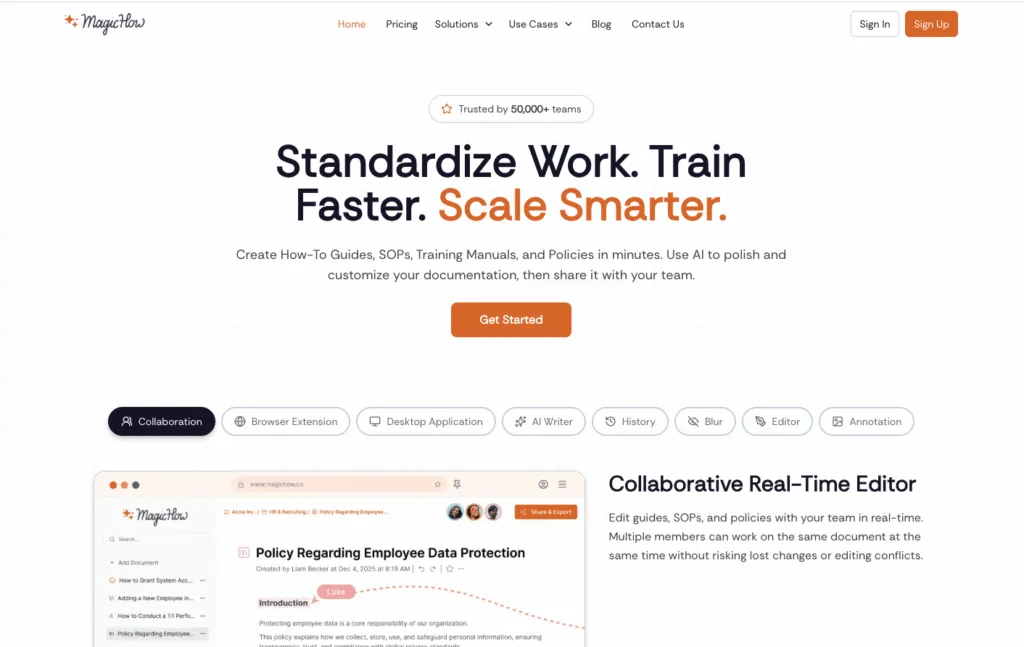
MagicHow is built for fast, low-effort visual documentation. Record your screen while you work and MagicHow turns that recording into a guide with screenshots and descriptions automatically, with no manual write-up required. That makes it a practical fit for training, onboarding, and knowledge sharing when the priority is getting procedures documented quickly.
The guides are straightforward for non-technical teams to produce and follow. You can annotate them, blur sensitive data, and apply your own branding, then share as a link, a PDF, or an HTML export, or embed them directly into tools like Notion or Confluence.
Pricing:
- Starter: free forever, up to 25 workspace members and 10 documents per user (browser capture only).
- Advanced Personal: $10/seat/month billed annually, or $12.50/seat/month billed monthly. Unlimited documents and 20 AI credits per month.
- Advanced Team: $40/month for 5 seats billed annually ($50 billed monthly), then $8 per additional seat.
- Enterprise: custom.
Pros:
- Genuinely fast screen-recording-to-guide capture.
- A generous free tier.
- Simple enough for non-technical teams.
Cons:
- A very small G2 review base of three reviews makes its 3.5/5 rating hard to treat as reliable either way.
- Fewer deep collaboration or training-tracking features than platforms built specifically around that, such as Whale or Trainual.
Also Worth Knowing: ClickUp
ClickUp is not SOP Software. It is a project management platform with a docs feature, and we have deliberately left it out of the comparison table above for that reason. It does not compete on the criteria we scored the other tools against, so rating it alongside them would be misleading in both directions.
We have included it here because a lot of teams genuinely do use ClickUp Docs as their SOP system, usually because they already pay for ClickUp and adding another tool feels like a hard sell internally. That works until you need role-based assignment, comprehension testing or proof that someone read the current version of a procedure, which is where a docs feature inside a project management tool runs out.
We asked AskYvi for her take on whether ClickUp Docs is enough.
Should I Ditch ClickUp Docs for Whale SOP? Best SOP Software Showdown!
Essential Features of Effective SOP Software
Customizable Templates and Checklists
Good SOP Software gives you templates and checklists you can adapt rather than making you start from a blank page every time. That saves real time and keeps processes consistent across teams: you pick a template and adjust it to fit the process in front of you.
Templates give your SOPs a consistent format, which makes them easier to scan and follow, and most tools let you adapt them with your own branding, custom fields, and a structure that matches how your team works. Checklists break complicated jobs into steps people follow one at a time, which reduces the chance a step gets skipped and makes progress visible on anything with more than one stage.
User-Friendly Interface and Accessibility
If an SOP tool is hard to use, your team simply will not use it, which defeats the entire point of having one central place for procedures. The best SOP Software is intuitive from day one, with layouts simple enough that people do not need training to get started.
Accessibility matters just as much. Your team needs to reach SOPs whenever and wherever they need them, which is why browser extensions and mobile-friendly access appear across most of the tools here. When people can pull up instructions immediately instead of digging through folders or waiting on a manager, they make fewer mistakes and finish work faster.
Integration Capabilities with Project Management Tools
SOP Software works best when it does not sit off to the side. Connecting your documentation to the tools your team already uses, such as Microsoft Teams, Jira, and Slack, means people do not have to switch apps just to check instructions, which removes the friction that causes SOPs to get ignored in the first place.
Bringing SOPs into your project management tools puts guidance right where the work happens. You can link a task directly to the SOP explaining how to do it, so people get what they need without hunting for it. Most platforms in this guide offer a free plan or trial specifically so you can test the fit with your existing software before committing.
What Can SOP Software Help You Do?
The statistics do not lie. Here is what SOP Software actually helps you do:
- Reduce onboarding time. A new hire follows a documented path instead of shadowing whoever is free and asking the same question twice, so they reach independent work sooner.
- Standardize how work gets done. One source of truth means everyone runs the process the same way, which keeps quality steady and gives you evidence that the right steps were followed.
- Prevent knowledge loss. 42% of role knowledge leaves when an employee does, meaning new hires relearn it from scratch. Good SOP Software makes it easy to get that knowledge out of people’s heads and into your system before they move on.
- Reduce process errors. Unstructured document management has a real cost: Fortune 500 companies collectively lose an estimated $12 billion a year to the inefficiency it causes, according to Signhouse.
- Keep procedures current. Version history, review intervals and a named owner stop a procedure quietly going stale. With 51% of employees not engaged at work, it matters that the process you ask people to follow is obviously up to date.
- Prove employees understand critical processes. Read confirmations and quizzes turn “we sent it to them” into evidence that someone actually absorbed it, which is what auditors and regulated industries ask for.
- Scale operations without relying on tribal knowledge. Adding people, sites or service lines stops depending on who happens to remember how something is done.
- Prepare company knowledge for AI. Clean, current, approved procedures are what an AI agent needs to be useful. Through Whale MCP, the AI tools your team already works in can read and build from your own documented processes instead of guessing.
Improved Standardization and Compliance
SOP Software is one of the most reliable ways to get everyone working the same way. When every team member follows the same steps, work gets done consistently and quality stays steady, which matters enormously in regulated fields, since a documented process is evidence that the right steps were followed.
Centralized documentation removes the guesswork that leads to mistakes when people improvise their own version of a task. Keeping policies and procedures in one place gives everyone a single source of truth and makes audits far less painful.
Enhanced Team Collaboration and Knowledge Transfer
SOP Software makes it easier for teams to work together and pass knowledge along. When procedures are written down and stored somewhere everyone can reach, important details stop living in one or two people’s heads. That breaks down the silos that make knowledge management hard and makes sharing what you know an ordinary part of how the team works.
Most platforms also build in real collaboration tools, letting people comment, suggest edits, or ask questions inside a document. That keeps procedures current and builds a knowledge library that grows with the company.
Scalability and Flexibility for Growing Organizations
As your team grows, informal processes get harder to manage. Good SOP Software is built to grow with you, letting you add people, document new processes, and change how you work without everything coming apart. For a growing business, a scalable SOP system makes it easier to onboard new hires, expand into new markets, and launch new offerings while keeping quality consistent.
How to Choose SOP Software
- Define your needs. Decide whether you mainly want to document procedures more consistently, or want deeper automation on top such as triggers, conditional logic, and approvals. They are related but different problems.
- Research the market. Look beyond the first few results. This category includes both documentation-first tools and true automation platforms, and the right fit depends on which you actually need.
- Shortlist three to five options. Narrow down on team size, budget, and how much genuine automation you need versus documentation.
- Request demos and trials. Several tools here are quote-only, so a demo is often the only way to get a real price.
- Ask about hidden costs. Implementation fees (Trainual charges $1,000 upfront), minimum seat counts, and per-user pricing at scale all change the real cost significantly.
- Make a data-driven decision. Weigh features, ease of use, and actual pricing, once you have real numbers, against how your team works day to day.
For the full process, with a feature priority table and a scoring checklist, read our guide on how to choose SOP software.
Key Features to Evaluate
- A user-friendly interface
- Integrations with the tools you already use
- Customizable templates
- Role-based access control
- Version control and compliance tracking
- Collaboration and real-time editing
- Automation capability such as triggers, conditional logic, and approvals, if that matters for your use case
Conclusion
Good SOP Software makes your processes genuinely easier to run. It helps your team work more effectively and makes it easier to stay compliant with the rules that matter to your business. With adaptable templates, an interface people actually want to use, and solid integrations with the tools you already rely on, the right platform supports organizations of every size.
The result is consistency across teams, faster execution, better collaboration, and knowledge that gets shared instead of lost. When you weigh the options in this guide, pick the one that fits how your team actually works day to day. If you are ready to get your processes organized, you can try Whale today and see what running a more organized business feels like.
SOP Software and AI: Why Your Processes Need to Be AI-Ready
AI agents can only reliably execute company-specific processes when they have access to accurate, approved company knowledge. This makes your SOP library more than employee documentation. It becomes a structured source of truth that AI can use.
This is what Whale MCP is for. It is a remote server built on the Model Context Protocol, an open standard, so it connects your Whale workspace to the AI tools your team already has open: Claude, OpenAI, Gemini, or any other client that speaks the protocol. An admin enables it for the workspace and connects the client over OAuth, then sets the permissions.
Two things then become possible;
- Your team can point an AI tool at the notes scattered across chat and the documents nobody maintains, and get back structured, source-cited SOPs that file into your library ready to reuse.
- And anyone can ask a question in the tool they already have open and get an answer drawn from your live, approved procedures rather than from a guess.
Frequently Asked Questions
What types of businesses benefit most from SOP Software?
Nearly all businesses can benefit, especially ones with processes that get repeated often. Small businesses use SOP Software to help train new hires. Larger companies use it for broader process management and to stay on top of regulatory requirements.
How does SOP Software improve documentation and process management?
SOP Software brings all your process documentation into one place. It helps you create, update, and share instructions easily, supports SOP creation through templates, and often adds automation on top. Features like task management, version control, and audit trails all help improve quality control.
Are there any free SOP Software tools available for small businesses?
Yes. Several tools on this list offer either a free plan or a free trial. Whale has a Free Forever plan with up to 10 members included, which is a genuine ongoing free tier rather than a time-limited trial, so a small business can see exactly what it does before committing to anything paid.
What is the best SOP Software?
Whale is the best overall SOP Software. If you want one place where procedures are documented, assigned, and confirmed understood, Whale is the strongest choice on this list. It combines AI-assisted SOP creation with training built in rather than bolted on, so a procedure is not just written down, it is assigned to the right roles, tested with built-in quizzes, and tracked through analytics that show where people get stuck. Whale is rated 4.8 out of 5 on G2, there is a Free Forever plan for up to 10 members, and Whale MCP connects your live, approved procedures to the AI tools your team already works in, on every plan. Tools built purely for task routing and approvals will automate more of the process itself, but they will not train your team on it.
But of course we recommend signing up for a demo to test your unique use case.
Can ChatGPT write SOPs?
ChatGPT can help draft a starting point, but it cannot replace dedicated SOP Software. A general AI chatbot does not know your actual process, cannot capture real screenshots of your tools, and has no way to store, version, or share the result with your team. If you want AI built specifically for turning a process into a documented SOP, see our guide to AI tools for managing SOPs.
What are the most important features in SOP Software?
The best SOP Software makes creating and sharing procedures easy, often doing much of the heavy lifting for you. Look for ready-to-use templates, AI-assisted creation, and a free trial so you can test the workflow before committing.
What does an SOP tool do?
Tools like Whale help your team create, manage, and streamline standard operating procedures. They centralize SOPs, document processes clearly, and automate parts of the workflow so procedures actually get followed consistently rather than written once and forgotten.
What should I look for in SOP Software?
Above all look for a tool that has a simple interface which makes it easy for people to use. Ideally use a tool like Whale, which surfaces knowledge in the apps where people work. Additional features to check for include;
- AI Assistant
- Screen recorder
- Assignment and training flows
- Quizzes
- Analytics
- MCP
What Standard Operating Procedure software should I avoid?
Be cautious of paper-based SOPs, which are hard to keep current, single-use tools that require a separate login for every task, and software with a genuinely poor user experience. If a tool is unpleasant to use, your team will not use it consistently, no matter how good the underlying process is.
What is SOP automation?
SOP automation means a standard operating procedure does not just sit as a document, it actively triggers tasks, routes approvals, or prompts the next step automatically. Additionally automation can mean automating certain process updates or agentic workflows via an MCP.
Can SOP Software integrate with other business automation tools?
Yes. Most of the tools in this comparison connect to the software teams already use, including Slack and common project management platforms. Whale integrates with Slack, Google Drive, OneDrive, HubSpot, Salesforce, Zapier and more, and Whale MCP goes further by letting AI tools such as Claude read your approved procedures and draft new ones, within the permissions each person already has and on every plan including the free one. Deeper API access for wiring SOPs directly into other automated systems is typically reserved for enterprise tiers.
Bram Billiet, is the Co-founder and Chief Product Officer at Whale. His obsession for building the product is matched matched only by his love for conquering levels in Mario Brothers.