AI and Agentic Workflows
8 of the best AI automation tools for business in 2026 (compared)

In this article
The best AI automation tools for business depend on which part of the work you want to hand over: moving data between apps, clicking through old desktop systems, drafting and analysing, or answering the same questions and keeping your team trained.
The best AI automation tools for business in 2026 are
- Whale for automating the knowledge side of the business: agents that check your documentation on a schedule you set, Coral answering repeat questions in Slack, and training that runs itself. Our Whale AI page goes deeper into how Whale can help you automate documentation and company processes.
- Zapier for connecting your apps without code,
- n8n for technical teams that want control and self-hosting,
- and Microsoft Power Automate if your company lives in Microsoft 365.
- UiPath when you need robotic process automation (RPA) for desktop and legacy systems.
When ops people compare notes, one pattern comes up. The tool that sticks is rarely the cleverest one. It's the one that actually helps get the work done.
Teams usually go looking for AI automation tools for three reasons:
- the same questions land in Slack every day and someone senior keeps answering them,
- data gets copied between apps by hand,
- or a task that happens a hundred times a week still depends on someone remembering to do it.
Before we continue we want to disclose that Whale publishes this page and is one of the tools on it. But we aim to keep fair practice. Every price comes from the vendor's own pricing page, checked in October 2026. Every tool, Whale included, gets the same fields and real cons.
What is an AI tool for business automation?
An AI tool for business automation is software that uses AI to do, or help do, repeatable work that people used to do by hand. That covers four different jobs, and most teams need more than one tool:
- Moving work between apps. Zapier, n8n and Power Automate trigger actions across your stack, and now add AI steps and agents.
- Automating clicks in older systems. UiPath and Power Automate's desktop flows run robotic process automation (RPA) where there's no API.
- Thinking and drafting. ChatGPT, Claude and Notion AI write, summarise, analyse and increasingly act on your behalf.
- Answering and training. Whale answers your team's repeat questions, keeps your documentation current and runs training automatically.
The last job is the one teams forget. Then the same Slack question gets answered for the hundredth time by the one person who knows.
Key takeaways
- Whale automates the knowledge upkeep nobody has time for. Agents check your documentation daily, weekly or monthly, Coral answers repeat questions in Slack, and Whale MCP lets Claude or ChatGPT work inside Whale.
- Match the tool to the job. Workflow automation, RPA, AI assistants and knowledge automation are different jobs, and most teams need two or three tools, not one.
- Five of the eight tools have a free plan. Whale, Zapier, Claude, Notion and UiPath (Community) all let you start for free. Power Automate offers a 30-day trial.
- Pricing models differ more than prices do. Zapier charges by tasks, n8n by workflow executions, Power Automate per user or per bot, ChatGPT, Claude and Notion per seat, UiPath from a Basic plan up to sales-led tiers, and Whale per creator.
- MCP is the new glue. Zapier, Claude and Whale all support the Model Context Protocol, so AI assistants can read from and act in other tools without custom code.
Quick comparison of AI automation tools for business
All prices as shown on each vendor's own pricing page, checked in October 2026. n8n showed its prices in euros.
| Tool | Best for | Starting paid price | Free plan | G2 rating | Standout AI feature |
|---|---|---|---|---|---|
| Whale | Automating answers, knowledge upkeep and training | $299/month billed yearly (3 creators) | Yes: 1 creator, up to 10 members | 4.8/5 | Whale Agents, Coral in Slack, Whale MCP |
| Zapier | No-code automation across apps | $19.99/month billed yearly (750 tasks) | Yes: 100 tasks a month | 4.5/5 | Zapier Agents and Copilot |
| n8n | Technical teams that want control | €20/month billed yearly (2,500 executions) | Self-hosted Community Edition | 4.7/5 | AI agent nodes in workflows |
| Microsoft Power Automate | Microsoft 365 companies | $15/user/month paid yearly | 30-day trial | 4.4/5 | Create flows with Copilot |
| ChatGPT Business | A shared AI assistant for the whole team | $20/user/month billed yearly | Free ChatGPT plan for individuals | 4.6/5 | Connectors to company tools |
| Claude | Long documents, analysis and agent work | $20/seat/month billed yearly (Team Standard) | Yes | 4.6/5 | Connectors and Claude Code |
| Notion AI | Teams already running on Notion | $20/member/month (Business) | Yes, with a Notion AI trial | 4.6/5 | Notion Agent |
| UiPath | RPA for desktop and legacy systems | From $25/month (Basic) | Yes: Community, free forever | 4.6/5 | Agents and robots orchestrated with Maestro |
1. Whale
Best AI automation tool for the knowledge side of your business: answers, documentation upkeep and training
G2 rating: 4.8/5
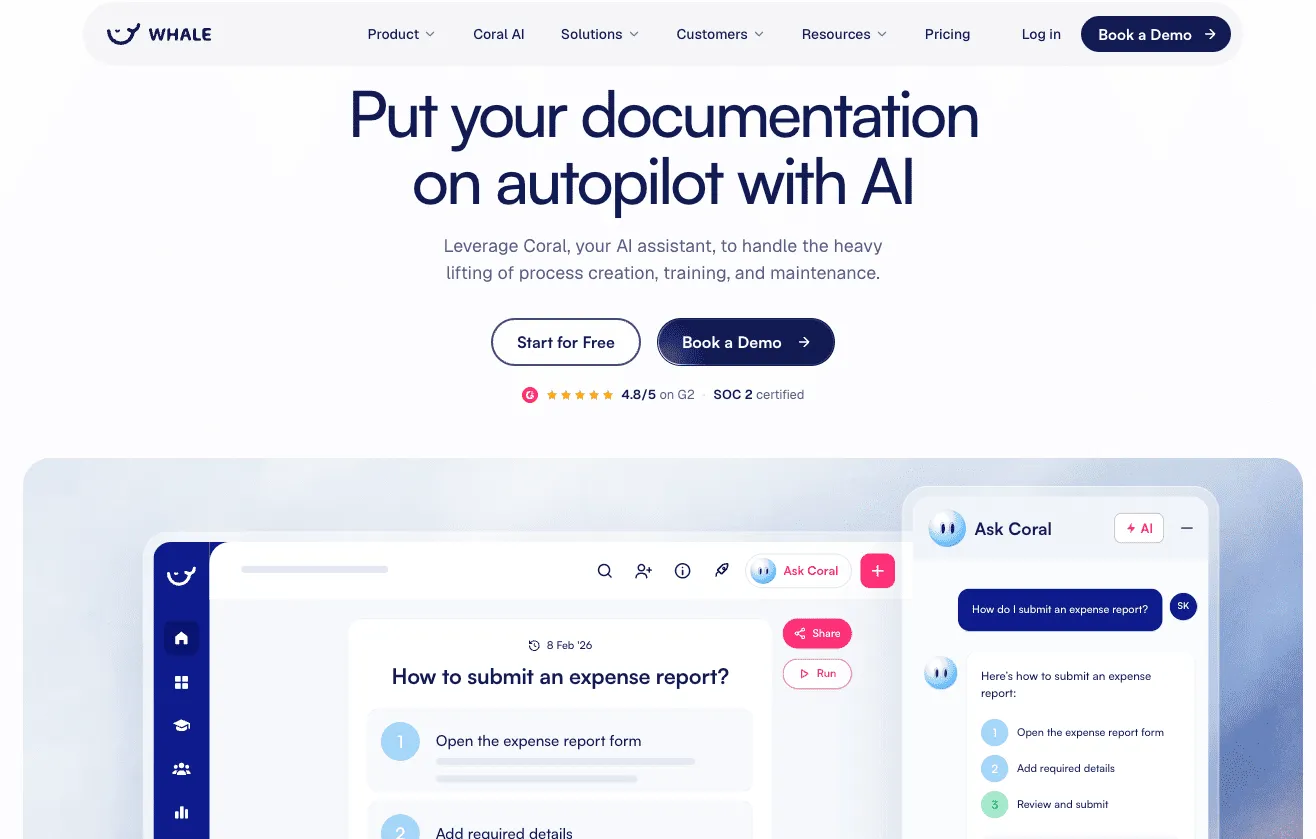
Whale (usewhale.io) automates the knowledge work around how your company runs. You record a process once and Whale writes the guide, a quiz and a training flow. Whale Agents then check your documentation as often as you choose, and Coral, Whale's AI assistant, answers your team's questions from it, with sources, including in Slack. I'll say it plainly: Whale doesn't move data between your apps. It automates the part where people keep asking how things are done.
Key features of Whale
- Whale Agents that watch your knowledge: a health score that's always on, plus daily, weekly or monthly checks for unanswered questions, search gaps and unread content. Here's how to use AI agents to scale your team's output
- Coral in Slack: message the Whale app (@Whale) and Coral answers from your documented knowledge, with sources (Scale and above)
- Whale MCP, a remote MCP server that lets Claude, ChatGPT, Gemini and other MCP clients search, create, edit and delete in your workspace over OAuth, inside each person's existing permissions. Changes are saved straight away, and the only approval step is your AI tool asking "allow this action?", depending on its settings
- Video to SOP and a step recorder that turn a screen recording into a written step-by-step guide
- Training flows by team and role that send email notifications when a flow starts, progresses or completes, plus AI quizzes
- Coral, Whale's AI assistant, which drafts cards, quizzes and checklists for you
Whale pricing
- Free: $0, 1 creator, up to 10 members, screen recorder, video to SOP, checklists, Coral, Health score agent
- Scale: $299/month billed yearly, 3 creators included, unlimited documentation, training flows, AI quizzes, PDF and Word export, all Whale Agents. Extra creators $29/month billed yearly
- Advance: $599/month billed yearly, 5 creators included, adds e-signatures, video editor and AI voiceovers, contextual suggestions, enforced SSO and granular permissions
- Enterprise: custom, adds approval flows, automatic redaction, SCIM and HRIS integrations, API access
- Whale MCP: included on Scale, Advance and Enterprise
Whale pros
- Agents run their checks on their own, daily, weekly or monthly, so stale content and unanswered questions surface without anyone hunting for them
- One recording becomes a guide, a quiz and a training flow
- Whale MCP connects your company documentation to your AI tools, so your teams and your agents work from accurate, approved information
- Coral answers where people already work, including in Slack, so the same question doesn't land on the same senior person ten times a week
- Free plan with no time limit, and published prices
Whale cons
- Looking for a tool for 10 or fewer people? Whale costs more than a general wiki for very small teams.
- Whale isn't a workflow builder. To move data between apps you'll still want Zapier, n8n or Power Automate alongside it.
Choose Whale if you want answers, knowledge upkeep and training to run on their own, for people and AI tools alike.
Whale isn't the right fit if all you need is to sync two apps: start with Zapier's free plan.
2. Zapier
Best for no-code automation across the apps you already use
G2 rating: 4.5/5
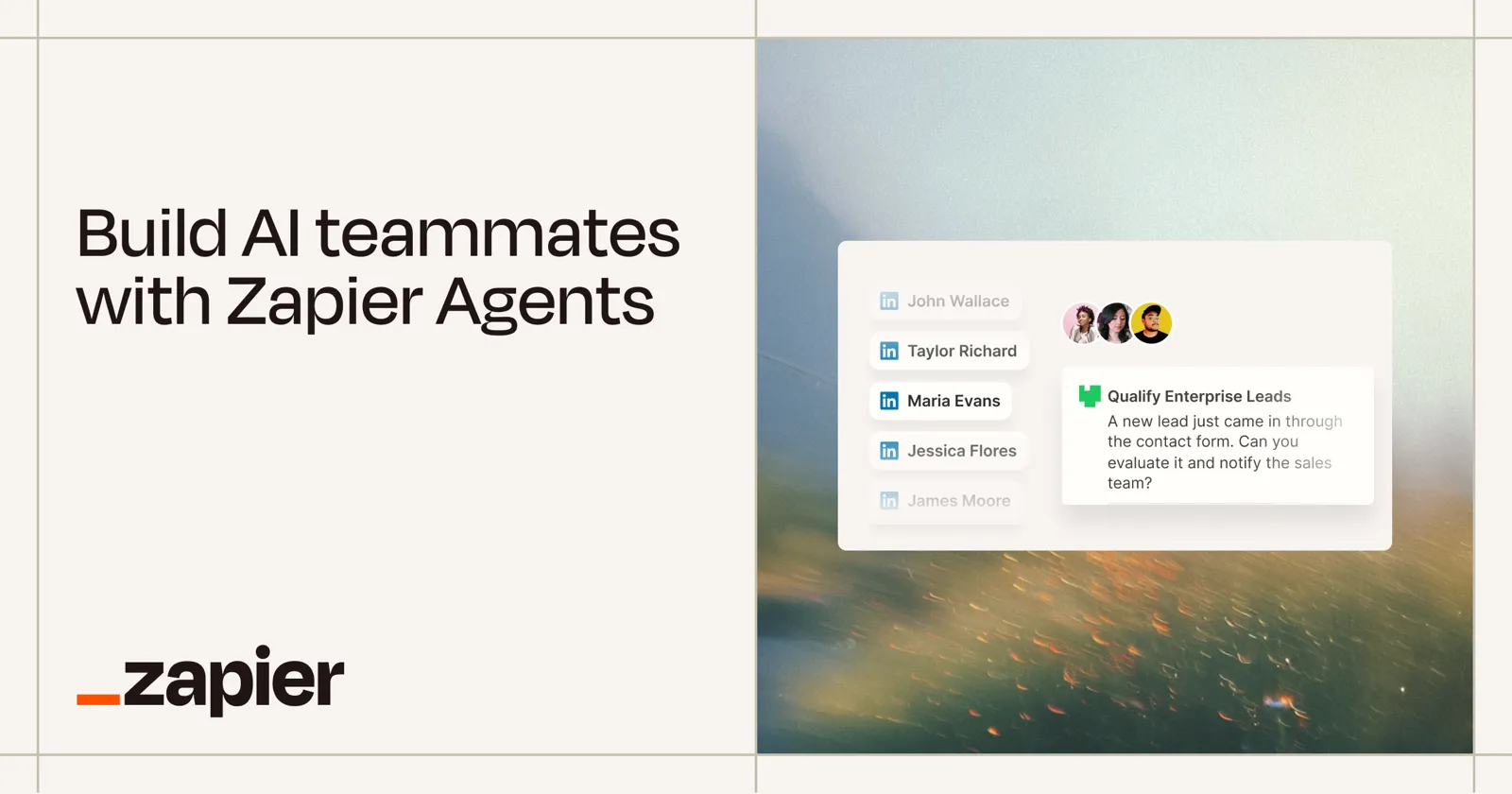
Zapier is the default answer to "how do I get app A to talk to app B without a developer?", and for good reason. You build trigger-and-action workflows called Zaps, add AI steps, and now build Zapier Agents that act across tools. It's where most ops teams start, and many never need to leave.
Key features of Zapier
- Zaps: multi-step trigger and action workflows across thousands of apps
- Zapier Agents, with basic access on every plan
- Copilot to help build Zaps in plain English (beta)
- MCP on every plan, so AI assistants can call Zapier actions
- Whale's Zapier integration to trigger work from Whale
Zapier pricing
- Free: $0, 100 tasks a month
- Pro: from $19.99/month billed yearly ($29.99 monthly) for 750 tasks
- Team: from $69/month billed yearly ($103.50 monthly) for 2,000 tasks
- Enterprise: custom
Each MCP tool call uses tasks, so heavy AI use moves you up the task tiers.
Zapier pros
- The fastest way for a non-technical team to automate app-to-app work
- Agents, Copilot and MCP are included in some form on every plan
Zapier cons
- Task-based pricing climbs quickly as volume grows
- Complex branching logic gets fiddly compared with n8n
3. n8n
Best for technical teams that want control and self-hosting
G2 rating: 4.7/5
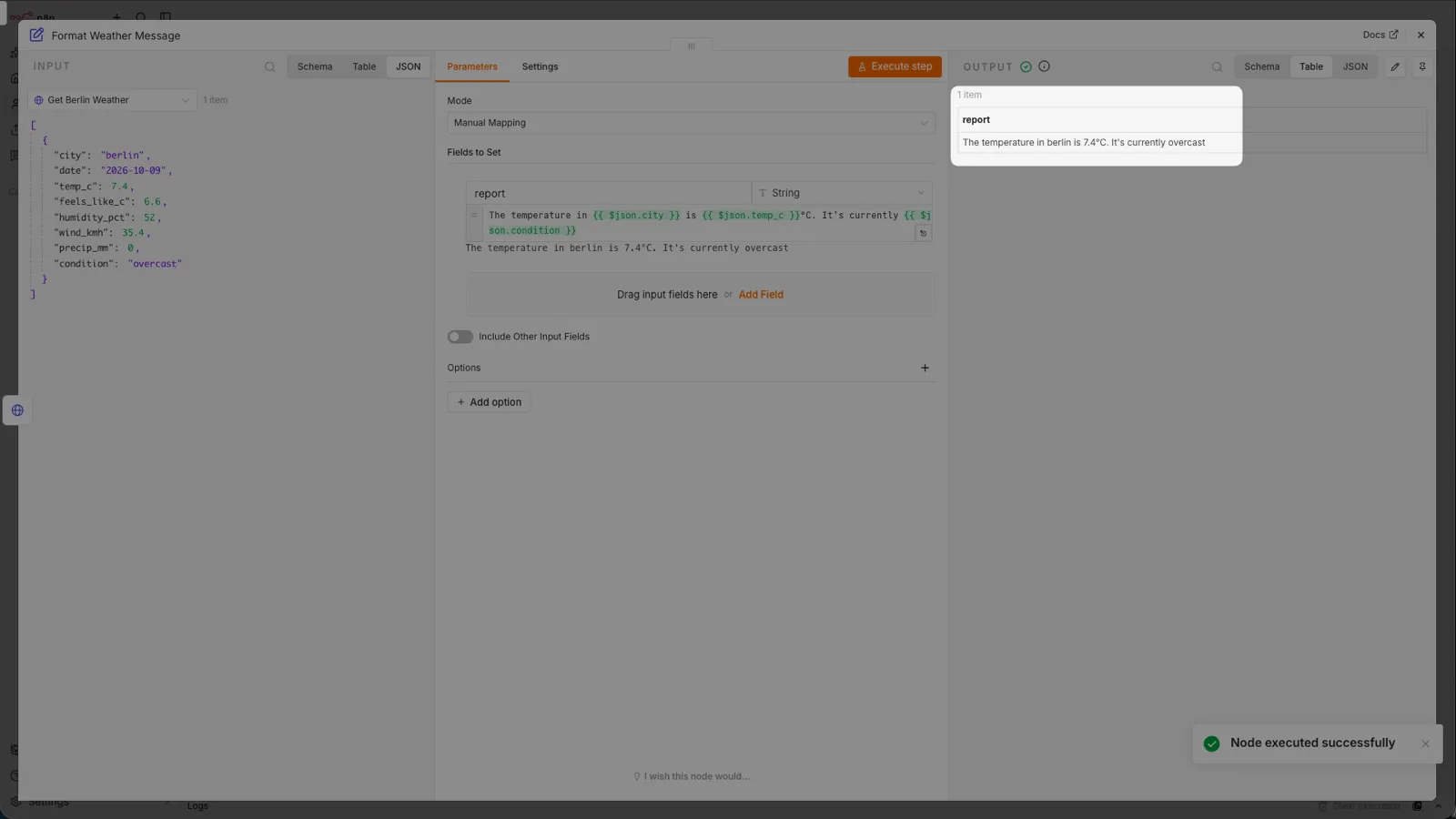
n8n calls itself the platform for agents and workflows you can follow. You can open any step, see what it does and explain it to whoever runs it. It's built for teams with someone technical on hand, and its self-hosted Community Edition makes it popular with companies that want their data on their own servers.
Key features of n8n
- Visual workflow editor with unlimited steps per workflow
- AI agent nodes that sit inside your workflows
- Self-hosted Community Edition on GitHub
- Hosted cloud plans, or self-hosting for Business
n8n pricing
- Starter: €20/month billed yearly, 2,500 workflow executions
- Pro: €50/month billed yearly, 10,000 workflow executions
- Business: €667/month billed yearly, 40,000 workflow executions, self-hosted
- Enterprise: contact sales
- Community Edition: self-hosted version available on GitHub
n8n pros
- Charged per workflow execution, not per step, so long workflows don't cost more
- Self-hosting gives you full control over data and infrastructure
n8n cons
- Steeper learning curve than Zapier for non-technical teams
- Self-hosting means someone has to maintain it
4. Microsoft Power Automate
Best for companies that already live in Microsoft 365
G2 rating: 4.4/5
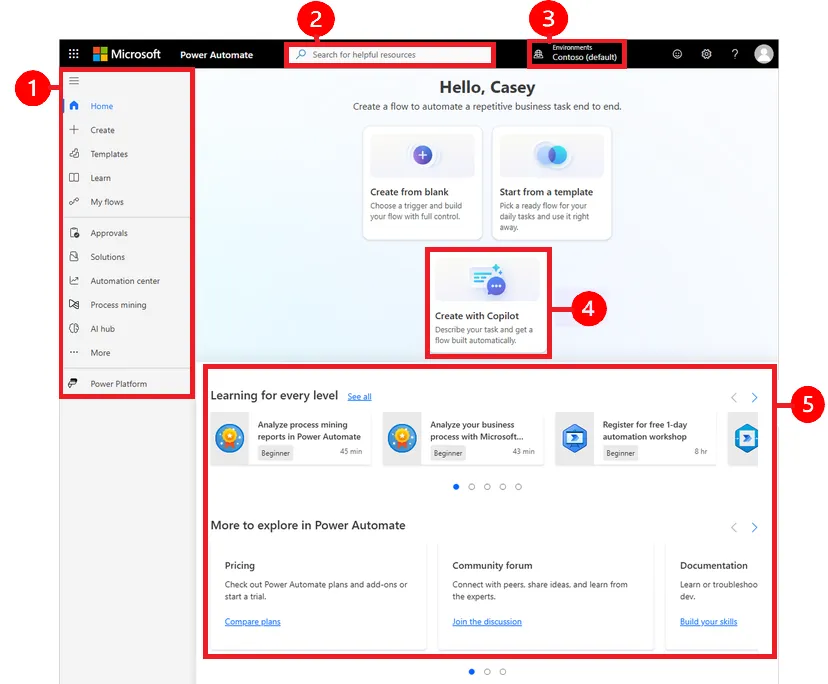
If your team works in Outlook, Teams, SharePoint and Excel all day, Power Automate is the path of least resistance. It handles cloud flows and robotic process automation (RPA) for desktop and legacy apps, and you can describe a flow to Copilot and let it build a first version.
Key features of Power Automate
- Cloud flows across Microsoft 365 and other apps
- Attended and unattended desktop flows (RPA)
- Process and task mining on Premium
- Create a flow with Copilot
Microsoft Power Automate pricing
- Premium: $15/user/month paid yearly, cloud flows, attended RPA, process and task mining
- Process: $150/bot/month paid yearly, unattended RPA
- Hosted Process: $215/bot/month paid yearly, unattended RPA on a Microsoft-hosted virtual machine
- Free trial: 30 days
Power Automate pros
- Deep fit with Microsoft 365, Teams and SharePoint
- Covers both cloud automation and RPA for older desktop systems
Power Automate cons
- Less natural outside the Microsoft ecosystem
- Licensing (per user, per bot, add-ons) takes time to work out
5. ChatGPT Business
Best for a shared AI assistant across the whole team
G2 rating: 4.6/5
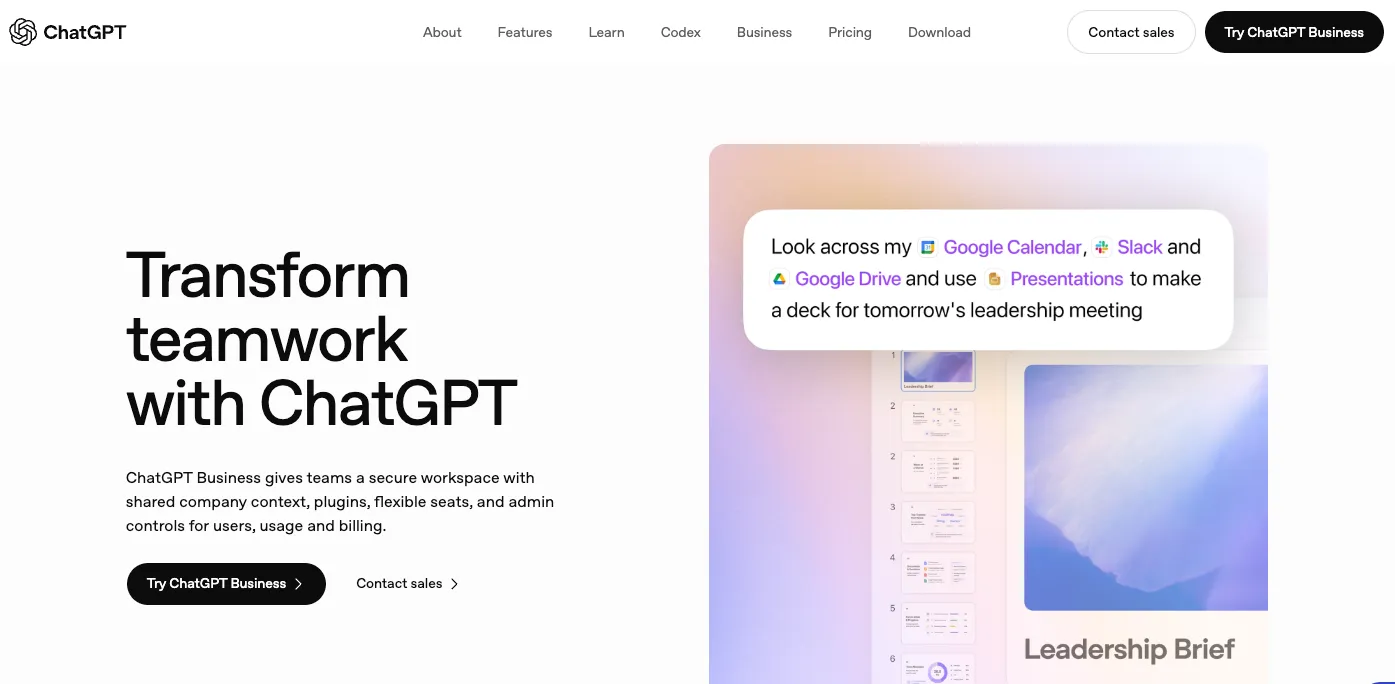
ChatGPT Business is the workspace version of ChatGPT, with admin controls and connectors to company tools. For most teams it's the first AI tool that gets used every day: drafting, summarising, analysing a spreadsheet, preparing a first version of almost anything.
Key features of ChatGPT Business
- A shared, admin-managed workspace
- Connectors to company tools
- Access to ChatGPT, ChatGPT Work and Codex on the Standard seat
ChatGPT Business pricing
- Standard seat: $20/user/month billed yearly, $25 billed monthly
- Premium seat: $100/user/month, with 5x more usage than Standard
- Enterprise: custom
ChatGPT Business pros
- Familiar to almost everyone, so adoption is easy
- Flexible enough to help with nearly any knowledge task
ChatGPT Business cons
- It only knows your processes if you connect it to where they're documented
- A chat answer is gone when the chat closes unless you file it somewhere
6. Claude
Best for long documents, careful analysis and agent work
G2 rating: 4.6/5
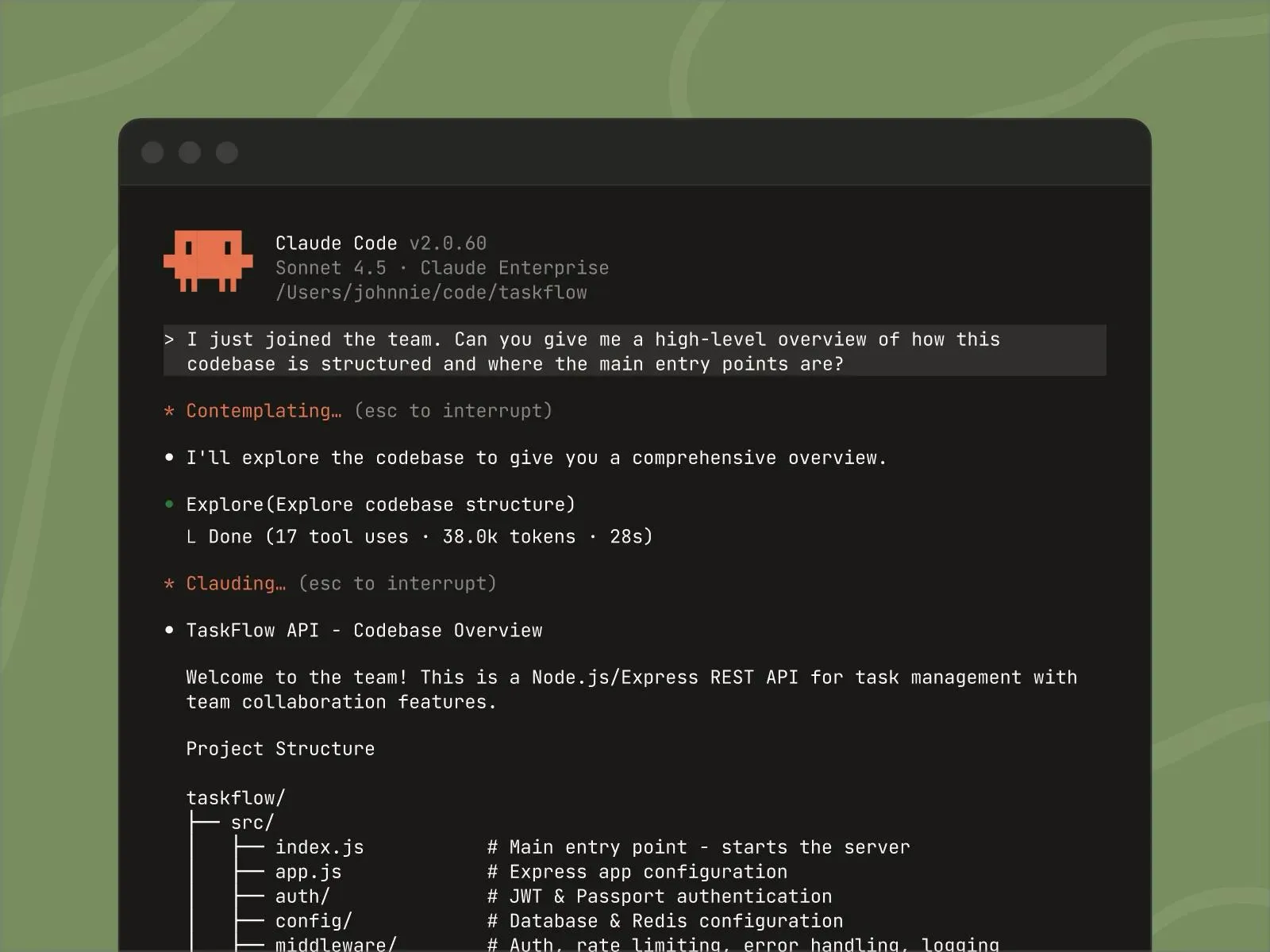
Claude, from Anthropic, is the assistant a lot of ops and technical teams reach for when the work is long, nuanced or multi-step. Team plans include Claude Code and connectors, and Claude speaks MCP natively, which is how it connects to tools like Whale.
Key features of Claude
- Connectors to apps and tools on every plan
- Claude Code, from the Pro plan up
- Projects, and the ability to hand off and schedule tasks
- Team plans for 2 to 150 people, with admin controls
Claude pricing
- Free: $0
- Pro: $17/month billed yearly, $20 monthly
- Team Standard: $20/seat/month billed yearly, $25 monthly, 2-seat minimum
- Team Premium: $100/seat/month billed yearly, $125 monthly, 5x the usage of Standard
- Enterprise: $20/seat/month billed yearly plus usage at API rates, 20-seat minimum
Claude pros
- Strong on long documents and step-by-step reasoning
- Native MCP support makes it easy to connect to company tools, Whale included
Claude cons
- Usage limits per seat mean heavy users may need Premium seats
- Like any assistant, it's only as accurate as the knowledge you connect it to
7. Notion AI
Best for teams that already run their docs and projects in Notion
G2 rating: 4.6/5
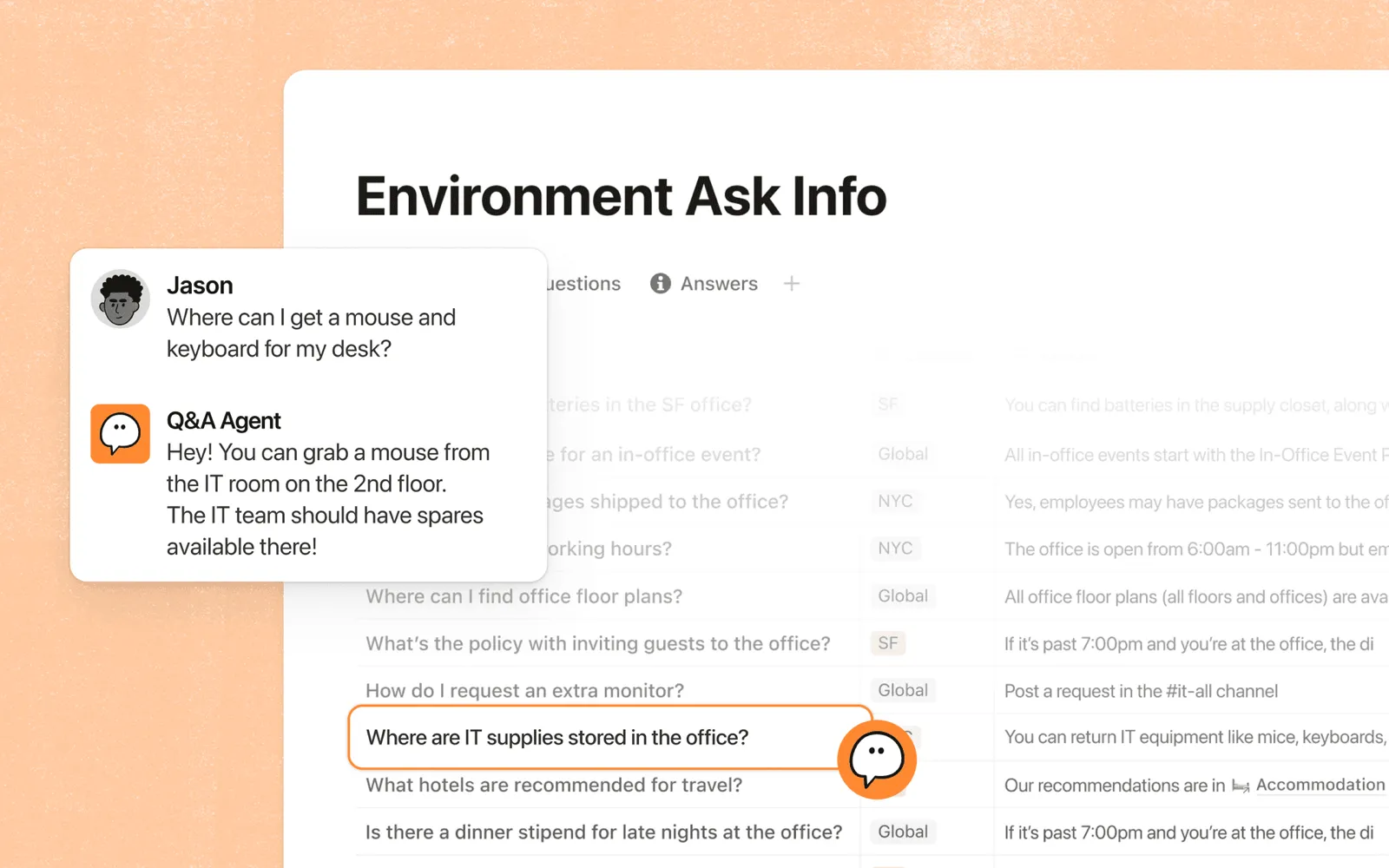
If your company already lives in Notion, Notion AI is the obvious place to start. On the Business plan, Notion Agent handles multi-step tasks across your workspace, and Custom Agents can answer questions and run repetitive work for you.
Key features of Notion AI
- Notion Agent for multi-step tasks (Business and up)
- AI Meeting Notes and enterprise search
- Custom Agents, sold separately on Notion credits
Notion pricing
- Free: $0, with a Notion AI trial
- Plus: includes a Notion AI trial, not the full AI suite
- Business: $20/member/month, includes Notion Agent and AI Meeting Notes
- Enterprise: custom
- Custom Agents: free to try, then $10 per 1,000 monthly Notion credits
Notion AI pros
- No new tool to roll out if your team is already in Notion
- Flexible enough for wikis, projects and light automation
Notion AI cons
- The full AI suite sits on the Business plan
- A flexible wiki isn't a training system: no built-in quizzes or training flows
Weighing it up? See how Whale compares with Notion.
8. UiPath
Best for robotic process automation (RPA) across desktop and legacy systems

G2 rating: 4.6/5
UiPath is the name most people mean when they say RPA. Its software robots click, type and copy through the same screens a person would, which is exactly what you need when the system you're stuck with has no API. It now describes itself as an agentic automation platform, with agents working alongside the robots. For a small team it can be a lot of platform. When you have high volumes of repetitive work in older systems, it's built for exactly that.
Key features of UiPath
- Studio for building automations in low-code or code, and you can start from Claude Code, Cursor, Codex or UiPath Autopilot
- Robots for attended and unattended RPA
- Agents that classify and extract data from documents and messages
- Maestro to orchestrate agents, robots and people across a business process
UiPath pricing
- Community: free forever
- Basic: from $25/month, personal automations at limited scale, hosted in UiPath's European region, with unattended RPA as an add-on
- Standard: contact sales, 60-day free trial
- Enterprise: contact sales
UiPath's pricing page said in October 2026 that an updated Basic plan is coming soon.
UiPath pros
- The most established choice for automating desktop and legacy apps
- A free Community plan to learn and build on
UiPath cons
- Standard and Enterprise prices are only available from sales
- More platform than most small teams need
How to pick AI automation tools by job
Most teams don't need one tool. They need the right tool for each kind of job:
- Workflow automation: Zapier, n8n or Power Automate. Move data between apps and trigger actions when something happens.
- RPA: UiPath, or Power Automate desktop flows. Automate the clicks in desktop and legacy systems that have no API.
- AI assistants: ChatGPT Business, Claude or Notion AI. Draft, summarise and analyse. Connect them to Whale through Whale MCP and they answer from your company's own knowledge instead of a guess. Our guide on how to use the Whale MCP to create a growth flywheel walks through the set-up.
- Knowledge and training automation: Whale. Agents keep your documentation current, Coral answers repeat questions in Slack, and training flows assign and remind people without anyone chasing.
When something changes, update it once in Whale. Your people, your assistant and your automations all pick it up. That's the difference between automating a process and automating a rumour about a process. Our guide to automated workflow solutions covers workflow automation in more depth. And if you want agents that plan the steps themselves, see our comparison of the best agentic workflow tools.
How we compared these tools
We started with the tools named in the top 10 Google results and the AI Overview for "AI automation tools for business", in answers from ChatGPT and Perplexity, and in ops teams' own threads on Reddit. We also spoke to our sales team about what prospects already use. We kept the 8 that a business team, not a development team, can buy and start with, including one RPA platform, and left out developer frameworks and agent-building platforms.
We compared each one on published pricing, free plan or trial, AI features, how it connects to other tools (including MCP), and what it needs from you to work well.
But what we always say to customers and prospective customers is try the tools out for yourself.
How to choose an AI tool for business automation
- You want repeat questions answered and your documentation and training kept current automatically: Whale.
- You want one AI assistant for everyone: ChatGPT Business or Claude, connected to Whale through Whale MCP.
- You have technical people and want control or self-hosting: n8n.
- Your company runs on Microsoft 365: Power Automate.
- You need to automate clicks in desktop or legacy systems at volume: UiPath, or Power Automate desktop flows if you're on Microsoft 365.
- Your team works on the shop floor or in a warehouse: look at Whale Blue, Whale's product for frontline teams.
Ready to stop answering the same question twice?
Start on Whale's free plan or see how Whale helps you train AI agents on your company processes. Record one process and see what Whale makes of it.
Keep reading
Lisa Steingold is the Head of Content for Whale. With a history in tech, she's authored 4 books and is obsessed with helping teams unlock the next level of growth and productivity. (And riding her bike)