In this article
Why are there so many Guru alternatives?
Because Guru changed, and a lot of the teams who bought it did not. Guru built its reputation as a company-wide knowledge hub: verified cards, AI search, answers delivered in the browser wherever you were working. That is still what it does well. What has shifted is who it is sold to.
The clearest signal is the pricing page. As of 29 September 2026 it carries no figures at all, no plans and no tiers, just an invitation to talk to sales about a package built around your scale, knowledge complexity and AI maturity. Published per-seat pricing used to be part of the pitch. Now the first step is a call.
So teams start looking for one of three reasons:
- Budget certainty, because you cannot plan around a number you cannot see.
- Scope, because a verified card answers a question but does not run a procedure or prove anyone was trained.
- Fit, because you wanted an internal wiki or a customer-facing help centre and Guru is increasingly aimed at neither of those on their own.
Full disclosure: we publish this, we make Whale, and we rank Whale first. We also compete with Guru, and we keep a Guru vs Whale comparison if you want the head to head rather than the roundup. Every price on this page was read from that vendor’s own pricing page on 29 September 2026, and every screenshot was captured from the vendor’s live site on the same date.
Key Takeaways
- Whale is our pick for teams that need knowledge to become a trained, owned process. Every SOP has an owner, a version history and a review date, you assign it to a person or a role, and you can see who completed it. Free up to 10 members, then $249/month billed annually, with 3 creators included. Everyone else joins as a member, with no per-seat fee.
- Four of the nine tools on this page publish no pricing at all. Guru, Stonly, Helpjuice and Document360 all require a sales conversation before you see a number. If budget certainty is why you are leaving Guru, that narrows the field fast.
- Confluence and Notion are the cheapest real options, at $5.42 and $10 per user per month respectively, and both have genuine free tiers. Neither does training or completion tracking.
- Stonly is the strongest choice if your problem is customer support rather than internal knowledge, because it runs branching guides inside the agent’s ticket view.
- Tettra is the cheapest published per-seat option at $8, but there is no free plan and a 10 user minimum, so the entry point is $80 a month.
The 8 Best Guru Alternatives at a Glance
| Tool | Best for | Starting price | Free plan | Keeps content current | Assign and track completion |
|---|---|---|---|---|---|
| Whale | Turning knowledge into an owned, trainable process | From $249/month billed annually, flat, 3 creators, no per-seat fee for members | Yes, up to 10 members | Named owner, review date, approval and expert review cycles | Yes |
| Stonly | Customer support teams that need guided resolution | Not published, contact sales | Yes, Basic: 400 guide views/month, 5 guides, 1 member | Manual, with content performance analytics | No, tracks guide completion not people |
| Slite | Keeping docs accurate as processes change | $10/user/mo billed yearly | No, 14-day trial | Yes, Slite Agent detects drift and drafts the fix for human approval | No |
| Helpjuice | A heavily branded, customised knowledge base | Not published, all tiers show “Customized” | No, 14 day trial | Version history, no review workflow | No |
| Confluence | Teams already inside the Atlassian ecosystem | $5.42 per user/month | Yes, up to 10 users | Page history and automation rules, no verification | No |
| Document360 | Structured product and API documentation | Not published, “Customized pricing” | No, 14 day trial | Versioning and a custom workflow builder | No |
| Notion | Small teams wanting docs, wiki and projects in one | $10 per member/month billed yearly | Yes, with limits | Page history only, no review workflow | No |
| Tettra | Answering repetitive questions inside Slack | $8 per user/month billed yearly, 10 user minimum | No, 30 day trial | Verification plus stale and unowned content reports | No |
| Guru | Enterprise AI knowledge retrieval, the baseline | Not published, contact sales | Not published | Automated verification, escalated to experts | No |
Prices verified 29 September 2026.
What Is Guru?
Guru is an AI-powered knowledge management platform that acts as a single source of truth for organisations by centralising company information, wikis and intranet data. Rather than asking people to go and find a document, it delivers verified answers into the tools they already have open, through a browser extension, knowledge triggers, Slack and Microsoft Teams.
Its strongest idea is verification that does not depend on somebody remembering. Guru states that automated verification and maintenance handles roughly 80 to 90% of verification on its own, using usage signals, content age and policy rules, and escalates to human experts only when it needs to. Knowledge Agents return cited, permission-aware answers, there is a full audit trail for every answer, edit and verification with lineage tracking, and analytics cover usage data, search analytics and knowledge health metrics. It lists over 100 integrations plus MCP delivery, so external AI agents can draw on governed knowledge instead of guessing.
On security it is strong and specific: audited annually for SOC 2 Type II, Microsoft 365 Certification and the Google Cloud App Security Assessment framework, crosswalked to GDPR, HIPAA, HECVAT and CAIQ, encrypted at rest and in transit, with permissions inherited from your existing systems and enforced in real time. Guru also states your data never trains an AI LLM.
What it no longer tells you is the price. Guru’s pricing page publishes no figures, no plan names and no tiers. Third-party roundups still quote per-seat numbers, and some of those figures are widely repeated, but they are not on Guru’s own page today, so we are not going to restate them as current. If you want a Whale comparison rather than a roundup, we keep one at Guru vs Whale.
Why Guru Users Start Looking Elsewhere
- Maintenance overhead. Cards expire, and when they do an assigned owner has to go and re-verify them. Guru automates a good share of that now, but the cases it escalates still land on a person, and when those people are busy the cards quietly go out of date. Once a team has been handed a confidently wrong answer two or three times, they stop trusting the library as a whole.
- Subject matter expert bottlenecks. The symptom of that lost trust is predictable. People stop searching and start interrupting. If you are not confident the indexed answer is current, it is quicker to message the person who actually knows, which is the exact behaviour the wiki was bought to stop.
- Fragmented reach. Guru is built around a curated repository of cards rather than a universal search layer that natively indexes every app in your stack. Knowledge sitting in Google Drive, Notion or Slack generally has to be curated in rather than simply found, so your single source of truth is only ever as complete as the curation effort behind it.
- Specialised work it was not built for. High-volume RFPs and security questionnaires are the usual example. Drafting answers by pulling from a pile of unstructured files is not something a card repository does natively, so teams with that job end up buying a second tool regardless.
- The shift to enterprise pricing. Guru has moved towards enterprise-tier positioning and taken transparent pricing off its public pages. For a smaller or budget-conscious team that is often the whole trigger. A sales call is a lot of friction when you are twenty people trying to work out whether you can afford the thing.
1. Whale: Best for Turning Knowledge Into an Owned, Trainable Process
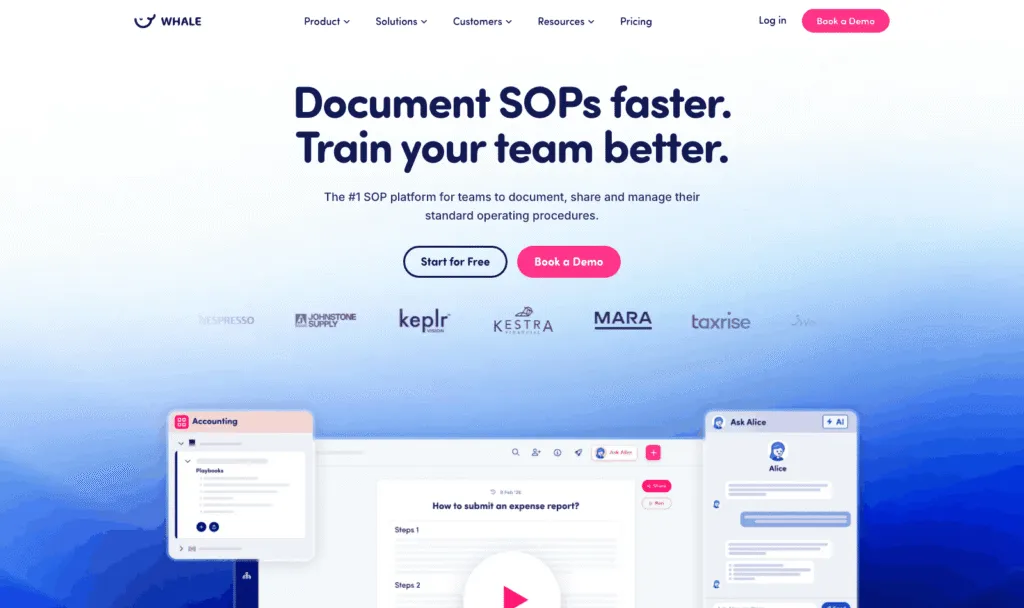
Whale is SOP, training and knowledge software. Like Guru it keeps company knowledge in one searchable place and pushes it into the flow of work. Unlike Guru, it does not stop at the answer: every procedure has a named owner, a version history and a review date, you assign it to a person or a role, and you can see who has completed it.
Best for: teams of roughly 10 to 500 where procedures need an owner, a review date and proof of completion, including frontline and deskless teams.
What it does well:
- It publishes its prices. Every plan, both billing cycles, on the page. After a Guru renewal conversation that is not a small thing.
- Knowledge becomes training. Training flows chain procedures into an ordered path a new starter works through, read assignments give you the completion record, and AI generated quizzes check comprehension rather than just acknowledgment. Guru has no equivalent layer.
- A stale procedure surfaces as a task for its named owner. Guru’s automated verification is genuinely good at spotting that something is old. Whale’s difference is that the fix lands on a person with a deadline.
- Written and visual live together. The built in step recorder captures a walkthrough of up to ten minutes and Video to SOP turns it into a written procedure, while training flows sequence the result.
- An org chart maps processes to the roles responsible for them, so “who owns this” has an answer that survives someone leaving.
- 3 creators included, and everyone else joins as a member with no per-seat fee. Members consume content, creators build it, so a 200 person company with 5 documenters pays for 5 creators. For a read-mostly organisation this is the single biggest cost difference against any per-seat tool on this list.
- SOC 2 certified, HIPAA ready and GDPR compliant, with 23 native integrations plus MCP and an API so external AI tools can read and write your documentation.
- Scores 4.8 out of 5 on G2, and 9.6 out of 10 for ease of use.
Where it falls short:
- Guru’s AI retrieval across a large, messy enterprise stack is more mature. If your actual problem is “we have knowledge in forty systems and nobody can find any of it”, Guru’s search and its 100+ integrations are aimed squarely at that, and Whale is not.
- It asks for setup thinking that a card-based tool does not: where procedures live, who owns them, who has to read them. Budget a week before it earns its keep.
- Priced per plan rather than per seat, so at very small headcounts a per-user wiki is cheaper. Ten people on Whale is free, but the eleventh moves you to $249/month.
- No customer-facing help centre. Whale is for your team, not your end users, so if you wanted to replace Guru and publish public docs, look at Document360 or Stonly.
Pricing, verified 29 September 2026:
- Free: $0, 1 creator, up to 10 members
- Scale: $249/month billed annually, 3 creators included, extra creators $29 each
- Advance: $499/month billed annually, 5 creators included, extra creators $39 each
- Enterprise: custom pricing
- Everyone else joins as a member, with no per-seat fee
Who should skip it. A team that wants better search across an existing sprawl of tools, with no intention of writing procedures or training anyone on them.
2. Stonly: Best for Customer Support Teams That Need Guided Resolution

Stonly is a knowledge platform built for customer service. Its distinguishing idea is that a knowledge article often is not enough: instead of an agent reading a card and working out what to do, Stonly runs an interactive guide that branches based on the answers, inside the ticket itself.
Best for: support and CX teams where the goal is resolving tickets faster, not documenting the company.
What it does well:
- Interactive, branching guides rather than static cards. For multi-step troubleshooting this is a genuinely different category of tool from Guru, and it is the reason to look at it.
- The help desk integrations do work, not just search. Guides run inside the Zendesk, Salesforce or Freshdesk ticket view, pull ticket data to skip irrelevant steps, and let agents push data back without switching tools. Guru’s integrations surface a card for the agent to read.
- One system serves agents and customers. The same content powers an internal knowledge base and a customer-facing help centre, plus in-product widgets, tooltips and banners triggered by user behaviour.
- Analytics aimed at support outcomes, including resolution rates and handle time, rather than which article got the most views.
- It has a genuine free tier, which Guru does not publish one of: Basic gives you 400 guide views a month, 5 published guides in a single language with up to 100 steps each, and 1 team member.
- Rated 4.8 out of 5 on G2 and Best Reviewed on Gartner Peer Insights, per its own homepage.
Where it falls short:
- No published pricing beyond the free Basic tier. Small Business and Custom plans both require contacting sales, so if you left Guru over pricing opacity you are trading one sales call for another.
- Usage is metered on guide views, not just seats. That is a fairer model for a read-mostly audience, but it means your bill moves with customer traffic, which is harder to forecast.
- It is a support tool. There is no employee training layer, no role assignment, no completion record for a named person and no org chart. If the job is onboarding staff rather than resolving tickets, this is the wrong shape.
Pricing, verified 29 September 2026:
- Basic: free. 400 guide views/month, 5 published guides in one language, up to 100 steps per guide, 1 team member
- Small Business: not published, contact sales
- Custom: not published. Adds custom branding, SEO customisation and a dedicated customer success contact
- 14 day free trial of the Small Business plan, after which you are automatically downgraded to Basic rather than charged, and guides built during the trial are retained
Skip it if your knowledge problem is internal. Stonly is built for the customer, and everything good about it points that way.
3. Slite: Best for Keeping Docs Accurate as Processes Change
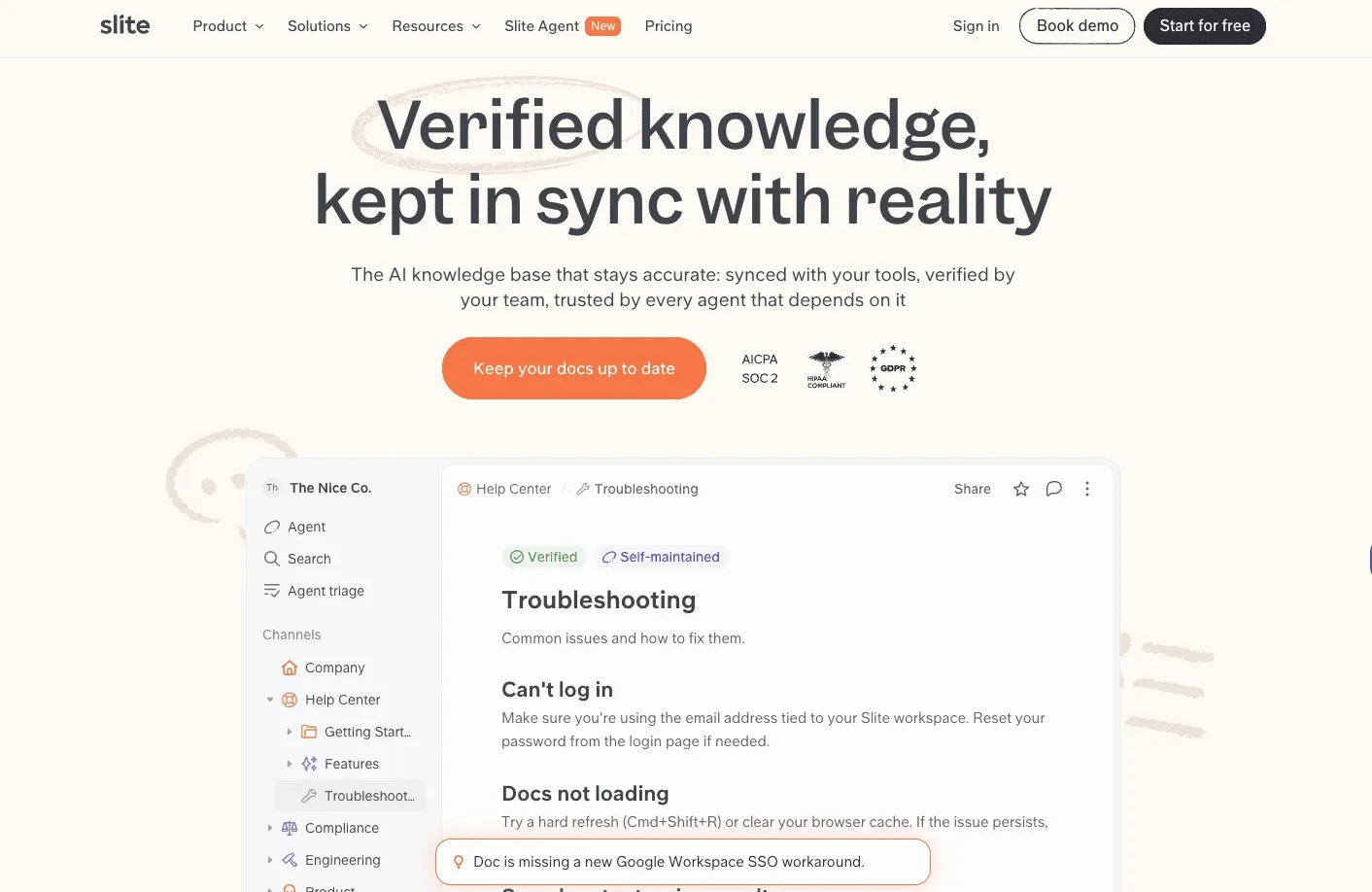
Slite is a knowledge base built to stay current and easy to trust. Its AI search cites every source and ranks verified docs first. Governance is built in, with doc owners, verification cycles, full version history and a Knowledge Management Panel for knowledge health checks.
On top of that, Slite Agent handles the upkeep. It compares your docs against each other and against connected tools like Slack, Linear, GitHub and Intercom, flags what has gone stale, drafts the fix with the reasoning behind each edit, and sends it to a human for approval before anything changes.
Best for: Mid-sized companies where knowledge lives across several teams and nobody owns the whole picture.
What it does well:
- Upkeep goes one step further than Guru. Guru flags a card as stale and reminds the owner, who then writes the correction. Slite Agent drafts the corrected text as a diff with a reason for each edit, and the owner approves or rejects it.
- Verification is on every plan. Owners set a review cycle (6 months, 1 year or custom), reminders go out automatically, and readers can flag a doc as outdated.
- The Knowledge Management Panel lists outdated docs, expired verifications and empty docs in one place, with bulk filters for cleanup.
- AI search cites its sources, returns “no answer found” instead of guessing, and ranks verified docs higher.
- It publishes its price, which Guru does not: $10 per user per month billed yearly.
Where it falls short:
- No training layer. There are no assigned readings, quizzes or completion tracking, so it can’t prove someone was trained.
- Slack is the only messaging integration. There is no Microsoft Teams connection.
- Cloud only, with no on-premise option, and it isn’t built as an external help center or a project tracker.
Pricing, verified 13 October 2026:
- Basic: $10 per user/month billed yearly, or $12 billed monthly
- Pro: $20 per user/month billed yearly, or $25 billed monthly. Adds Slite Agent, search across 20+ connected tools and agent workflows
- Enterprise: custom pricing. Adds SCIM, audit logs, reader-only seats and a dedicated account manager
- No free plan. 14-day free trial, no credit card required
Skip it if your main job is training staff and proving they finished, because Slite does not track completion.
4. Helpjuice: Best for a Heavily Branded, Customised Knowledge Base

Helpjuice is dedicated knowledge base software with an unusual pitch: rather than handing you a theme editor, its team will manually build your knowledge base design for you until it matches your brand, and keep doing it as often as you ask.
Best for: teams who want a public knowledge base that looks genuinely like their own product, without building it themselves.
What it does well:
- The customisation is the product. Helpjuice says it will handcraft and manually skin your knowledge base until it is pixel-perfect, and every paid tier includes what it calls unlimited customisation credits.
- Both internal and external knowledge bases with role-based permissions, so one tool can serve staff and customers.
- A serious search engine, plus AI search, an AI chatbot, an AI content writer and AI translation for multi-language audiences.
- Advanced analytics covering search trends, user behaviour and content performance, which is the part most cheap knowledge bases skimp on.
- Free migration support, a 14 day trial with no credit card and no setup, and SOC 2 and GDPR compliance badges. It states it is trusted by over 7,000 companies.
Where it falls short:
- Every tier now reads “Customized” instead of a price. We checked on 29 September 2026 and there is no dollar figure on any plan. Published figures for Helpjuice circulate in comparison articles, including in the piece this article was researched against, but they are not on Helpjuice’s own pricing page today.
- Static articles only. No interactive guides, no decision trees, no branching, so complex troubleshooting is still a wall of text.
- No training layer at all. No assignments, no completion tracking, no quizzes, no org chart. It is a very good knowledge base and nothing more.
Pricing, verified 29 September 2026: not published. Every plan tier displays “Customized” in place of a figure. There is a 14 day free trial requiring no credit card, and after it ends the account becomes inactive rather than being charged, with data retained.
Skip it if you need a number before a conversation, or if what you actually need is to train staff rather than publish articles.
5. Confluence: Best for Teams Already Inside the Atlassian Ecosystem
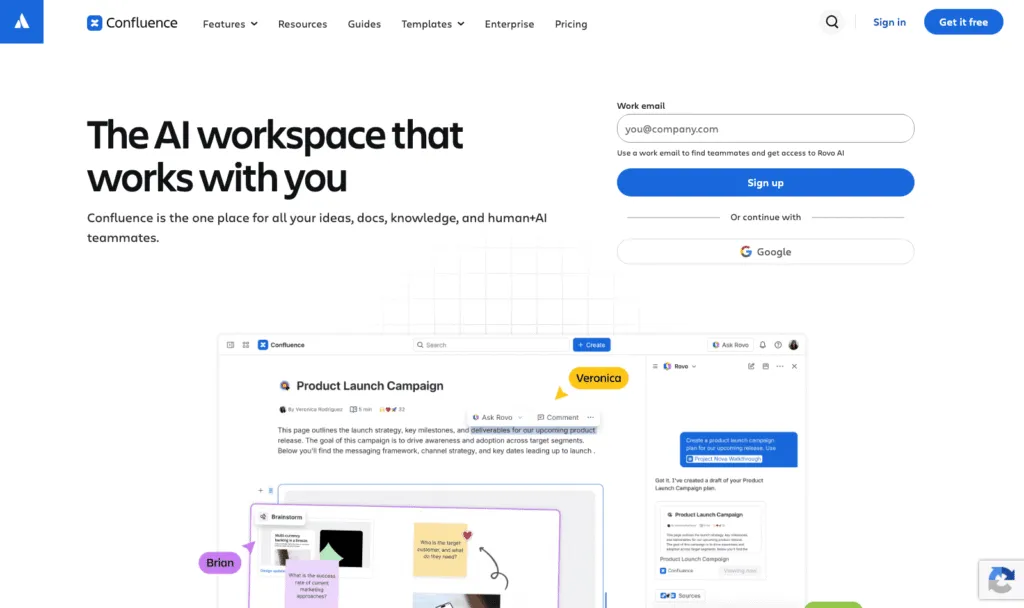
Confluence is Atlassian’s team workspace and internal wiki. Pages, spaces, whiteboards and databases sit alongside Jira and Trello, and Rovo, Atlassian’s AI layer, now searches and drafts across the lot.
Best for: engineering-led organisations already paying Atlassian, where the wiki needs to live next to the work tickets.
What it does well:
- It is cheap and the price is public. Standard is $5.42 per user per month, the lowest published per-seat figure on this list, and the Free plan covers 10 users forever with no time limit.
- Deep Jira and Trello integration. If a procedure needs to reference the ticket that triggered it, nothing else here comes close.
- Rovo Search, Chat and Agents are included from the Standard plan rather than reserved for enterprise, alongside real-time co-editing, whiteboards and databases.
- Automation without code, metered as automation steps: 100 per user per month on Standard, 250 on Premium, 500 on Enterprise.
- It scales to 250,000 users per site, so you will not outgrow it.
Where it falls short:
- Annual billing is priced by user-tier band, not as a simple per-user rate, so the headline figure stops applying as you grow. At the 201 to 300 user band the page quotes $16,500 a year for Standard and $31,500 for Premium. Model your actual headcount before assuming $5.42 holds.
- There is no verification workflow. Confluence has page history and automation rules, but nothing that asks an expert to re-confirm a page on a schedule, which is the specific thing Guru does well and the reason many people adopted Guru in the first place.
- Internal collaboration only. No customer-facing help centre.
- No training, assignments, completion tracking or quizzes, and advanced analytics need a third-party app or the Enterprise plan.
- It sprawls. Confluence is famously easy to fill and hard to keep tidy, which is the problem people buy Guru to solve.
Pricing, verified 29 September 2026:
- Free: $0, free forever for 10 users. Up to 3 active whiteboards per user, 50 automation steps per month, 2GB storage
- Standard: $5.42 per user/month. Adds Rovo AI, guest access, advanced permissions, 250GB storage, 9/5 regional support
- Premium: $10.44 per user/month. Adds unlimited pages and spaces, dynamic intranet, 250 automation steps per user
- Enterprise: annual billing only, contact sales
- Atlassian states annual billing saves up to 17%, and switching the toggle to annual reprices the plans into user-tier bands
Skip it if nobody on your team uses Jira. Confluence’s advantage is the ecosystem, and without it you are buying a wiki that needs more gardening than most.
6. Document360: Best for Structured Product and API Documentation
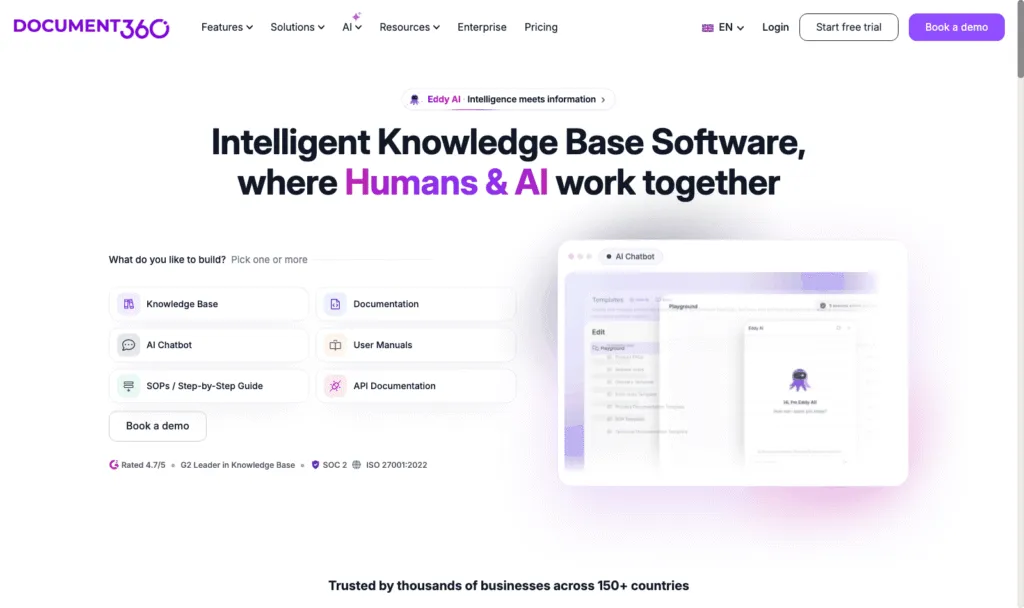
Document360 is knowledge base software with roots in technical documentation: API references, user manuals, SOPs and public help centres. It offers both a WYSIWYG editor and a markdown editor, proper version control, and an AI assistant it calls Eddy.
Best for: product and documentation teams publishing structured, versioned content to customers.
What it does well:
- Real documentation tooling. Dual WYSIWYG and markdown editors, category and version management, and a custom workflow builder so drafts move through review states rather than going live because someone clicked save.
- It is built to publish externally, with site customisation and SEO customisation, which Guru does not do at all.
- Eddy AI powers search, a standalone chatbot and content generation, and the platform covers knowledge bases, documentation, user manuals, SOPs and API docs from one place.
- Credible security and standing for a documentation platform: SOC 2 and ISO 27001:2022, rated 4.7 out of 5 and a G2 Leader in Knowledge Base by its own homepage, used across 150+ countries.
Where it falls short:
- No published pricing. The pricing page says “Customized pricing” and routes you to a trial or a demo. Same problem you left Guru with.
- It is documentation, not enablement. No assignments, no completion tracking, no quizzes, no org chart, and no training paths.
- Serving internal staff and external customers well at the same time is not its strength, so teams doing both often end up compromising on one.
- The technical documentation heritage shows. For a non-technical operations team that just wants procedures written down, it is more machinery than the job needs.
Pricing, verified 29 September 2026: not published. The pricing page shows “Customized pricing” with no tier figures. A 14 day free trial is available.
Skip it if your documentation is internal procedures rather than a product manual. The whole tool is shaped around publishing to an audience outside your company.
7. Notion: Best for Small Teams Wanting Docs, Wiki and Projects in One
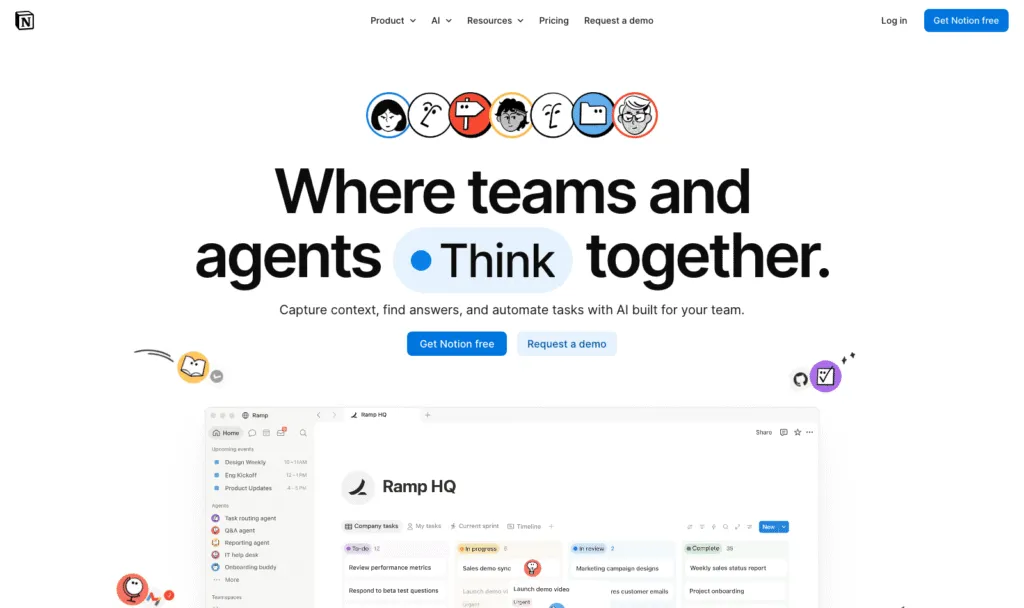
Notion is an all-in-one workspace where wikis, documents, databases and project management share the same pages. It is as much a project tool as a knowledge base, which is exactly why small teams like it and why large ones eventually need something stricter.
Best for: startups and small teams that would rather run everything in one flexible tool than buy a dedicated knowledge base.
What it does well:
- Flexibility, genuinely. Pages, databases with subtasks and dependencies, custom properties, forms and published sites all compose together, so the wiki and the work plan are the same object.
- The free plan is usable rather than a demo, and Plus at $10 per member per month billed yearly is cheap for what you get.
- Notion AI now includes custom agents that handle repetitive tasks, plus enterprise search across connected apps like Slack and Google Drive, which moves it closer to Guru’s territory.
- Almost everyone has used it, so adoption resistance is low and you will not be writing training material for the tool itself.
Where it falls short:
- Flexibility is the weakness too. Nothing enforces structure, so a Notion wiki at 200 pages usually needs a cleanup project that a purpose-built tool would have prevented.
- No verification workflow, no review dates, no content owners. Pages have history, and that is it. This is the precise gap Guru exists to fill.
- No training layer: no assignments, no completion tracking, no quizzes, no org chart.
- AI agent usage is metered separately, free to try and then $10 per 1,000 monthly Notion credits, so heavy AI use is a variable cost on top of seats.
- Workspace-level analytics sit on higher tiers.
Pricing, verified 29 September 2026:
- Free: $0 per member/month
- Plus: $10 per member/month billed yearly, or $12 billed monthly
- Business: $20 per member/month billed yearly, or $24 billed monthly
- Enterprise: custom pricing, contact sales
- Custom AI agents are free to try, then $10 per 1,000 monthly Notion credits
Skip it if the reason you are leaving Guru is that content went stale. Notion has less content governance than Guru, not more.
8. Tettra: Best for Answering Repetitive Questions Inside Slack
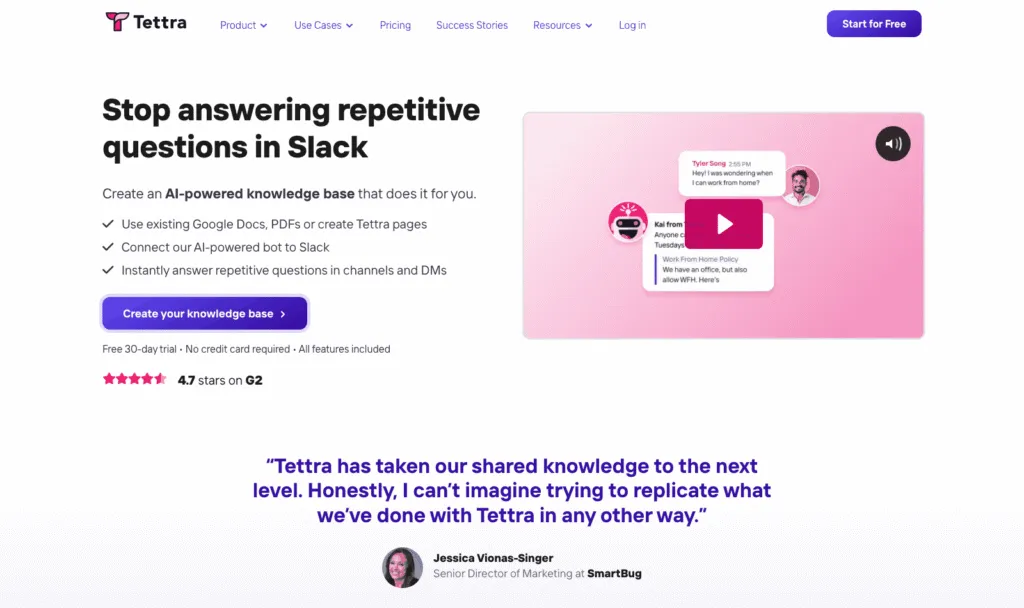
Tettra is a lightweight internal wiki with a question and answer layer on top. Its AI bot, Kai, answers from your own documented content directly inside Slack channels and DMs, and routes anything nobody has documented to the right subject matter expert.
Best for: Slack-first teams who want answers to arrive in the channel where the question was asked.
What it does well:
- The Slack experience is the best on this list. Guru delivers into the browser. Tettra answers conversationally in the channel, summarises threads and mines answers already buried in Slack history.
- It publishes its price, which Guru does not, and at $8 per user per month billed yearly it is the cheapest published per-seat figure here.
- Verification asks named experts to re-confirm pages on a schedule, and built-in reports surface stale pages, unowned content and pages that are more public than you intended. This is the closest thing on the list to Guru’s verification model.
- People who only interact with Tettra through Slack do not count towards your user total, which genuinely changes the maths for a large read-only audience.
- Page requests let teammates flag a gap, so the documentation backlog comes from the people actually hitting it.
Where it falls short:
- No free plan and a 10 user minimum, so the cheapest paid account is $80 a month whether you have ten people or three.
- Integrations are thin outside Slack: Google Workspace, GitHub and Zapier, and no native help desk or CRM connection.
- SAML SSO and SCIM are paid add-ons on Scaling rather than included features, and only become standard on Enterprise.
- No training layer, no screen recording and no org chart, so it has the same ceiling as Guru on proving anyone was trained.
Pricing, verified 29 September 2026:
- Scaling: $8 per user/month billed yearly, or $10 billed monthly, with a 10 user minimum
- Enterprise: custom pricing. SSO and SCIM included, plus hands-on onboarding, custom import and custom reporting
- No ongoing free plan. 30 day free trial, no credit card required
- Past 250 licences, Tettra offers discounted per-user rates through sales
Skip it if your team does not live in Slack, because that is most of the value. We go deeper on this one in our guide to the best Tettra alternatives.
How to Choose: Retrieval, Documentation or Enablement
One question sorts this list. When somebody finds the right answer, is the job done? If yes, you want a retrieval or documentation tool and you should buy the cheapest one you like using. If the answer is only the start, because somebody now has to follow a procedure, and you need to know they did, no knowledge base on this page will finish the job. Everything else follows from that.
- You need a published price and a self-serve start. Confluence, Notion or Tettra. They are the only three here with figures on the page, and Whale publishes its plans too.
- You want the cheapest credible wiki. Confluence at $5.42 per user per month, or Notion’s free tier if the team is small.
- Your problem is customer support tickets. Stonly. Branching guides inside the ticket view are a real category difference, not a feature comparison win.
- You publish product documentation to customers. Document360, or Helpjuice if brand-matched design matters more than versioning.
- Your team lives in Slack and wants answers there. Tettra, and be honest that you are choosing it for that one thing.
- Content going stale is the actual problem. Tettra’s scheduled verification, or stay on Guru, whose automated verification is the most mature here. Do not move to Notion or Confluence expecting this to improve.
- You need to prove who was trained on what. Whale. Read assignments, completion tracking, quizzes and training flows are the layer nothing else on this list has, and it is the layer auditors ask about.
- You have frontline or deskless staff. Whale. A browser extension is no use to someone on a shop floor or in a van, and Whale ships a native mobile app.
If you are in the last two groups, the quickest way to find out whether you have a documentation problem or a process problem is to write one procedure properly and watch what happens to it. Our SOP document template is a reasonable place to start, and if you want the wider category, see our guide to SOP software.
How We Compared These Tools
We compared nine tools, the eight alternatives plus Guru as the baseline, on six criteria: starting price, whether a free plan exists and its most restrictive limit, how the tool stops content going stale, whether you can assign work and see completion, how answers reach people in their flow of work, and who the vendor is clearly selling to.
Every price was read from that vendor’s own pricing page on 29 September 2026, not from a review site, a search snippet or a third-party comparison. Where a pricing page has a monthly and annual toggle, we read both states and quote both, because an annual figure alone understates what a monthly customer pays. On Confluence we also recorded that switching to annual billing reprices into user-tier bands rather than holding the per-user rate, because quoting $5.42 without that would be misleading.
Where a vendor publishes no number, we say so rather than estimating one. That applies to four tools here: Guru, Stonly above its free tier, Helpjuice and Document360. Figures for several of them are in circulation in other comparison articles, and some are probably still roughly right, but they are not on the vendors’ own pages today and we will not restate them as current.
We also stuck to what each vendor publishes about itself. Where we say a tool has no completion tracking, no quizzes or no org chart, that means the feature does not appear on that vendor’s published feature list or pricing comparison, not that we tested every corner of the product. No product here was hands-on tested. Every screenshot was captured from the vendor’s live site on 29 September 2026.
FAQs on Guru Alternatives
What is the best Guru alternative?
Whale, if the reason you are leaving is that a verified answer is not enough on its own. Guru tells you information is current and delivers it where you are working. Whale makes that information a procedure with an owner, a version history and a review date, assigns it to people or roles as training, and records who read and understood which version. If you are leaving mainly on cost and want a published price you can plan around, Confluence at $5.42 per user per month and Notion at $10 per member per month are the cheapest credible options, and Tettra at $8 is the closest match to Guru’s verification model.
How much does Guru cost?
Guru does not publish pricing. We checked its pricing page on 29 September 2026 and there are no figures, no plan names and no tiers on it. The page presents an enterprise package built around your scale, knowledge complexity and AI maturity, and the only route forward is to book a call with their team. Per-seat figures for Guru still circulate in third-party comparison articles, but since they are not on Guru’s own page we are not restating them as current. Budget it as an unknown until you have spoken to sales.
Does Guru have a free plan?
Guru does not publish one. Because the pricing page carries no plan information at all, there is no stated free tier and no stated trial. Of the tools here, Confluence is free forever for up to 10 users, Notion has a usable free plan, Stonly has a free Basic tier limited to 400 guide views a month and 1 team member, and Whale’s Free plan covers up to 10 members with 1 creator and does not expire. Helpjuice, Document360 and Tettra all run trials rather than free plans.
What is the difference between Guru and Whale?
Guru keeps knowledge findable and verified. Whale keeps it current and proves it was followed. Both centralise company knowledge and both take staleness seriously, Guru through automated verification that it says handles 80 to 90% of checks without a human, Whale through named process owners and review dates. The difference is what happens after the answer. Whale adds training flows, quizzes, read assignments, completion tracking and an org chart mapping processes to roles, so you can show a named person read a procedure and understood it. Guru has no equivalent layer. Whale also records screen walkthroughs with a built-in step recorder and publishes its pricing, which Guru currently does not. In the other direction, Guru’s AI retrieval across a large enterprise tool stack is more mature than Whale’s.
Is Whale cheaper than Guru?
We cannot compare them directly, because Guru publishes no price. What we can say is how the two models differ. Whale charges per plan, not per seat: Scale is $249 a month billed annually, with 3 creators included and everyone else joining as a member with no per-seat fee, so a 200 person company where 5 people write documentation pays for 5 creators and nothing extra for the other 195. Per-seat tools charge for everyone who needs access, including people who only ever read. If most of your organisation consumes knowledge rather than creating it, that difference compounds quickly, and it is the main reason read-mostly teams move off per-seat pricing.
Can I migrate my Guru content to another tool?
Partly, and plan for less than you hope. Guru cards are structured text, so the content itself exports more cleanly than rendered video would. What does not travel is the layer around it: verification schedules, card owners, trust scores, permission inheritance from your identity provider, and the usage signals its automated verification relies on. Most teams migrate by exporting what they have, leaving the old system read-only for a quarter, and rebuilding the twenty or thirty procedures people genuinely use rather than all several hundred cards. Whale offers a migration service that takes your existing documentation wherever it lives today and brings it in, and Helpjuice includes free migration support.
Which Guru alternative is best for employee onboarding?
Whale, because onboarding is the case where finding the answer is not the outcome. A new hire has to complete defined procedures in an order, and somebody needs a record that they did. Training flows chain procedures into a path, read assignments give you the completion record, and AI generated quizzes check comprehension rather than acknowledgment. Guru, Confluence, Notion, Document360 and Helpjuice will all give a new starter somewhere to look things up, which matters, but none of them will tell you whether week one actually happened.
Which Guru alternative works best for customer-facing help centres?
Stonly if the goal is resolving support issues, because it serves agents and customers from one system and runs guided, branching resolution inside the ticket. Document360 if the goal is publishing structured product documentation, since it has proper versioning, site customisation and SEO customisation. Helpjuice if brand-matched design is the priority and you want their team to build it for you. Guru itself is built for internal knowledge and has no customer-facing help centre, which is one of the more common reasons teams end up looking.
Lisa Steingold is the Head of Content for Whale. With a history in tech, she's authored 4 books and is obsessed with helping teams unlock the next level of growth and productivity. (And riding her bike)