In this article
Writing and maintaining standard operating procedures used to mean blocking out an afternoon, opening a blank doc, and trying to remember every step of a process you do on autopilot. AI has changed that. The right AI tool can turn a screen recording into a formatted SOP in minutes, keep documentation in sync as your processes change, and make sure the instructions your team actually follows are the ones that are actually up to date.
What are the top AI-powered tools for creating and managing standard operating procedures efficiently? Modern SOP software powered by AI helps you streamline SOP creation, keep your business process documentation up to date, and make information easy for your team to find. If you are weighing up the wider category rather than just the AI-generation piece, our full SOP software comparison goes deeper on platforms built specifically around standard operating procedures.
This guide compares the top AI SOP tools for creating and managing SOPs in 2027, from AI writers to SOP auto-creation software: what each one does well, what it costs, and who it is actually built for, so you can pick the right one instead of the most-hyped one.
Whale publishes this guide, and Whale is on the list. We judged every tool, Whale included, on the same four criteria below and checked each price on the vendor’s own pricing page.
Key highlights
- Whale is our top pick for most teams. Coral, Whale’s AI assistant, documents an SOP in seconds, and Whale trains your team on it and tracks who has read it.
- This guide reviews the top AI tools for creating and managing Standard Operating Procedures (SOPs) in 2027.
- It compares Whale, Tallyfy, Process Street, Tango, SweetProcess, Scribe, ClickUp, Document360 and ChatGPT, with the strengths of each for different kinds of team.
- We explore how AI SOP tools automate process documentation, cutting documentation time by auto-generating steps from screen recordings or existing text rather than requiring a manual write-up from scratch.
- Pricing ranges widely, from genuinely free screen-recording tools to enterprise knowledge platforms charging per user per month.
- Two of the nine tools here no longer publish pricing at all, so budget a sales call if they are on your shortlist.
- Essential features to look for include workflow automation, team collaboration and integration with the tools your team already uses.
- The best fit depends on what you are optimizing for: pure speed of capture, ongoing process management and training, or a searchable knowledge base.
What to look for in an AI SOP tool
Before comparing individual products, it helps to know what separates a good AI SOP generator from one that just bolts a chatbot onto a plain document editor:
- Genuine AI capture, not just AI polish. Tools that turn a screen recording or a rough voice memo into structured steps save far more time than tools that only tidy the grammar in a doc you already wrote.
- Living documentation, not static files. SOPs that live in a system tied to training and onboarding stay current. SOPs exported as PDFs go stale the moment a process changes.
- Built-in verification. The best platforms let you confirm employees have actually read and understood a procedure, not just that a file exists somewhere.
- Real pricing transparency. Several tools in this category require a sales call just to get a number, which is worth knowing before you invest time in a trial.
According to 360iResearch, the global workflow automation and optimization software market continues to expand as more companies move process documentation out of static documents and into dedicated software, a trend driving much of the growth in the AI SOP tool category.
If you want one tool that documents SOPs in seconds, trains your team on them and keeps them current, start with Whale.
How we evaluated these tools
We compared each tool on four things: how its AI creates SOPs, whether it trains your team and confirms they’ve read a procedure, how clear its pricing is, and what reviewers say on G2. Prices and G2 ratings were checked on each vendor’s own pricing page and on G2 in August 2026. Whale, Tallyfy, Scribe and ChatGPT were checked in October 2026.
Comparing the top 9 AI tools for SOPs
| Tool | Best for | Starting price | G2 rating | Free tier |
|---|---|---|---|---|
| Whale | AI-generated SOPs plus training and verification in one platform | Free ($0, 1 creator, up to 10 members). Scale $299/month billed yearly. Advance $599/month billed yearly. Enterprise custom | 4.8 out of 5 | Yes |
| Tallyfy | Workflow-driven SOPs with task tracking built in | Light Seat $100/seat/year (about $10/month). Full Seat $300/seat/year (about $30/month). Billed annually, saves 16% | 4.5 out of 5 | Free trial |
| Process Street | Checklist-style SOPs with workflow automation and approvals | No self-serve pricing published. Startup, Pro and Enterprise all route to sales | 4.6 out of 5 (approx. 460 reviews) | Free trial |
| Tango | One-click screen-recorded SOPs with auto-generated screenshots | Free ($0, 5 workflows); Pro Team $15/user/month (3+ users); Pro Personal $22/user/month (1 to 2 users); Enterprise custom | 4.7 out of 5 (approx. 510 reviews) | Yes, free plan |
| SweetProcess | Straightforward SOP and process documentation for small teams | Standard $99/month for up to 10 members, then $5/month per additional member. Yearly billing saves 16% | 4.1 out of 5 (small review base) | Free trial |
| Scribe | Fast step-by-step guides captured straight from your screen | Basic free. Pro Team $13/seat/month billed yearly (5-seat minimum). Pro Personal $25/seat/month billed yearly. Enterprise custom | 4.8 out of 5 (900+ reviews) | Yes, free plan |
| ClickUp | Docs and SOPs inside a broader work management platform | Free Forever $0; Unlimited $10/user/month; Business $19/user/month; Enterprise custom | 4.7 out of 5 (9,000+ reviews) | Yes, free plan |
| Document360 | Knowledge-base-style SOP hosting with AI search | No pricing published on its pricing page. Demo required | 4.7 out of 5 | Free trial |
| ChatGPT | Quick SOP drafts from a prompt | Free $0. Go $8/month. Plus $20/month. Pro from $100/month. Business $20/user/month billed annually. Enterprise custom | 4.6 out of 5 | Yes, free plan |
Pricing and G2 ratings reflect figures verified against each vendor’s own pricing page in August 2026 and change often, so confirm before you commit. Where a plan is quoted as billed yearly or annually, the month-to-month rate is higher.
1. Whale: AI-powered SOP platform for modern teams
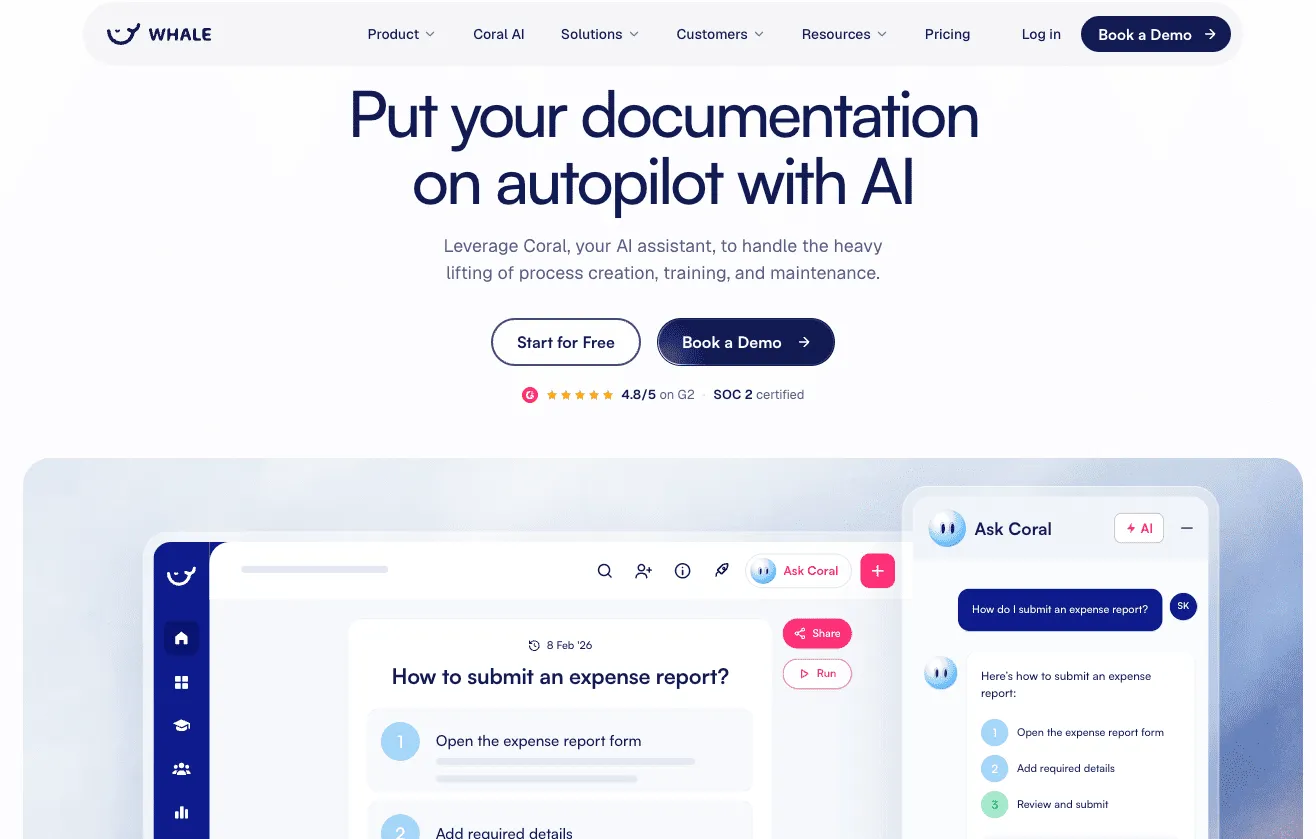
Whale is a unified SOP platform that brings process documentation and training into one place, delivering knowledge to your team right when and where they need it. It surfaces the right procedure faster than a traditional documentation tool, so people get accurate answers instead of digging through shared drives. That matters most for small teams and new hires who need a quick answer without interrupting someone. The browser extension surfaces relevant procedures contextually as employees work.
The emphasis is on making knowledge actionable rather than just stored. Instead of static documents, Whale creates training documentation that plugs into daily workflows, and by connecting SOPs to the tools your team already uses it lifts adoption and keeps everyone on the current version of a process.
Whale’s AI capabilities
Coral, Whale’s AI assistant, documents an SOP in seconds from a one-line prompt, with a title, an intro, numbered steps and checkpoints. Whale also turns a messy existing Word or PDF document, or a training video, into a structured SOP. With Whale MCP, Claude, ChatGPT and Gemini can answer from your Whale SOPs and turn your notes into SOP drafts that wait for your review (Scale, Advance and Enterprise). Coral does more than draft SOPs: your team can ask it a question and get the answer from your approved SOPs, with the source, in Whale, on their phone or in Slack by messaging @Whale. It also writes quizzes to check what people have learned. You can see the video walkthrough on YouTube.
What customers say about Whale
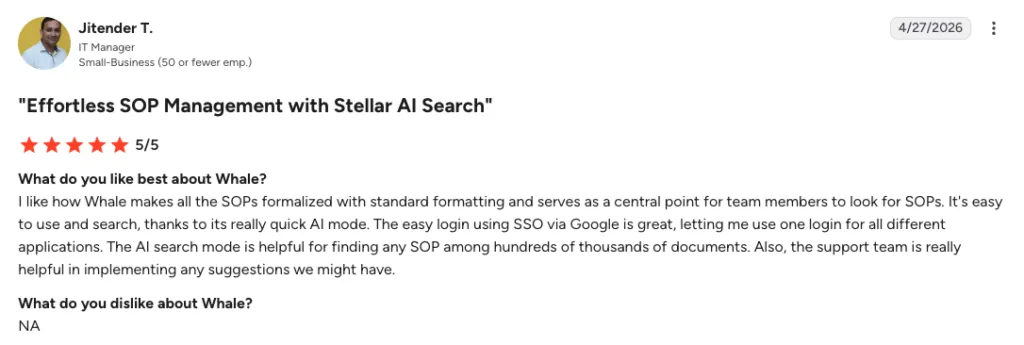
Cash-Wa Direct used Whale to cut new-hire ramp time in half, according to Shawn Emery, the company’s Director of Retail Stores. That is a concrete result of pairing AI-generated SOPs with built-in training assignment, rather than treating documentation as a one-way publish.
Whale pricing
- Free: $0, 1 creator, up to 10 members and 20 playbook items.
- Scale: $299/month billed yearly. 3 creators included, extra creators $29/month billed yearly.
- Advance: $599/month billed yearly. 5 creators included, extra creators $39/month billed yearly.
- Enterprise: custom, adds approval flows, automatic redaction, SCIM and HRIS integrations, API access. See Whale’s pricing.
G2 rating: 4.8 out of 5.
Pros: AI generation from both documents and screen recordings, training assignment and completion tracking tied to each SOP, contextual delivery inside the tools people already use, genuine free plan.
Cons: Training flows and AI quizzes start on Scale at $299/month billed yearly, so the free plan suits a trial more than a full rollout.
2. Tallyfy: workflow and SOP automation for SMBs
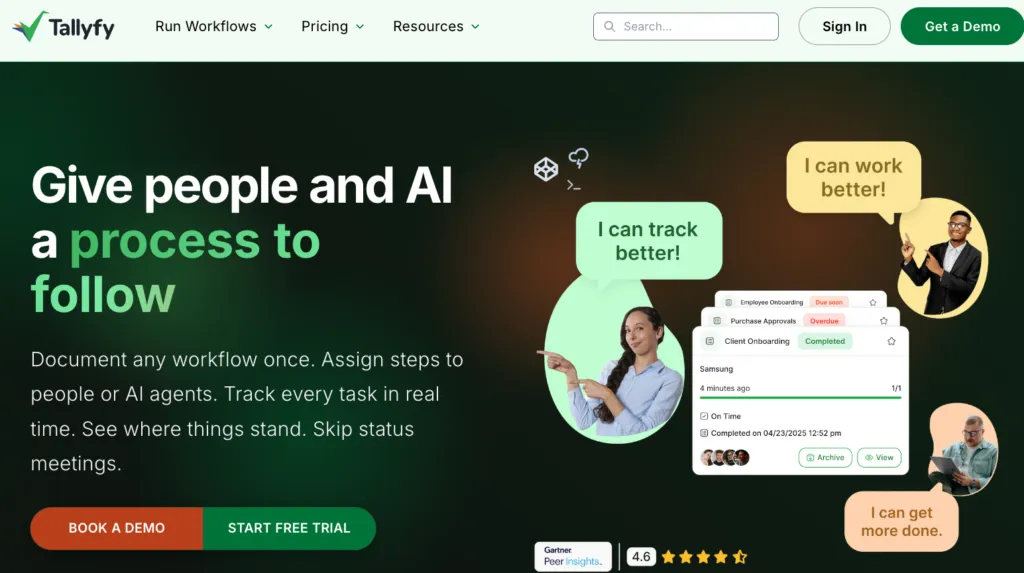
Tallyfy helps smaller businesses turn documented processes into automated workflows, launching and tracking tasks in real time. That suits client-facing processes like onboarding, and recurring internal work that needs coordination between people.
Its strength is bringing a process to life. Rather than producing a static document, Tallyfy builds workflows that assign tasks, send notifications and track progress from start to finish, with visibility into who is doing what and when.
Tallyfy AI can turn a described repeatable job into a structured process automatically and hand individual steps to AI agents to execute, with a human still directing and approving the work. It integrates directly with Claude and ChatGPT for teams that want to bring their own AI model into the workflow.
Pricing: Priced per seat per year rather than per user per month. A Light Seat, which completes assigned tasks, is $100/seat/year, about $10 a month. A Full Seat, which can create and edit templates, is $300/seat/year, about $30 a month. Billing is annual and saves 16%, with an optional analytics add-on at $20/seat/year.
G2 rating: 4.5 out of 5.
Pros: Workflow and task tracking baked into the SOPs themselves, good for multi-person handoffs with deadlines, and a genuinely cheap entry point if most of your team only needs to complete tasks.
Cons: Annual billing only, no AI generation from screen recordings, and a small review base.
3. Process Street: workflow automation and SOP management
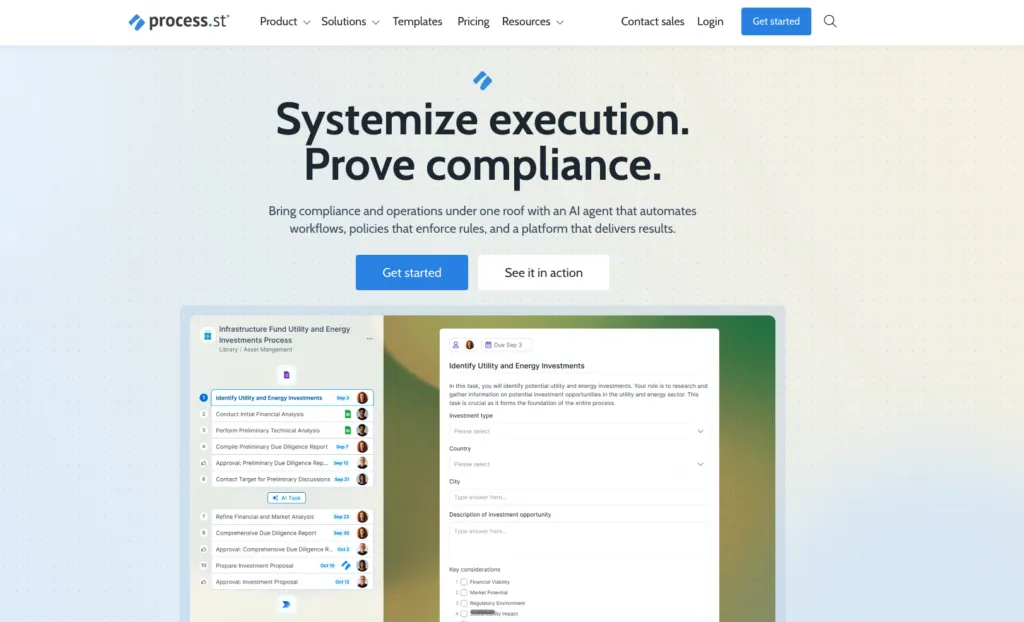
Process Street combines SOP documentation with workflow automation. You build interactive checklists that walk your team through recurring tasks so no step gets missed. That makes it less a documentation tool and more a system for executing processes consistently.
It is strong on project management and compliance. Conditional logic creates dynamic workflows that adapt to user input, approvals route critical tasks to the right reviewers, and version control tracks changes to procedures over time.
For operations teams that need to enforce process compliance, it turns documented procedures into trackable workflows and closes the gap between knowing a process and doing it correctly every time. Its AI leans toward generation and monitoring rather than capture: Process AI drafts a full workflow from a short prompt, and Cora, an AI compliance agent, monitors active workflows to flag risks before they become audit findings.
Pricing: Process Street no longer publishes self-serve pricing. Its Startup, Pro and Enterprise tiers all route to a sales conversation, so there is no way to size a budget without contacting them.
G2 rating: 4.6 out of 5 (approx. 460 reviews).
Pros: Strong workflow automation with conditional logic, approvals and task assignment, well suited to recurring operational workflows.
Cons: No AI generation from screen recordings, heavier setup than a pure capture tool, and no published pricing.
4. Tango: interactive, visual SOP creation
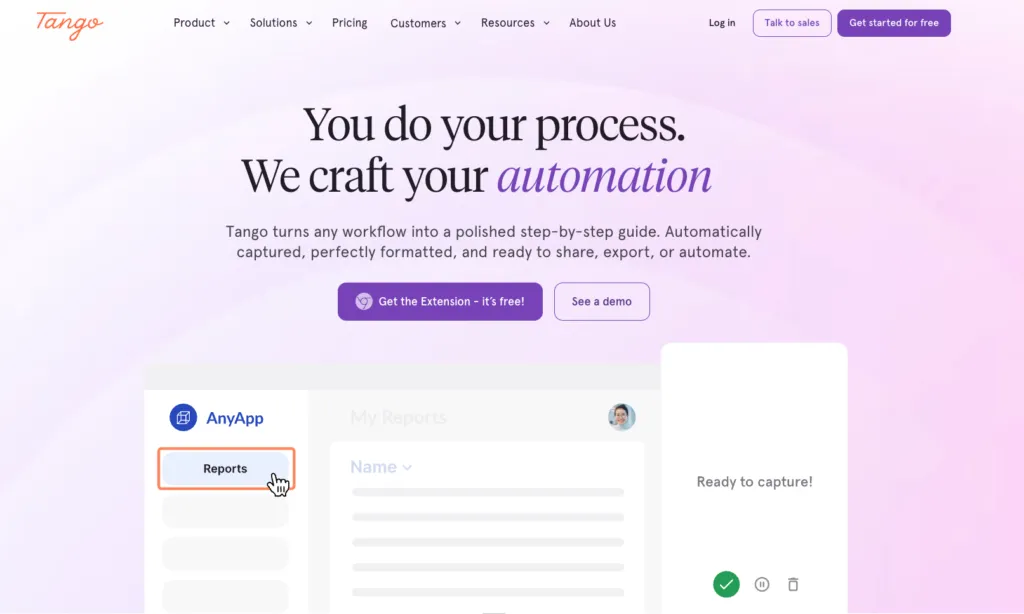
Tango also excels at visual, step-by-step guides built from your screen actions, capturing a workflow as you perform it and generating annotated screenshots. It is an effective way to explain a complex procedure so it is easy to follow.
The output is clean and professional enough for both internal training and customer-facing guides, and the interactive format lets people work through a process at their own pace, which cuts ambiguity. Tango also offers in-app guidance, with Guide Me and Pins overlaying instructions inside the tools people are already using.
It is a good choice for teams that live in software and need digital processes documented quickly. There is no native video output, but the annotated screenshot guides usually communicate even intricate workflows well. The AI works behind the scenes of that one-click capture, writing the screenshots, highlights and step descriptions as you click, rather than being a separate assistant you interact with.
Pricing: Free plan at $0 covering 5 shared workflows. Pro Team is $15/user/month for 3 or more users, Pro Personal is $22/user/month for 1 to 2 users, and Enterprise is custom.
G2 rating: 4.7 out of 5 (approx. 510 reviews).
Pros: Generous free plan, fast capture with clean embeddable output, in-app guidance layered on top of the guides.
Cons: Capture-focused, with no training assignment or completion tracking, and per-user pricing that adds up at scale.
5. SweetProcess: collaborative SOP writing and updating
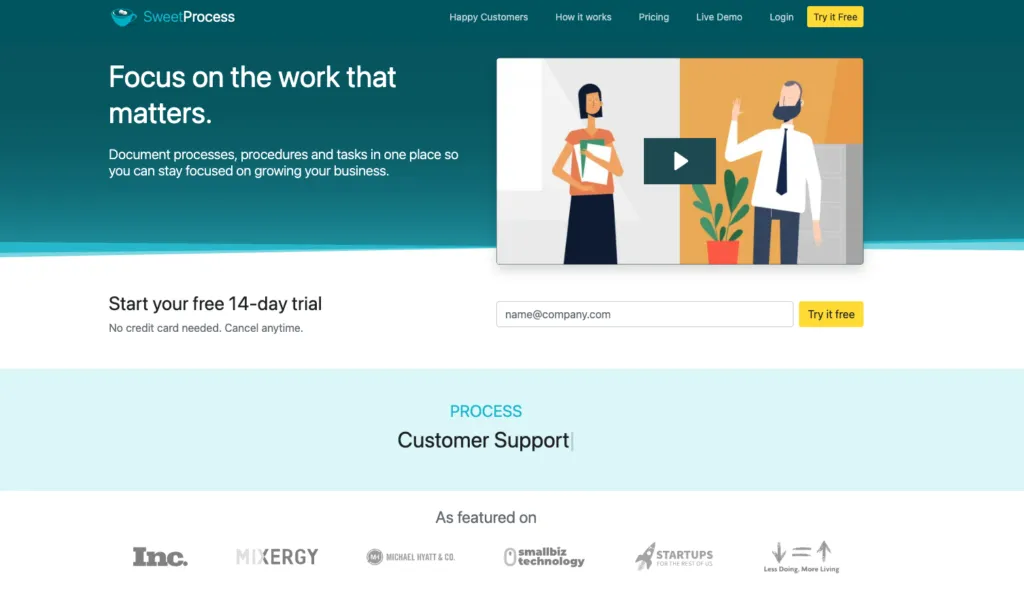
SweetProcess is built for writing and updating standard operating procedures collaboratively. Team members draft and refine SOPs in a straightforward interface, and integrations with tools like Google Docs help cut documentation time. Version control and screen capture support more complex processes, and checklists tie directly to SOPs for day-to-day task tracking.
It is a reasonable, budget-friendly option for small teams that want organized documentation without a steep learning curve, though it does not offer the AI-generation-from-video capability that defines the newer tools here. Its AI angle is text-first rather than video-first: give it a document title and it drafts a tailored policy or procedure for you to edit, which is a useful shortcut when starting from a blank page.
Pricing: Standard is $99/month for up to 10 members, then $5/month for each additional member. Yearly billing saves 16%, and there is a 30-day money-back guarantee.
G2 rating: 4.1 out of 5, from a small review base, so treat it with less confidence than a high-volume rating.
Pros: Flat, predictable monthly pricing for a small team, low learning curve, checklists tied to SOPs.
Cons: No AI generation from screen recordings, small review sample, and less scalable than dedicated workflow-automation tools for long multi-step processes.
6. Scribe: automated step-by-step documentation
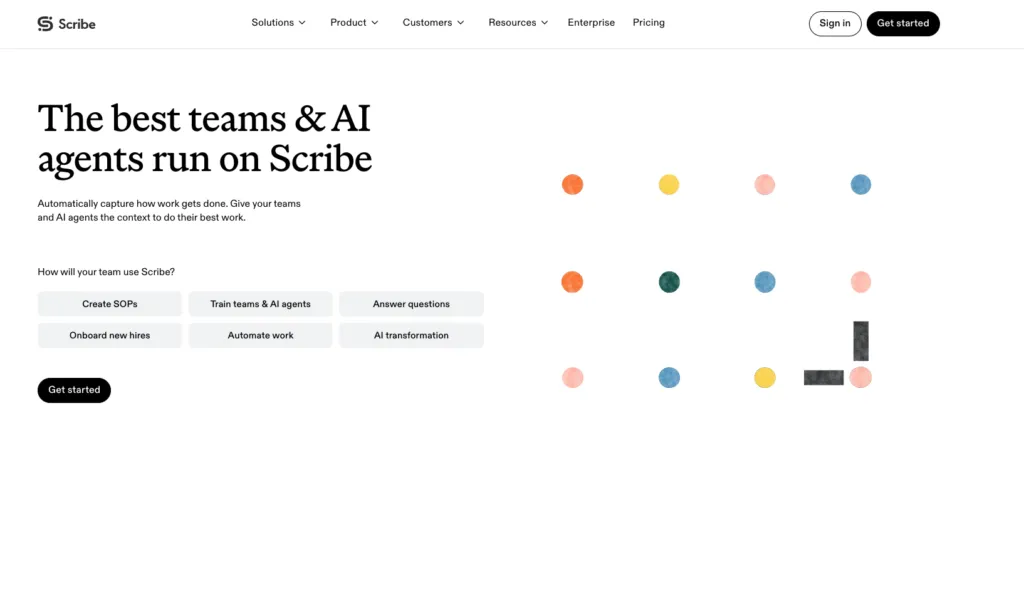
Scribe makes process documentation fast by capturing your workflow automatically. As you click through a process, its browser extension builds a step-by-step guide complete with screenshots and text. A tedious task becomes something that takes a few minutes.
It is especially useful for visual guides covering software tasks. Rather than taking screenshots and writing instructions by hand, you perform the task and the tool does the work. The result is a clear document you can share immediately.
Scribe excels at quick creation, but the output is static. If the software or process you documented changes, you have to recapture the steps to update the guide. For teams producing a high volume of guides for stable processes, it is still very efficient. Beyond auto-capture, its AI includes an Optimize feature that analyzes captured workflows to surface bottlenecks, plus automatic redaction that strips sensitive data out of screenshots as you capture.
Pricing: Basic is free. Pro Team is $13/seat/month billed yearly with a 5-seat minimum, Pro Personal is $25/seat/month billed yearly, and Enterprise is custom.
G2 rating: 4.8 out of 5 (900+ reviews).
Pros: Genuinely usable free plan rather than a trial, fast one-click capture, large and therefore high-confidence review base.
Cons: No training assignment or completion tracking, no broader knowledge-base structure, and per-seat pricing adds up for larger teams.
7. ClickUp: all-in-one productivity and SOP management
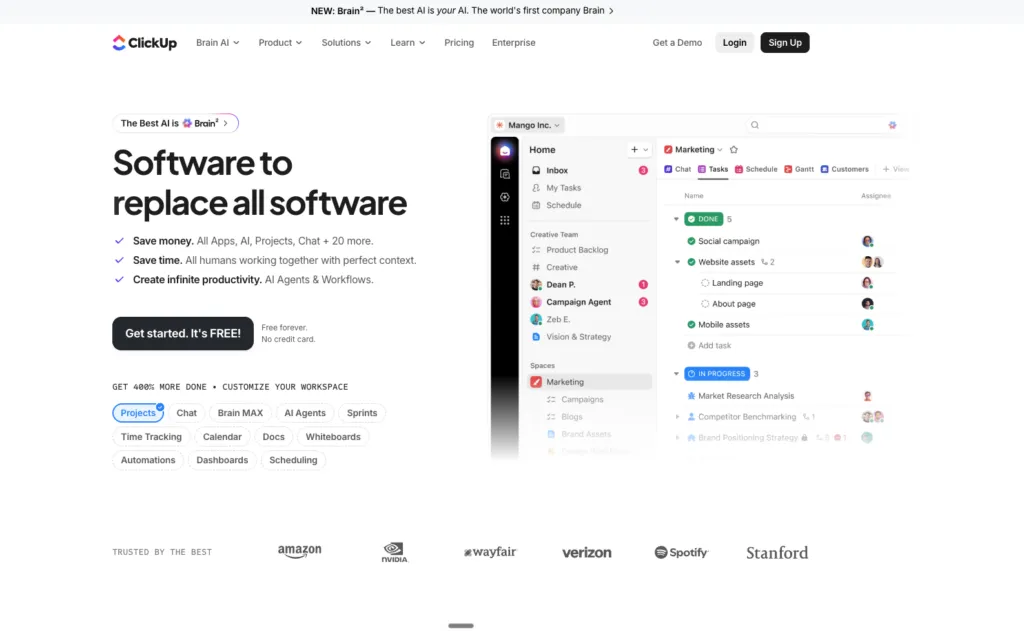
ClickUp is an all-in-one work management platform whose Docs feature handles SOP documentation alongside tasks and projects. For teams already running their work in ClickUp, that means SOPs sit next to the projects they relate to.
The integration is its biggest advantage. You can link documents to tasks, embed them in dashboards and collaborate in real time, which keeps documentation connected to the work rather than parked in a separate system.
ClickUp Docs lacks some specialised features of a dedicated SOP tool, but the convenience is real if you want one platform for projects, tasks and documentation. ClickUp Brain, its built-in AI, can draft, proofread and summarise content and search the whole workspace for context. That is useful general-purpose writing help rather than SOP-specific capture or verification.
Pricing: Free Forever at $0. Unlimited is $10/user/month, Business is $19/user/month, and Enterprise is custom.
G2 rating: 4.7 out of 5 (9,000+ reviews).
Pros: Useful free tier, very large review base, and documentation that sits beside the actual work.
Cons: Not purpose-built for SOPs, no capture from screen recordings, and no completion tracking tied to a procedure.
8. Document360: knowledge base and SOP integration
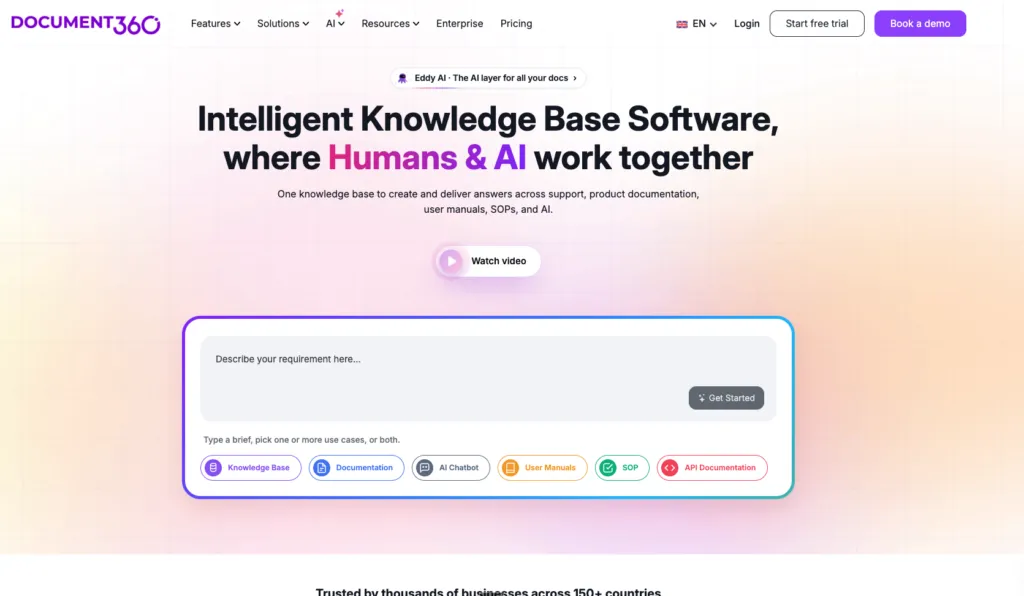
Document360 is a knowledge base platform that works well for hosting SOPs where people can search them, with AI-assisted search, category structures and versioning aimed at larger documentation libraries.
It suits organizations that treat SOPs as part of a wider knowledge base serving both employees and customers, rather than teams wanting the fastest route from a screen recording to a guide.
Pricing: Document360 publishes no pricing on its pricing page. Every plan routes to a demo, so a sales conversation is required to get a figure.
G2 rating: 4.7 out of 5.
Pros: Strong search and structure for a large SOP library, good versioning, suited to customer-facing documentation as well as internal.
Cons: No published pricing, no capture from screen recordings, and more documentation platform than training platform.
9. ChatGPT: general AI assistant for SOP drafts
ChatGPT is OpenAI's general-purpose AI assistant. Describe a process in a prompt and it returns a structured SOP draft in seconds, with a purpose, steps and checks. It can also tidy a messy procedure, translate it or turn it into a checklist.
It isn't SOP software. The draft lives in a chat, so you still have to copy it somewhere, format it, share it and keep it current. ChatGPT can't assign an SOP, train people on it or show who has read the latest version. It also only knows what you tell it, so check every step with the person who does the job.
If your SOPs live in Whale, you don't have to choose. With Whale MCP, ChatGPT can answer from your Whale SOPs and turn your notes into SOP drafts that wait for review in Whale (Scale, Advance and Enterprise).
Pricing: Free at $0. Go is $8/month, Plus is $20/month, Pro starts at $100/month, and Business is $20/user/month billed annually ($25 billed monthly). Enterprise is custom.
G2 rating: 4.6 out of 5.
Pros: Fast first drafts from a prompt, a free plan, and good at rewriting and translating procedures.
Cons: No SOP library, assignments, training or read tracking, no capture from screen recordings, and drafts are only as good as your prompt.
AI SOP tools vs SOP software: what is the difference?
Some of the tools above, Scribe and Tango in particular, focus narrowly on AI-generated capture: turning a recording into a document fast. Others, including Whale, Process Street and Document360, work as broader SOP software platforms that handle not just creation but ongoing management, training and verification.
If you are evaluating the wider category rather than just the AI-generation piece, see our full SOP software comparison for a closer look at platforms built specifically around standard operating procedures.
New to the category? Start with what an SOP builder does, how to choose SOP software and our list of AI-based alternatives to traditional SOP software.
Can I just use ChatGPT or Claude to create SOPs?
General-purpose AI assistants like ChatGPT and Claude can absolutely help you draft an SOP. Describe the process in a prompt and either will return a reasonably structured first draft, which is genuinely useful for a rough outline or for rewriting a clunky paragraph.
Where they fall short is everything that makes an SOP usable day to day. Neither can record your screen and turn the actual clicks into a documented process. Neither gives you somewhere to host a growing library, assign procedures to specific employees, track who has completed and understood one, or keep a version history as the process changes. A few of the tools here, Tallyfy and Document360 among them, connect to ChatGPT or Claude behind the scenes and use them as the underlying model for a documentation feature, which is a better way to get the benefit of a general model without losing the structure a dedicated tool provides.
For a single one-off draft, a general AI assistant is a fine starting point. For a maintained SOP library your team can be trained on and held accountable to, a purpose-built tool from the list above is worth the switch.
Notable free and freemium AI SOP tools
Are there free AI tools for generating standard operating procedures in 2027? Yes. Several platforms offer free or freemium plans with real value, especially for individuals or small teams getting started, and they let you test the software before committing budget.
Scribe and Tango both offer capable free tiers for capturing screen-based processes and turning them into step-by-step instructions. Some advanced features sit behind paid plans, but the free versions are highly functional for basic SOP creation.
Other notable free and freemium options include:
- Whale’s free plan, with 1 creator and up to 10 members at no cost, plus Whale’s free AI SOP generator, which drafts an SOP from a short description.
- ClickUp’s Free Forever plan, which includes its Docs feature for SOPs alongside project management.
- Process Street’s free trial, which gives you a window to test its workflow automation before talking to sales.
Best options for small and medium businesses
For small and medium businesses, the best SOP tools balance real functionality with simplicity and speed of adoption. Teams need something usable immediately, without heavy setup or training, and cost matters, so tools that deliver without a large software investment tend to fit better.
Whale stands out here because it is built to make processes easy to create, manage and deliver inside daily workflows, rather than relying on static documentation stored in folders. In practice that looks like:
- Contextual delivery, not another tool to check. Whale’s CoPilot browser extension surfaces the right SOP while employees are already working inside HubSpot, Salesforce, Slack, Microsoft Teams and Gmail, which beats switching to a documentation tool to go looking.
- Faster ramp-up for new hires. People learn processes faster when instructions appear in the tool they are already using, and experienced colleagues can confirm the correct steps without interrupting anyone.
- Documentation that becomes training. Scribe and Tango are genuinely useful for generating visual guides quickly, but they focus on capturing a process, not embedding it in operations. Whale turns documentation into training that lives inside the tools your team already uses.
- Adoption without a heavy lift. A free tier and fast setup mean a small team can see value immediately.
Tailored solutions for industry-specific SOP needs
Different industries document and train differently. A digital marketing agency needs fast access to playbooks and campaign procedures. A manufacturing or operations team needs strict process adherence and thorough training records. The most effective platforms adapt across those environments without adding complexity.
Whale works across industries by focusing on how knowledge is delivered during daily work rather than how it is stored. The same CoPilot extension that surfaces SOPs inside HubSpot, Salesforce, Slack, Teams and Gmail for one team can surface an entirely different set for another, connecting documentation to whatever tools a given team relies on. That makes it a strong fit for:
- Customer support teams: agents often need an answer while working inside a help desk or CRM. Whale surfaces relevant SOPs and troubleshooting guides there, so tickets get resolved faster and service stays consistent.
- IT and technical teams: technical teams manage complex systems and internal procedures. Whale centralizes that documentation and delivers it contextually, cutting time spent searching wikis.
- HR and onboarding: onboarding needs structured training paired with easy access to company processes. HR teams can build training paths for a new hire’s first weeks while making SOPs available exactly when a task starts.
- Operations and compliance-driven teams: operations relies on clear, repeatable processes. Whale keeps the correct procedure accessible during the workflow itself, reducing mistakes that come from working off memory.
Conclusion
The top AI tools for creating and managing SOPs in 2027 cover a genuinely wide range of approaches, from Whale’s unified documentation, training and verification platform to Scribe’s fast automated screen capture. Each solves a different problem, and the right choice comes down to what you are optimizing for: speed of capture, ongoing process management and training, or a searchable knowledge base your whole team can rely on.
One practical note as you compare. Two of the nine tools here, Process Street and Document360, now publish no pricing at all, while Whale, Tallyfy, Tango, SweetProcess, Scribe, ClickUp and ChatGPT all do. If being able to size a budget without a sales call matters to you, that alone narrows the list.
Pay attention to how well a tool integrates with the systems your team already uses, how it handles security and data, and how easy it is to adopt day to day. The right choice does more than store your SOPs, it helps your team actually follow them. If you would like a hand narrowing it down, get in touch and we can help you find the right fit.
More guides like this one live in SOP and process documentation.
Frequently asked questions
What is the best AI tool for creating SOPs?
Whale is the best AI tool for creating SOPs for most teams. Coral, Whale's AI assistant, documents an SOP in seconds, and Whale assigns it, trains your team on it and tracks who has read it. Tallyfy is a strong pick if you want SOPs that run as tracked workflows, and Scribe and Tango are fastest for one-off screenshot guides.
Which AI SOP tool is most popular among teams in the United States in 2027?
Popularity varies by need, but tools like Whale, Tango and Scribe are widely used by small teams for their ease of use. For workflow automation, Tallyfy and Process Street are common choices. The best fit depends on whether the focus is on quick visual guides or complex, compliant processes.
Can AI really write a full SOP for me?
Yes. Coral, Whale's AI assistant, documents a full SOP in seconds from a one-line prompt, with a title, an intro, numbered steps and checkpoints. Scribe and Tango generate step-by-step guides from a screen recording, screenshots included. Have the person who does the job review the draft before it goes live.
How do AI tools simplify workflow documentation and SOP management?
AI tools dramatically reduce documentation time by automating SOP creation. An AI assistant can draft procedures from text prompts or screen recordings, suggest improvements, and ensure consistency. This process automation frees up your team to focus on refining processes rather than writing about them, while maintaining best practices.
Are there any truly free AI SOP generators available in 2027?
Yes. Whale's free plan includes 1 creator, up to 10 members and 20 playbook items, and Whale's free AI SOP generator drafts an SOP from a short description. Tango's free plan covers 5 workflows and Scribe's Basic plan is free. Advanced features need a paid plan.
How much do AI SOP tools cost?
The cost for an AI tool that creates SOPs varies widely. It also really depends on what you're looking for in a tool. Whale starts free with 1 creator and up to 10 members. Tallyfy's Light Seat is about $10 a month billed annually, ClickUp's Unlimited plan is $10/user/month, Scribe's Pro Team plan is $13/seat/month billed yearly with a 5-seat minimum, and Tango's Pro Team plan is $15/user/month. SweetProcess uses a flat $99/month for up to 10 members, and ChatGPT Plus is $20/month. Process Street and Document360 publish no pricing, so both need a sales conversation before you can budget for them.
Bram Billiet is the Co-founder and Chief Product Officer at Whale. His obsession with building the product is matched only by his love for conquering levels in Mario Brothers.