
Share
Whale Auto-Translate
Write the SOP once. Read it in five languages.
Auto-Translate converts any Whale Card into English, French, German, Portuguese, or Spanish from whatever language you wrote it in. One source, five versions, every team member reading in the language they actually speak.
- 4.8/5 on G2
- SOC 2 certified









The problem
Your frontline speaks Spanish. Your SOPs don't.
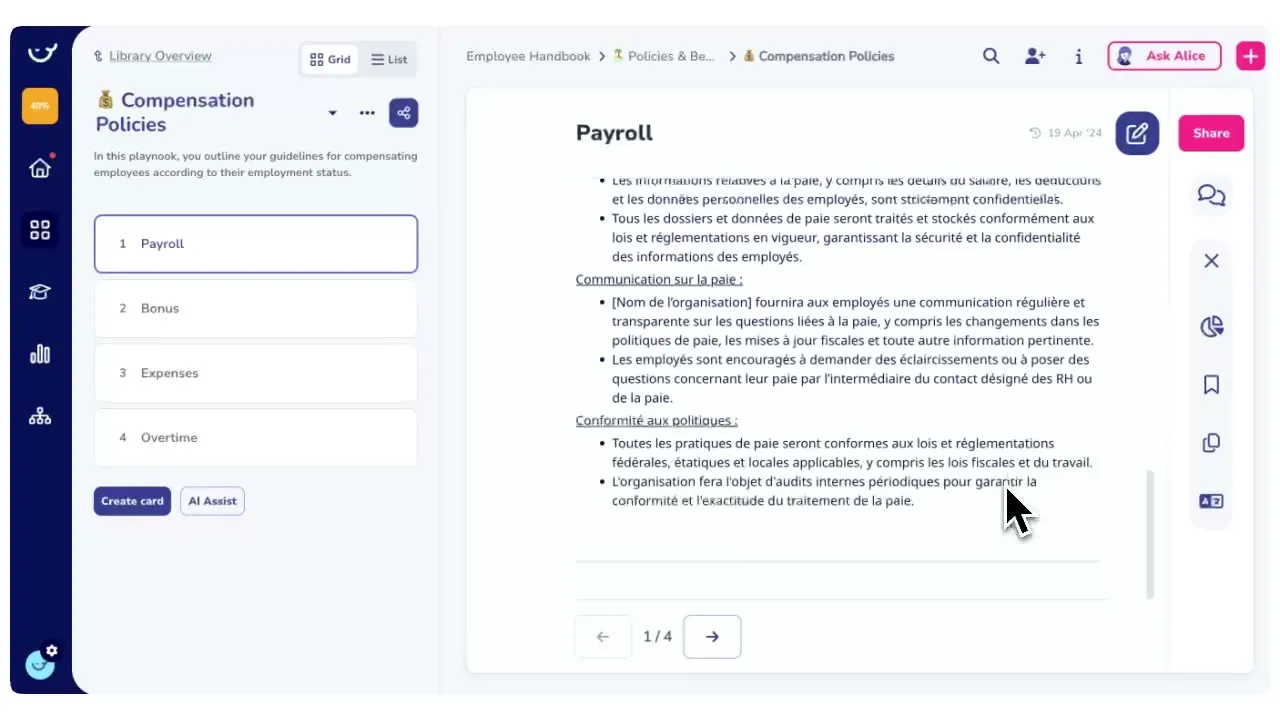
Half your team already reads SOPs in a second language. Write the Card in the language you’re most comfortable with, and Auto-Translate produces a version in each of the five supported languages and keeps them in sync as the source changes.
How teams do it today: 60-70% of frontline staff reading SOPs in a second language
With Whale's Auto-Translate: Every Card available in the language each teammate speaks
How teams do it today: Managers rewriting the same SOP by hand for each language
With Whale's Auto-Translate: One source Card generates every translation automatically
How teams do it today: Translations drift out of date the moment the original changes
With Whale's Auto-Translate: Update the source once and Auto-Translate refreshes every version
How teams do it today: New hires hesitating on safety steps they half-understood
With Whale's Auto-Translate: Staff follow the procedure in their own language, start to finish
Five languages from one Card
English, French, German, Portuguese, and Spanish, generated from whatever source language you wrote in.
- Open a Card, pick a language from the dropdown, and Auto-Translate returns the full translation in seconds.
- No copy-paste into an external tool, no round-trip through a translation vendor, no second system to manage.
Edit the source. Every version stays in sync.
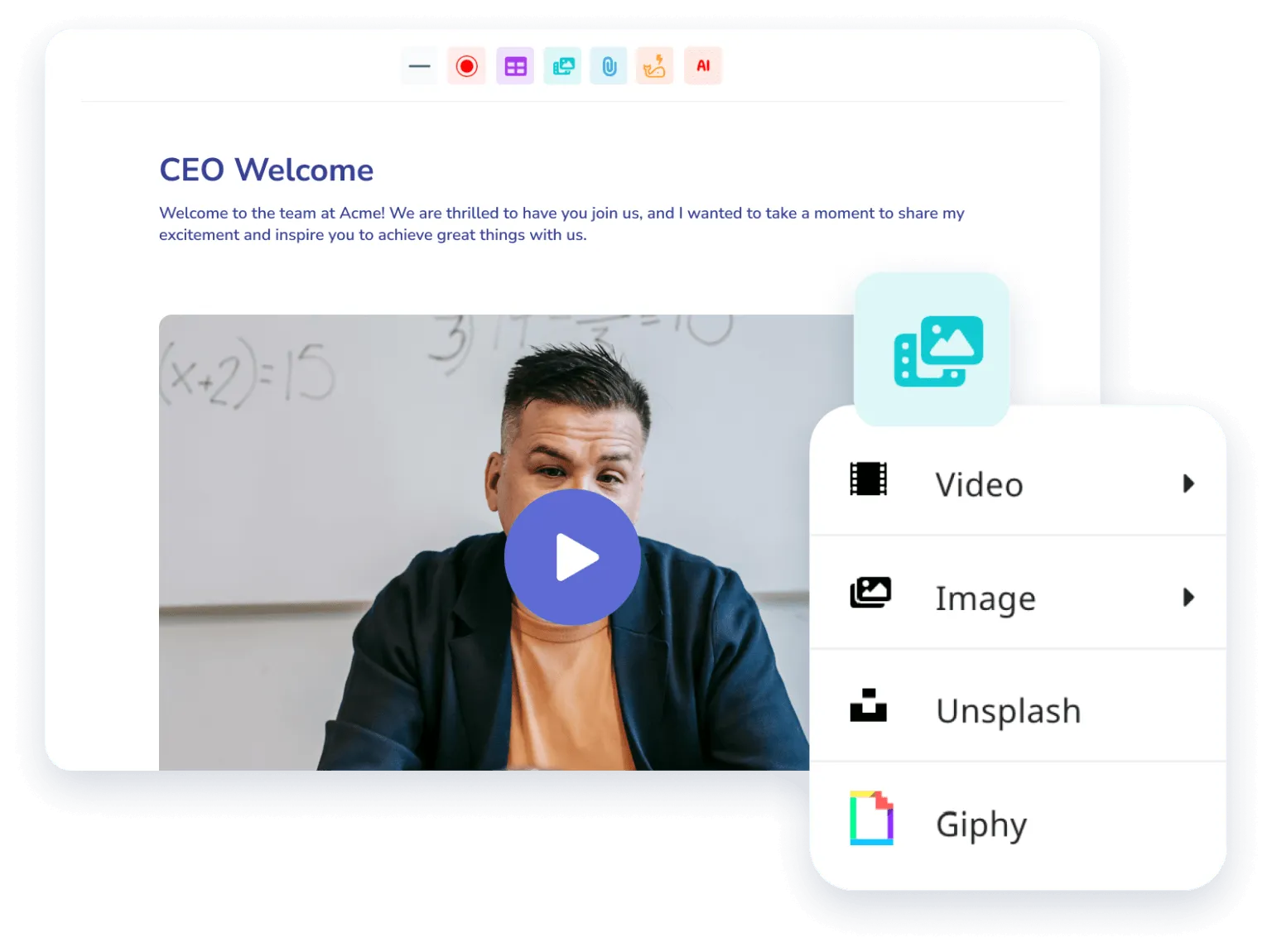
Update the source Card and Auto-Translate refreshes the translated versions so your Spanish, French, German, and Portuguese readers see the same procedure your English readers do. No more wondering which version of the SOP is current or which language got left behind after the last process change.
Translated Cards plug into the rest of Whale
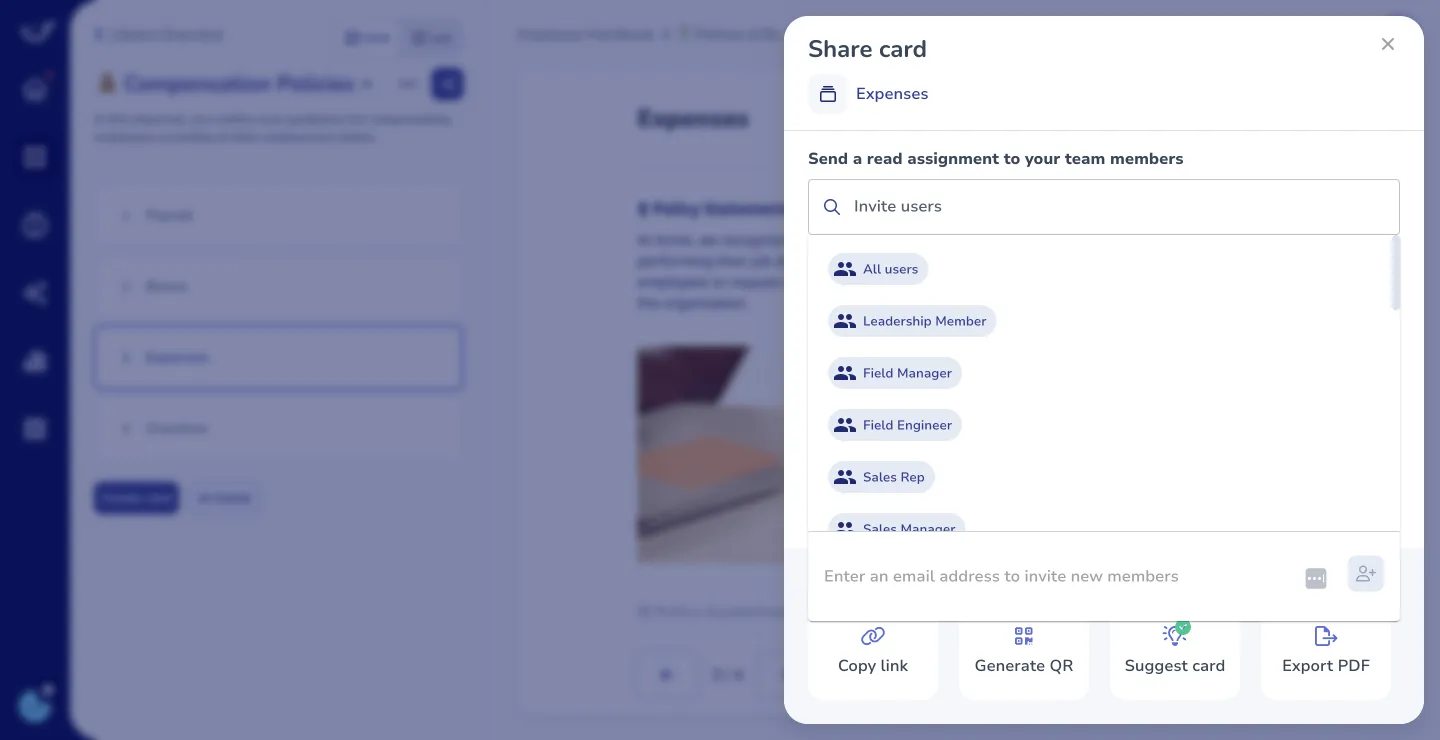
A translated Card lives in the same knowledge base, the same training flow, and the same CoPilot surface as the source.
- Assign the Spanish version to your warehouse team.
- Coral, Whale’s AI assistant, answers questions from it.
- CoPilot surfaces the right-language version inside the tool where the work happens.
How it works
- 01
Write the Card in your source language
Create the Card in whatever language you and your team write in. Auto-Translate accepts any source language as input and handles the rest.
- 02
Pick a target language from the dropdown
Open the Card, choose English, French, German, Portuguese, or Spanish, and Auto-Translate returns the full translation. Review it, tweak any wording that matters for your team, and save.
- 03
Assign it, track it, and keep it current
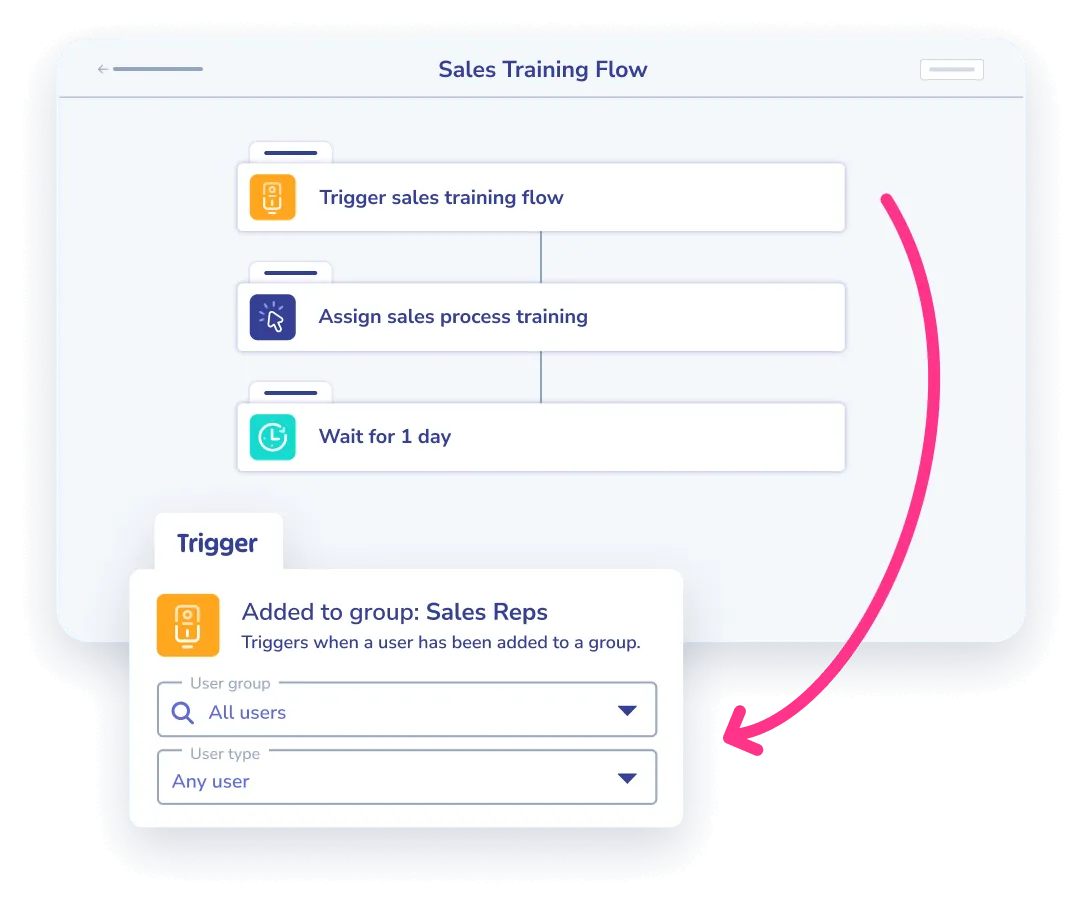
Drop the translated Card into a training flow, assign it to the right team members, and track completion. Update the source later and Auto-Translate refreshes every language version.
In their own words
Loved for its overall simplicity and support
“Exceptional Tool for Business Knowledge”
Whale is excellent to document and organize business knowledge. Their AI makes it even easier!
Lyndon S.Small-Business (0-50 emp.) “Whale Keeps Work Organized and Teams Confident”
Whale unifies documentation, training, and reviews in one ecosystem.
Verified User in AccountingMid-Market (51-1000 emp.) “Screen Recorder Transformed Our Productivity”
All features are excellent, but the Screen Recorder has boosted productivity for our company.
Andres A.Enterprise (> 1000 emp.) “User-Friendly Platform with Great Features”
Whale is very user-friendly. "Coral" has been a game changer, makes finding information effortless.
Martha Y.Mid-Market (51-1000 emp.) “Intuitive, fresh and easy!”
Whale's clean layout makes building and navigating SOPs a breeze.
Harley B.Small-Business (0-50 emp.) “Productivity Unleashed!”
Managing and write SOP versions, assign them, track progress through a dashboard, and automate revision tracking.
Verified User in FarmingMid-Market (51-1000 emp.) “My company utilizes Whale for our SOP’s and FAQ’s.”
Everything is very easy to locate and the search bar is my favorite feature. When I need a quick answer I turn to Whale to find what I am looking for.
Georgia R.Mid-Market (51-1000 emp.) “Whale Streamlined Our Processes and Boosted Team Onboarding”
Whale transformed how we manage internal processes. Documenting SOPs is fast and we can build and share training materials in minutes, making onboarding significantly more efficient.
Fábio B.Enterprise (> 1000 emp.) “Whale Keeps Department Training Organized with Boards, Libraries, and Playbooks”
Boards, Libraries, and Playbooks keep training organized by department, so you can generate videos, SOPs, quizzes, and more for each topic.
Ketan T.Mid-Market (51-1000 emp.) “Streamlines Documentation with Ease”
I use Whale for company handbooks, regulations, how-to's, and manuals, all on one platform. The step-by-step screen recorder auto-captures screenshots and saves me about an hour per guide.
Anouk V.Mid-Market (51-1000 emp.) “Effortlessly Streamlines Team Training with Solid Support”
Whale supports training my merchandising teams with AI and video features that break down training step by step. Creating training flows is easy, and quizzes ensure the material lands.
Shelley F.Mid-Market (51-1000 emp.) “Effortless SOP Management with Stellar AI Search”
Whale centralizes all our SOPs with standard formatting and makes them easy to find, especially with the fast AI search across thousands of documents.
Jitender T.Small-Business (50 or fewer emp.)
Frequently Asked Questions
01Which languages does Auto-Translate support?
Auto-Translate produces Cards in English, French, German, Portuguese, and Spanish. The source Card can be written in any language. Whale detects it and translates into whichever of the five target languages you pick. If your team needs a language outside this set, the cleanest path today is to use Coral, Whale’s AI assistant, to draft the translated version directly inside a Card, then keep both language versions linked as separate Cards.
02Does Auto-Translate work on Guides too?
Not yet. Auto-Translate runs on Cards today, which covers the majority of Whale content: SOPs, policies, training material, checklists, written procedures. Guides, the newer video-based workflow, do not currently support Auto-Translate, and the option shows as greyed out on a Guide. Translation for Guides is on the roadmap. For now, if a Guide needs to reach a multilingual audience, re-create the key steps as a Card and translate the Card.
03How accurate are the translations?
Accurate enough for the vast majority of SOPs, policies, training material, and checklists. For safety-critical procedures, compliance language, or regulated content, treat the translation as a strong first draft and have a bilingual reviewer confirm the key steps before assigning the Card to a training flow. You can edit any translated Card the same way you edit any other Card, so corrections stay inside Whale and don’t get lost in a side document.
04What happens when I update the source Card?
Update the source and Auto-Translate keeps the translated versions in line. This matters most for regulated workflows, where a change to the source procedure has to show up in every language version or the SOP is out of compliance. Version History tracks the source Card’s edits, so you have an audit trail of what changed, when, and who changed it, across every language.
05Can I restrict who sees which language version?
Yes. Advanced Permissions control who sees which Cards, and you can group access by team, role, or location. A Texas warehouse team can default to the Spanish version. A Quebec team can default to the French version. The source Card and every translation live in the same knowledge base, so you keep one source of truth instead of a separate repository per language.
06How is this different from Google Translate or a translation vendor?
Google Translate lives outside your SOP system, which means copy-paste round trips and translations that go stale the moment the source changes. Translation vendors add cost and lag time per update. Auto-Translate runs inside Whale, the AI-Powered SOP Software that gets your team trained. The translated Card lands in the same knowledge base, plugs into training flows, gets surfaced by CoPilot, and refreshes when the source changes. One system, one source, every language your team speaks.
Other Features
Share
Public Share
Share a Card or a full section with anyone through a public link, no Whale login required.
See Public ShareTrain
Training flows
Assign the right SOPs to the right people and track who has completed what.
See Training flowsDocument
Rich Media Editor
Build Cards with screenshots, videos, annotations, and embedded media alongside your text.
See Rich Media Editor