
In this article
Picture this: you're running a busy, five-star restaurant. But instead of following a master recipe, every chef decides to cook the same signature dish their own way. Some use different ingredients, others use different cooking times. The result? Total chaos, inconsistent quality, and a mountain of wasted food.
This is exactly what your business looks like without document process management—a clear, reliable system for how information is created, shared, and used across your company.
What Is Document Process Management?

Now, imagine that same kitchen, but this time it's a perfectly synchronized operation. Every single step, from sourcing fresh ingredients to the final plating, is methodical, efficient, and repeatable. That’s the power of effective document process management (DPM). It’s a systematic approach to how your company’s documents—the lifeblood of your operations—are created, routed for review, approved, and stored.
This isn’t just about having a fancy digital filing cabinet. It's an active, intelligent system that manages the entire lifecycle of your most important information, transforming static documents like invoices, contracts, or SOPs into dynamic assets that actually move your business forward.
From Static Files to Active Workflows
The real magic of document process management lies in one word: action. A simple storage system might help you find an old contract. A DPM system, on the other hand, makes sure that new contract gets to the right people for signatures, files it automatically once it's signed, and even sends a reminder when it’s nearing its renewal date.
It gets rid of the operational friction caused by manual hand-offs, buried emails, and version control nightmares. Instead of employees constantly asking, "Whose turn is it to review this?" or "Wait, is this the latest version?", the system already knows and keeps the process moving.
This fundamental shift from passive storage to active management is what leads to huge gains in both speed and accuracy. It builds a reliable, repeatable framework for handling the information your business runs on.
The Clear Business Case for DPM
The need for structured document workflows is more urgent than ever. In fact, research shows that poor document handling costs Fortune 500 companies an estimated $12 billion every single year. This pain is fueling massive growth in the technology built to solve it. The Document Management System (DMS) market, valued at USD 7.75 billion in 2024, is expected to skyrocket to USD 18.40 billion by 2030. This incredible growth shows just how seriously companies are taking the need for better control, auditability, and compliance. You can explore the full research about the DMS market to see detailed statistics and the trends driving this expansion.
The table below starkly contrasts the daily headaches of manual document handling with the streamlined reality of a managed process.
Manual vs. Managed Document Processes at a Glance
| Challenge | Manual Process (The Problem) | Managed Process (The Solution) |
|---|---|---|
| Finding Information | "Where is that file?" Employees waste time searching through shared drives, email chains, and local folders. | Centralized, searchable repository. Everyone knows where to find the single source of truth instantly. |
| Version Control | "Is this the latest version?" Multiple copies float around, leading to work based on outdated information and costly errors. | Automated version control. The system ensures only the most current document is in use, with a full history. |
| Approvals & Reviews | Bottlenecks are common. Documents sit in inboxes for days, and it's unclear who needs to review what next. | Automated workflows route documents to the right people in the right order, with reminders and tracking. |
| Security & Access | Sensitive information is often unsecured in shared folders, accessible to anyone, posing a huge risk. | Granular permissions control who can view, edit, or approve documents, protecting sensitive data. |
| Compliance & Audits | Proving compliance is a nightmare. There's no clear audit trail, making it difficult to show who did what and when. | A complete, unchangeable audit trail is automatically created for every action, making audits straightforward. |
As you can see, implementing a managed system isn't just an upgrade—it's a fundamental shift in how work gets done, directly impacting your bottom line for the better.
The Building Blocks of a DPM System
An effective document process management system isn't some single, off-the-shelf program. It's more like a finely tuned assembly line for your company's information, where a collection of integrated components work together in perfect sync. Each piece has a very specific job, making sure documents move from creation to archival without a hitch.
To really grasp how DPM can turn information chaos into operational clarity, you need to understand these core components. Let's break down what they are and the role each one plays.
Document Capture and Creation
Every document's journey has to start somewhere, and that's document capture. This is the official front door where information enters your system. A good system isn't picky about format; it can handle just about anything you throw at it.
This might be a scanned paper invoice, a contract that arrived as a PDF email attachment, a brand-new SOP you just drafted, or a form someone filled out on your website. Modern systems even use Optical Character Recognition (OCR) to automatically "read" text from scanned images, instantly turning a static picture of a document into searchable, usable data.
Workflow Automation
Once a document is inside the system, workflow automation takes the wheel. Think of it as the smart conveyor belt in your information assembly line. You set the rules, and the system automatically sends the document to the right people at the right time.
For example, a new invoice over $1,000 could automatically land in a department head's queue for approval, while anything less goes straight to the finance team for processing. This gets rid of manual hand-offs, chasing people down via email, and the classic "So, who has this now?" It just flows. If you want to explore the software behind these workflows, check out this guide on modern process documentation software.
This diagram shows you the logical path a document takes, from its initial entry right through to its final storage spot.
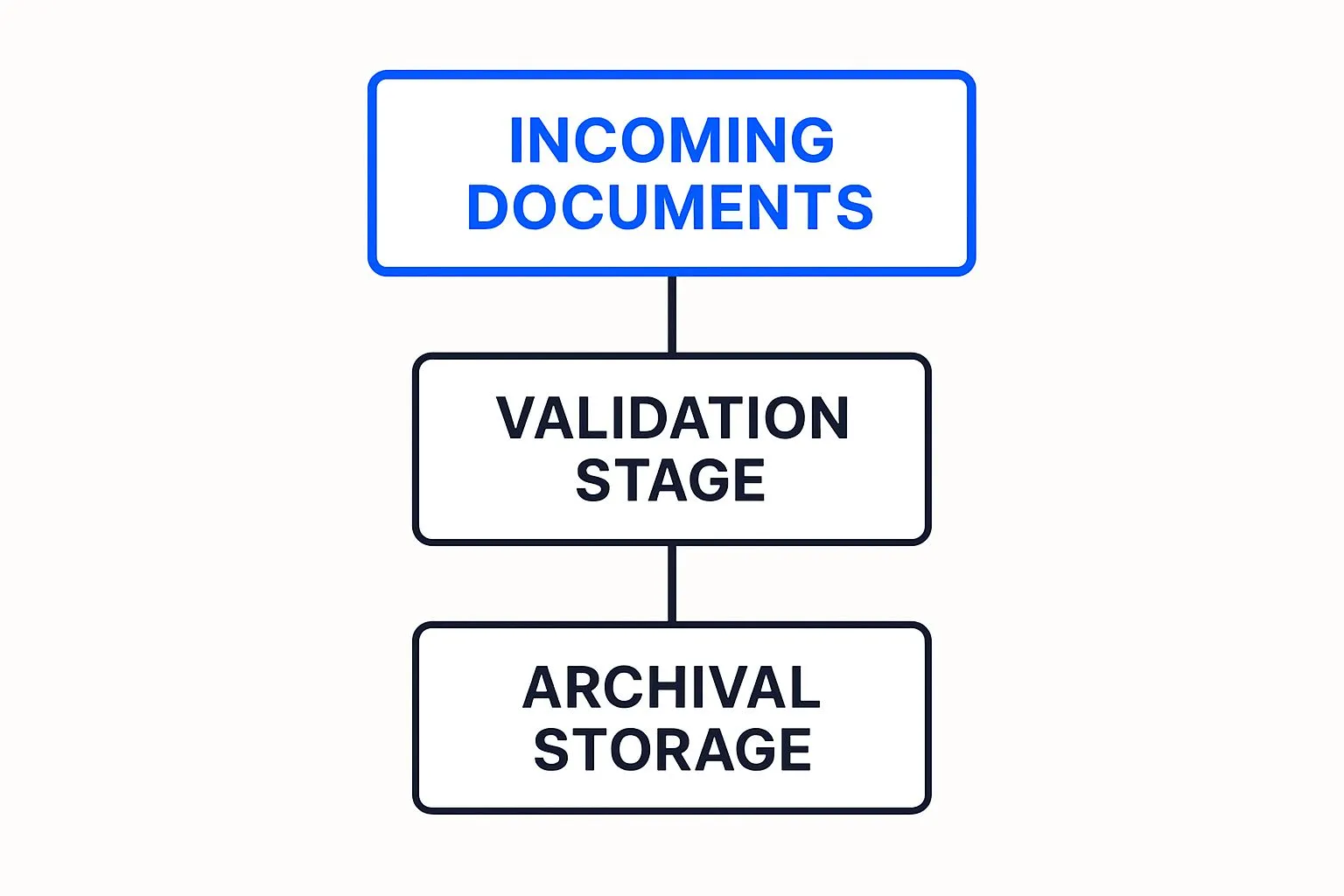
As you can see, a document has to pass a validation check before it's securely archived. This simple step is critical for preventing incorrect information from gumming up your records.
Centralized Repository and Version Control
At the very heart of any DPM system is a centralized repository. This is your secure, digital vault—the single source of truth for every critical document. Say goodbye to hunting through scattered shared drives, endless email threads, or mystery folders on someone's desktop.
A key feature here is strict version control. When someone updates a document, the system doesn't just spawn a confusing copy named "Contract_Final_v2_reallyfinal.docx." Instead, it logs the changes and keeps a crystal-clear history, guaranteeing that everyone is always working from the latest version.
This alone can prevent incredibly costly mistakes that happen when team members act on outdated information. It gives you a clear, unchangeable audit trail of a document's entire life.
Indexing, Metadata, and Security
So, how do you find that one specific document among thousands? Through smart indexing and metadata. When a document comes in, it gets tagged with key info—like the client name, invoice number, date, or document type. These tags act like a digital card catalog, making your searches incredibly fast and precise.
Finally, strong security and governance serve as the system's gatekeeper and surveillance crew.
- Access Controls: You get to define exactly who can view, edit, approve, or delete certain documents or entire categories of them.
- Audit Trails: The system creates a full, time-stamped log of every single action taken on a document—who opened it, who approved it, and when. This is absolutely essential for compliance and internal accountability.
For industries like finance, these components aren't just nice-to-haves; they're non-negotiable. For a closer look at the tools that form the foundation of DPM in that field, you might find a comprehensive guide to accounting document management software helpful. Put together, these building blocks create a powerful framework for managing your documents with total precision and control.
Why Streamlining Document Workflows Matters
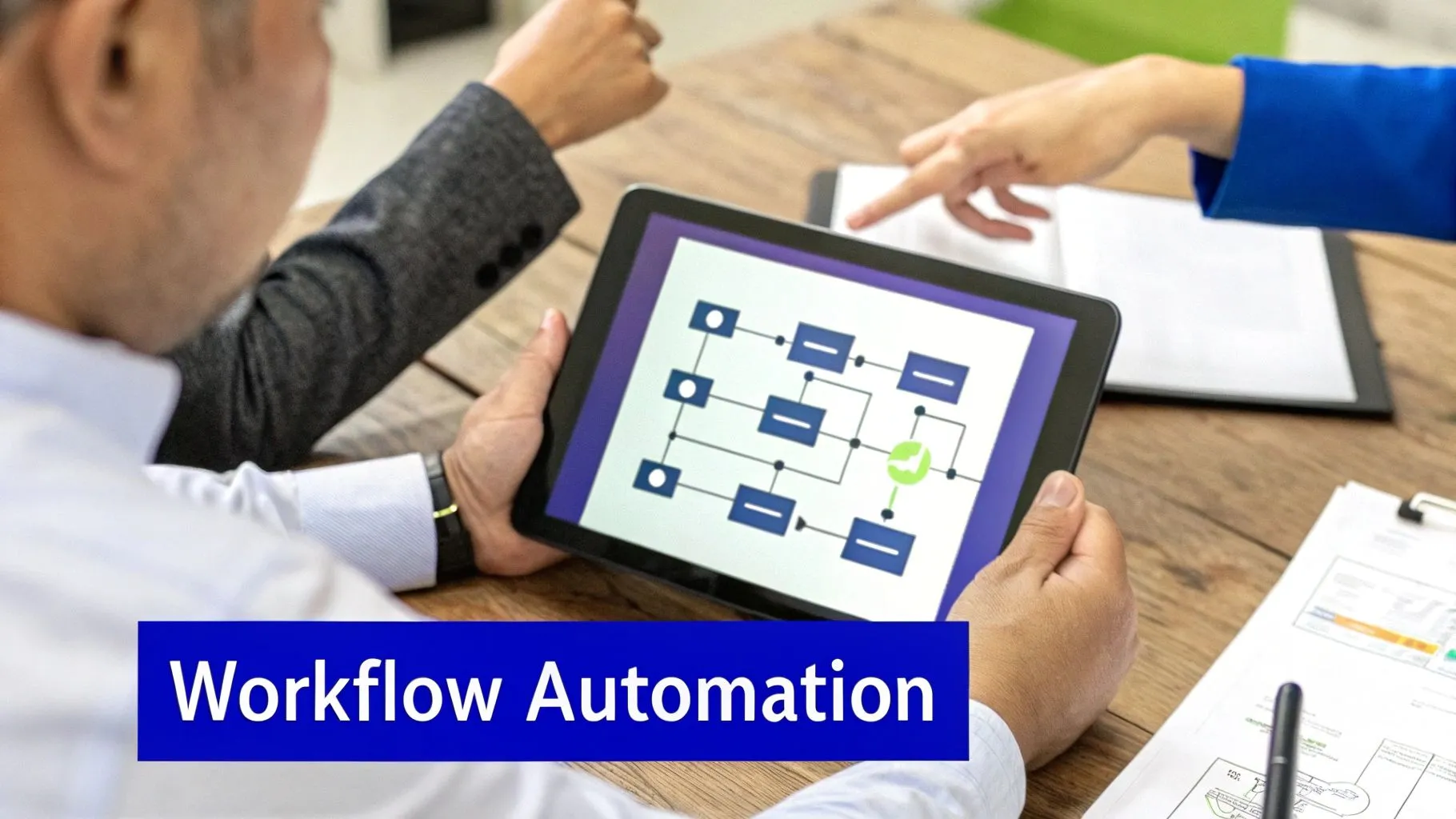
It’s one thing to understand the mechanics of a document process management system, but it’s another thing entirely to see the impact it can have on your business. Let's move past the "how" and get straight to the "why." Putting a solid DPM system in place brings clear, tangible advantages that everyone from your front-line team to the C-suite will feel.
This is about more than just organizing files. When you systematize how documents move through your company, you’re actually building a more efficient, secure, and resilient organization from the ground up.
Boost Operational Efficiency Dramatically
The first and most obvious win from document process management is a major jump in operational efficiency. Just think about all the time your team loses each week hunting for the right file, chasing down a signature, or just trying to confirm they have the latest version of a report. It adds up.
With an automated system, those time-sinks practically disappear. Documents flow from one step to the next on their own, approval requests are sent and tracked automatically, and anyone can find what they need in seconds. That reclaimed time is huge—it lets your people focus on the work that actually matters, not administrative busywork.
Reduce Costly Errors and Rework
Let's be honest: manual processes are a breeding ground for human error. A misplaced decimal on an invoice, a contract signed with an outdated template, or data punched into the wrong spreadsheet can lead to serious financial hits and hours of frustrating rework.
Automation is your best defense against these simple but costly mistakes. By creating rules-based workflows, you guarantee data is validated correctly, the right templates are always used, and information gets where it needs to go, every single time. It's a systematic safeguard against human oversight.
Many of the most compelling workflow automation benefits companies see tie directly back to this, strengthening the bottom line.
Strengthen Security and Simplify Compliance
In an era of strict data privacy laws like GDPR, managing document security isn't just a good idea—it's non-negotiable. A messy system with files scattered everywhere is a huge liability, making it almost impossible to control who sees sensitive information.
A DPM system tackles this problem head-on.
- Granular Access Controls: You get to decide exactly who can view, edit, or approve specific documents. This keeps confidential data locked down from unauthorized eyes.
- Automated Audit Trails: The system automatically logs every single touchpoint on a document—who opened it, what they changed, and when. This creates a bulletproof record that makes compliance audits much less painful.
This shift isn't just a fleeting trend. The global business document work process management market is projected to skyrocket from an estimated USD 3.9 billion in 2025 to over USD 21.3 billion by 2037. This explosive growth is fueled by companies investing heavily to automate and secure their operations, with the U.S. alone making up a third of the global USD 5 trillion IT industry.
Foster Better Collaboration and Remote Access
For today's teams, especially those spread out across different locations or working remotely, effective collaboration is a constant challenge. We've all been stuck in those endless email chains, trying to sort out version control issues and piecing together fragmented conversations.
A centralized DPM platform gets everyone on the same page. Team members can work together on the most current version of a document, see a clear history of edits, and grab the information they need from any device, anywhere. This breaks down silos and creates a truly connected work environment, ensuring consistency across the entire organization and cutting costs on everything from paper and printing to labor.
Your Blueprint for DPM Implementation
Bringing a document process management system into your business can feel like a massive undertaking. But if you break it down into a clear, step-by-step plan, the whole transition becomes much smoother and more effective. This blueprint is designed to guide you through a successful rollout, helping you build a system that delivers real value from day one.
The journey doesn't start with buying new software. It starts with a hard, honest look at how you work right now. Rushing into a technology purchase without knowing what you need to fix is like buying medicine without a diagnosis—you're just guessing.
1. Audit Your Current State
Before you can improve anything, you have to understand it. This initial audit is the most important step because it sets the stage for every decision you'll make later. The goal here is to map out your existing workflows to find the exact bottlenecks and pain points that are causing delays, frustration, and errors.
Start by asking simple questions about your core operations:
- How does an invoice actually get from receipt to payment?
- What are all the steps involved in onboarding a new client?
- Who needs to review and approve new marketing materials before they go live?
Literally follow a document through its entire lifecycle. Watch where it gets stuck, count how many people have to touch it, and notice how much time is wasted on manual hand-offs. This audit will give you a clear, unflinching picture of where the friction is in your business.
2. Define Clear Objectives
Once you have a map of your problems, you can start setting specific, measurable goals. A huge mistake teams make is trying to boil the ocean—that is, attempting to fix every single broken process at the same time. This approach almost always leads to burnout and a failed project.
Be strategic instead. Pick one or two high-impact areas where an improvement will deliver the most noticeable return, fast. For example, automating the accounts payable or contract management process can quickly show stakeholders just how valuable document process management can be.
Key Insight: Success in your first project creates momentum. It gets people excited and secures the buy-in you'll need to expand your efforts later. Start small, win big, and then scale.
Getting this clarity is everything. In fact, finding ways to save time documenting processes is a core challenge for many teams, but having a focused objective makes it manageable.
3. Select the Right Technology
Okay, now that you know your why (your objectives) and your what (the processes you need to fix), it’s time to figure out the how—the right technology. The market is flooded with options, so you need to evaluate them against a checklist based on your specific needs.
Don't get distracted by flashy features you'll never actually use. Focus on the fundamentals:
- Scalability: Will this system be able to grow with your business? Or will you outgrow it in a year?
- Integration: How well does it play with the software you already depend on, like your CRM or accounting platform?
- User-Friendliness: Is it intuitive? A powerful system is completely useless if your team finds it too complicated to use.
- AI Capabilities: Modern platforms like Whale use AI to speed up SOP creation and make knowledge instantly accessible. This can turn documentation from a tedious chore into a real competitive advantage.
4. Design and Optimize Your Workflows
With a tool chosen, you can finally start designing your new, streamlined workflows. This is where you translate the process maps from your audit into digital rules inside the system. For instance, you could set up a rule that automatically sends any invoice over $5,000 directly to a director for approval.
But this isn't just about recreating your old, clunky process in a digital format. It’s your chance to make it better. Look for redundant steps to eliminate, clarify who is responsible for what, and build in automatic notifications to keep everything moving smoothly.
5. Pilot, Train, and Roll Out
Whatever you do, don't launch a new system to the entire company on day one. Start with a pilot program with a small, representative group of users. This gives you a safe space to gather feedback, iron out any kinks, and create a group of internal champions who can help you with the full rollout.
Once the pilot is a success, shift your focus to training. You need to show your teams not just how to use the new system, but why it makes their jobs easier. From there, a gradual, department-by-department rollout is almost always more effective than a "big bang" launch.
Following this methodical approach ensures your document process management initiative isn’t just another project—it’s a lasting improvement to how your business operates.
How AI Is Revolutionizing Document Management

The next chapter in the story of document process management has arrived, and it’s being written by Artificial Intelligence. Today’s platforms are graduating from simple workflow organizers to something more like an intelligent business partner—one that can understand, analyze, and even improve your operational documents. AI isn't just tacking on a few new features; it's fundamentally reshaping how we interact with our company's core knowledge.
This shift turns static Standard Operating Procedures (SOPs) and other key documents into living, breathing assets. Platforms like Whale are using AI to make company knowledge more accessible and easier to manage than ever before.
Intelligent Document Processing
One of the most practical ways AI is making an impact is through Intelligent Document Processing (IDP). Think of it as giving your system the ability to read and understand documents just like a person would, only much faster and without ever needing a coffee break. IDP can scan an unstructured document, like a vendor invoice or a messy contract, and automatically pinpoint and pull out the crucial bits of information.
- Invoice Processing: It can instantly grab the invoice number, due date, and total amount, completely bypassing manual data entry.
- Contract Analysis: It can sift through dense legal language to identify key clauses, renewal dates, and the parties involved.
This capability alone saves thousands of hours of tedious, error-prone administrative work, freeing up your team to focus on work that actually moves the needle.
This is where the true power of modern document process management shines. It’s no longer just about shuffling a file from one person to the next; it's about understanding what’s inside that file and making that information work for you.
This push for automation is a huge reason the market is expanding so quickly. In fact, the global business document work process management market is projected to climb from around US$ 5.04 billion in 2025 to a staggering US$ 13.41 billion by 2032. That’s a compound annual growth rate of about 15.0%, as more businesses race to find solutions that cut down on human error and get a handle on their complex document flows.
Natural Language Search and AI Analytics
Another game-changer brought by AI is Natural Language Processing (NLP). This is the technology that powers a much more intuitive, human-like search experience. Instead of forcing your team to remember exact keywords or file names, they can now just ask a question.
For instance, an employee can ask, "What's our policy for expense reimbursement?" The system understands the intent behind the question and instantly serves up the correct SOP—not just a list of every document that happens to contain the word "expense." This makes finding information incredibly fast, which is a lifesaver for new hires. For a deeper dive, our article on document control procedures offers some great insights.
But it goes beyond just search. AI-powered analytics give you a 30,000-foot view of your entire process landscape.
| AI Analytic Function | Business Benefit | Example in Action |
|---|---|---|
| Bottleneck Identification | Pinpoints where documents get stuck in a workflow. | The system flags that invoices from a specific vendor consistently take 5 days longer to approve. |
| Performance Insights | Analyzes how teams actually use documentation. | AI notices that the sales team's onboarding guide is rarely opened past page two, suggesting it’s too long or confusing. |
| Improvement Suggestions | Recommends changes to make workflows more efficient. | Based on usage patterns, the AI might suggest combining two related SOPs into a single, more direct guide. |
Platforms like Whale harness these AI capabilities to turn your SOPs from dusty binders on a shelf into a living, intelligent knowledge base. By making critical information more accessible, actionable, and smarter, AI is setting a whole new standard for what effective document process management can do for a business.
Answering Your Top Questions About Document Process Management
When teams start looking for better ways to handle their information, a few key questions always pop up. Getting straight answers is the first step toward understanding how a structured system for document process management can make a real difference.
Let's dive into some of the most common questions we hear.
What's the Real Difference Between Document Management and Document Process Management?
This is a great question, and the distinction is crucial. Think of a standard Document Management System (DMS) as a super-organized digital filing cabinet. It’s brilliant for storing documents securely, keeping track of different versions, and helping you find exactly what you need, when you need it. At its core, it’s about storage and retrieval.
Document process management (DPM), on the other hand, is the active system that moves those documents. It’s less like a filing cabinet and more like an automated courier. DPM is what takes a document and intelligently routes it through a workflow—sending it for review, gathering approvals, and securing signatures based on the rules you set up.
To put it simply, a DMS is where your information lives. A DPM system is what puts that information to work. It's the difference between having a static library and a dynamic, action-driven workflow.
Understanding this difference is key to unlocking a whole new level of efficiency.
Is This Kind of System Only for Big Companies?
Not at all. While giant corporations obviously need help managing their mountains of paperwork, small and medium-sized businesses (SMBs) often feel the benefits of DPM even more dramatically. For a smaller team, automating even one or two critical workflows can free up a staggering amount of time and mental energy.
Here’s how DPM gives SMBs a competitive edge:
- Wipes Out Repetitive Work: It puts an end to time-sucking manual tasks, like hounding people for invoice approvals or tracking down signatures.
- Cuts Down on Human Error: It reduces costly mistakes in sensitive areas like financial paperwork or new client onboarding.
- Builds a Foundation for Growth: It creates repeatable, reliable processes that let you scale your business without having to scale your administrative headaches.
Thanks to modern, cloud-based tools, this technology is no longer out of reach. It's affordable and accessible, leveling the playing field for businesses of any size.
How Do You Actually Measure the ROI of a DPM System?
Figuring out the return on investment for a DPM system is more straightforward than you might think. It really comes down to tracking a few clear, tangible improvements.
You can get a solid number by looking at metrics like:
- Time Savings: Add up all the employee hours you get back by automating tasks that used to be done by hand.
- Cost Reductions: Tally up the direct savings from buying less paper, ink, and toner, and from needing less physical storage space.
- Shorter Cycle Times: Measure how much faster things get done. For example, did your average contract approval time drop from ten days to just two?
- Better Compliance: While harder to pin down, you can quantify the value of avoiding fines or penalties by having a rock-solid, auditable process.
The best way to get a clear picture is to benchmark your current processes before you make a change. Track the time and costs now, then compare them after your new system is up and running. The difference is your ROI.
Bram Billiet, is the Co-founder and Chief Product Officer at Whale. His obsession for building the product is matched matched only by his love for conquering levels in Mario Brothers.