
Manage
Whale Branding
A workspace that looks like your company, not Whale
Custom logo, brand colors, your own domain at whale.yourcompany.com, and an email sender name your team recognizes. Whale reads as an internal tool, which is the version your team actually opens.
- 4.8/5 on G2
- SOC 2 certified









The problem
Day one, and the SOP tool feels off-brand
Your team already recognizes the company logo, colors, and sender names. Branding puts those on every Whale email, domain, and screen, so the SOP tool lands with the same weight as every other internal system.
How teams do it today: Onboarding emails from a sender nobody recognizes
With Whale's Branding: Emails send from a sender name your team already trusts
How teams do it today: New hires opening an app that looks like an outside vendor
With Whale's Branding: The workspace opens at whale.yourcompany.com in your colors
How teams do it today: Exported PDFs that look like they came from a SaaS tool
With Whale's Branding: PDF exports carry your logo, colors, and fonts by default
How teams do it today: An AI assistant with a generic name nobody on the team uses
With Whale's Branding: Rename the AI assistant so it fits how your team talks
Our domain, our email, our logo. All of it.
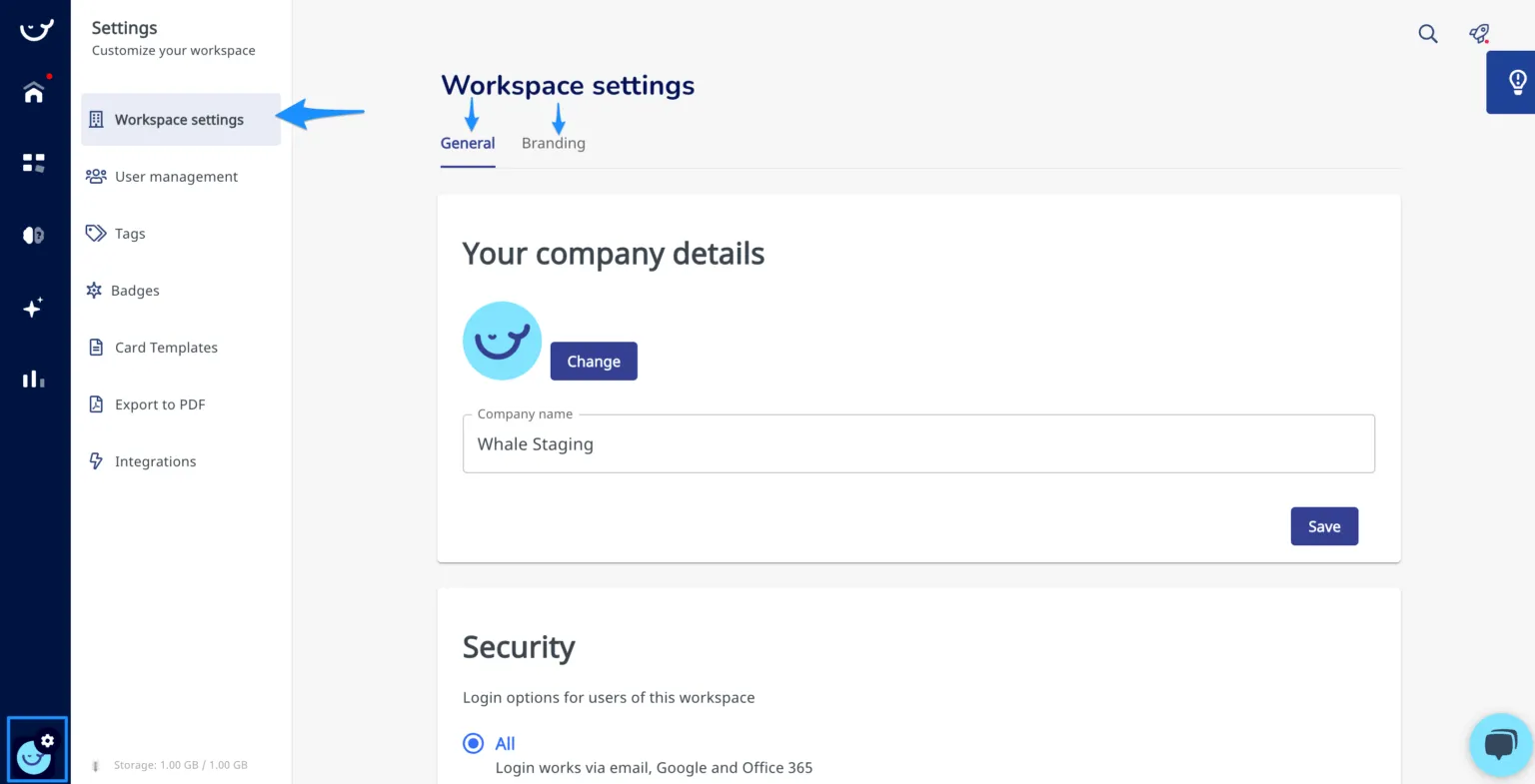
Set a custom domain so the workspace opens at whale.yourcompany.com instead of a shared app URL.
- Set the email sender name so onboarding, assignment, and review emails come from a name the team already recognizes.
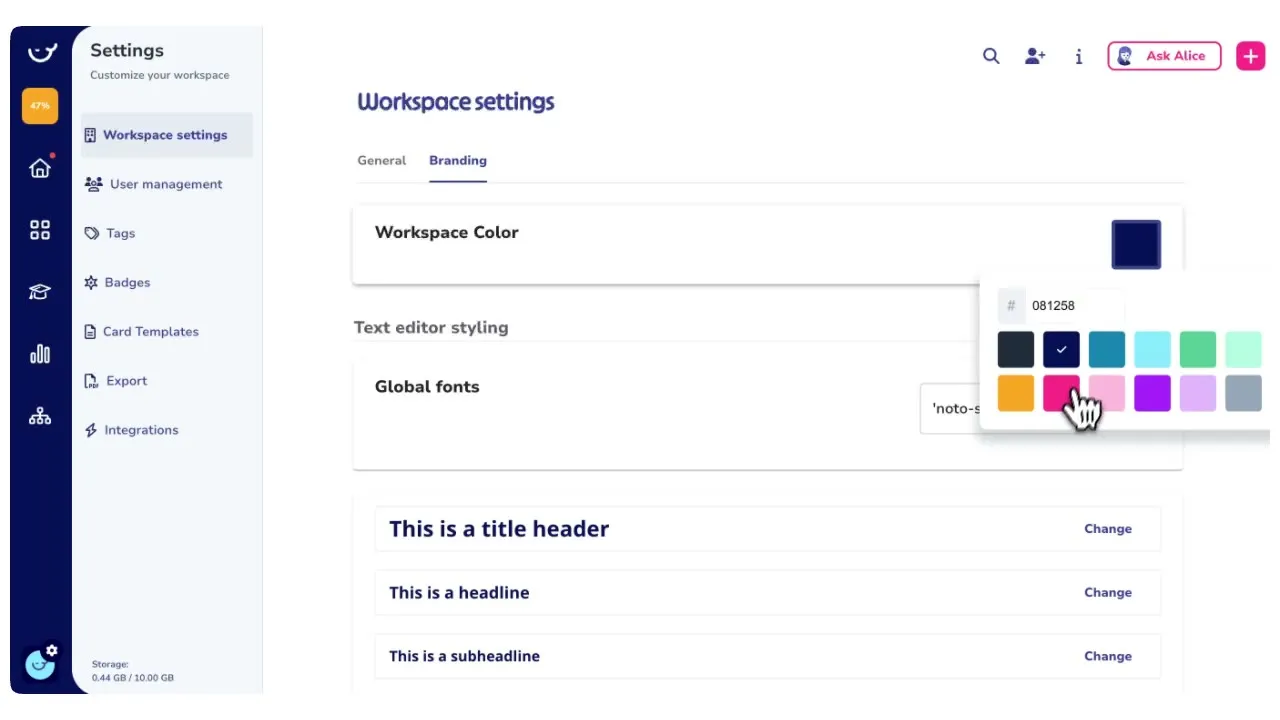
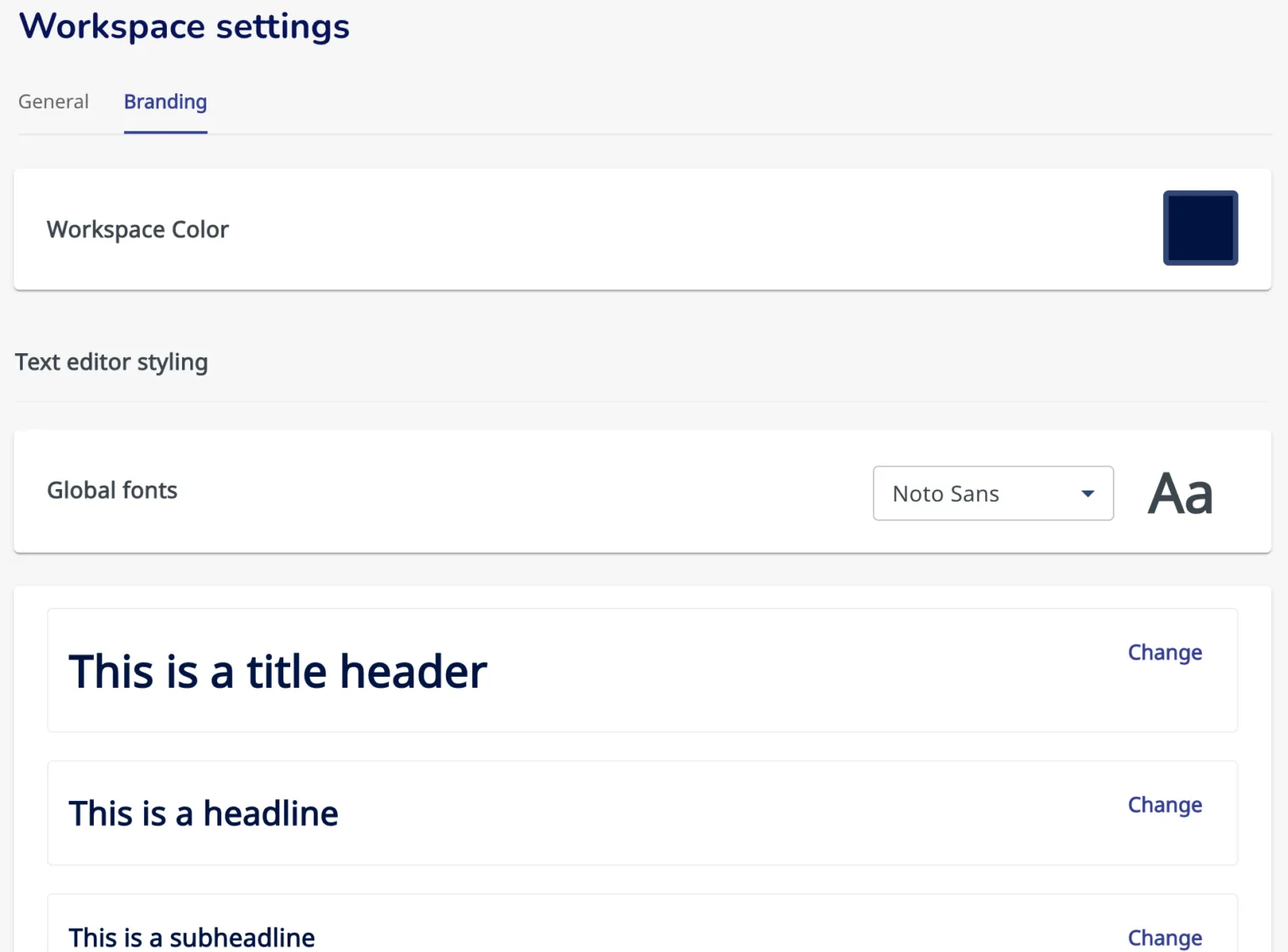
- Upload your logo and set primary and secondary brand colors across the interface.
- The login screen, the sidebar, and every shared link carry your identity.
Exports and the AI assistant carry the brand too
Every PDF export of a card or playbook includes your logo, brand colors, and fonts in the header, so a document handed to a new hire or a client reads as an internal document. Rename Whale’s AI assistant and swap the avatar, so the assistant fits the voice and naming your team already uses internally.
A branded workspace your whole platform runs on
Branding is not a skin on a side tool.
- The branded workspace is where training flows get assigned, where Alice, Whale’s AI assistant, answers questions, and where CoPilot surfaces SOPs inside the apps your team already uses.
- One branded home for documenting, training, and finding answers, all under your company’s name.
How it works
- 01
Set your domain, logo, and colors
Open workspace settings and upload your logo, set your primary and secondary brand colors, and add your custom domain so the workspace opens at whale.yourcompany.com. Set the sender name for system emails in the same place.
- 02
Rename the AI assistant and brand exports
Rename Whale’s AI assistant and swap the avatar to fit your company. Turn on branded PDF exports so every card or playbook handed off to a new hire, a partner, or a client carries your logo, colors, and fonts.
- 03
Your team opens a workspace that is yours
The next time your team logs in, Whale reflects your company’s identity. The domain is yours, the emails read as internal, exports look like official documents, and the AI assistant is named the way your team already talks.
In their own words
Loved for its overall simplicity and support
“Exceptional Tool for Business Knowledge”
Whale is excellent to document and organize business knowledge. Their AI makes it even easier!
Lyndon S.Small-Business (0-50 emp.) “Whale Keeps Work Organized and Teams Confident”
Whale unifies documentation, training, and reviews in one ecosystem.
Verified User in AccountingMid-Market (51-1000 emp.) “Screen Recorder Transformed Our Productivity”
All features are excellent, but the Screen Recorder has boosted productivity for our company.
Andres A.Enterprise (> 1000 emp.) “User-Friendly Platform with Great Features”
Whale is very user-friendly. "Alice" has been a game changer, makes finding information effortless.
Martha Y.Mid-Market (51-1000 emp.) “Intuitive, fresh and easy!”
Whale's clean layout makes building and navigating SOPs a breeze.
Harley B.Small-Business (0-50 emp.) “Productivity Unleashed!”
Managing and write SOP versions, assign them, track progress through a dashboard, and automate revision tracking.
Verified User in FarmingMid-Market (51-1000 emp.) “My company utilizes Whale for our SOP’s and FAQ’s.”
Everything is very easy to locate and the search bar is my favorite feature. When I need a quick answer I turn to Whale to find what I am looking for.
Georgia R.Mid-Market (51-1000 emp.) “Whale Streamlined Our Processes and Boosted Team Onboarding”
Whale transformed how we manage internal processes. Documenting SOPs is fast and we can build and share training materials in minutes, making onboarding significantly more efficient.
Fábio B.Enterprise (> 1000 emp.) “Whale Keeps Department Training Organized with Boards, Libraries, and Playbooks”
Boards, Libraries, and Playbooks keep training organized by department, so you can generate videos, SOPs, quizzes, and more for each topic.
Ketan T.Mid-Market (51-1000 emp.) “Streamlines Documentation with Ease”
I use Whale for company handbooks, regulations, how-to's, and manuals, all on one platform. The step-by-step screen recorder auto-captures screenshots and saves me about an hour per guide.
Anouk V.Mid-Market (51-1000 emp.) “Effortlessly Streamlines Team Training with Solid Support”
Whale supports training my merchandising teams with AI and video features that break down training step by step. Creating training flows is easy, and quizzes ensure the material lands.
Shelley F.Mid-Market (51-1000 emp.) “Effortless SOP Management with Stellar AI Search”
Whale centralizes all our SOPs with standard formatting and makes them easy to find, especially with the fast AI search across thousands of documents.
Jitender T.Small-Business (50 or fewer emp.)
Frequently Asked Questions
01What parts of the workspace can I customize?
Logo, primary and secondary brand colors, the workspace URL via a custom domain such as whale.yourcompany.com, the sender name on system emails, the name and avatar of the AI assistant, and the header on PDF exports. Platform terminology can also be customized on Team and above through the custom terminology power-up. The workspace, every shared link, and every export all carry the same identity once branding is set.
02Can we rename Whale's terminology to match how our team talks?
Yes, on Team plans and above through the custom terminology power-up. You can rename the words Whale uses for its core objects so the workspace speaks your team’s language rather than the default product terms. A team that already says runbooks or field guides can keep those names, and new hires learn one vocabulary instead of two. The change carries across the workspace and search.
03Can I change the name of the AI assistant?
Yes. The AI assistant can be renamed to anything your team uses internally, and the avatar can be replaced with your company mascot, a custom illustration, or a brand mark. Some teams keep the Alice name so new hires recognize it from the Whale documentation. Other teams rename the assistant to match an internal persona or to fit a naming convention their team already uses. Both work. The underlying AI capability is the same.
04Do PDF exports include my branding?
Yes. Every PDF export of a card or a playbook includes your logo, brand colors, and fonts in the header. An SOP handed off in a training flow, shared with a partner, or sent to a client reads as an official internal document instead of an export from a third-party app. The cover page, the header, and the accent colors all follow what is set in the workspace branding settings.
05Which Whale plan includes branding?
Full workspace branding is included on the Scale plan and above. This covers the custom domain, brand colors, logo, email sender name, renamed AI assistant, and branded PDF exports. The Free and Team plans do not include custom branding, so the workspace runs on the standard Whale look. Scale also includes training flows, Alice, analytics, and custom roles, which is the layer most ops teams move to Scale for.
06How does this compare to branding in Notion or Confluence?
Notion and Confluence let you drop a logo on a workspace, and that is the ceiling. Whale’s branding covers the custom domain, the email sender name, PDF exports, and the AI assistant, because Whale is AI-Powered SOP Software that gets your team trained, not a general-purpose wiki. A branded Whale workspace sends branded assignment emails, hosts branded training flows, answers questions through a renamed AI assistant, and hands out branded exports. The brand is on every touchpoint the team sees during onboarding and daily use, not only the sidebar.
Other Features
Manage
Advanced Permissions
Control exactly who can view, edit, and manage content in your workspace.
Learn moreShare
Public Share
Share any SOP with partners or clients via a secure link, no Whale account needed.
Learn moreTrain
Training Flows
Automate onboarding with structured learning paths that run on autopilot.
Learn more